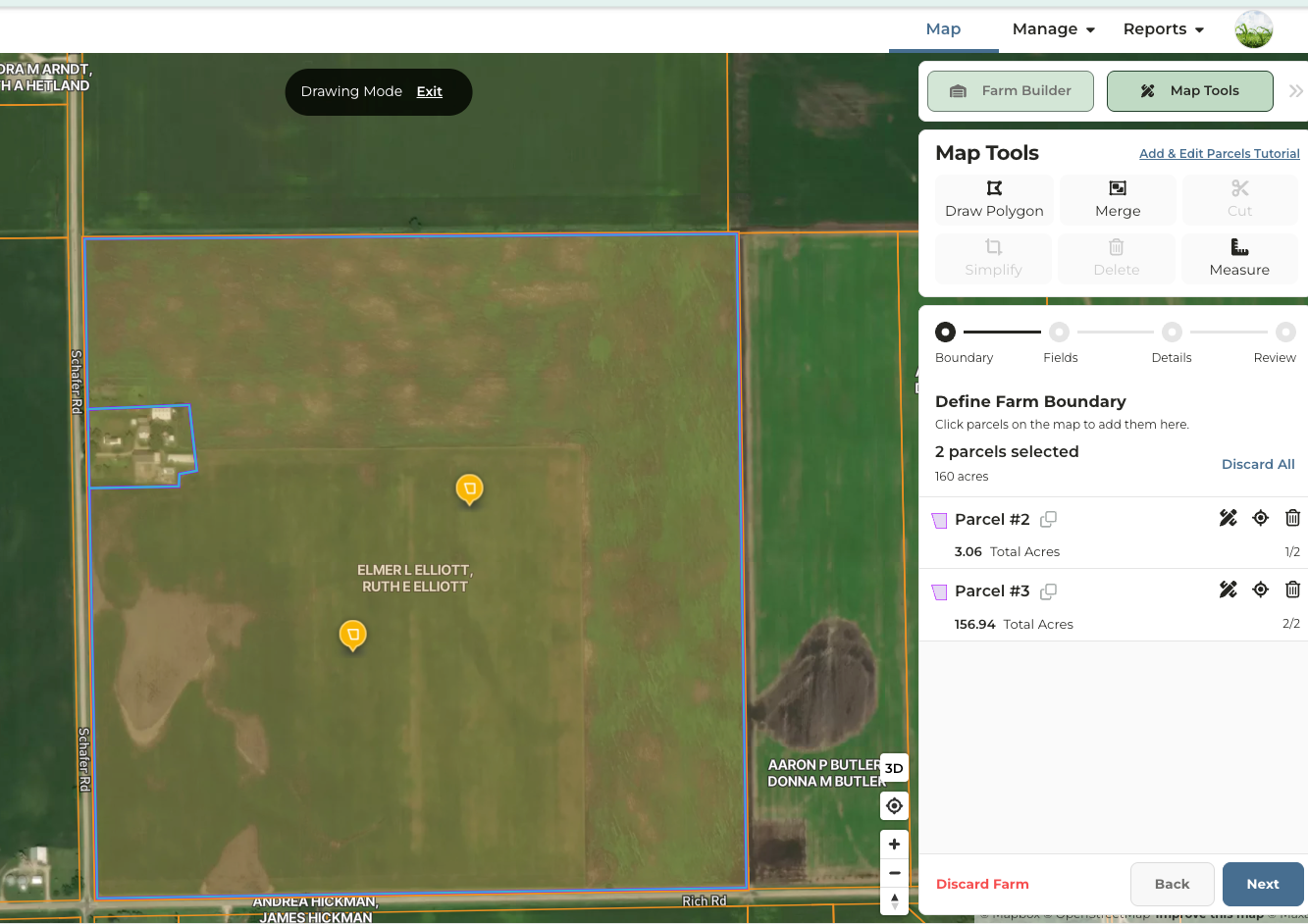
How do I know when to use the Cut Tool or the Draw Polygon tool?
How do I know when to use the Cut Tool or the Draw Polygon tool?
- Use the Draw Polygon Tool if you want to:
- Measure a precise area using feet and acres
- Draw a field by hand
- Isolate non-productive acres from a field that are surrounded by tillable acres
- Isolate non-productive acres that span across more than one field or parcel
- Use the Cut Tool if you want to:
- Quickly divide a single field into multiple fields
- Subdivide a parcel
- Isolate non-productive acres that are along the border of a field
Will the acres of the new field created be subtracted from the original shape?
Will the acres of the new field created be subtracted from the original shape?
- Yes. If your original shape is 80 acres and you use either the Draw Polygon or Cut tool, to create a new 20 acre field, the original shape will now show as 60 acres.
Using the Cut Tool
Start Here if Editing an Existing Property in Your Account
1
Navigate to the property you want to edit
2
Click on Fields & Parcels then click Add/Edit Fields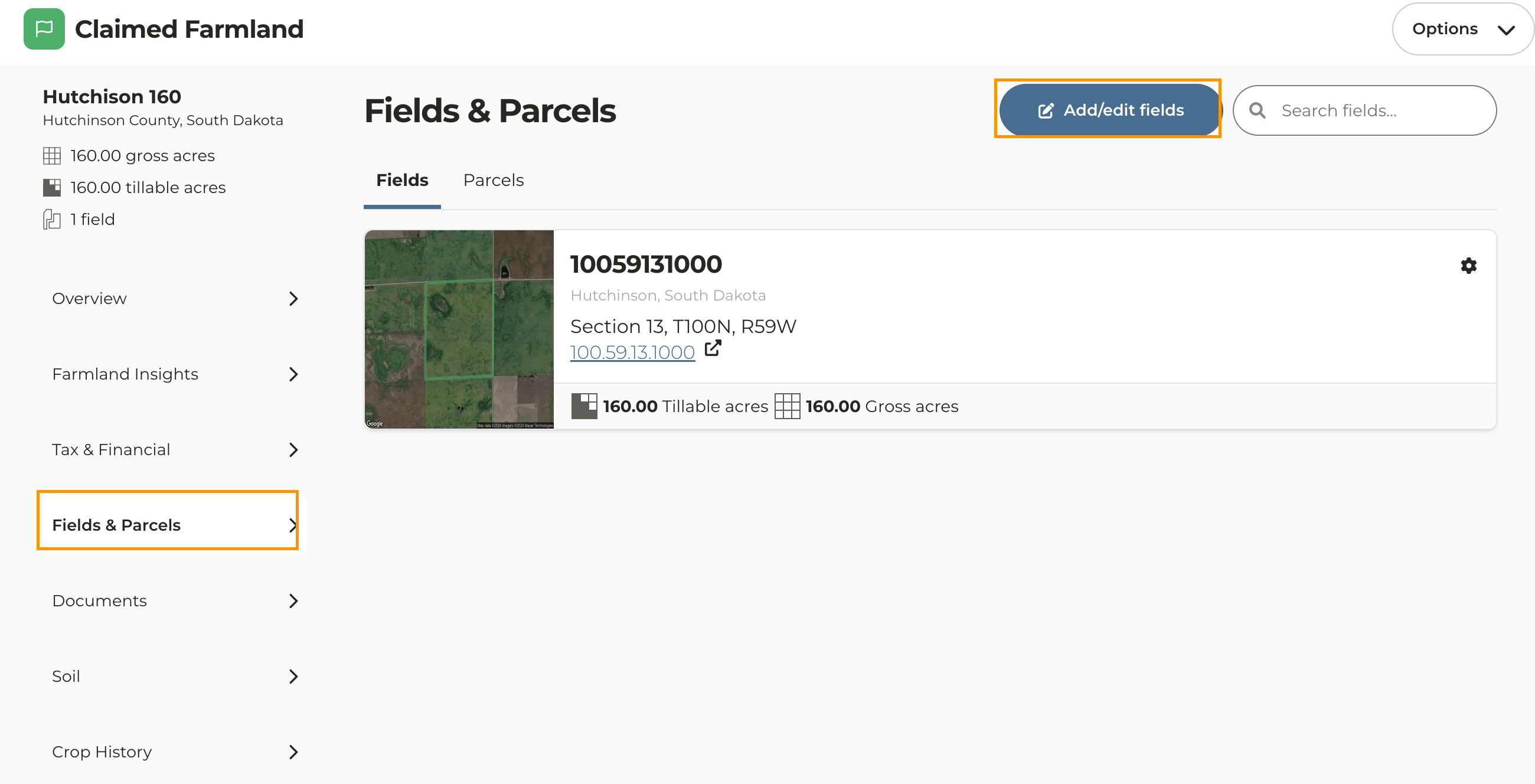
Start Here if Editing a Property Currently Being Added to Your Account
1
Enable Map Tools
2
Click on the field or parcel
3
Click Cut to enable the cut tool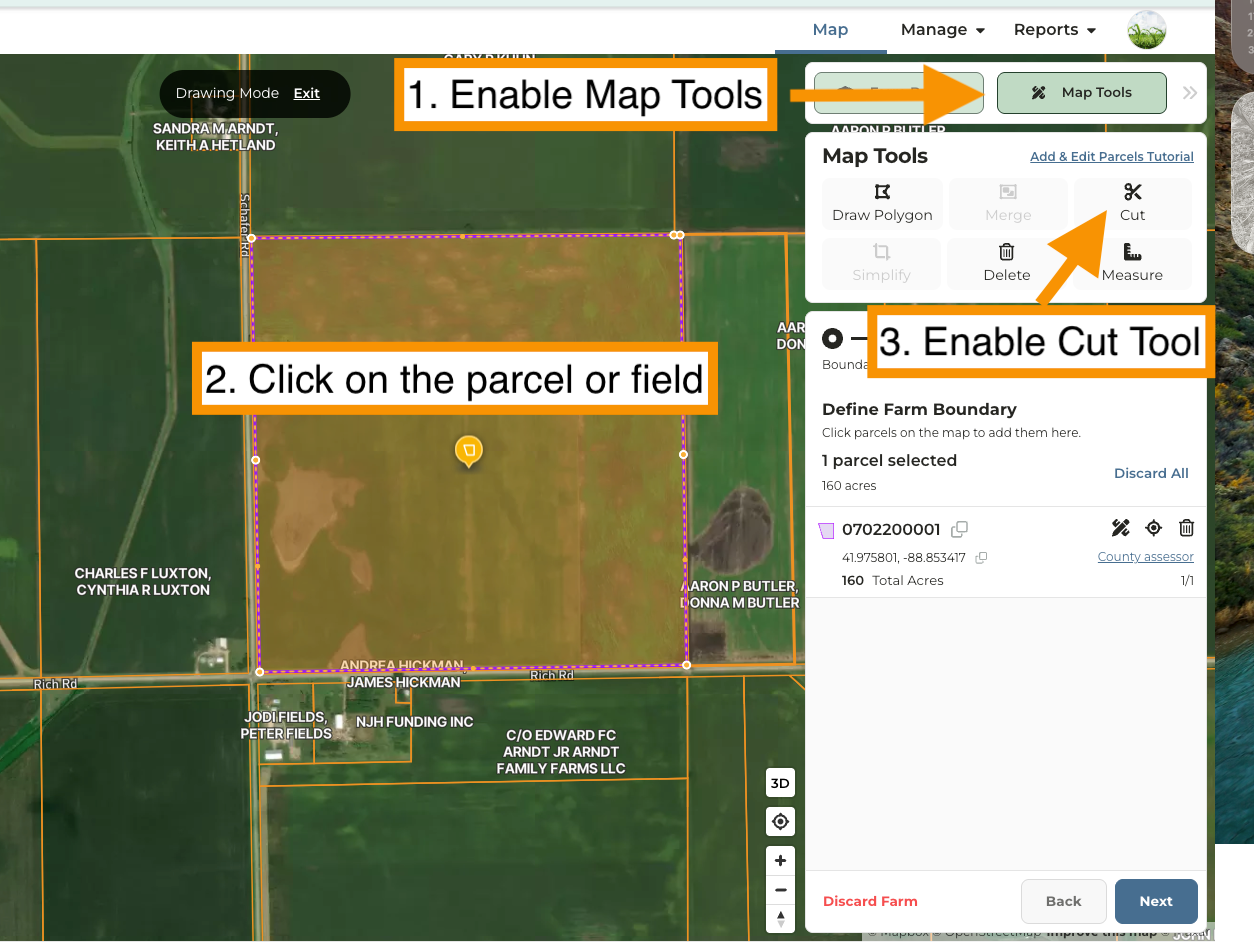
4
On the map near the area you want to cut, drop a point outside of the boundaries with one mouse-click
5
Move the cursor into the field border and begin dropping points by clicking your mouse to outline the area
6
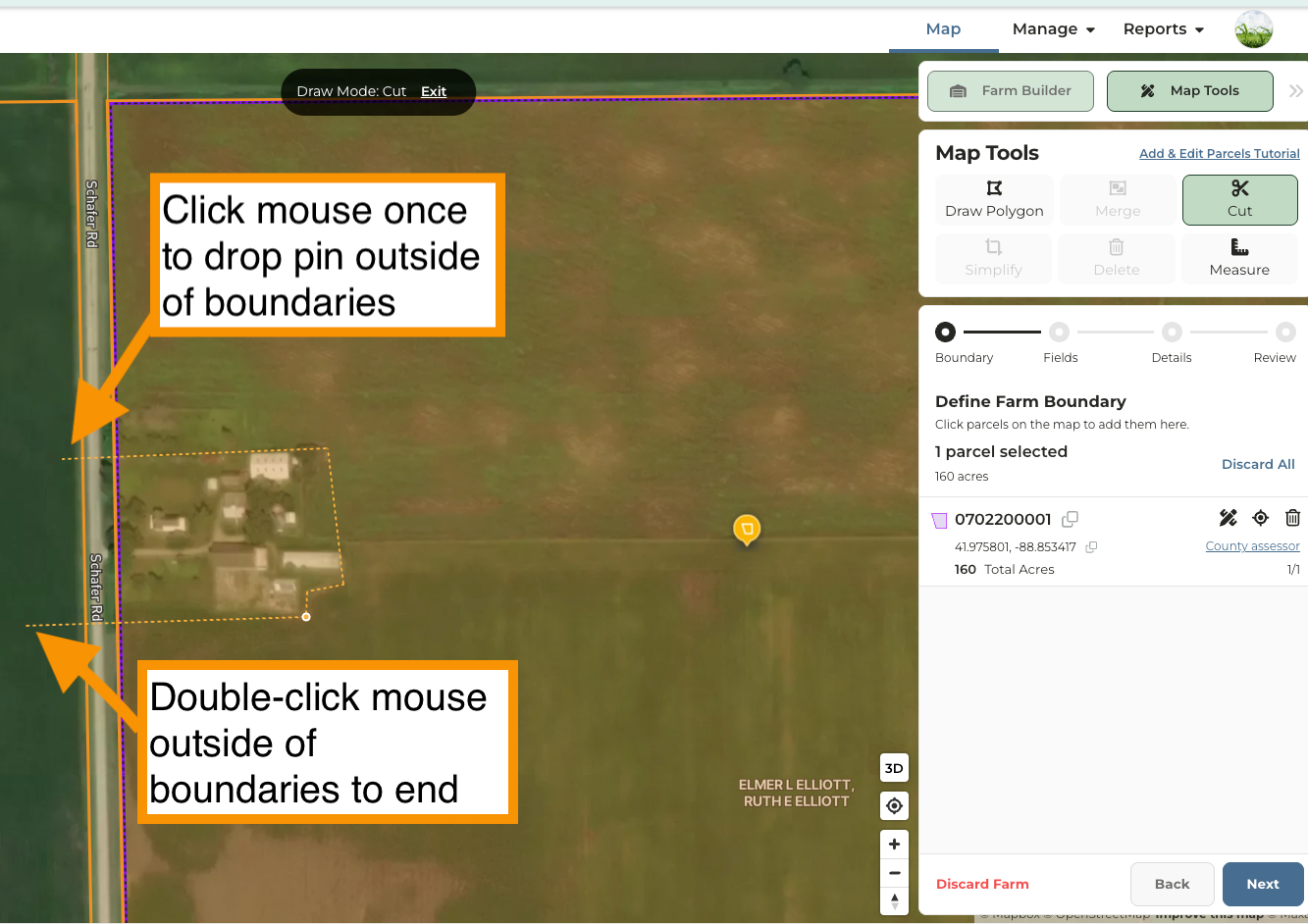
7
A second parcel or field will now appear.
8
Click Next to continue through the Farm Builder workflow