In CamoAg, what is the difference between a farm and a field?
In CamoAg, what is the difference between a farm and a field?
- A Farm is made up of one or more fields
What are the requirements for moving a field to another farm?
What are the requirements for moving a field to another farm?
- There can’t be an active lease in place. Once the lease expires, you can move the field.
- The farm to which you are moving the field must already exist in the platform
What is the use case for moving a field to another farm?
What is the use case for moving a field to another farm?
- Field was added to a farm by mistake
- You would like to consolidate multiple farms into a single farm
- You would like to separate fields that belong to a single farm into multiple farms
1
Navigate to the farm whose field you want to move
2
Click Fields & Parcels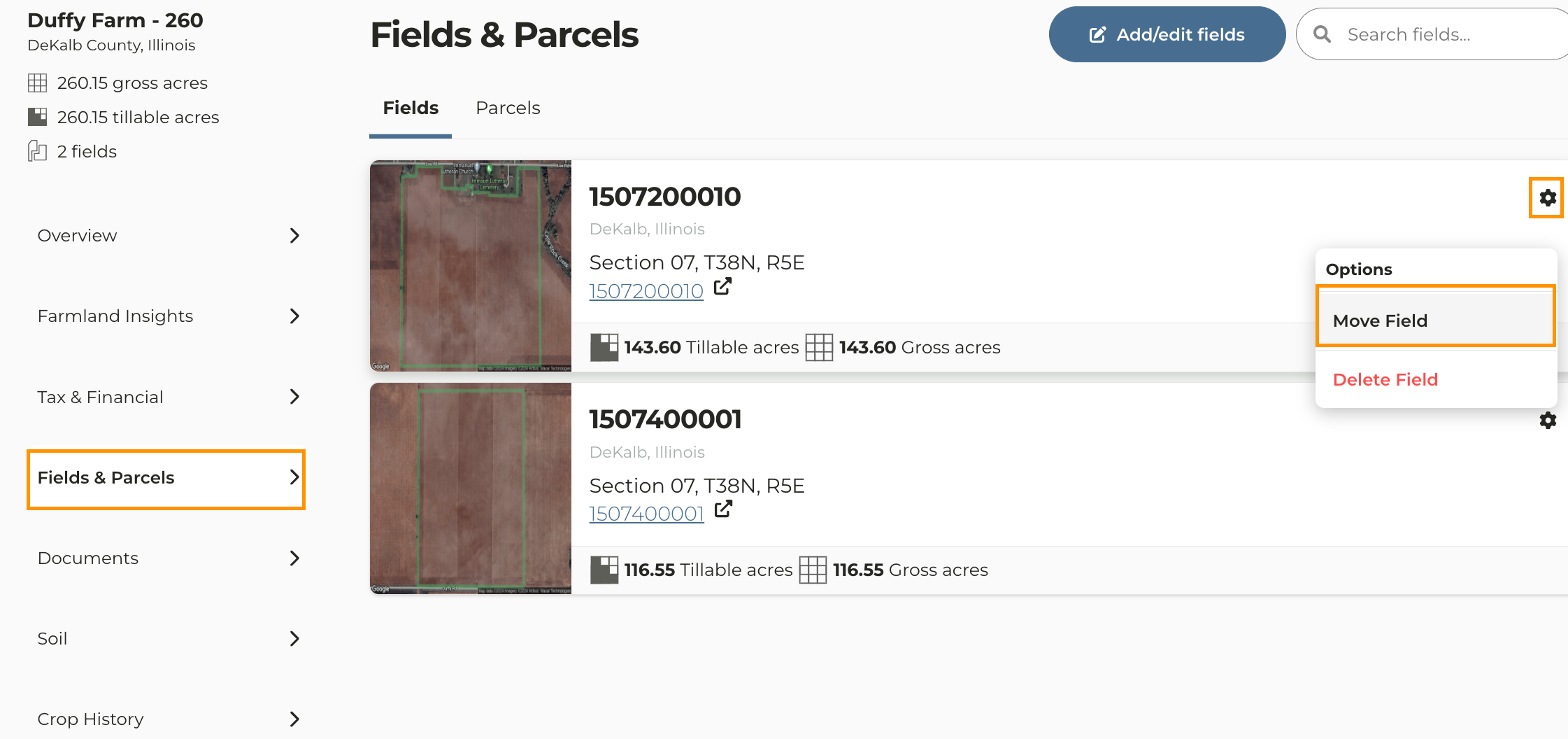
3
To the right of the field you want to work with, click the icon then Move Field
4
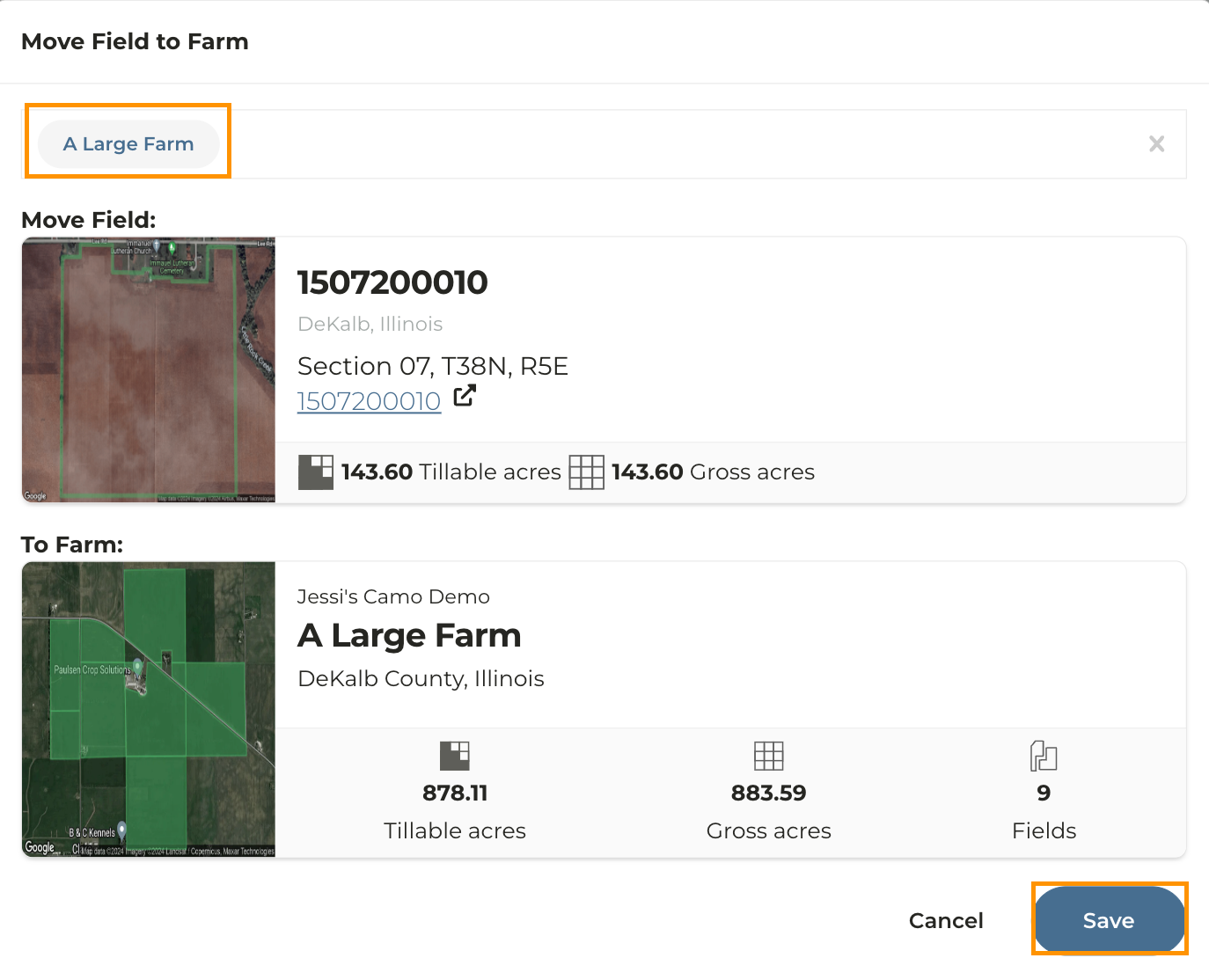
Search for the name of the farm to which you want to move this field.
Note: The farm will appear under the field you want to move.
5
Click Save then Okay to confirm the move