

- Templates can be found at the bottom of this article.
- Customers with this module, we support a Map Layer import via CSV
- Each layer should be uploaded as a separate CSV file. For example, Insurance Regions would be one layer and one file and Sales Regions would be a second layer and a second file.
- The import expects one map layer item per row (see examples below)
- Optional “Properties” fields should be entered and will display in CamoAg as entered. For example regional_vp or Regional VP.
- Files should be saved as CSV and sent to your Customer Success Manager at CamoAg to coordinate uploading
CSV Import
Required Fields
- title (String) - The name of the item
Example: “Water Well Number 1” or “Springfield Branch Location” - layer_name (String) - The name of the layer
Example: ‘California Water Wells’ or ‘Branch Locations’ - county_geoids (String) - A list of county geoids. The boundary of the county will be shown on the platform. If multiple county geoids are provided, the boundaries of the union of the counties will be shown.

Optional Fields
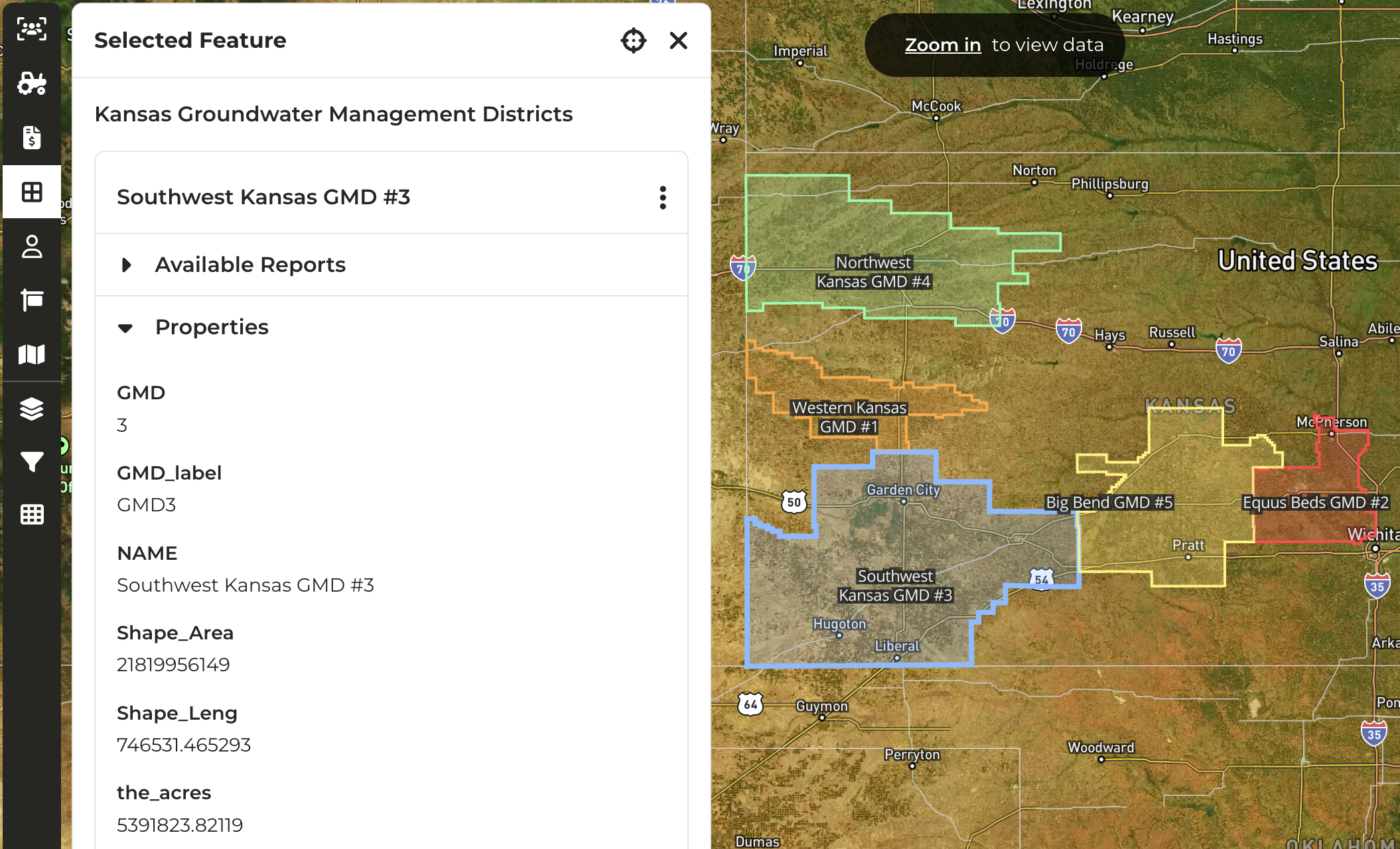
Any other fields provided in the csv will be converted to a ‘properties’ field and shown in the platform as seen in the screenshot below. Sample Optional Fields:- office_locations (String) = Peoria, Bloomington
- regional_leader (String) = Joe Farmer, Ola Mcdonald

GIS File Import
Required Fields
- title_property (String) - The attribute of each feature that should be used as the title of map layer item; the property must be a property of each feature within the GIS file
Example: “GSA_Name” - layer_name (String) - The name of the layer
Example: ‘California Groundwater Sub basins’
Optional Fields
source_url (String) - External source of the GIS dataExample: https://water.ca.gov/Programs/Groundwater-Management/Basin-Prioritization Any other attributes provided for each feature in the GIS file will be converted to a ‘properties’ field and shown in the platform as seen in the screenshots below.
- County_GeoIDs_Map_Layer_Template.csv (33 Bytes)