

Contacts & Operations
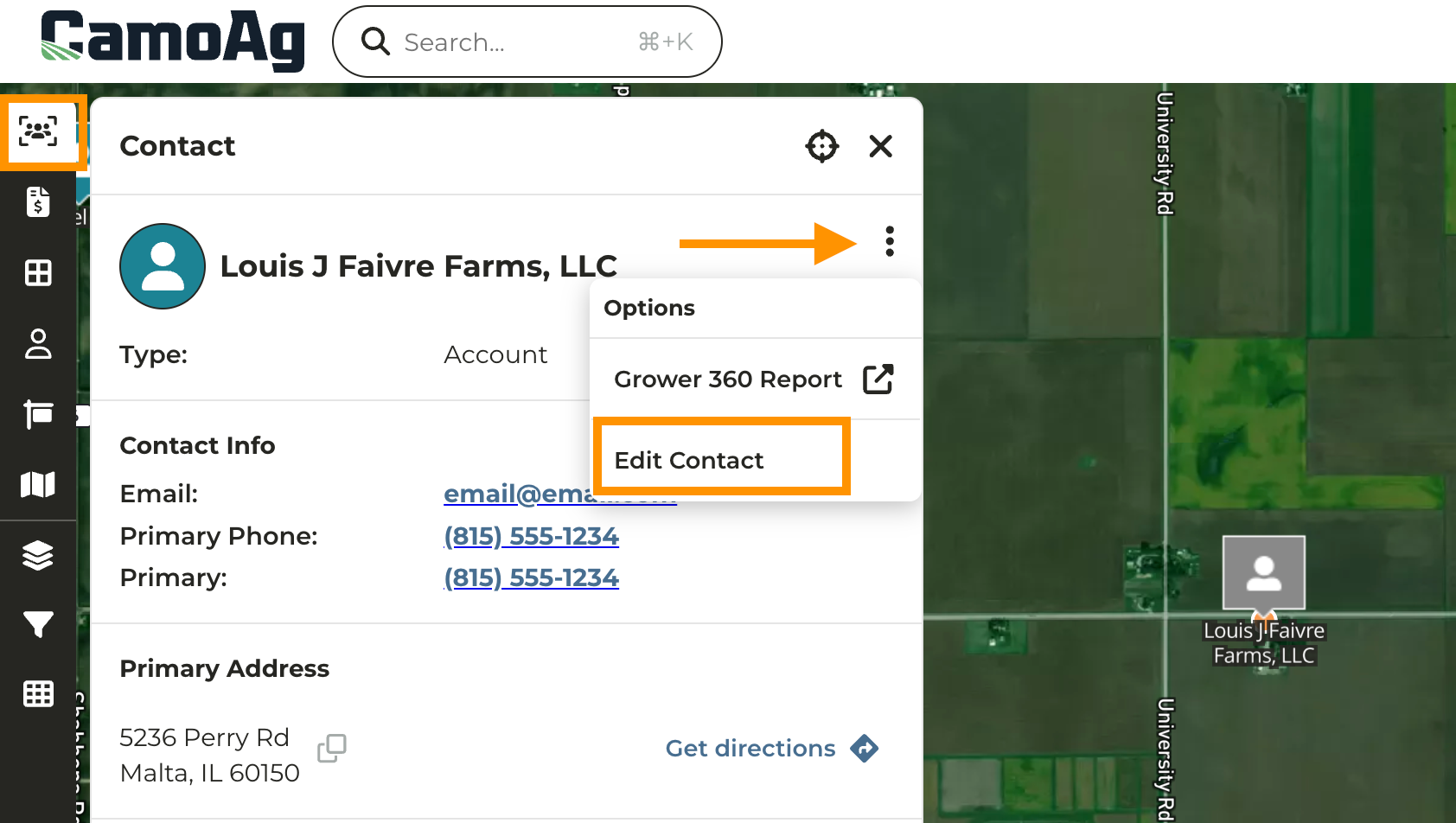
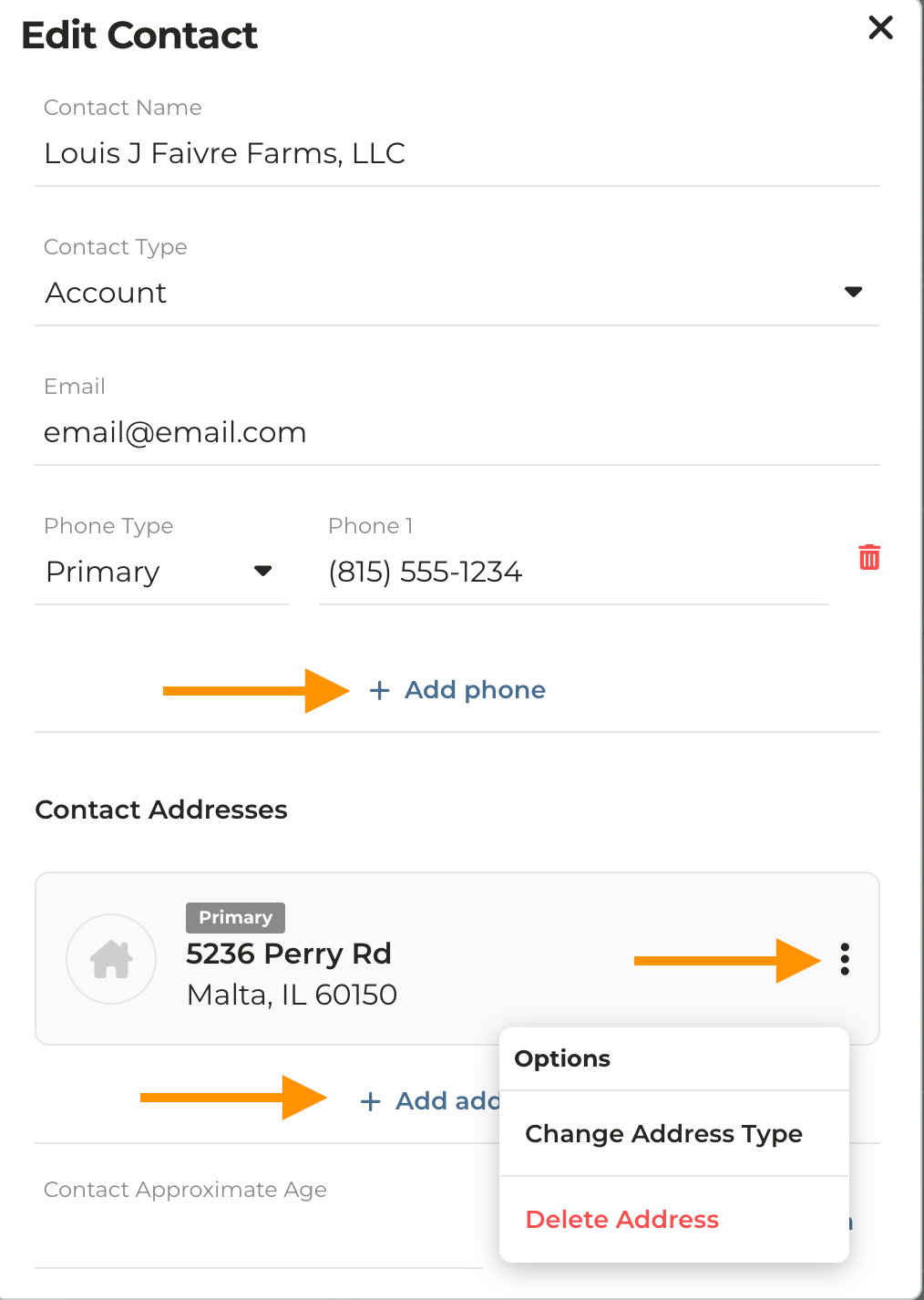
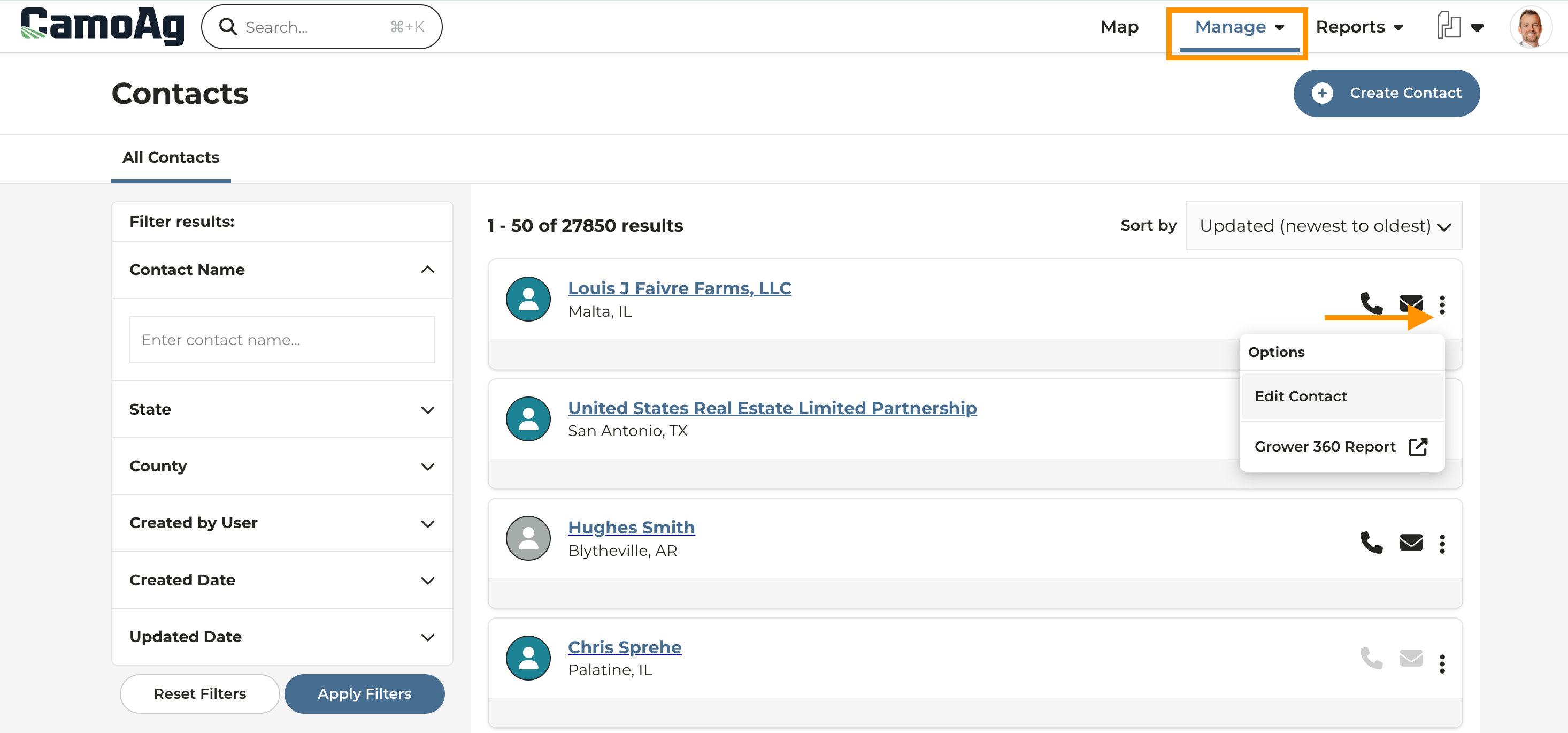
Editing a Contact in CamoAg
If your organization has an integrated CRM, edits can only be made in the CRM. Once edits are saved in the CRM they will appear in CamoAg and override any data you may have entered in CamoAg.
Last modified on May 22, 2026