

  • The primary objective of Tags is to enable sales and marketing teams to consistently classify, target, and prioritize producers and related entities using shared, repeatable logic across the Camo platform.
  • This feature supports enterprise readiness by aligning Camo’s producer intelligence with CRM-driven workflows, improving collaboration across teams, and making segmentation a first-class capability in both the map and reporting experiences.

Tags

Overview

Tags are free-form labels that can be applied manually to supported entity types within the platform.

Supported Entities

Tags may be applied to the following entity types:
  • Contacts
  • Producers
  • Operations (Networks)
The platform supports three tag types: Global Tags — Defined and maintained by Camo; visible across all contacts. These tags are read-only for users. Company Tags — Created and managed by a user in an organization with CamoAg Admin permissions. Admins have full control over the creation and deletion of these tags. Integration Tags — Sourced from external systems such as Salesforce or Snowflake. Editability is configurable per integration; tags may be read-only or editable depending on the integration’s configuration.

UI Requirements

The interface must clearly surface the following attributes for each tag:
  • Tag type — Platform Global, Organization, or Integration
  • Edit status — Whether the tag is editable or read-only in the current context

Managing Organization Tags

Requires Admin or Edit permissions
  • Navigate to Account Settings > Tags
  • Click New Tag to create a tag
  • Tags created in CamoAg may be edited or deleted by clicking the appropriate Edit or Delete icons
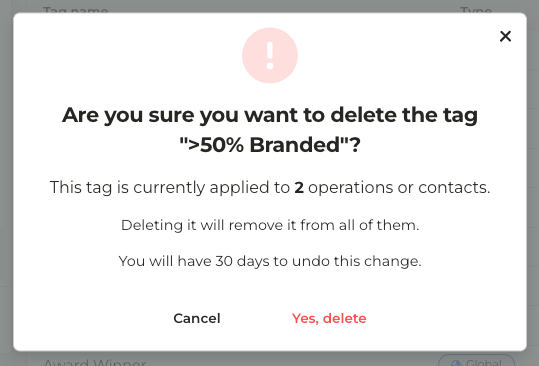
  • Deleting a tag in use will display a message similar to the one below
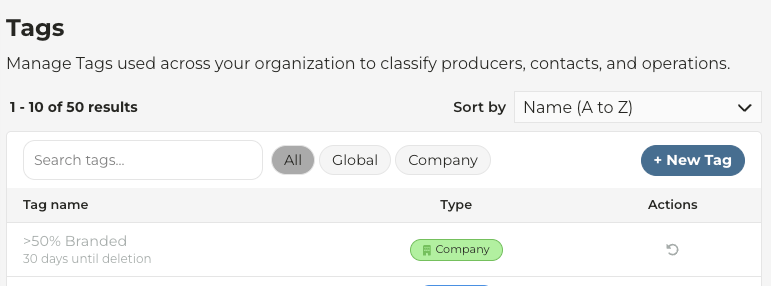
  • A deleted tag may be restored within 30 days by clicking Restore icon under Actions
Last modified on May 22, 2026