Section 1: FAQs
Can a subject property become a comp?
Yes
Are updates from Agware instantaneous in CamoAg or is it a scheduled update?
Updates are extracted and moved daily
How do you create a Comp Sale?
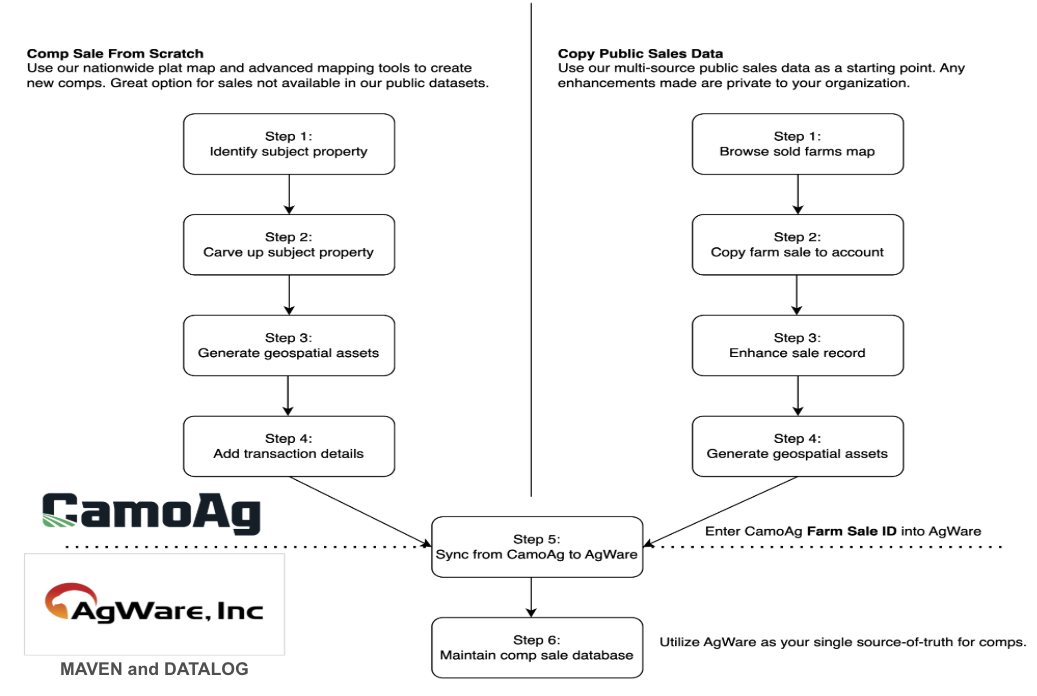
Comp Sales can be created from scratch or by copying a public sale.
Section 2: Workflow for Creating a Comp Sale
Section 3: How to Create or Copy a Sale
Guides are linked within each stepCreating a Sale
| Step 1 | Step 2 |
|---|---|
| - Ways to search for your subject property - Browse the plat map and select parcel - Search by PIN/APN - Search by Owner - Search by Section, Township, Range - Enter Address - Enter Lat/Long - You can add multiple Parcels/Fields to your Subject - Optional way to add a property: Getting Started with the Deed Mapper | - A unique Farm ID is generated for your farm/subject (see below) - Map out your subject using CamoAg’s Mapping tools for seamless transition to AgWare with all your edits captured - Utilize 2008 CLU’s for field boundaries - Make edits to the fields or parcels using any of the following features: - Merge fields - Using the Cut Tool - Using the Draw Polygon Tool - Designate Acre Types of your subject - Dryland, Irrigated, CRP, WRP, Waste, Woodland |
| Step 3 | Step 4 |
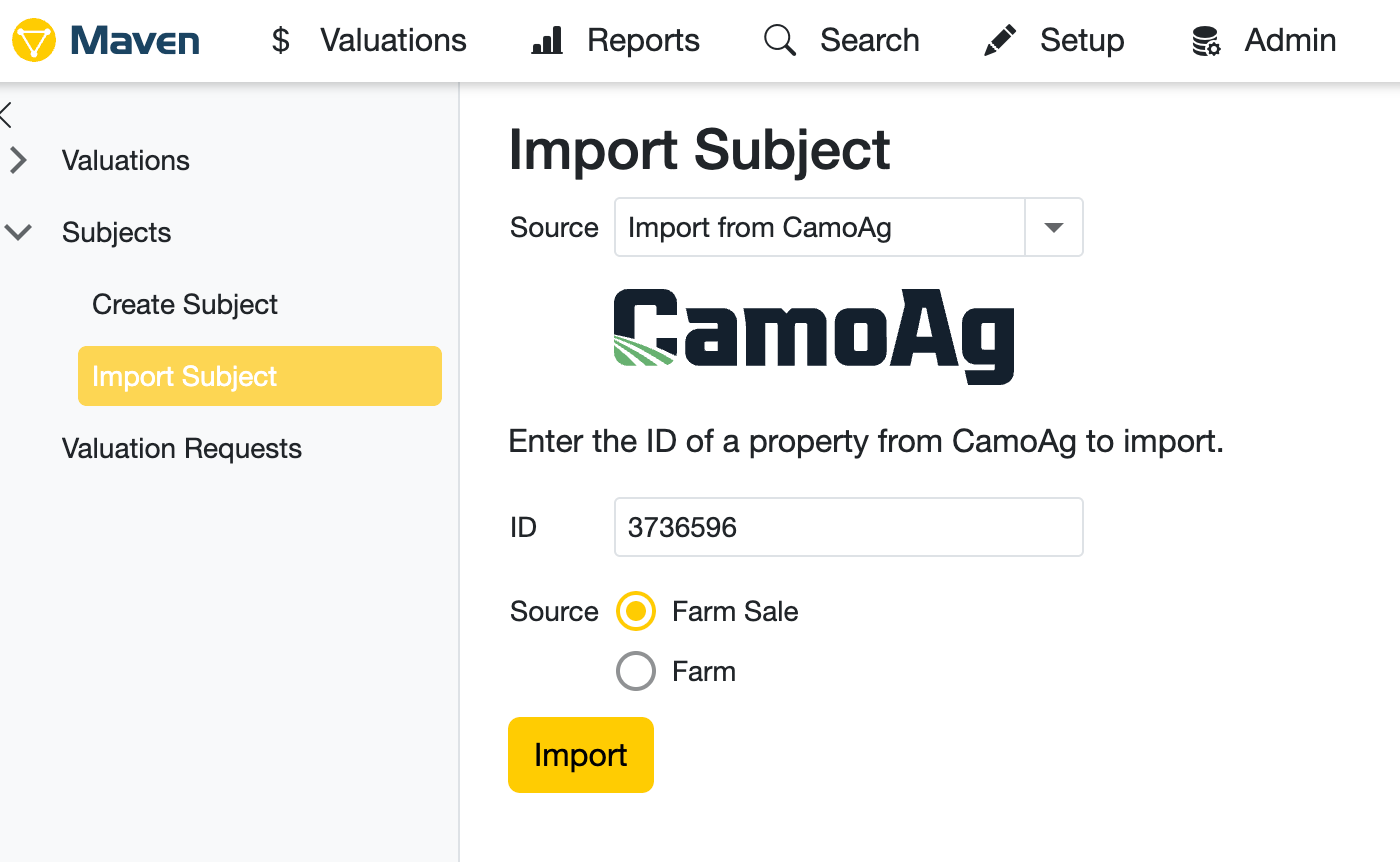
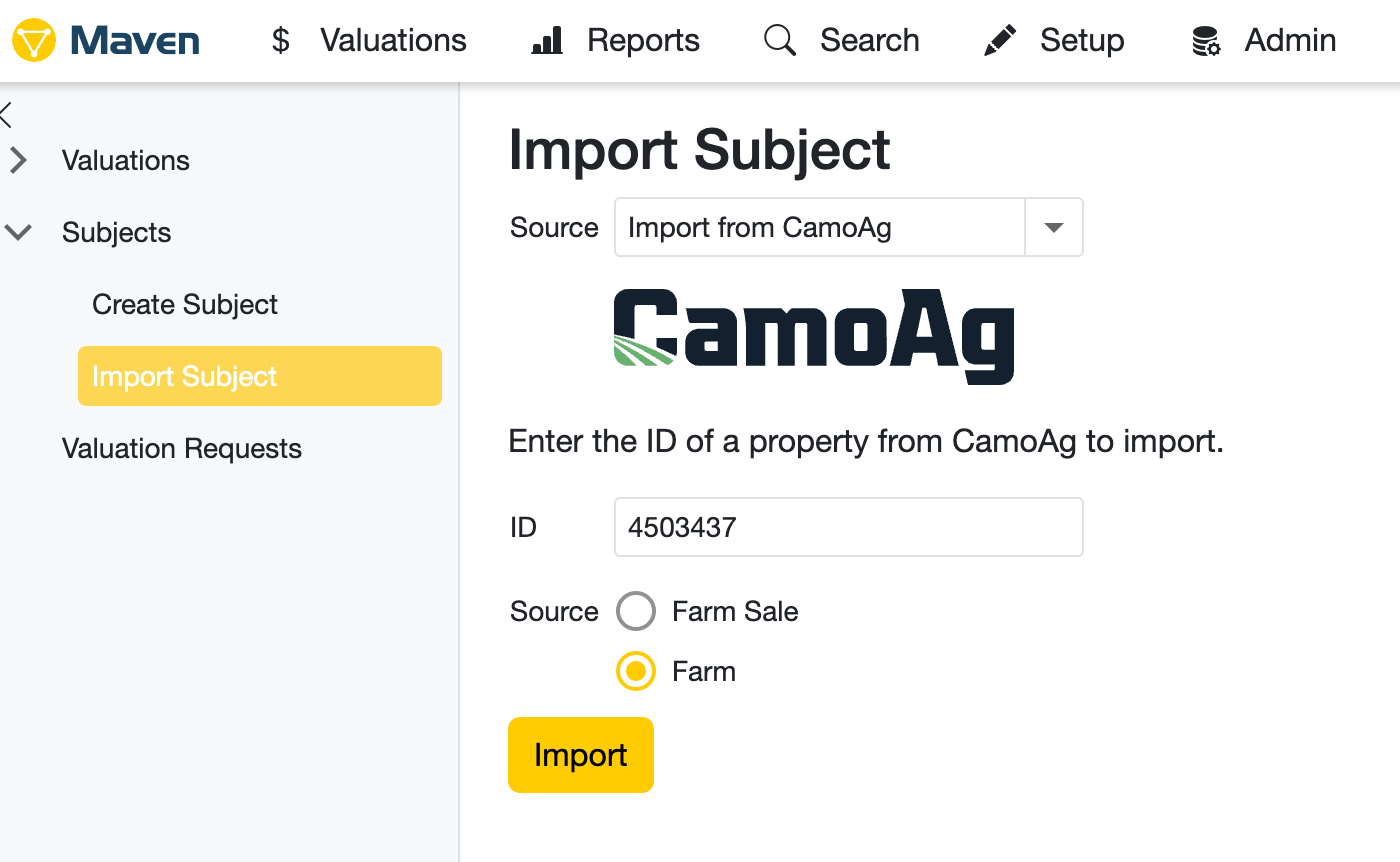
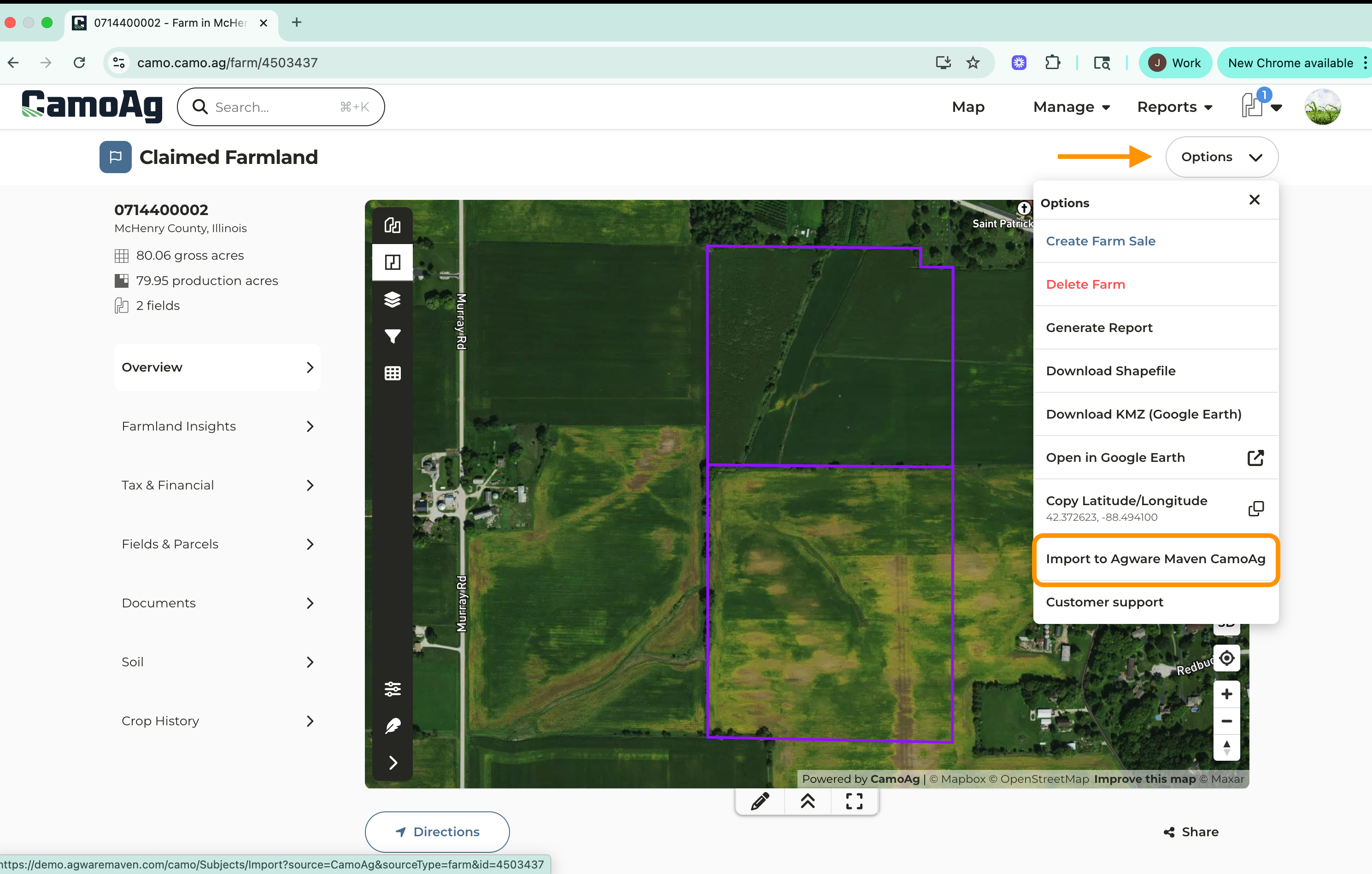
| - Add/Attach all relevant documentation to support your subject - Generate various pdf maps: soils, aerial, crop history, county yield - All maps get stored in Documents - Any additional pdf’s/supporting documents can be uploaded to Documents | - Create a Farm Sale - Sale Type - Sales Details - Buyer/Seller - Import to AgWare/Maven from the **Options **menu of the subject sale property - Any/all documents attached to your subject property get seamlessly transferred into AgWare and stored as an Attachment Complete Appraisal in AgWare! |
Copying a Sale
| Step 1 | Step 2 |
|---|---|
| - Follow the steps outlined in the Copying an Auction or Sold Farm to Create a Private Comparable Sale guide - Create a copy of the public sale - You can add multiple Parcels/Fields to your Subject | - A unique Farm ID is generated - Make edits to the fields or parcels using any of the following features: - Merge fields - Using the Cut Tool - Using the Draw Polygon Tool - Designate Acre Types of your subject - Dryland, Irrigated, CRP, WRP, Waste, Woodland |
| Step 3 | Step 4 |
| - Add/Attach all relevant documentation to support your subject - Generate various pdf maps: soils, aerial, crop history, county yield - All maps get stored in Documents - Any additional pdf’s/supporting documents can be uploaded to Documents | - Import to AgWare/Maven from the **Options **menu of the subject sale property - Any/all documents attached to your subject property get seamlessly transferred into AgWare and stored as an Attachment Complete Appraisal in AgWare! |
Please note that CamoAg is unable to provide support for Maven/Agware. If you run into questions with the Maven/Agware platform, please reach out to their team. Questions specific to CamoAg should be sent to support@camo.ag