1
Navigate to the property created in CamoAg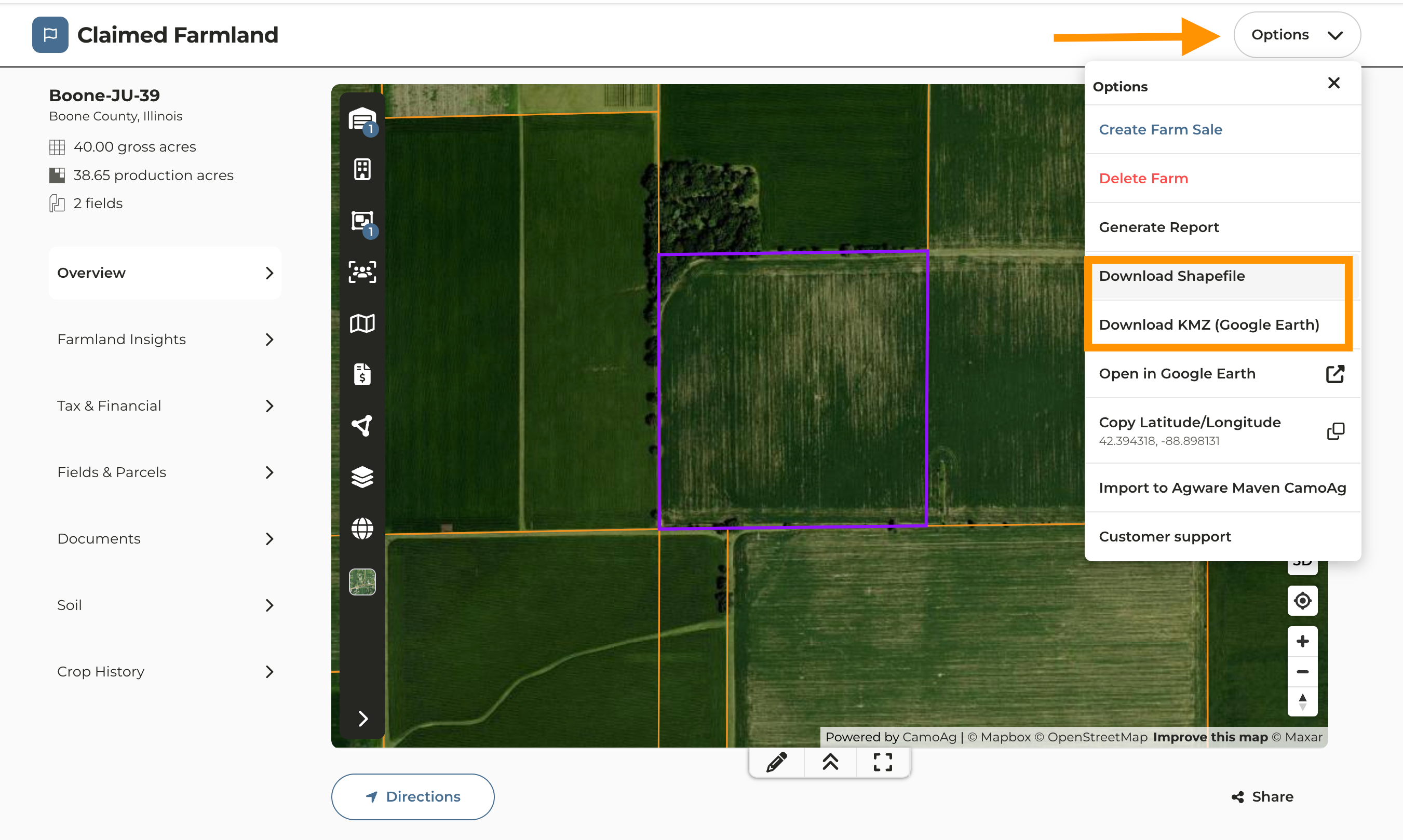
2
Click Options located above the map of the property
3
Click Download Shapefile (see View Historical Imagery for a Property for KMZ instructions)
4
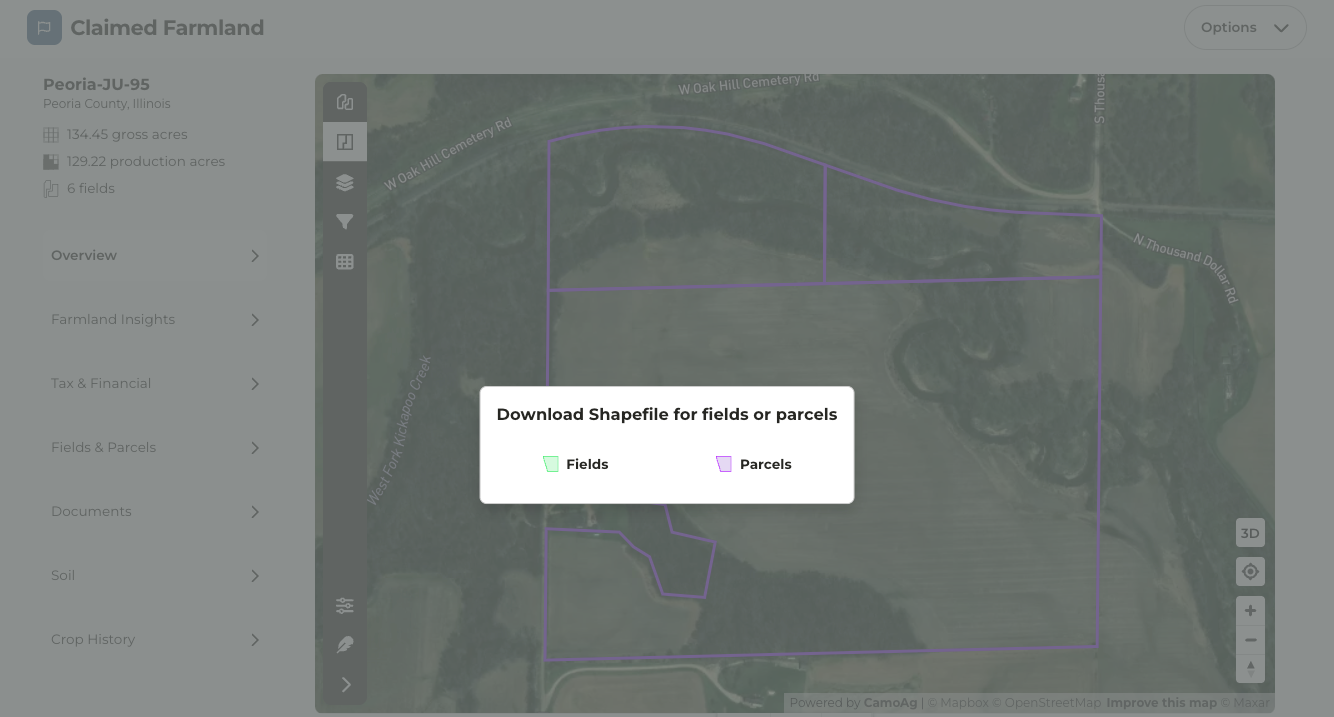
Click Fields or Parcels depending on which you would like to generate boundary outlines for