- All soils data is provided by SSURGO
- A farm must be added to your account in order to generate a soil map
- Soil maps can be downloaded for the entire farm or for a specific field
- The displayed soil rating is calculated based on acres designated as Dryland, Irrigated, or CRP productive acres. If a property includes both productive and non-productive acres, the non-productive acres should be separated into a second field to prevent them from affecting the soil rating.
- If you want to download a soil report for the different acres types, multiple fields must exist with the designated acres assigned to each field. Ex: Timber acres would need to be assigned a field that is separate from productive acres.
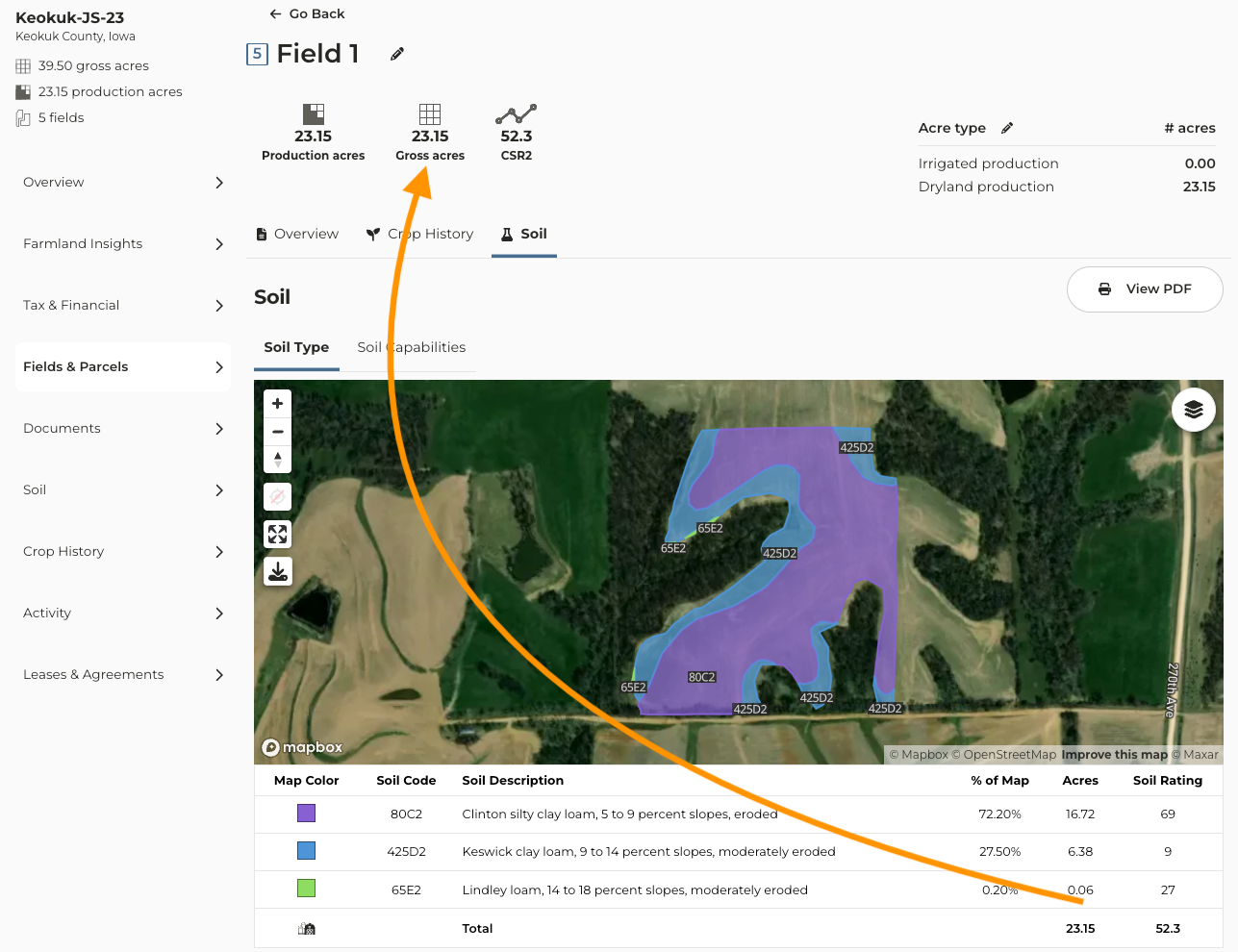
- The total acres you see in the soil map table are equal to the gross acres of the field shape
- If you want the acres in the table to match the production acres then the production acres of a field should match the gross acres of a field
To download a soil map for the entire farm:
1
Navigate to the farm you want to work with
2
From the farm page click on Soil
3
There are two options to download a soil map for the entire farm
4
Option 1: Click View PDF - this will generate a soil report for the entire farm based on the soils designated as productive. This includes dryland, irrigated, and CRP acres.
5
Option 2: Click Acreage Types: If multiple fields and acre types exist for the farm this will be an option. Select the acre types you want to appear on the map and continue with Step 6.
Note: Only the acre types designated to this farm will appear in the dropdown. Ex: If irrigated acres are not designated to a field, you will not see it in the dropdown.
6
Click Apply to map
7
When you’re ready to generate the map click View PDF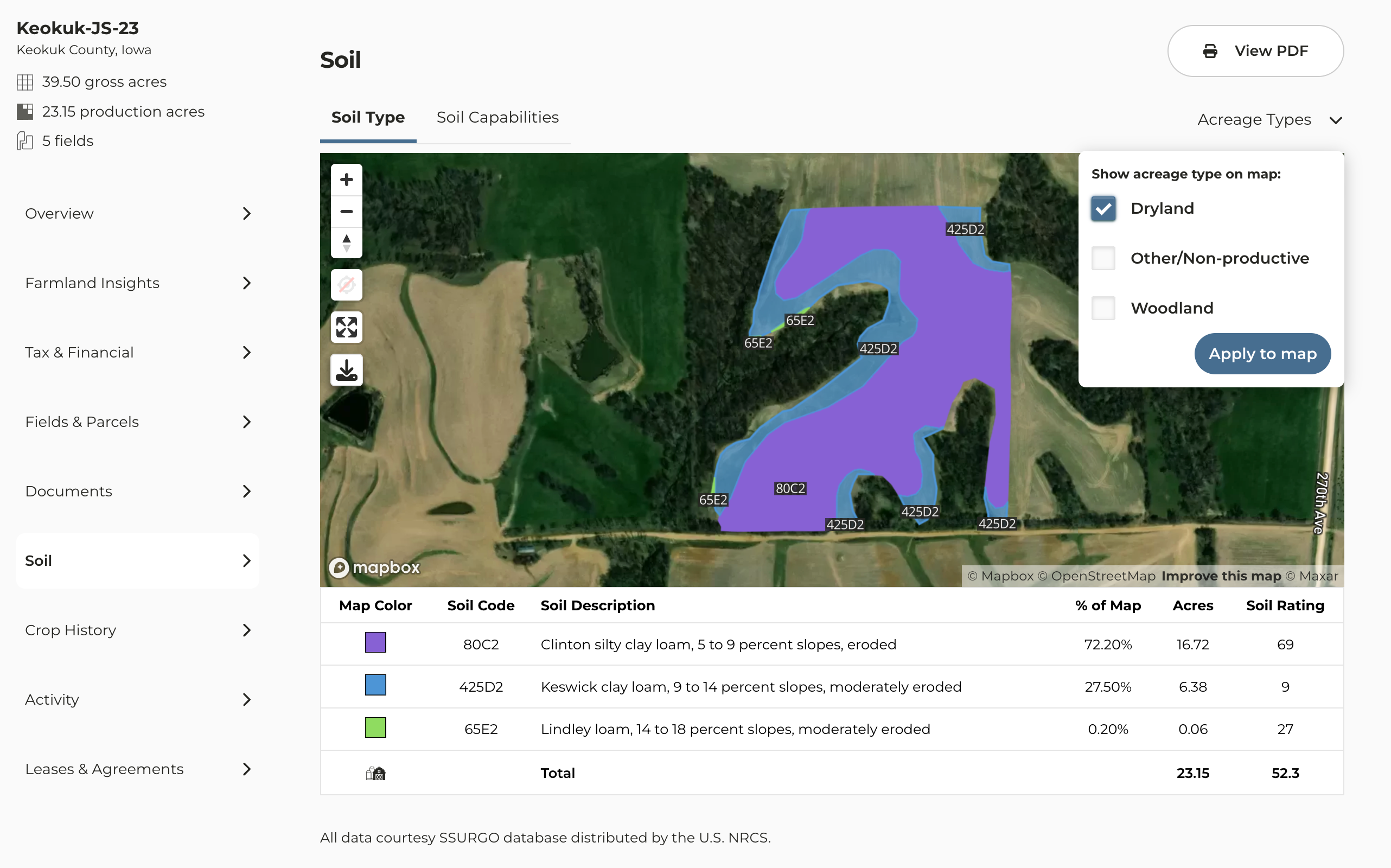
To download a soil map for a field(s)
1
Navigate to the farm you want to work with
2
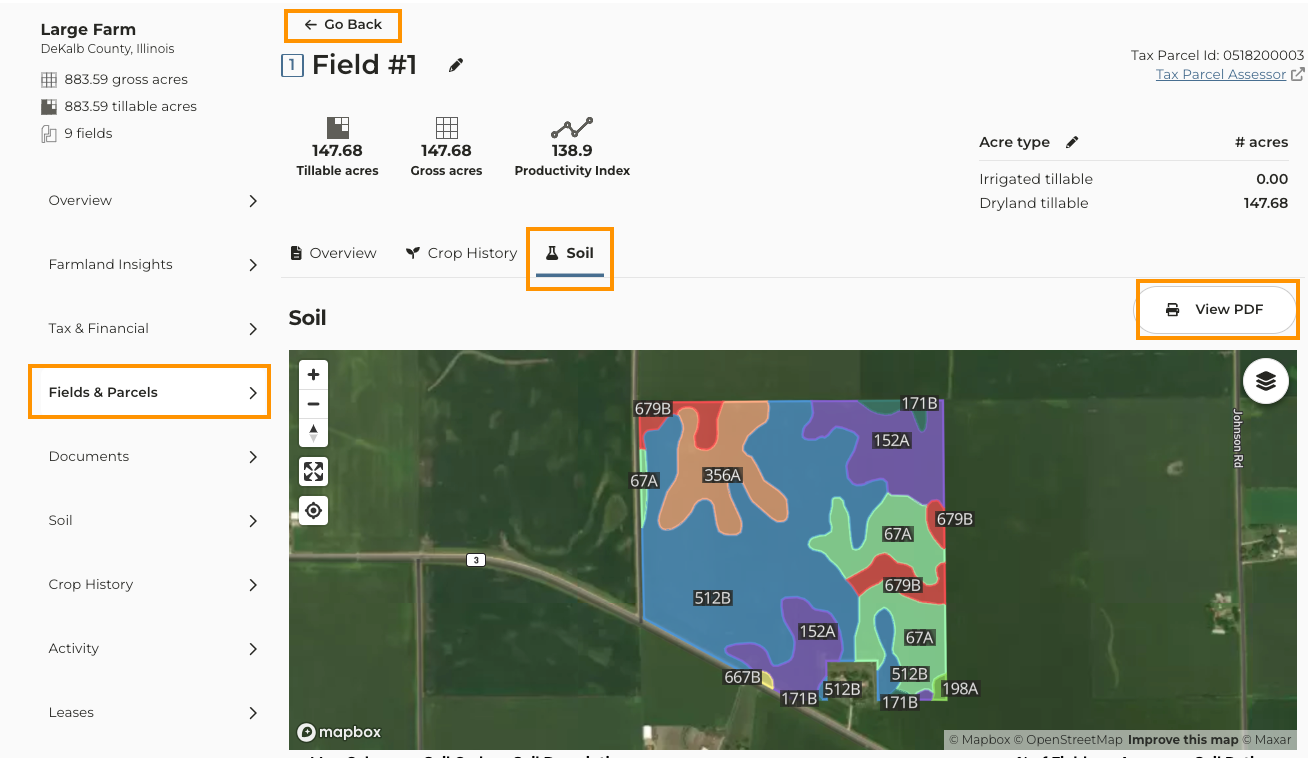
Click on Fields & Parcels
3
Click into the field you want work with
4
Above the map click on the Soil tab
5
Click View PDF
6
If there are additional fields you want to generate a soil map for click Go Back and repeat steps 3-5