How do I edit the delivery of a report I scheduled?
How do I edit the delivery of a report I scheduled?
- You can unsubscribe from a report in your email or edit the delivery of any report you set up Editing a Report Delivery Schedule
1
Navigate to the report containing the data table for which you want to configure an alert or scheduled delivery.
2
Do not apply any filters at this time.
3
Locate the target data table, then click the three-dot menu in its upper-right corner.
4
Select Alert or Schedule Delivery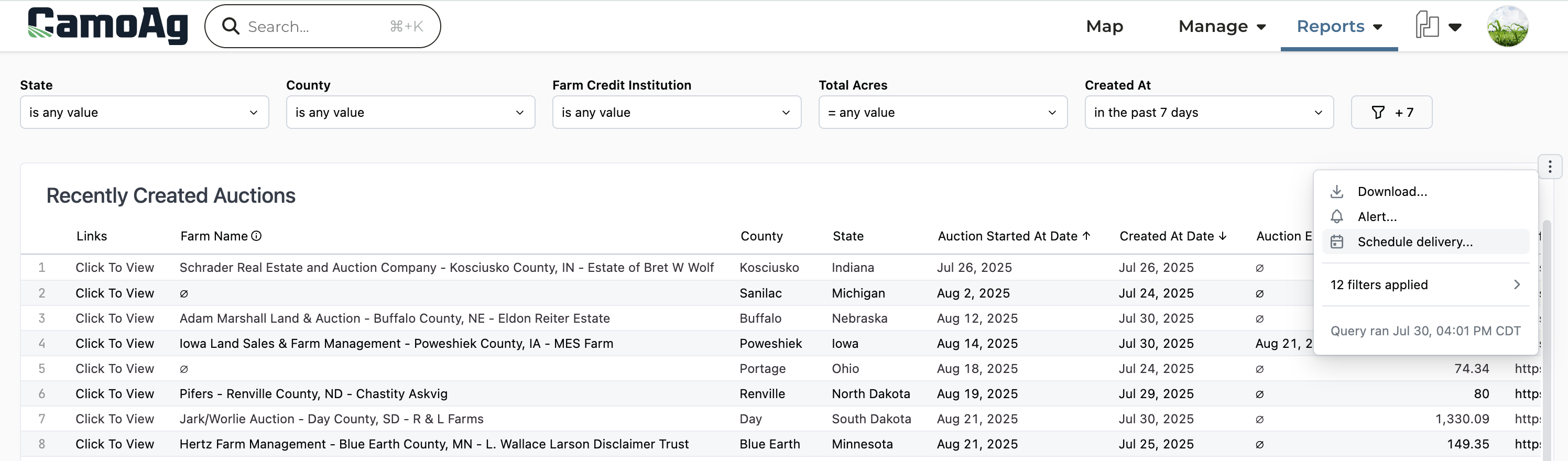
5
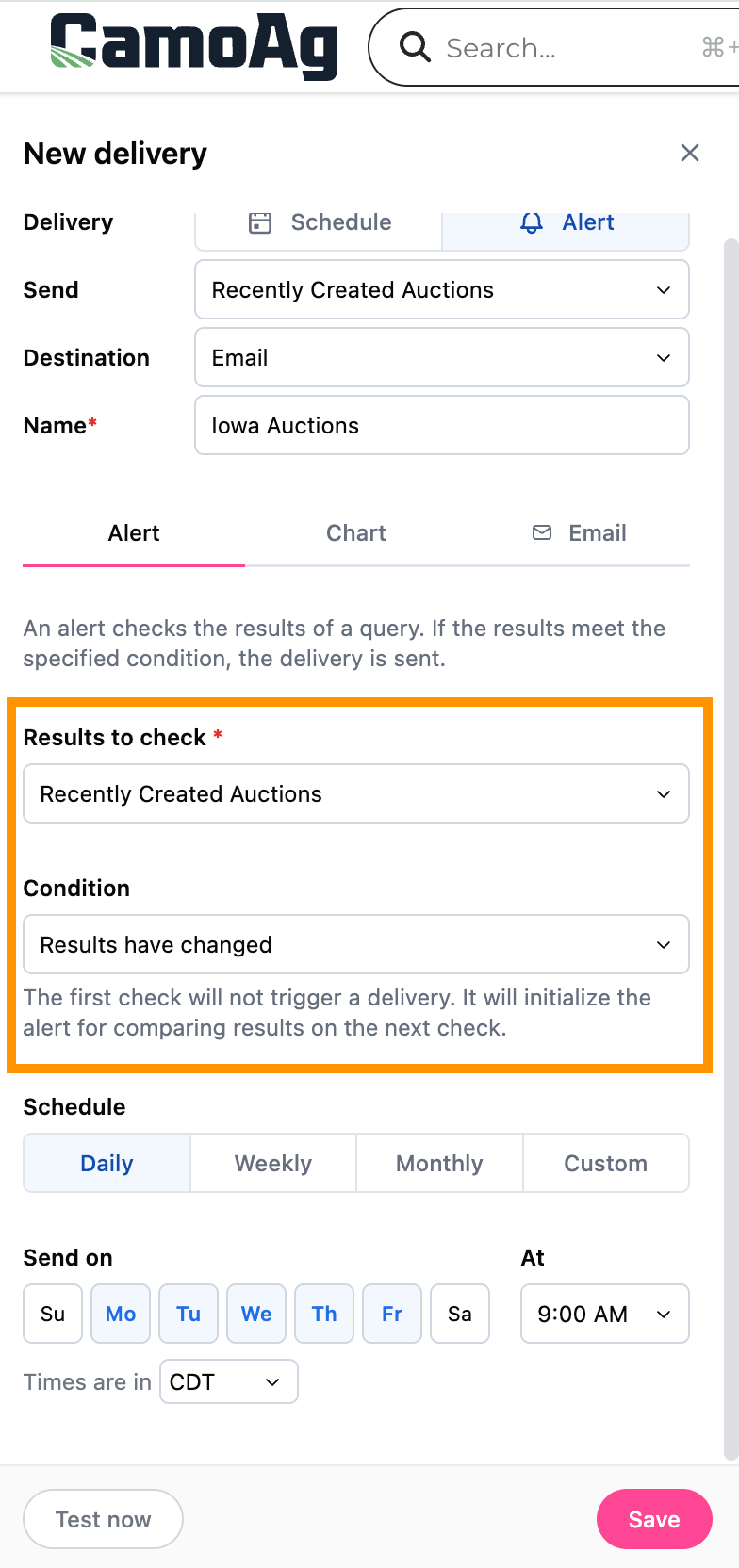
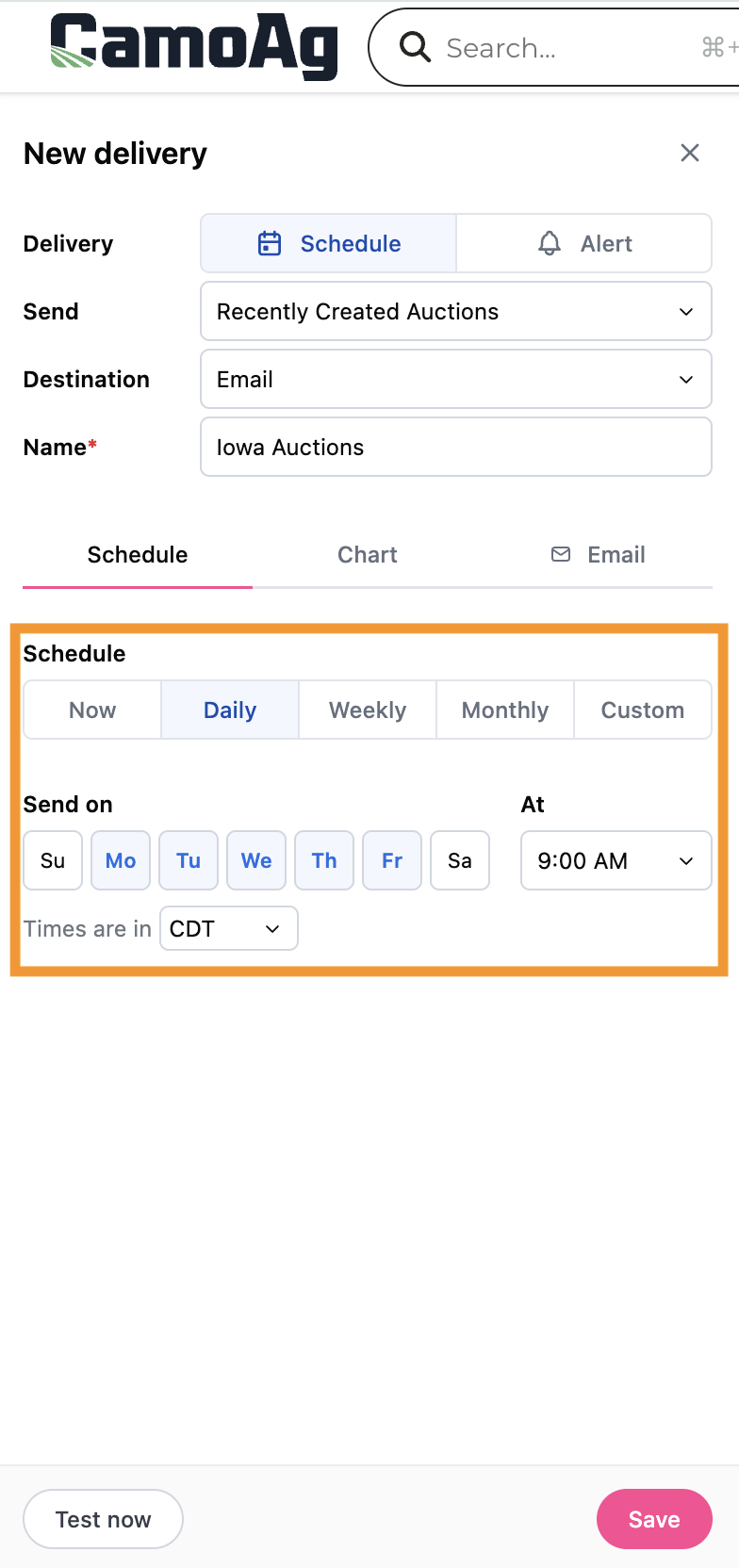
Within the Alert or Schedule tab make your selections and click Save
| Alert | Schedule |
|---|---|
 |  |
6
Click on the Chart tab to select the file format and apply filters then Save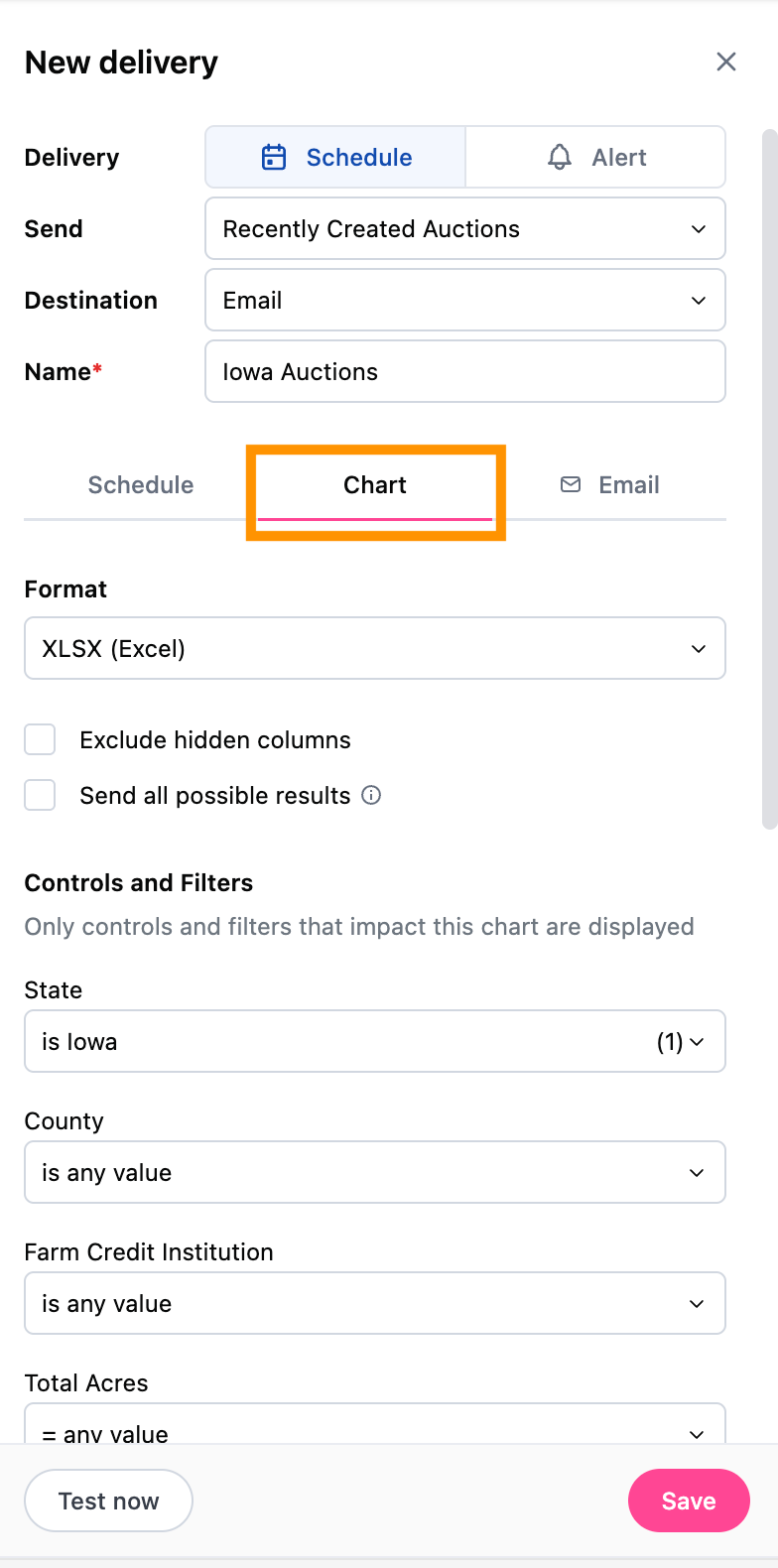
7
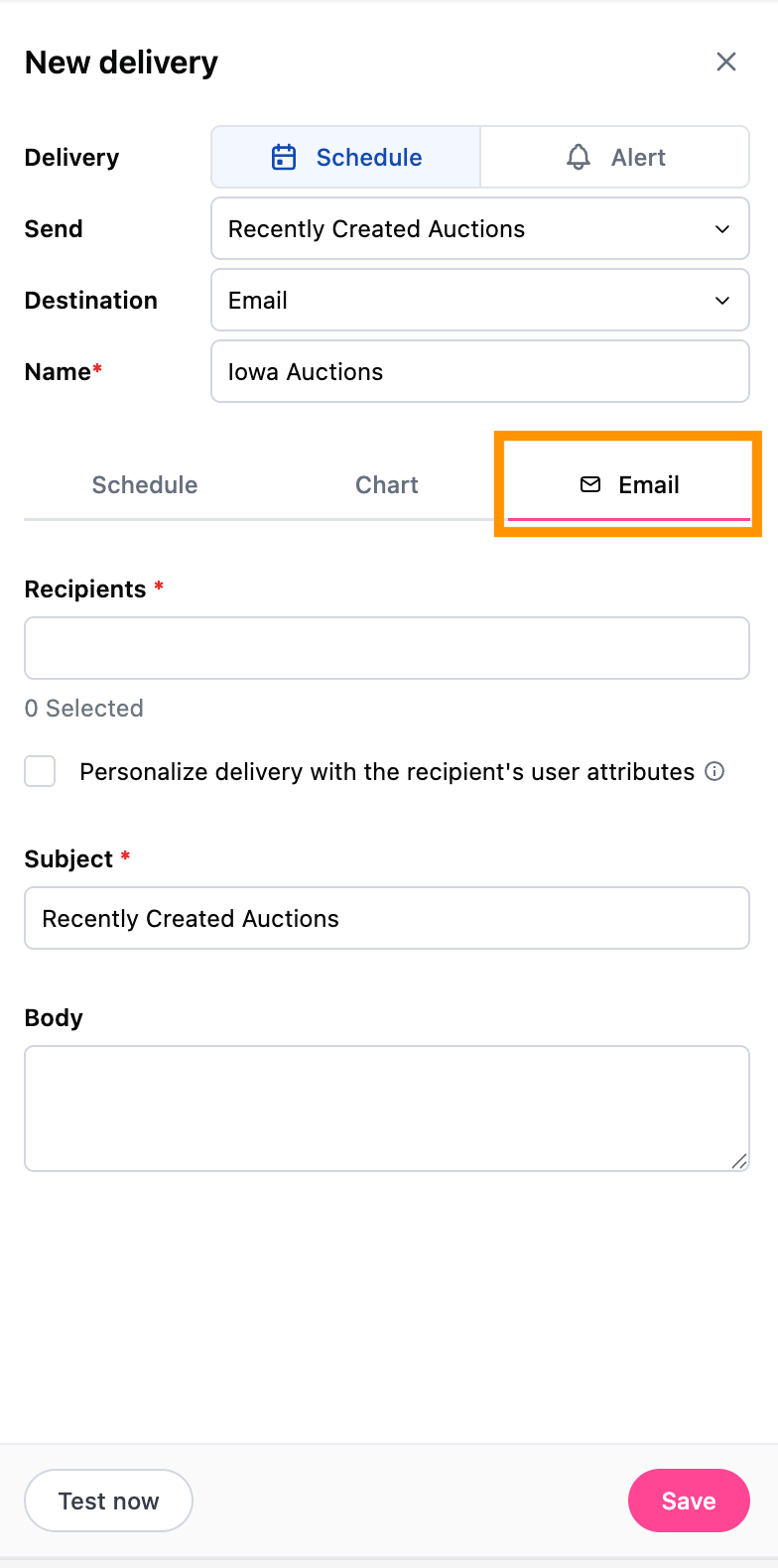
Click Email and enter the email address/addresses you would like the report delivered
8
Click Save