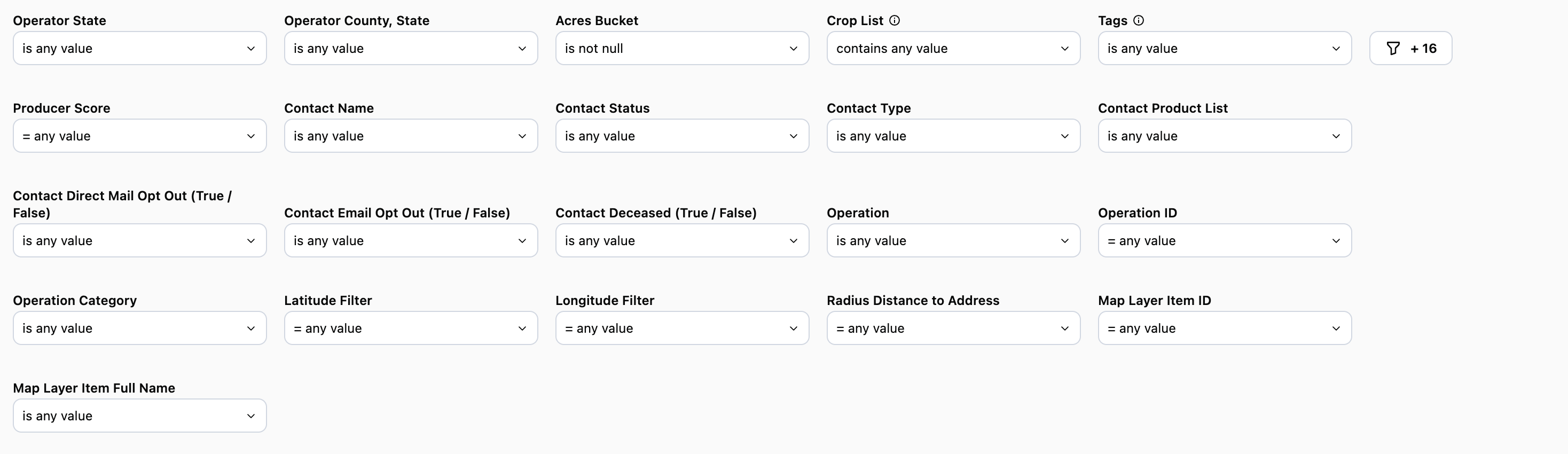
Operator Filters
Operator State & County: Use these filters to hone in on one or more counties you want to focus on
Acres Bucket: Filter by a range of acres that an operator may fall into. For example, 3k-5k acres, 10k and above, etc.
Crop List: Filter defaults to “Contains” which is what should be used when filtering by crops on this report
Tags: Operation Tags Definitions - Coming soon!
Producer Score
Every producer is given a score from 0 to 100 that reflects the overall size and strength of their farming operation. Think of it like a grade: the higher the number, the larger and more established the operation.
The score starts with how many acres a producer farms. From there, a few things can boost the score:
Owning the land they farm, not just renting it, gives a small boost, since landowners tend to be more stable, long-term operators.
Recently buying more land than they’ve sold is a strong positive signal. It suggests the operation is actively growing.
Taking out a mortgage in the last five years also helps a bit. It shows the producer is engaged with lenders and actively managing their finances.
None of these factors can hurt a producer’s score. They only add to it. The final number is adjusted onto a simple 0–100 scale so producers can be easily compared: a higher score generally points to a bigger operation, or one that’s growing, making it a useful signal for identifying strong prospects.
Contact Name: Name of the contact you created in CamoAg or as it appears in your organization’s CRM if integrated with CamoAg
Contact Status: Filter by statuses such as lead, contact, account, or prospect. The statuses here may differ if your organization’s CRM is integrated with CamoAg
Contact Type: Filter by types such as individuals or business types
Contact Product List: Requires CRM integration. Filter your report to include or exclude organization contacts who have specific products
Use Case: You want to generate a list of contacts who do not currently purchase Crop Insurance from your organization, but do have an Operating Line of Credit. Use “does not contain” and select Crop Insurance then add “does contain” Operating Line of Credit.Note: If you select “is not equal to” the results may still include contacts who use crop insurance if they also purchase other products from your organization.
Use Case: Include the Operation ID on mailers as a reference code for people to use when they reach out. You can then search for the customer/prospect using the reference code within a report to quickly locate parcels owned by this individual or entity.
Data Tables
Operations, sorted by size
- Rolls up all parcels operated by an operation
- Estimated Acres Bucket: Displays the estimated range of acres believed to be operated
- Contact or CRM information will display in the last six columns
Last modified on August 4, 2026