

- Owner data is updated yearly
- Review the Data FAQs guide for additional details and FAQs
- If your organization has integrated a CRM, contacts are matched using address information
Why does the mailing list show a different owner than the county?
Why does the mailing list show a different owner than the county?
- If multiple owners are associated with the same address, the de-duped list will show the name of the operation.
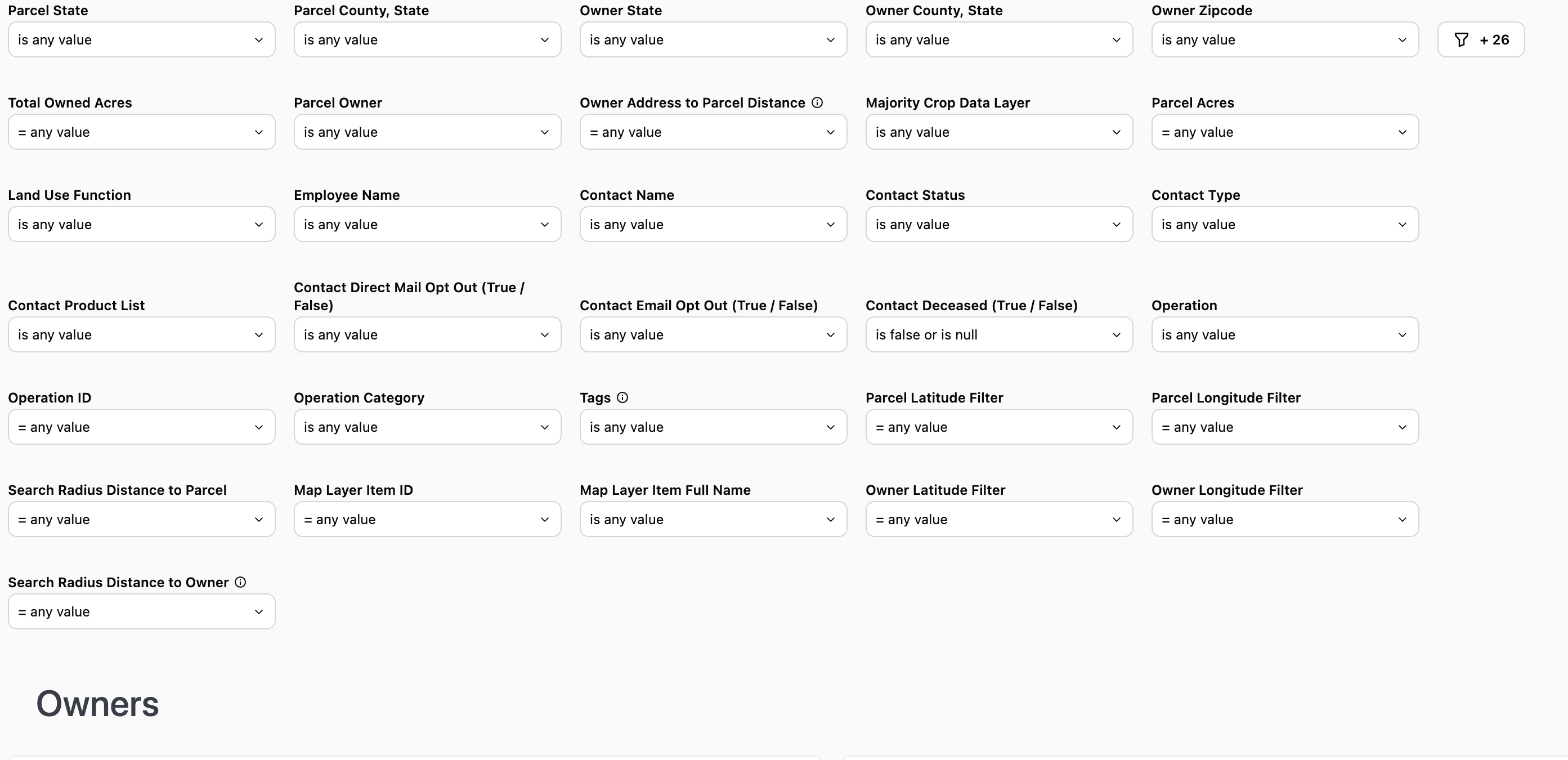
Owners Report Filters
Note: The county filter is not state specific and will display all counties regardless of the state selected.
Note: The county filter is not state specific and will display all counties regardless of the state selected.
Use Case 1: Use the Parcel State and Owner State filters to find landowners who own land within a certain state, but do not live in that state Ex: Parcel State “is equal to” Illinois and Owner State “is not equal to” IllinoisUse Case 2: Use the Parcel State & Parcel County and Owner State & Owner County filters to locate landowners who own and live within a specific county. For example Parcel State & County “is equal to” Dekalb County, IL and Owner State & Owner County “is equal to” Illinois.Click here to watch a video demonstration of Use Case 2
Notes that the Unique Mailing address table will display the total acres owned regardless of the location of the parcels. To see the total acres owned within a certain county review the Total Owned Acres by Unique Parcel Owner and Parcel County table.
Note: As long as one parcel owned includes the crop selected, the owner will appear on the report.
Use Case: You want to generate a list of contacts who do not currently purchase Crop Insurance from your organization, but do have an Operating Line of Credit. Use “does not contain” and select Crop Insurance then add “does contain” Operating Line of Credit.
Note: If you select “is not equal to” the results may still include contacts who use crop insurance if they also purchase other products from your organization.
Use Case: Include the Operations ID on mailers as a reference code for people to use when they reach out. You can then search for the customer/prospect using the reference code within a report to quickly locate parcels owned by the operation
Use Case: Not all addresses have been assigned a category. To ensure non-categorized addresses are included in your list select Operation Category “does not contain” and select any address types you want to exclude. A list will then be generated of the category types not selected including non-categorized addresses.
Use Case: Find people who are owners, but likely not operators of their land. Ex: Parcel State = Illinois, Owner Distance > 100 miles, Parcel Size > 39 acres. This set of filters will show you parcels over 39 acres, located in Illinois where the owner lives at least 100 miles away from the parcel in question. Use Case 2: You want to see only owners who both live and own land within a certain radius of a specific location. Access the Owners Report via right-click from the map to cast a radius around the subject property. Apply the Owner Distance in miles filter to your preferred distance. For example, you want to see owners who both live and own land within 10 miles of the subject property.Click to here watch a video demonstrating these use cases
Data Tables
Total Owned Acres by Operation

- Use as a mailing list
- De-duped address list that is showing the address that collects mail for the associated parcels of land
- If multiple owners are associated with the address, the name displayed will be the Netowrk name that has the most acres associated.
- Total Owned Acres column will display all acres owned by the associated entity regardless of the location of said parcels
Note: The Operation associated with the address may not be the same as the ownership entity. Ex: Parcels that receive farm management services.