Using Smart Search
1
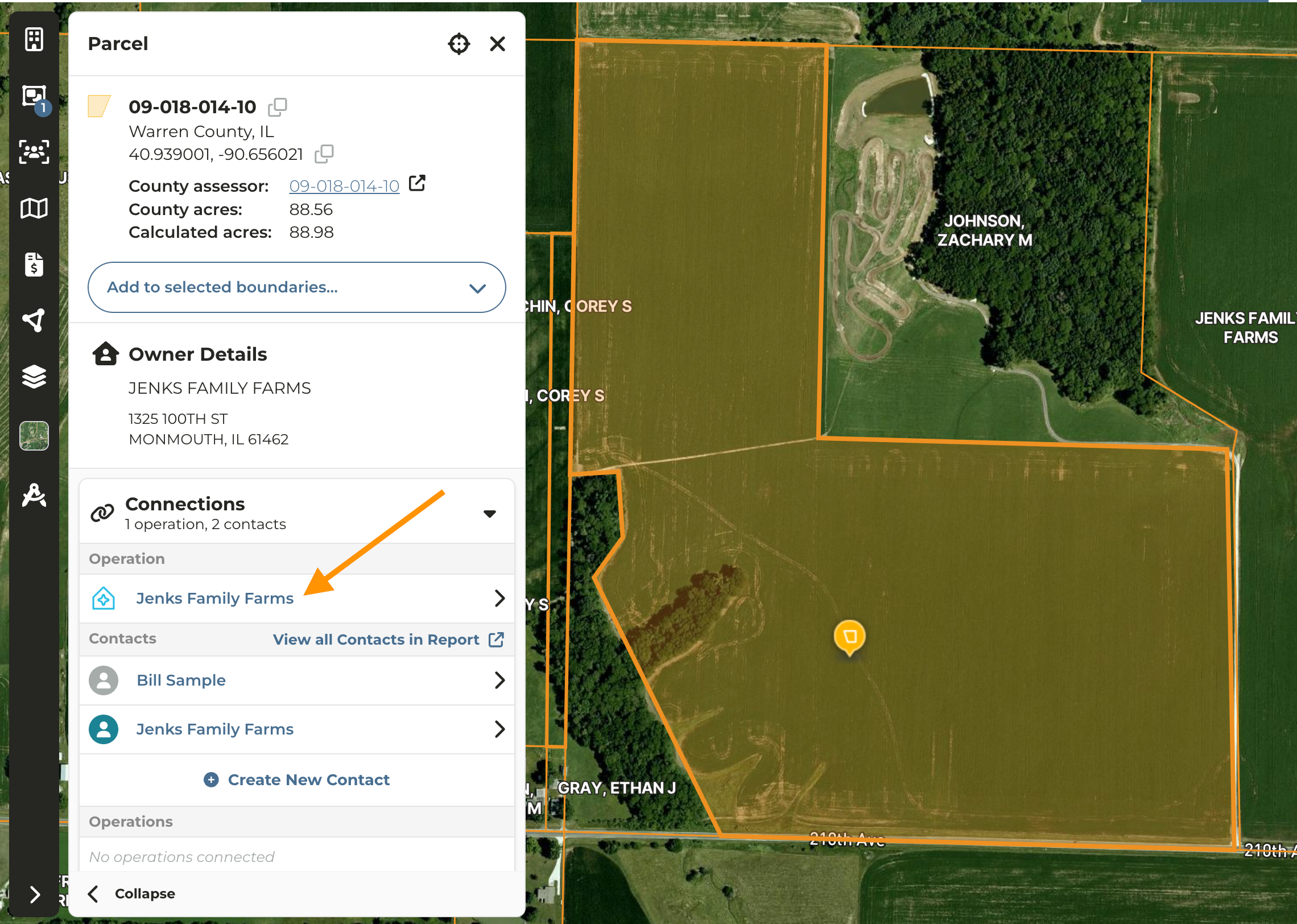
Navigate to the map and click on any parcel owned by the entity in question
2
Under Connections click on the Operation Name
3
Expand the Connections accordion and you will be taken to the Acreage Overview by Owner report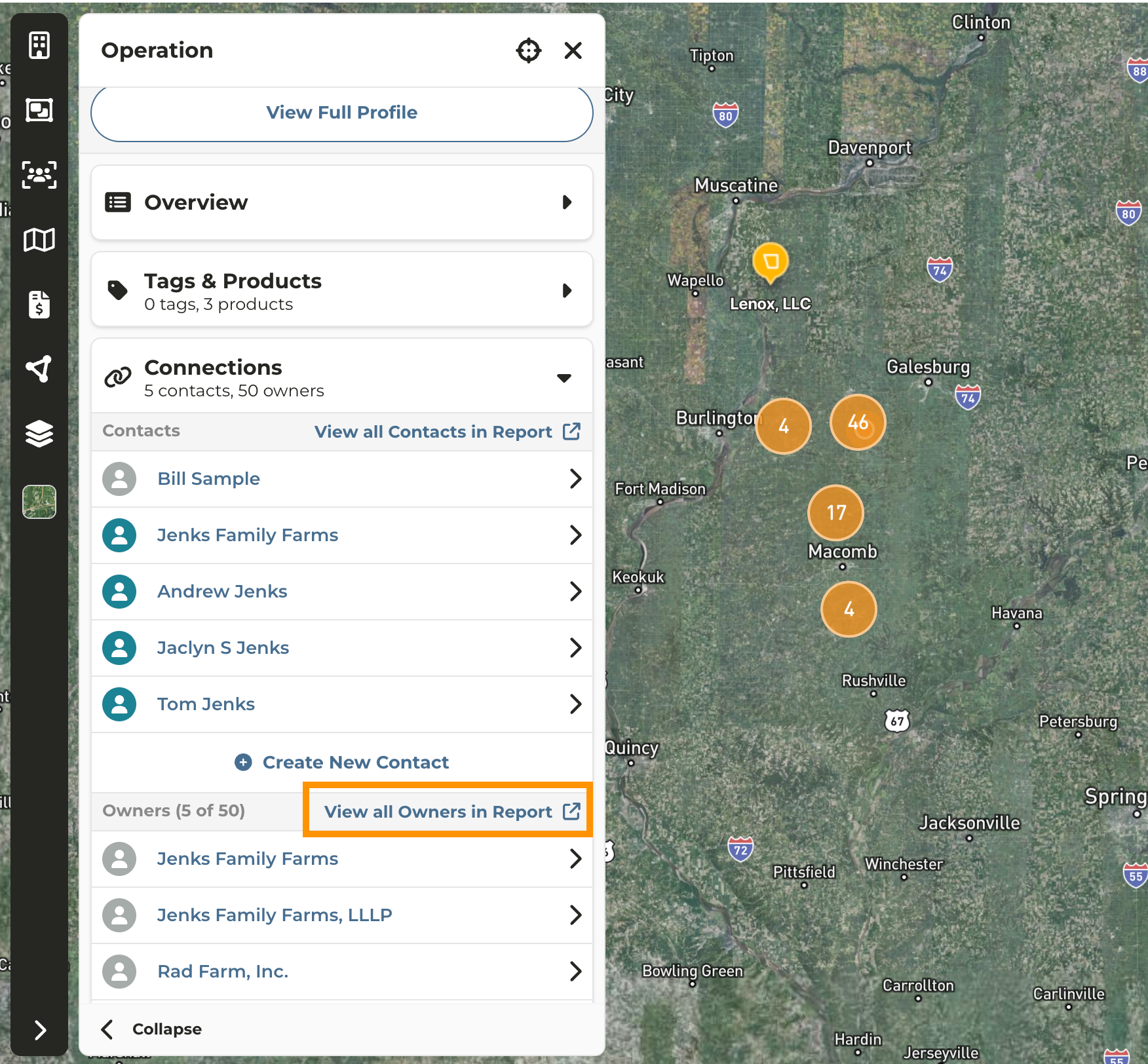
4
The Acreage Overview by Owner report summarizes the ownership footprint and provides a downloadable list of parcels by owner.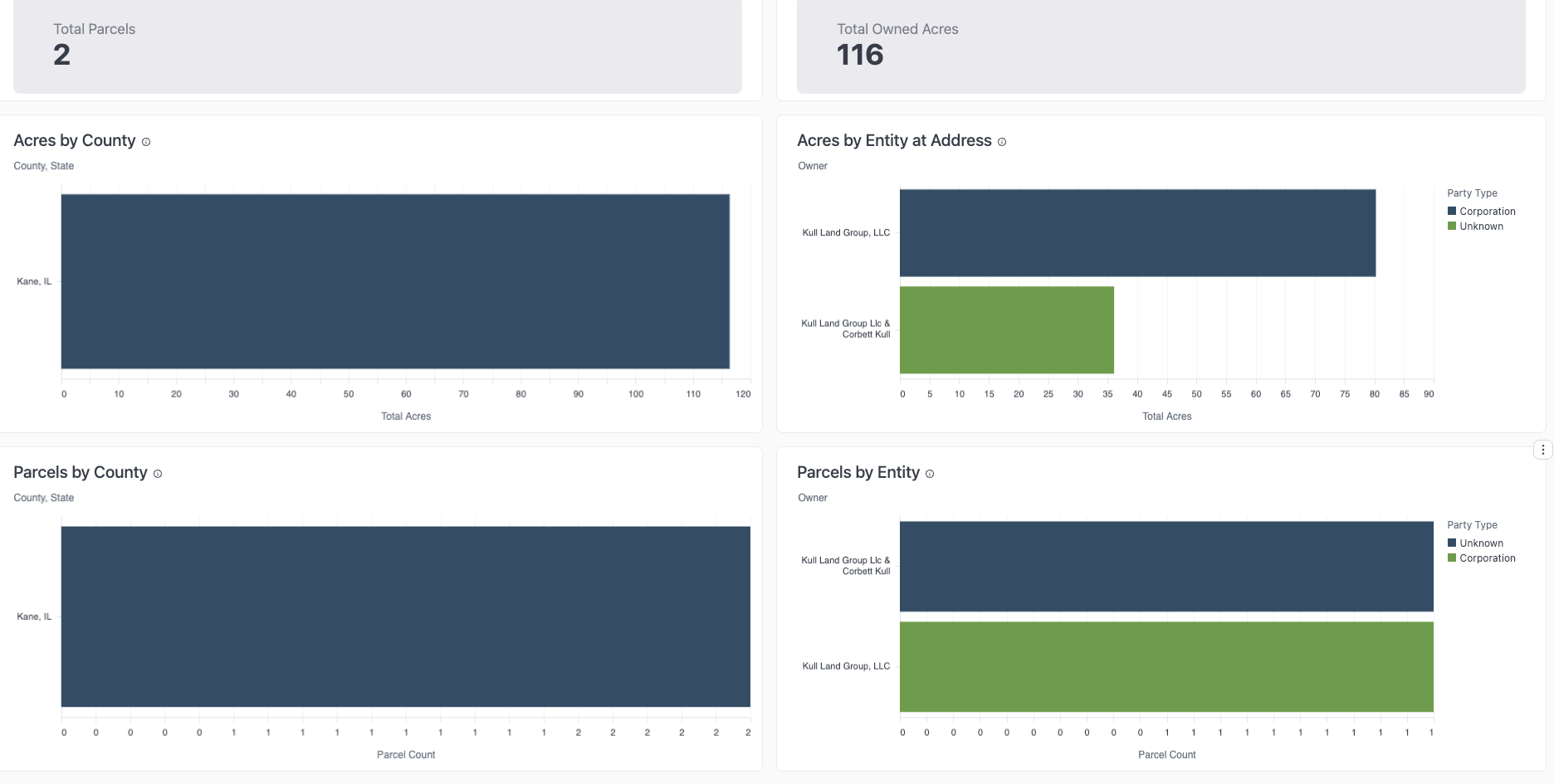
From the Map
1
Click on any parcel owned by the Operation/Owner
2
Click the Operation Name and continue from Step 3 above