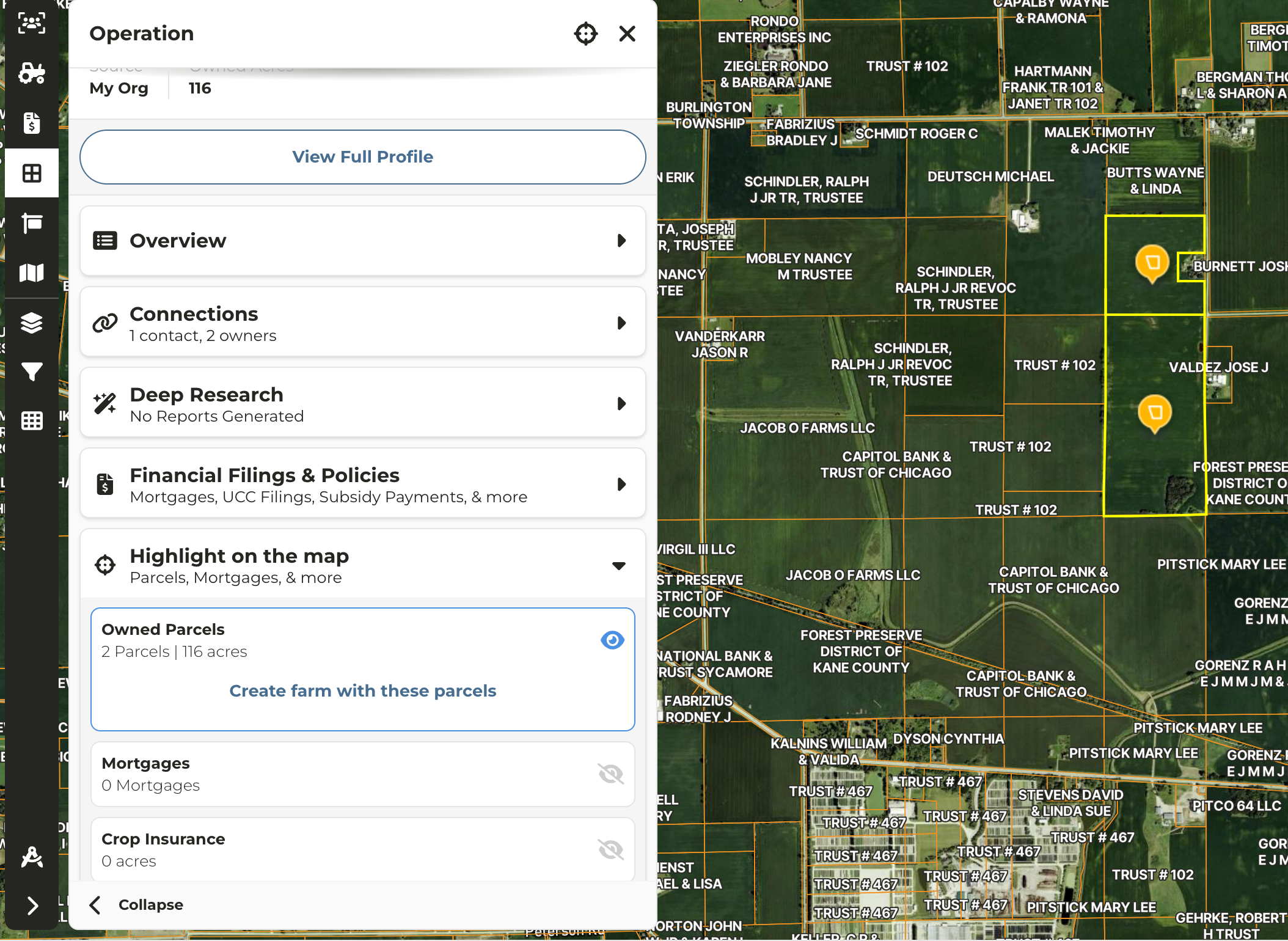
Do I have to apply the Owner layer to locate all owned parcels?
Do I have to apply the Owner layer to locate all owned parcels?
- No, you can apply any layer, but for this example we will use the Owners layer.
Do I need to know the location of every parcel to search?
Do I need to know the location of every parcel to search?
- No. If you only know the location of one parcel, you can still locate all remaining parcels owned following the steps below or as demonstrated in the video.
Locate Using Smart Search
1
Enter the Owner name into the search bar
2
In the list of results click on entity in the Operation column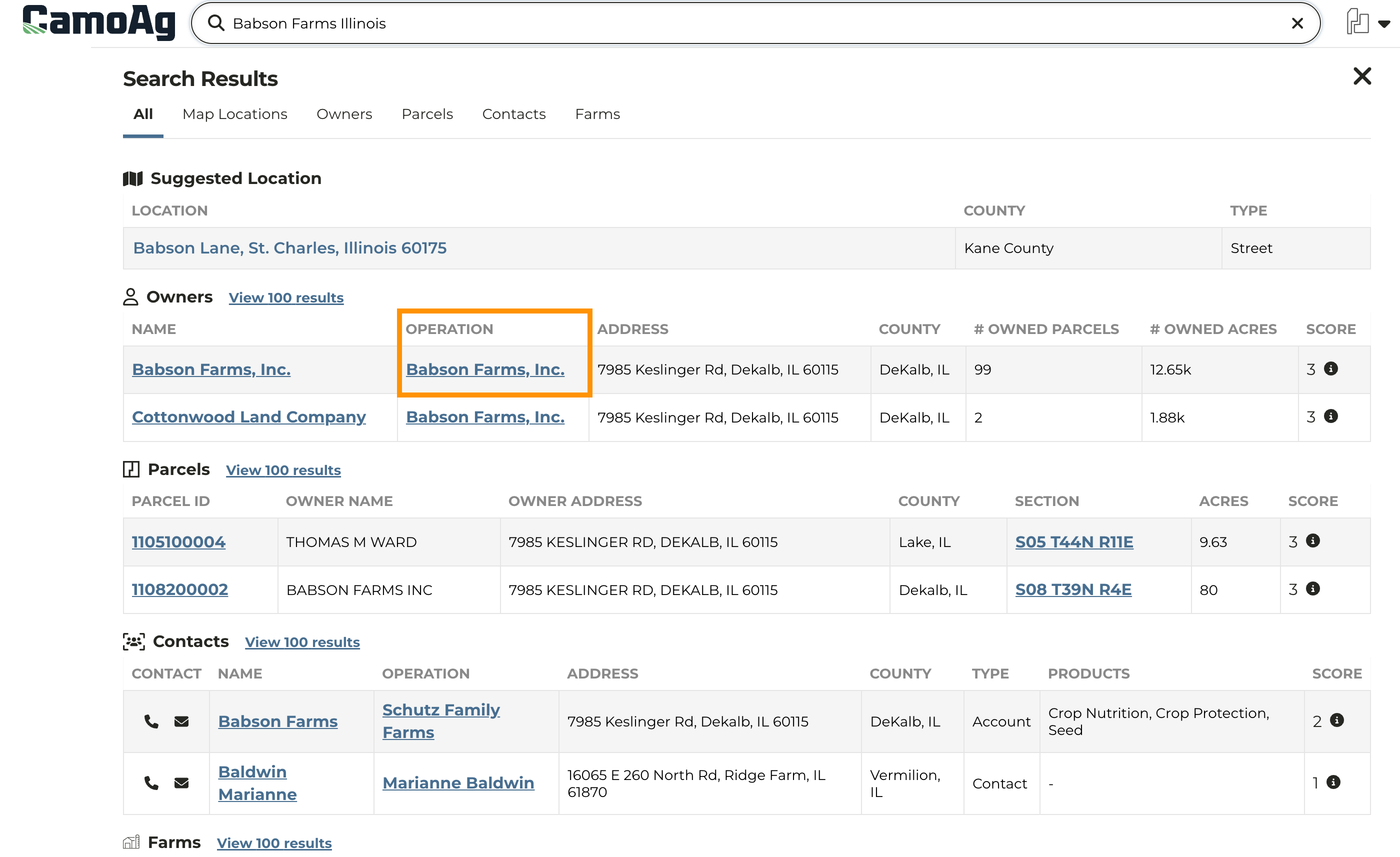
3
Once on the map all parcels owned by this entity will be outlined in a bright yellow and the parcel associated with the address will be denoted with a flashing orange beacon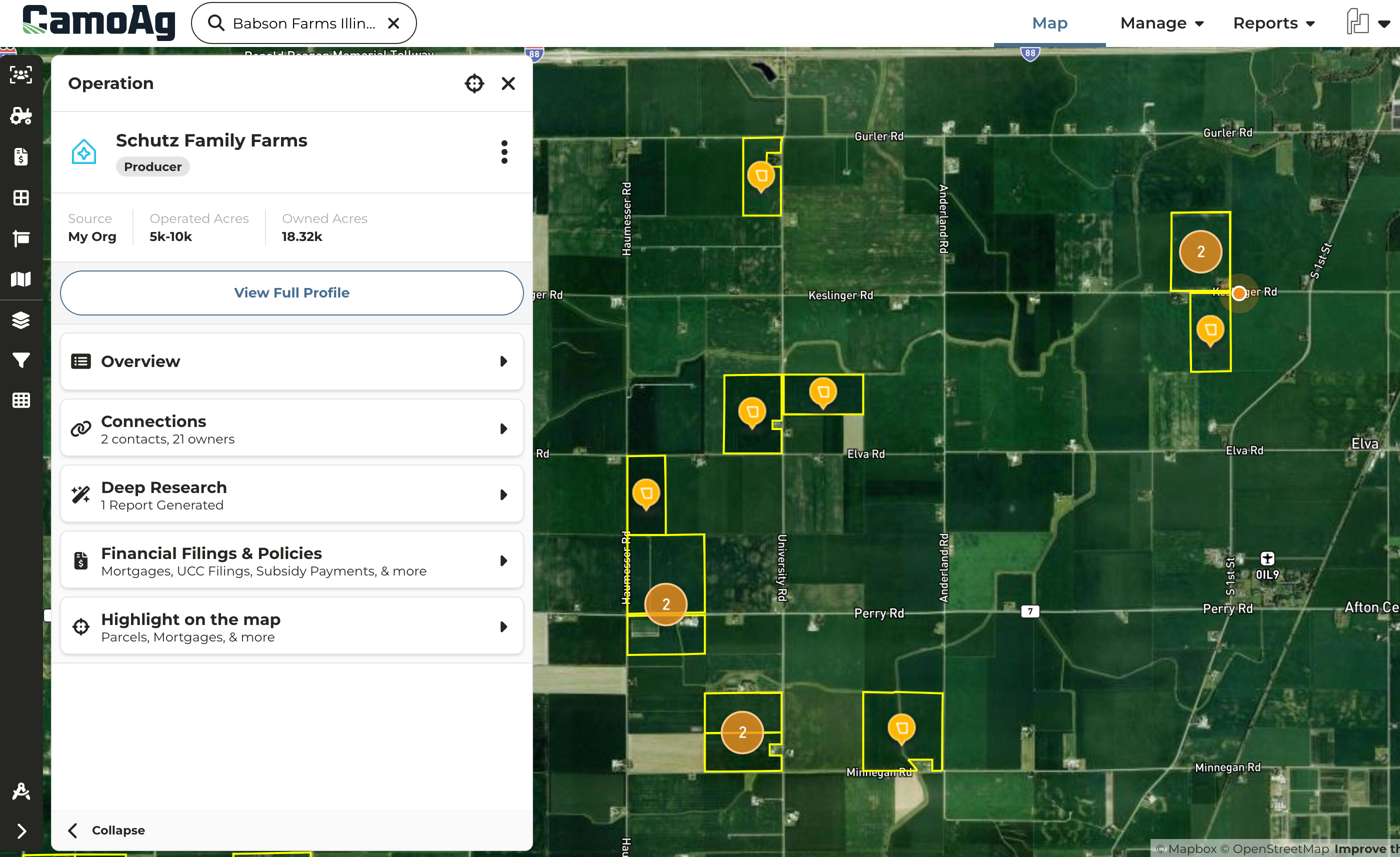
4
To create a farm from all identified parcels click Highlight on the map then Create farm with these parcels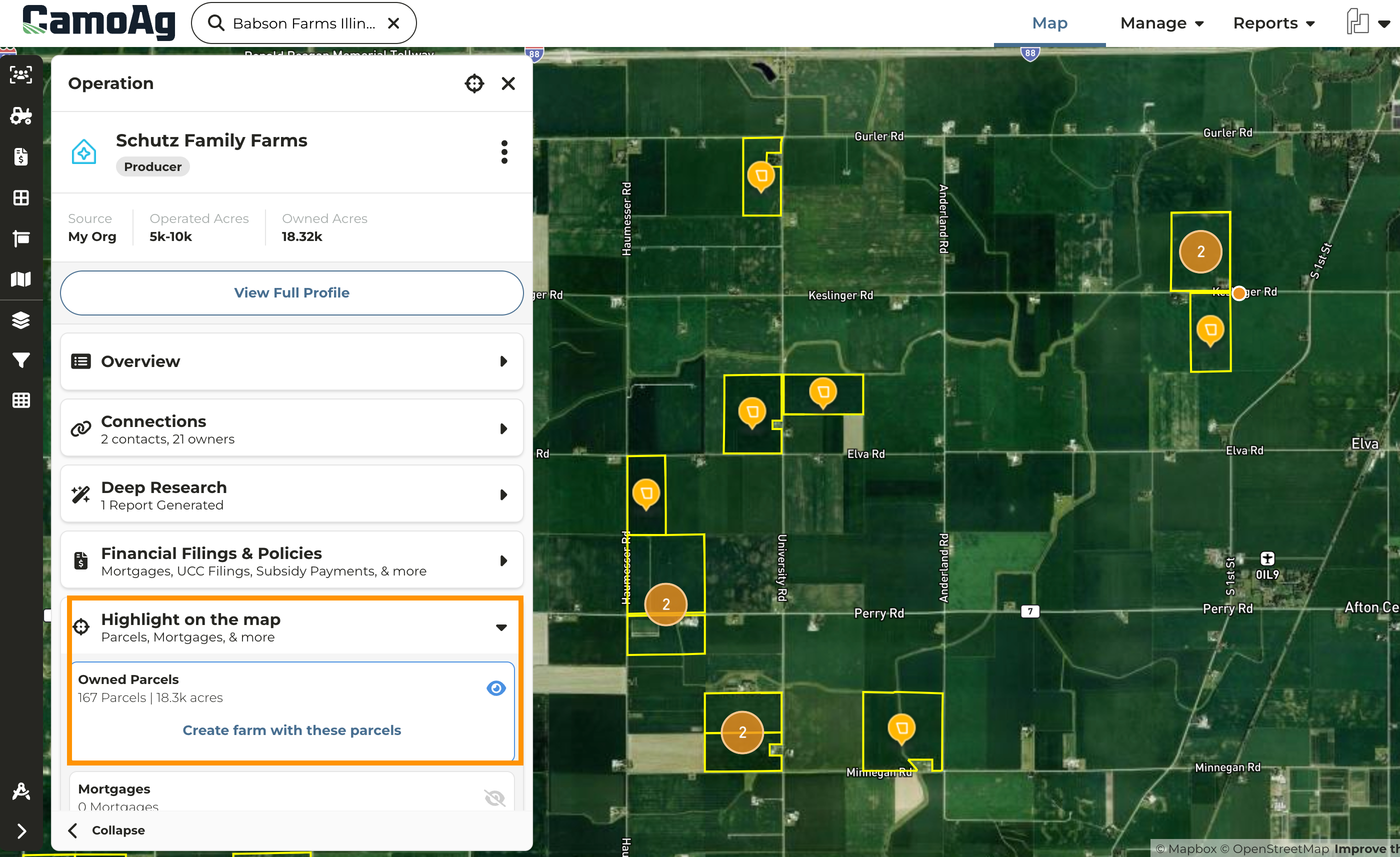
Locate On Map
1
Navigate to the map and click on any parcel owned by the entity in question
2
Under Connections click on the Operation Name to highlight all owned parcels**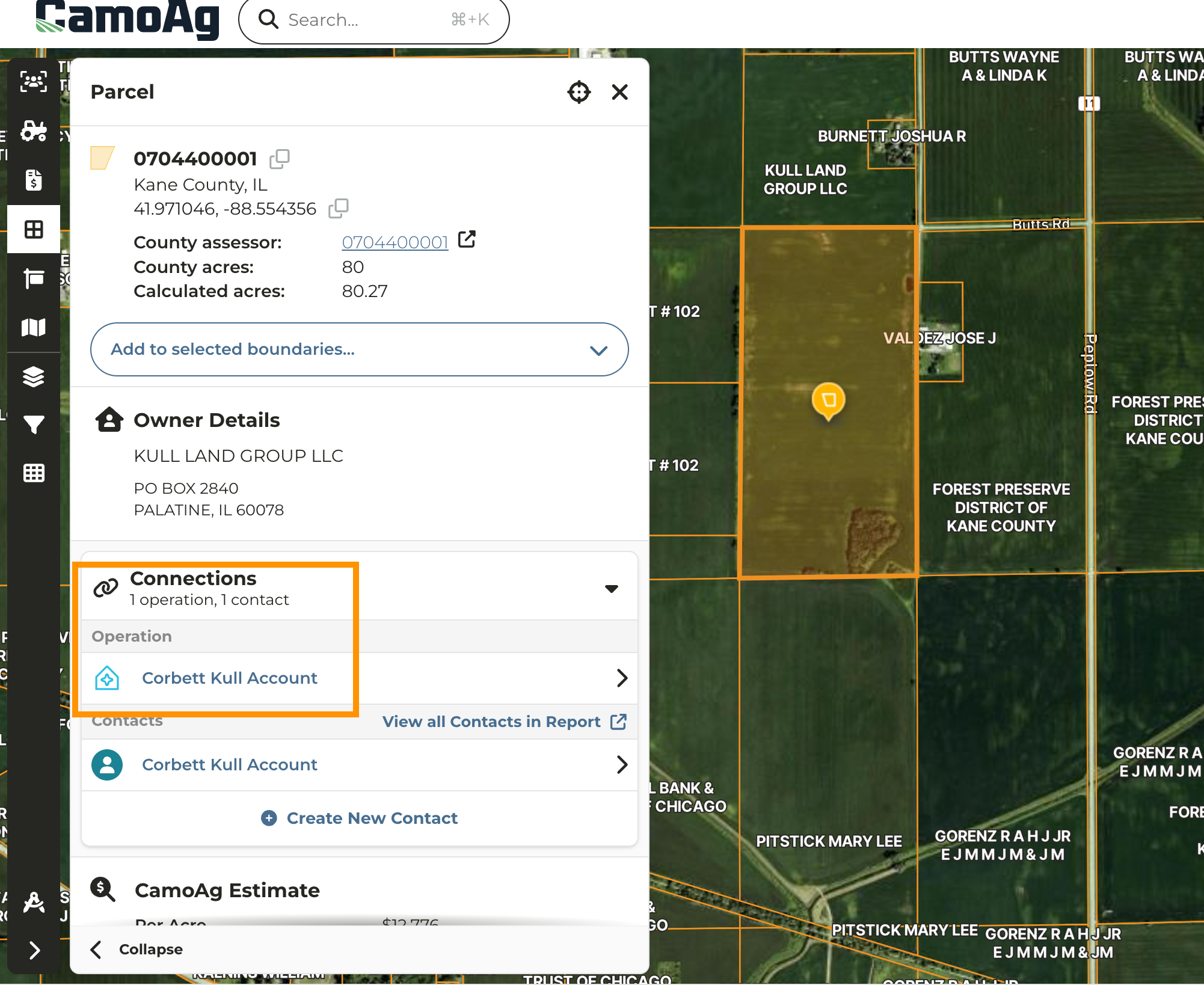
3
To create a farm from all identified parcels click Highlight on the map then Create farm with these parcels