

1
Navigate to the Account Settings page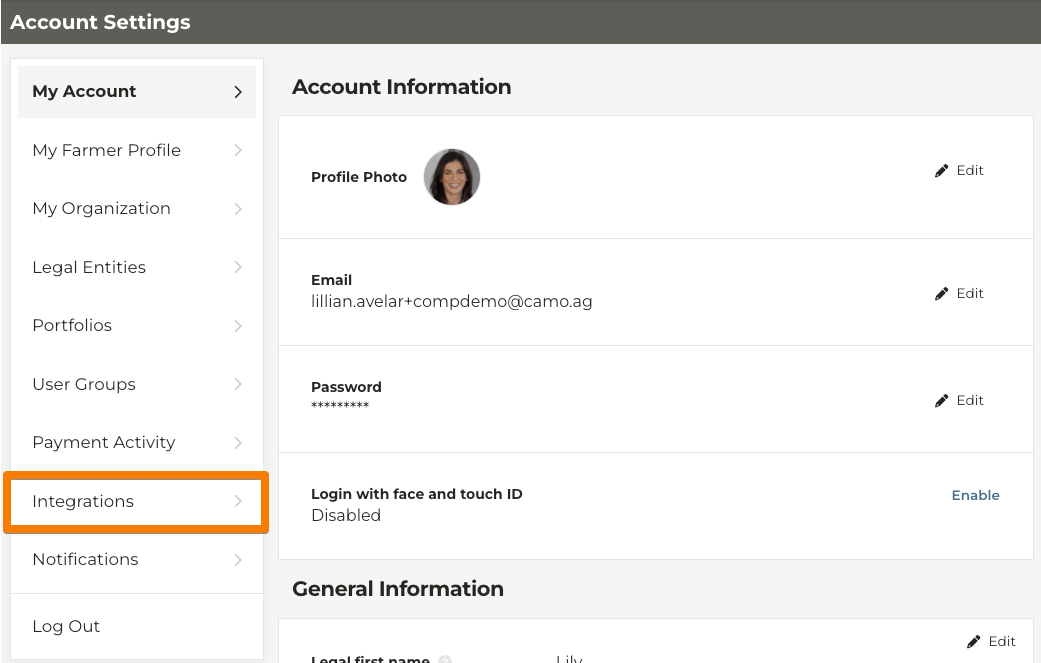
2
Select Integrations
3
Select Add new API Client
4
Enter the API Client name and select Save API Client
5
The Client Id and Client Secret are generated. Copy both of these and save them. The Client Secret is only viewed on creation so if you lose the secret, delete the API Client and create a new one.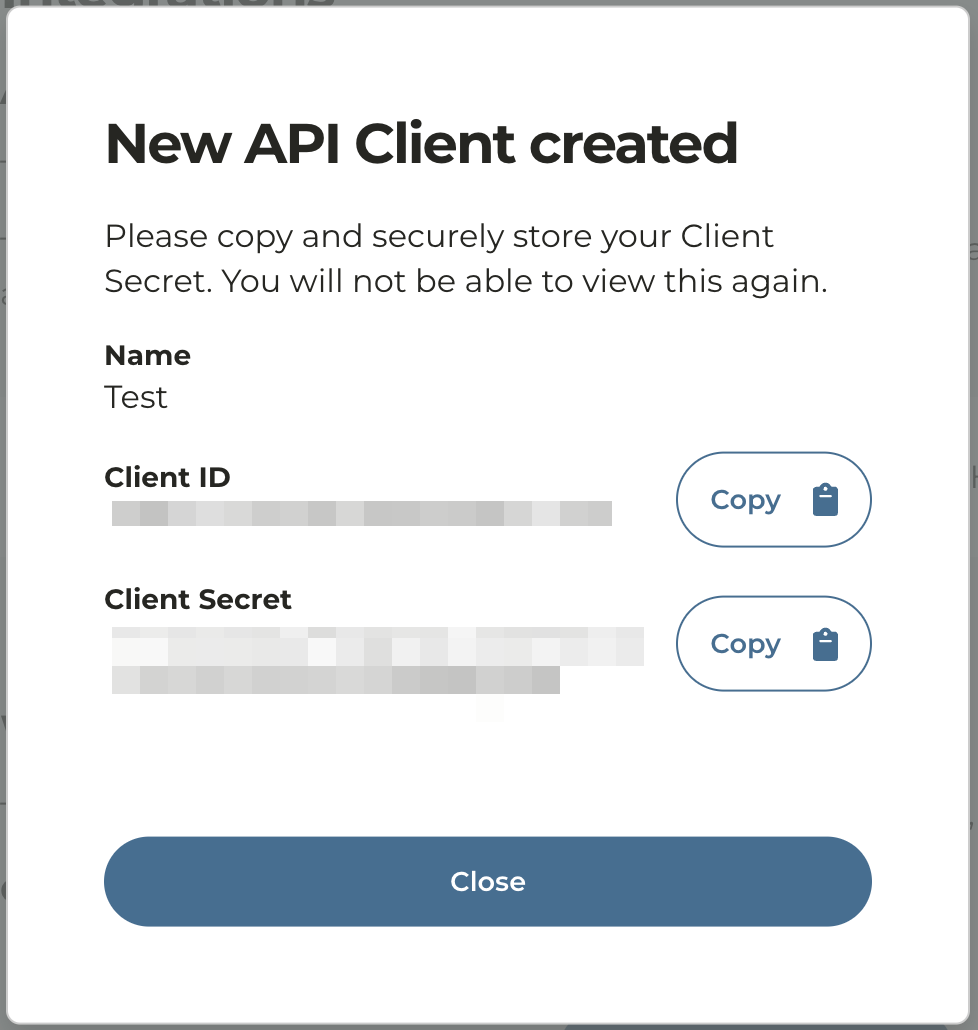
6
The Client Id and Client Secret can now be input into the appropriate configuration for the API integration.