

The option to create multiple CMAs and view the version history is available under the Farmland Insights > Market Analysis page. Instructions for Creating a Comparative Market Analysis (CMA)can be found here  If you need to create additional CMAs for a property simply follow the steps below:
1
Navigate the the farm/property page
2
Click on Farmland Insights > Market Analysis
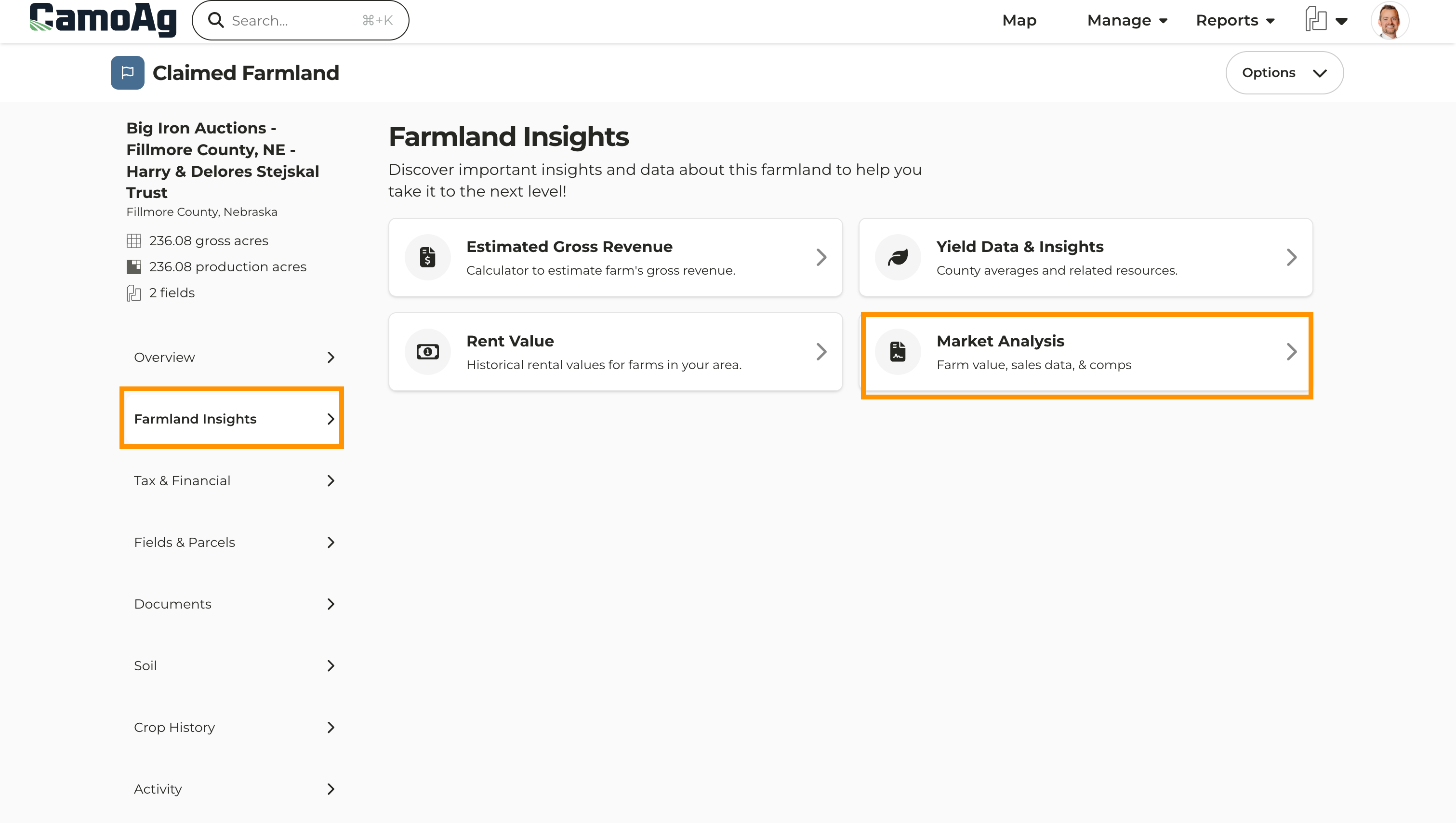
Screenshot 2025-05-13 at 2.41.58 PM.png
3
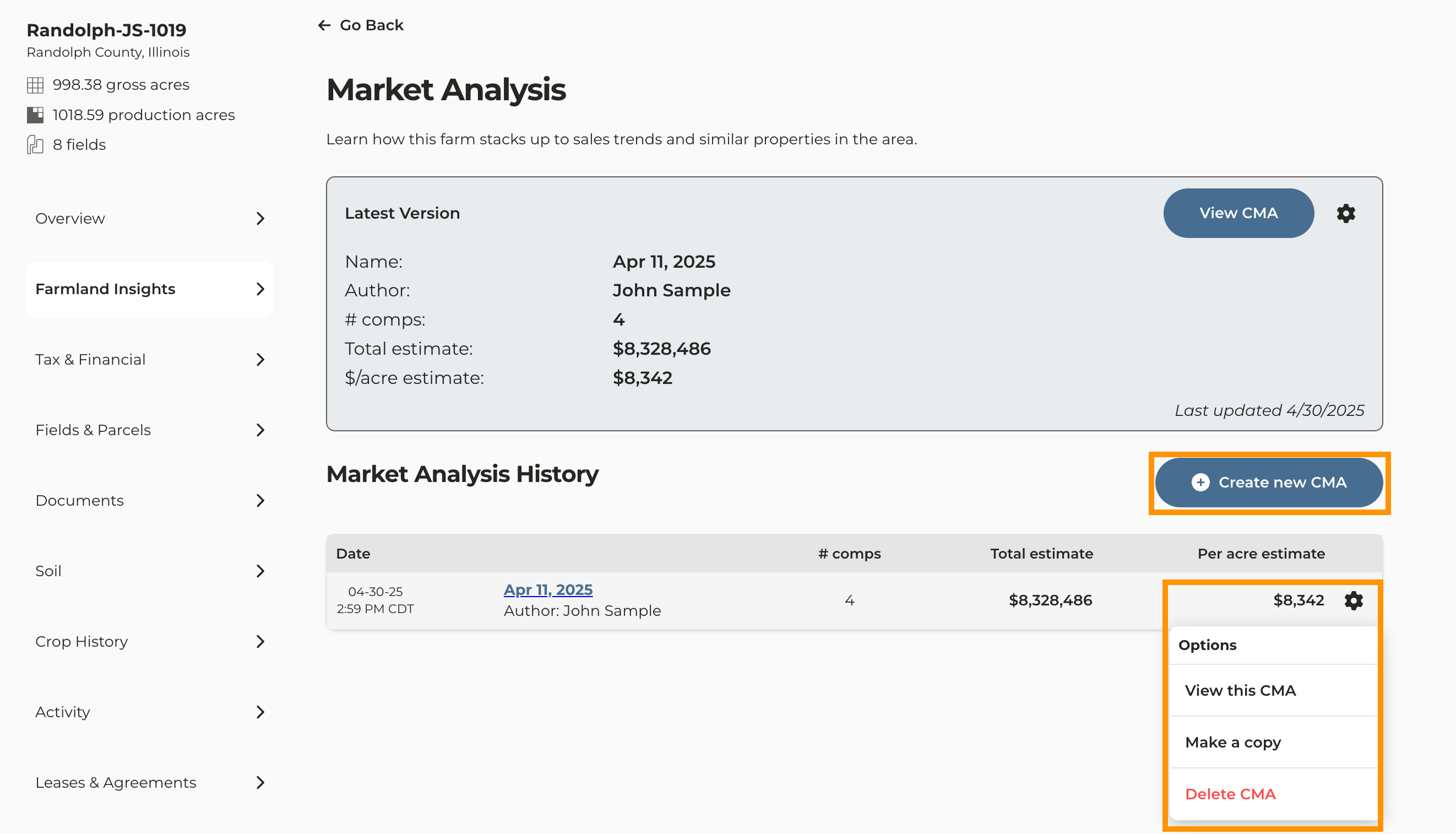
The most recently created CMA will display at the top of the page
4
Historical versions of your CMA will appear below with a snapshot of key information. To View, Edit, Download, or Delete any historical version click the gear icon.
5
To create a second CMA click Create new CMA
Screenshot 2025-04-30 at 3.03.06 PM.png
Last modified on May 22, 2026