

1
Navigate to Account Settings
2
On the left click on Portfolios
3
Click on the portfolio you want to edit or delete
4
Click the menu icon and select Edit or Delete this portfolio depending on what action you want to take. 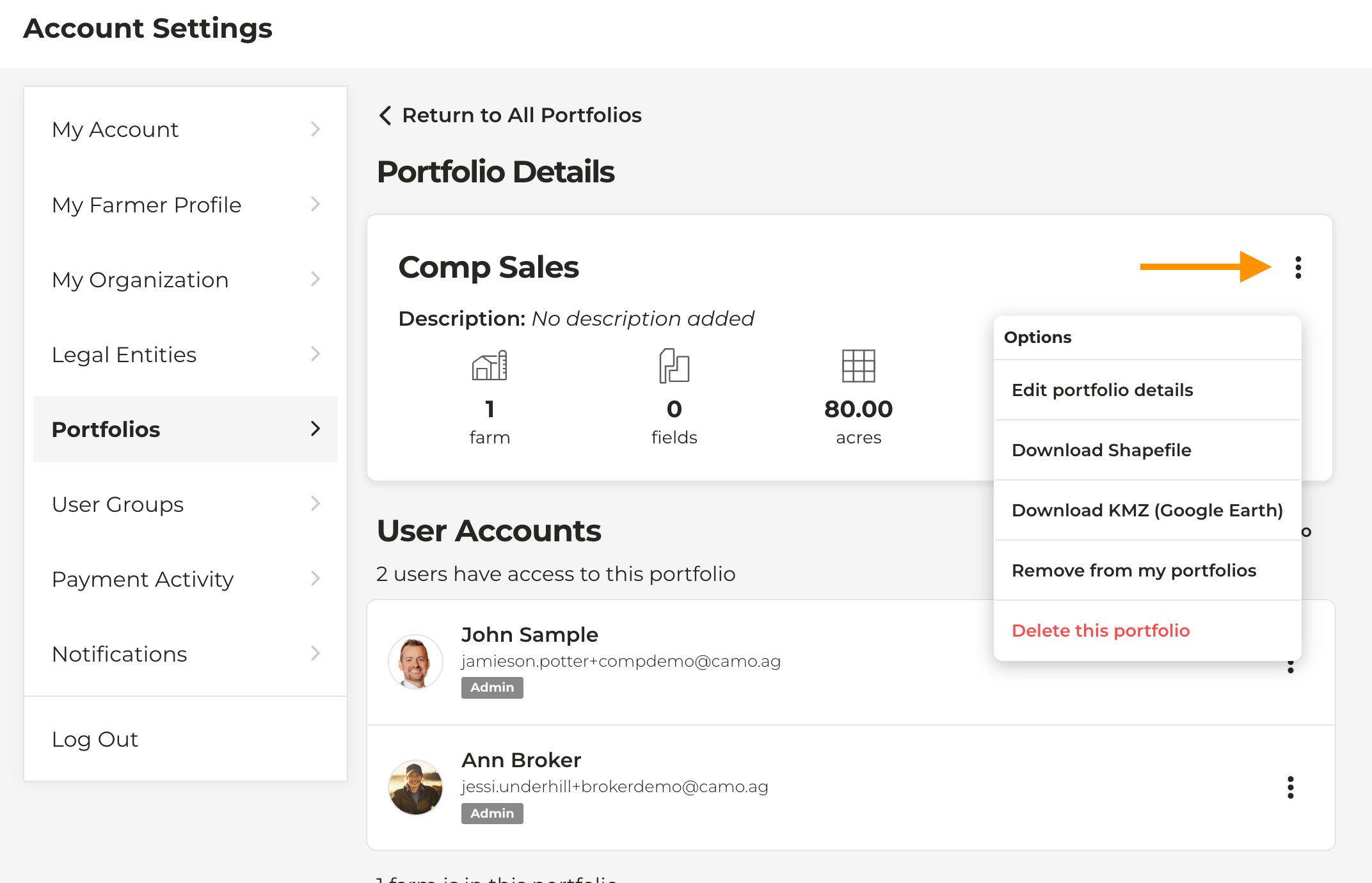
Reminder: Deleting a portfolio will not delete the farms or users associated with that portfolio.