

1
From the dashboard click on Farms
2
Find the farm you want to work with and click on it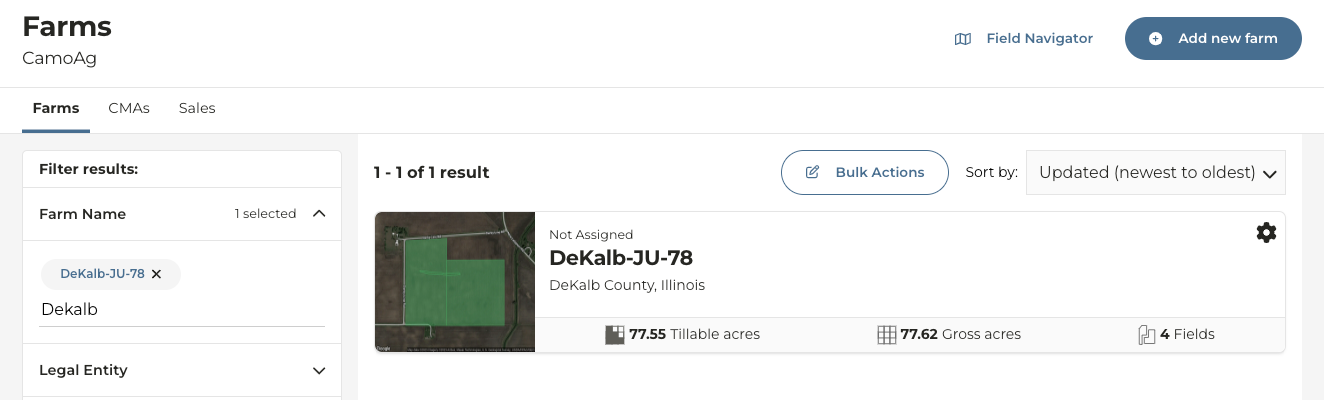
3
On the left click on Tax & Financial
4
Click Get Started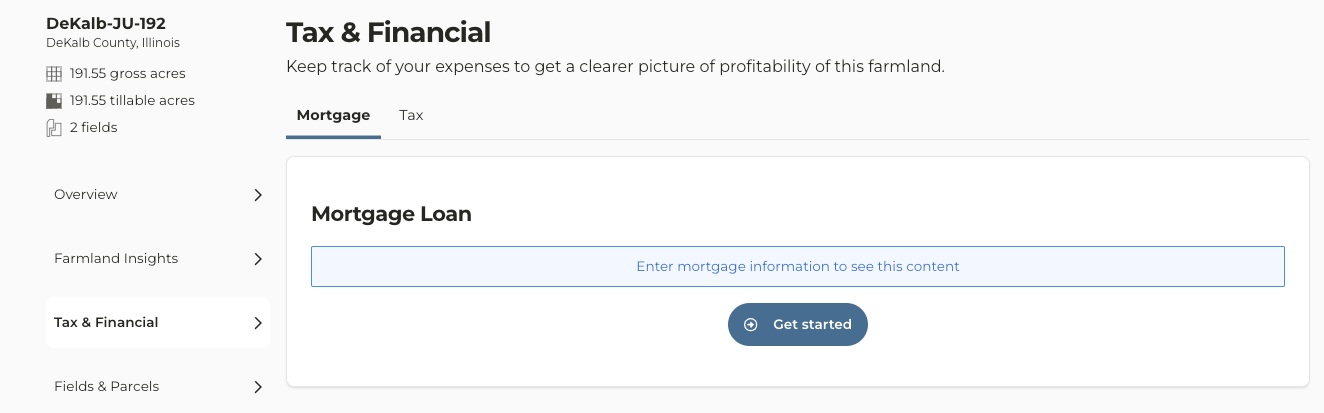
5
Enter the Purchase Details and click Continue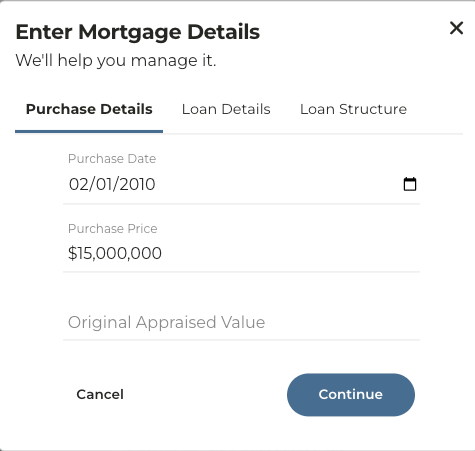
6
Enter the Loan Details and click Continue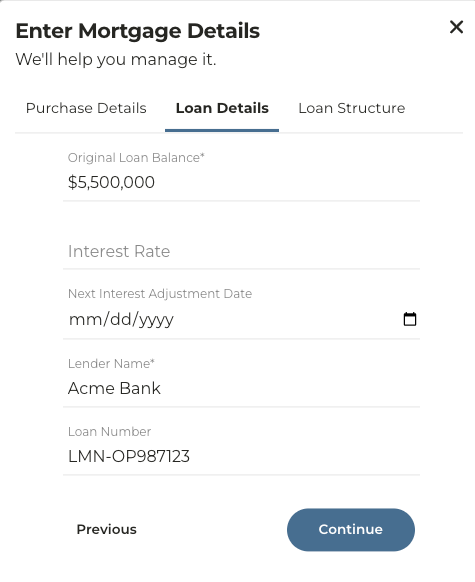
Note: If you do not enter anything into the Loan Number field the mortgage you are creating will appear simply as “Mortgage” in the list. Entering a Loan Number will make this easily searchable.
7
Enter the Loan Structure information and click Save Mortgage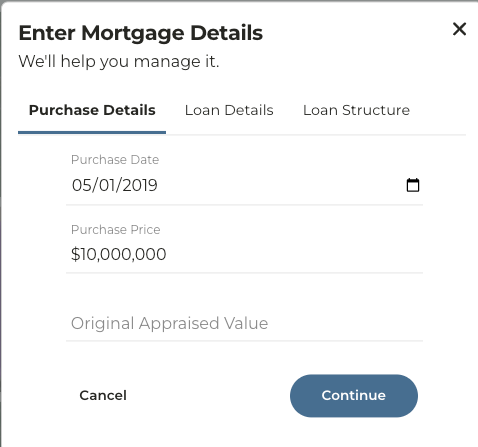
8
The information entered will save with the farm and also be searchable within the Tax & Financial page