

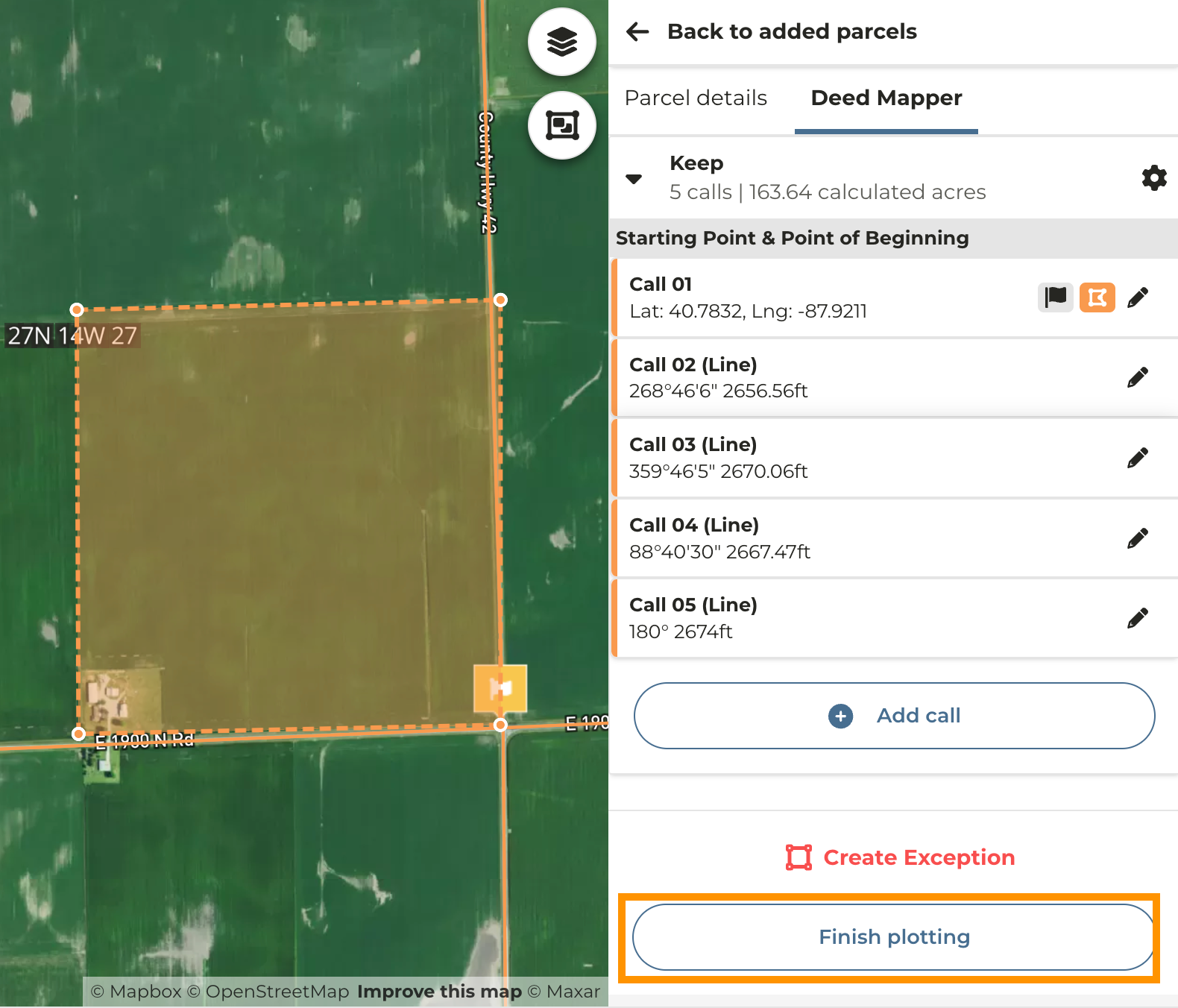
You will need to begin with the Getting Started with the Deed Mapper guide as our instructions will pick up with entering calls. An azimuth is the direction measured in degrees clockwise from north on an azimuth circle. Some legal descriptions will describe calls without having a cardinal bearing, which denotes an azimuth call. To enter these in, you do not need to select North/South or East/West as the degree noted in the call accommodates for the direction. For this guide we will be using the following calls: 02 268°46’6” 2656.56ft 03 359°46’5” 2670.06ft 04 88°40’30” 2667.47ft 05 180° 2674.62ft
1
Once you have located your property, set your starting point as your Point of Beginning and click Save
2
Click Add Call and without selecting any cardinal directions enter the information for the call
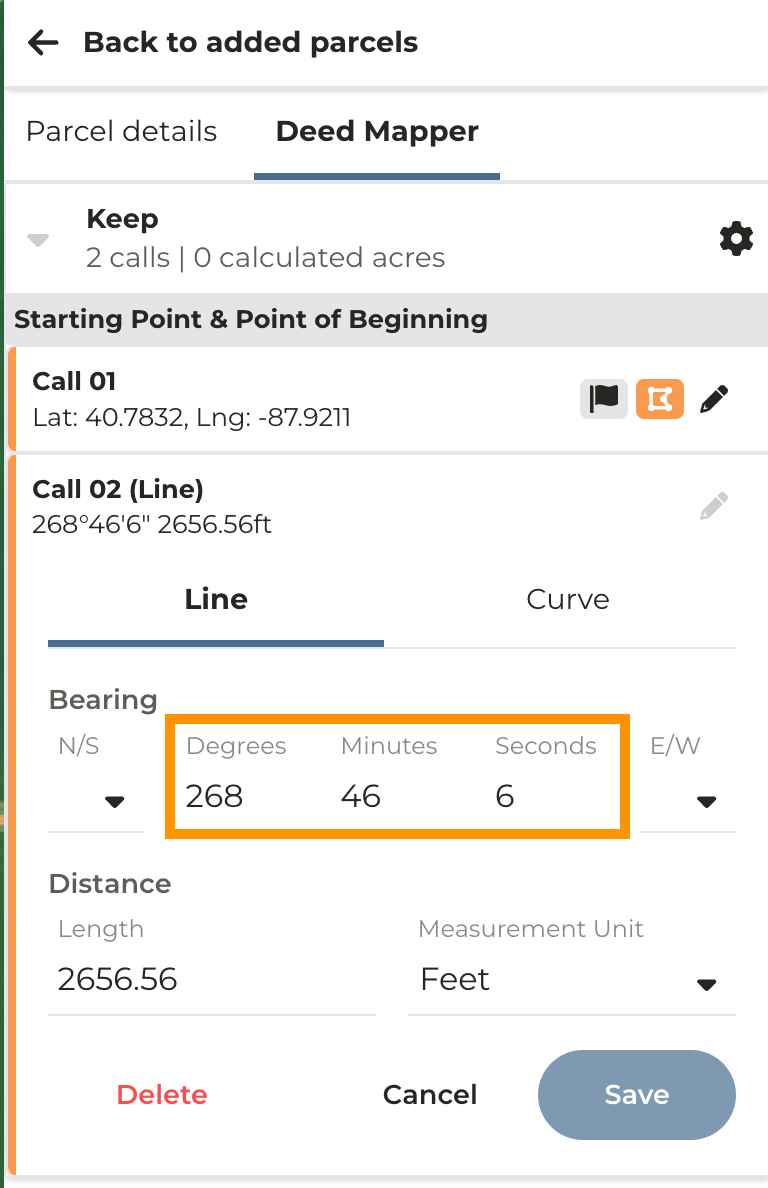
Note: By not selecting a cardinal direction you are able to enter three digits for the degrees.
Screenshot 2024-03-07 at 2.01.36 PM.png
3
Click Save then Add call to continue adding calls until your parcel is complete
4
When you have entered your final call click Finish Plotting
5
Click Confirm & Return to List
6
Screenshot 2024-03-07 at 2.11.20 PM.png
Last modified on May 22, 2026