*Your organization must purchase Mortgage data in order to access this layer and report
Mortgages Data Layer
Overview
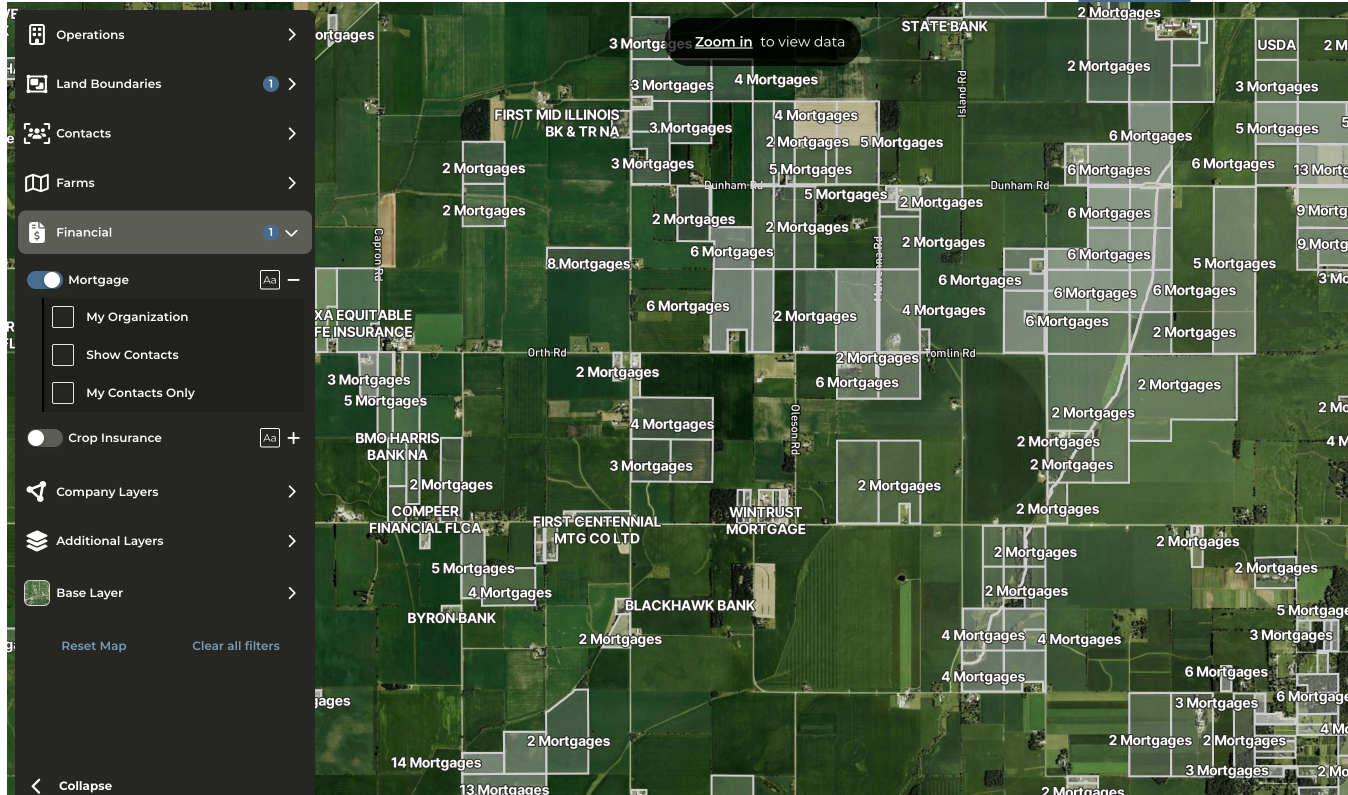
Mortgage data is ingested on a monthly basis. On the map, mortgages are color-coded by organizational association:
- Teal outline — Mortgages associated with your organization
- White outline — Mortgages not associated with your organization
Accessing the Mortgages Layer
To enable the Mortgages layer on the map, use one of the following methods:
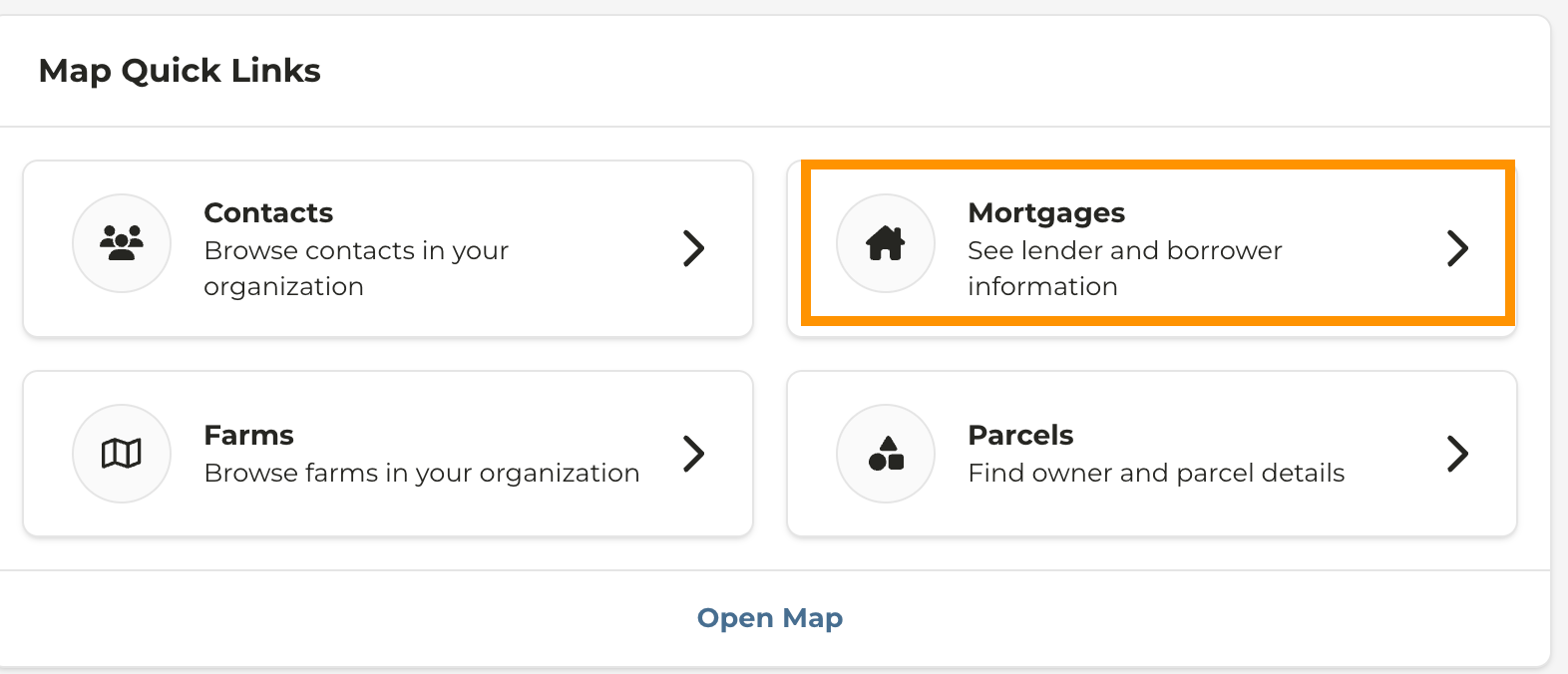
- Quick link: Select the Mortgages Data Layer quick link from the dashboard
- or Navigate to the Map and enable Financial > Mortgages
- As you zoom in, the map populates with mortgage data. Parcels are color-coded as follows:
- Teal — Mortgage owned by your organization
- White — Mortgage owned by another institution
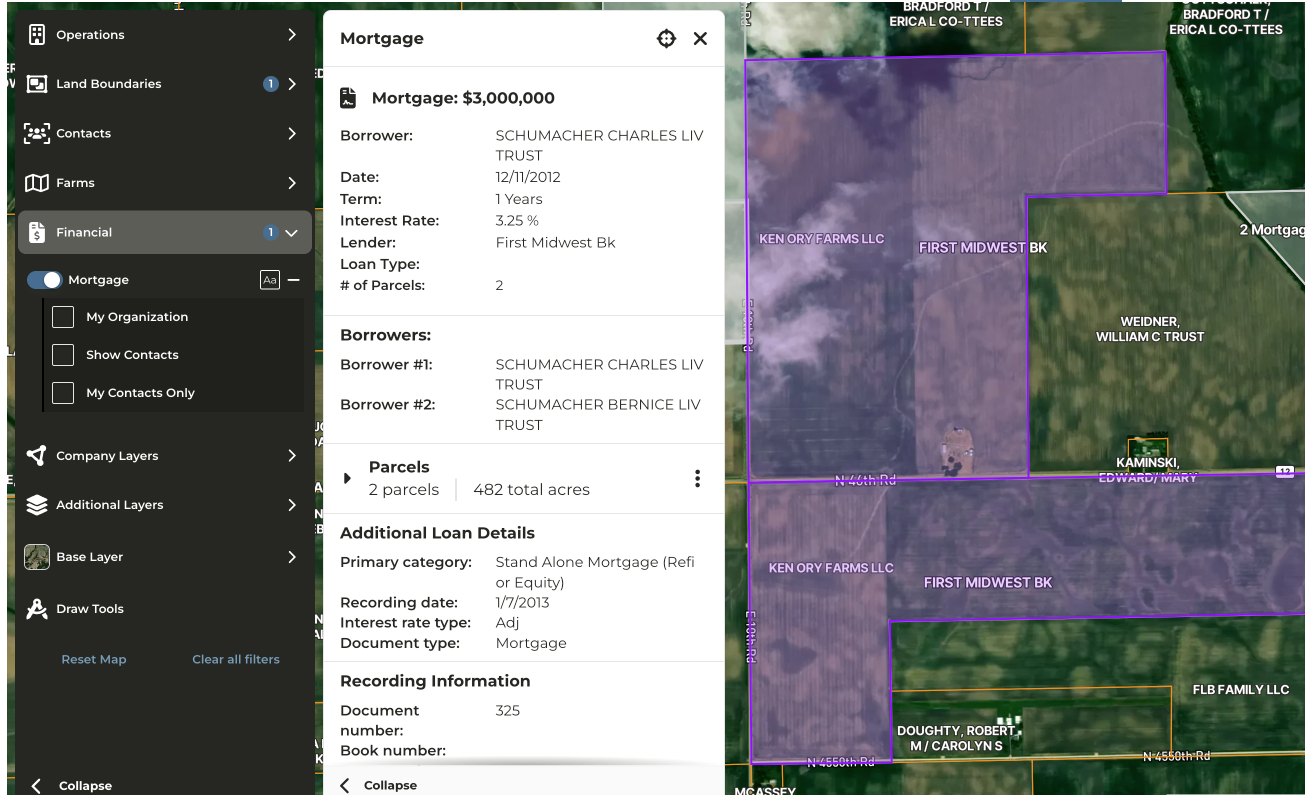
- To view a list of mortgages associated with a parcel, click on any highlighted parcel.
Last modified on May 22, 2026