

- Operation Mapping: Uncovering the relationships between individuals and legal entities within a farming operation.
- Diversified Business Ventures: Revealing related non-agricultural business interests, like laundromats or car washes, with clear citations.
- Financial and Legal Context: Identifying entity structures and mentions of relevant documents for further analysis
- Reports in Minutes Not Hours: Faster time-to-insight and can execute market briefs, customer profiles, and even compliance checks with confidence.
Locating & Running a Deep Research Report Using Smart Search
1
Enter the name of the entity into Smart Search
2
On the results page name click on the entity under the Operation column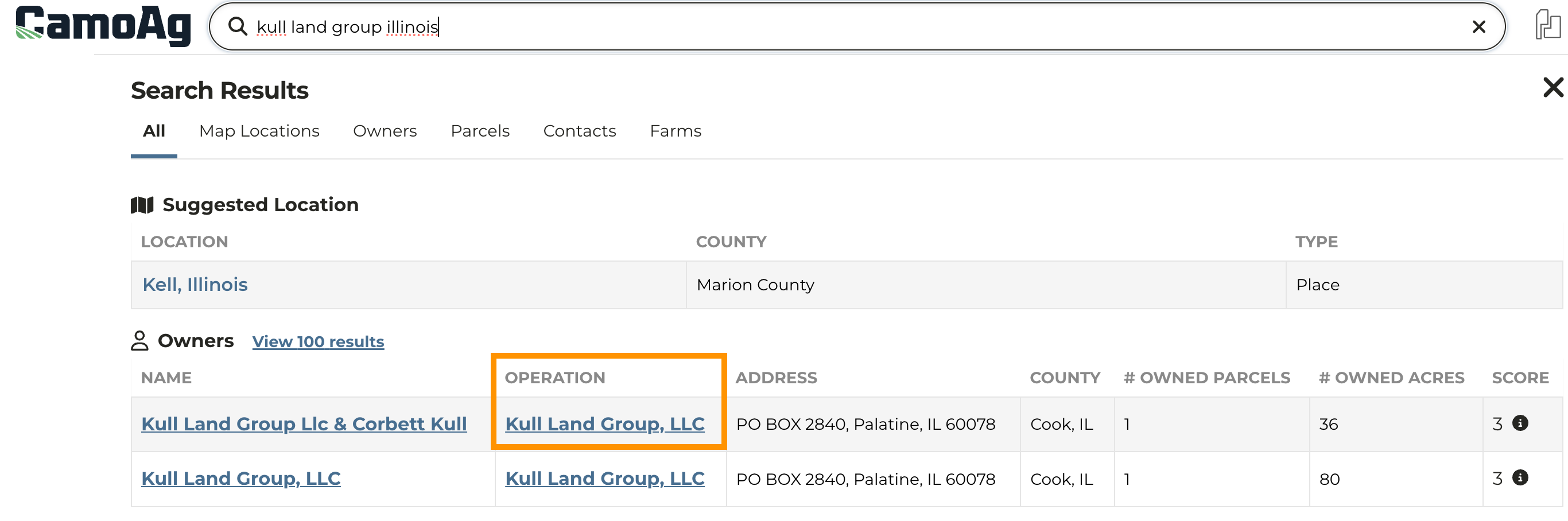
3
On the information panel click the Deep Research category to expand then click Generate New Deep Research Report
4
The report may take a couple minutes to generate. Once generated a notification will appear at the bottom left of your screen.
5
Reports will be saved with the entity and accessible to other users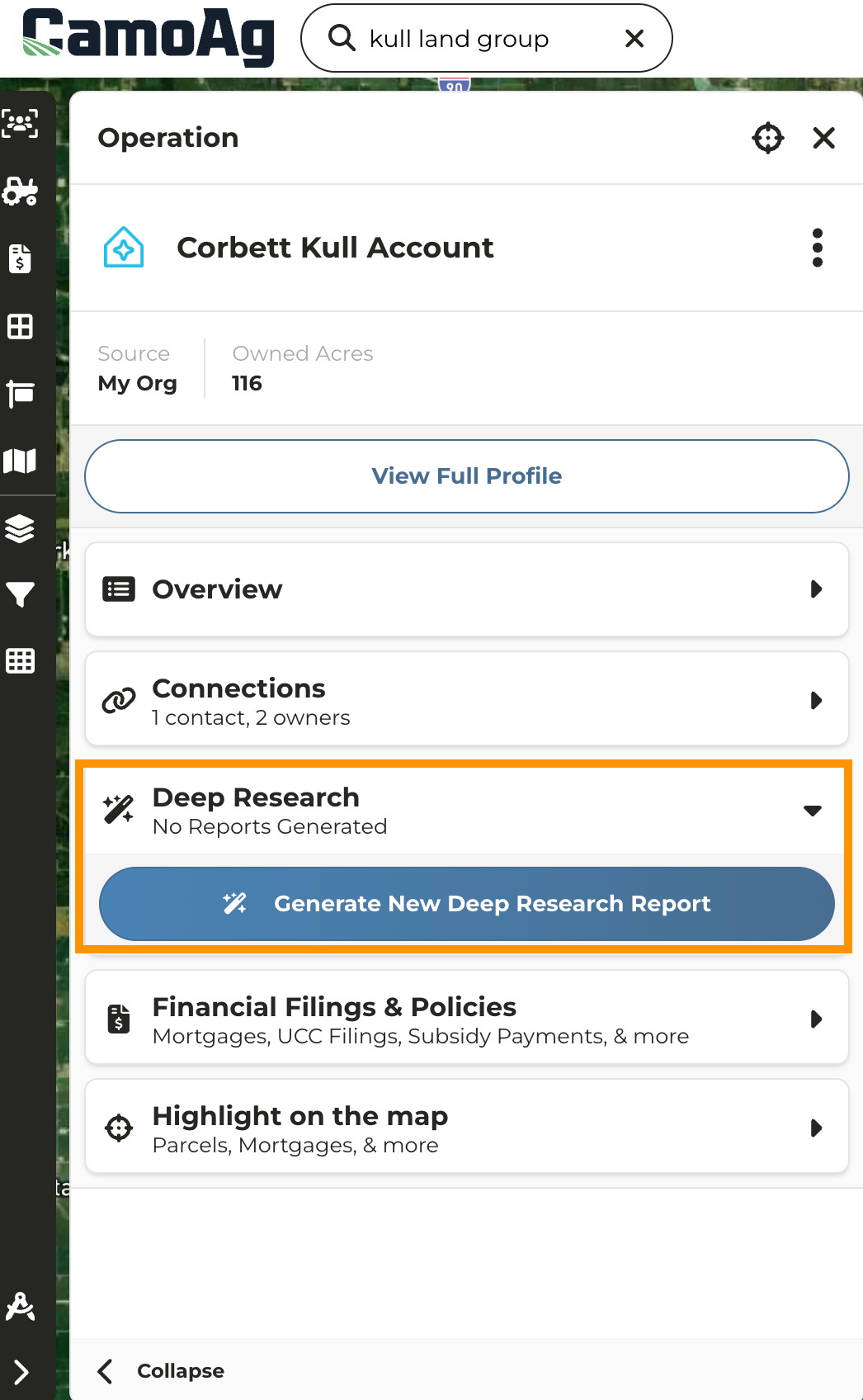
Locating & Running Deep Research Reports for an Operation From the Map
1
Navigate to the Map and click on the parcel of the entity for which you want to run a report
2
Under Connections click on the Operation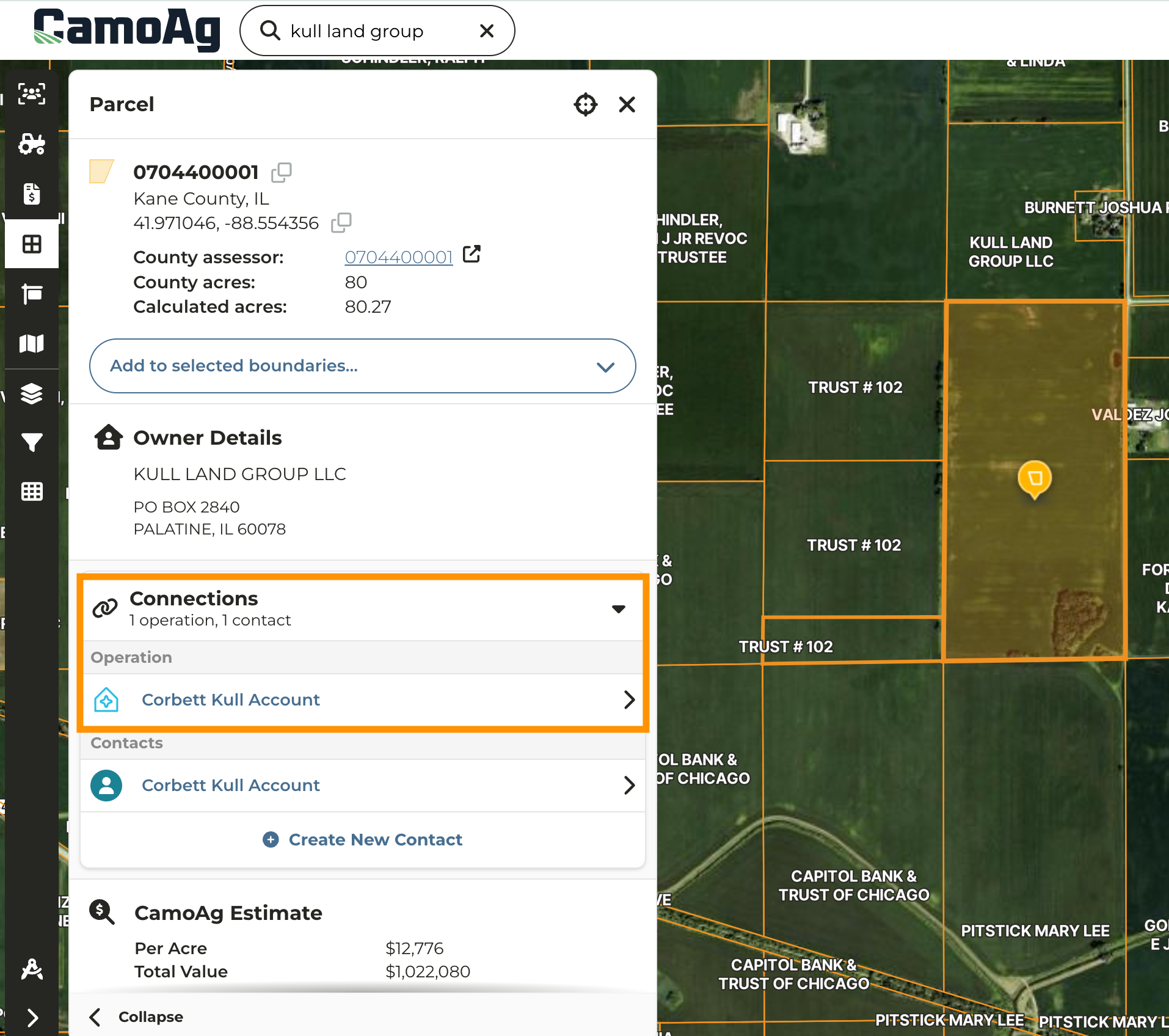
3
On the information panel click the Deep Research category to expand then click Generate New Deep Research Report
4
The report may take a couple minutes to generate. Once generated a notification will appear at the bottom left of your screen.
5
Reports will be saved with the entity and accessible to other users