Deep Research Report
*Limited release to enterprise beta user groups
-
AI-Powered Deep Research delivers a comprehensive, professionally formatted PDF report for a contact or network
-
Each report provides rich insights, including farmland holdings, estimated operation size, potential affiliates, agricultural practices, associated individuals, and verified address information.
- Producer Operation Mapping: Uncovering the relationships between individuals and legal entities within a farming operation.
- Diversified Business Ventures: Revealing related non-agricultural business interests, like laundromats or car washes, with clear citations.
- Financial and Legal Context: Identifying entity structures and mentions of relevant documents for further analysis
-
Reports in Minutes Not Hours: Faster time-to-insight and can execute market briefs, customer profiles, and even compliance checks with confidence.
-
For full transparency and credibility, best effort is made to clearly cite data sources which are linked at the end of every report
Parcel Owner Update
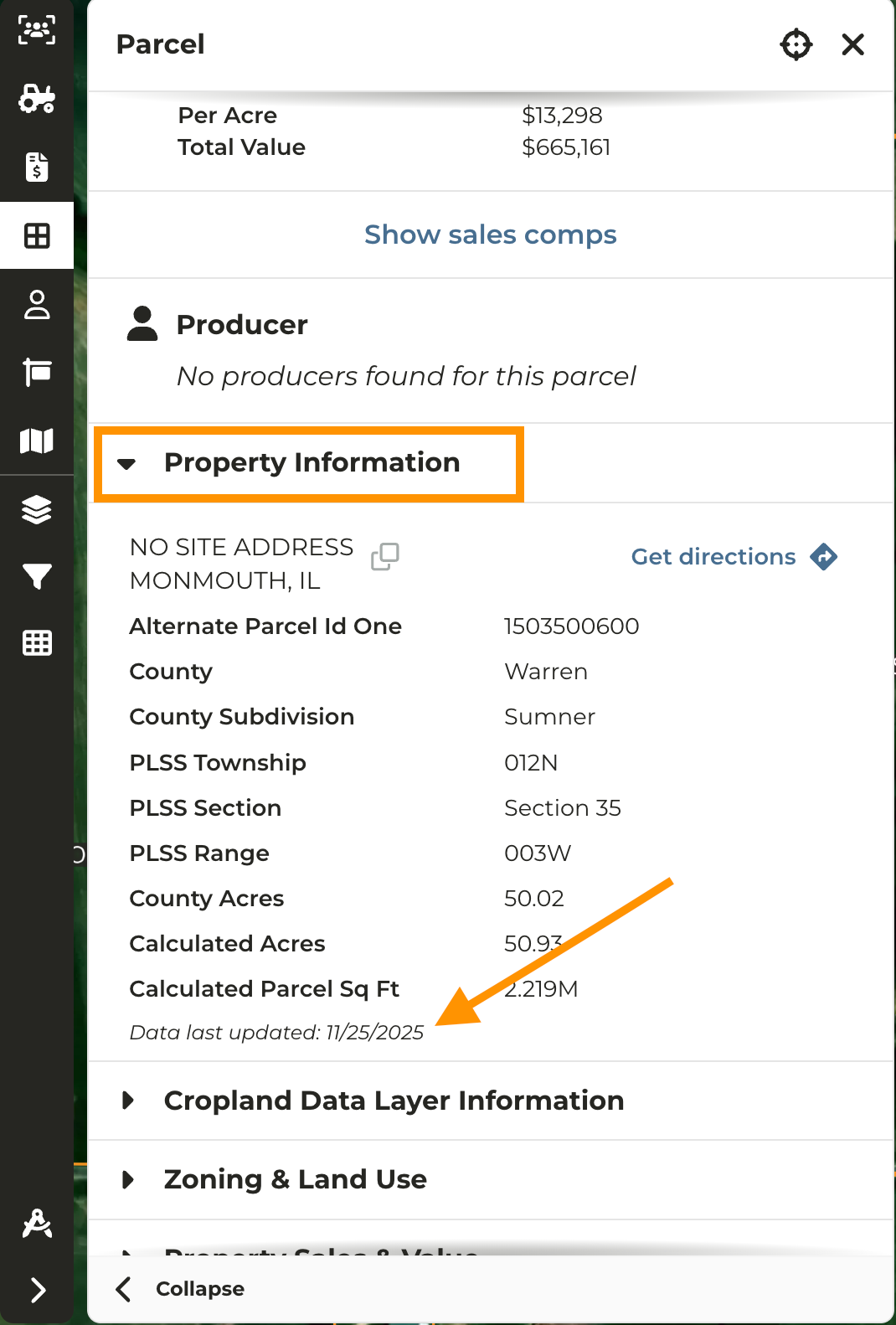
- CamoAg now displays the most recent* parcel owner, address, and Date Last Updated in the parcel pane, based on data available from multiple source providers
- The Date Last Updated is available within the expanded ** Property Information** accordion.
- Owner names are shown based on the most recent data provided by our parcel ownership data sources.
- “Most Recently Available” means the latest data received by the data providers and doesn’t imply the most recent ownership.
Land Sales Bulletin Report Improvements
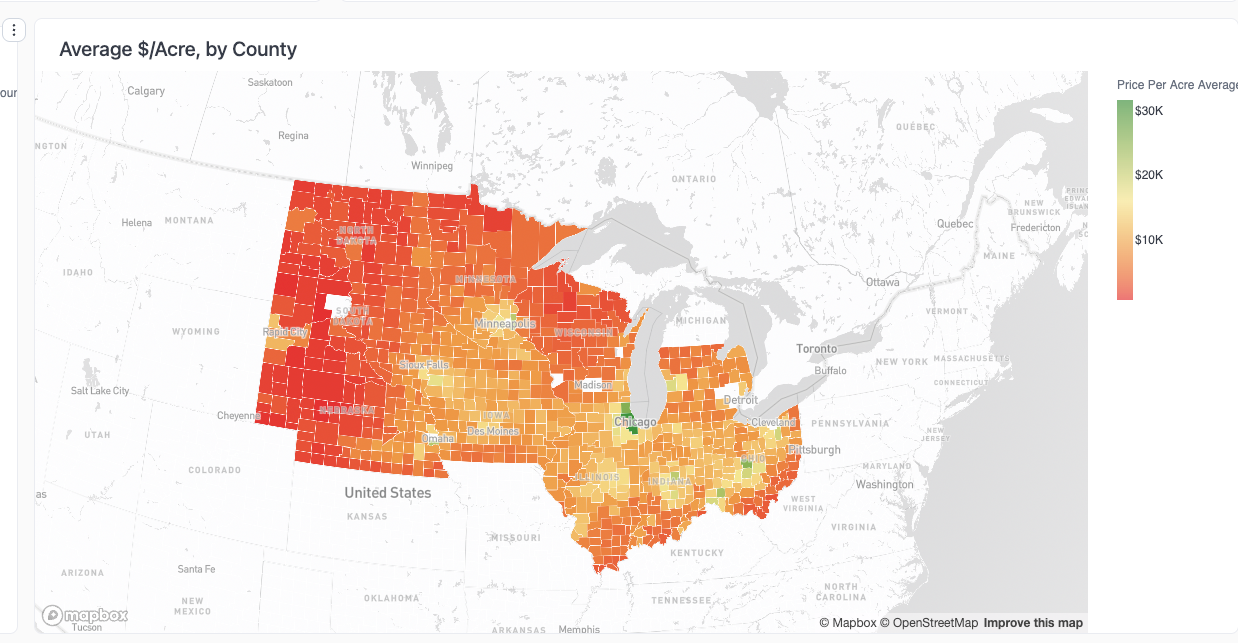
- We’ve added a heat map to the Land Sales Bulletin report displaying the average price per acre by county
- Simply hover the mouse over a county on the map to quickly see the average sale price per acre
- Average sales price per acre is provided based on total price and acres data from Land Sales Bulletin, separate from CamoAg
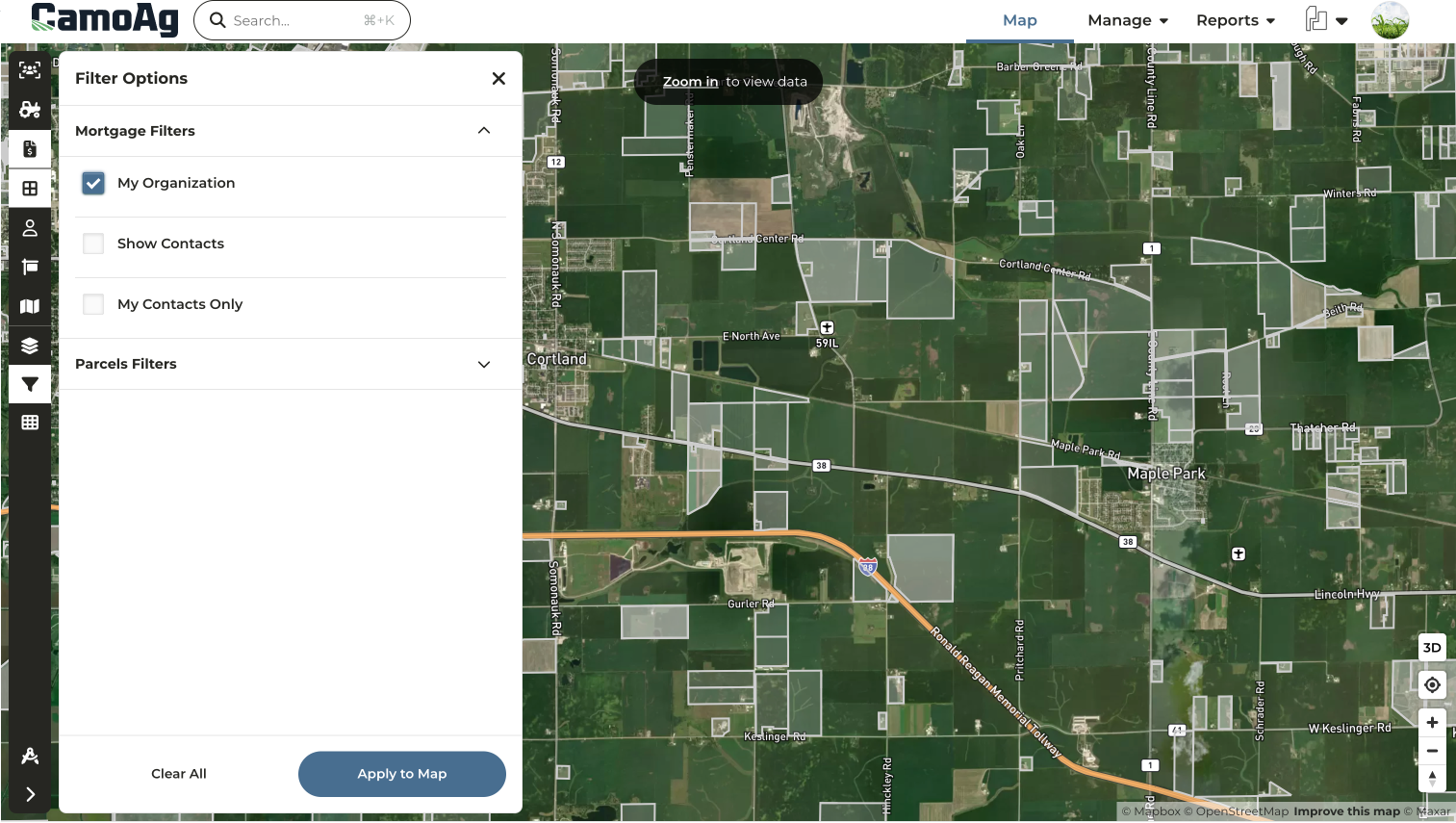
My Organization Filter Added to Mortgages Layer
*Organizations with Mortgage Data
- Activate the Mortgages Layer and refine your view with Layer Filters to display only mortgages associated with your organization, matched by lender company codes.
Layer Features Report Added to Custom Map Layers
*Requires Enterprise Subscription
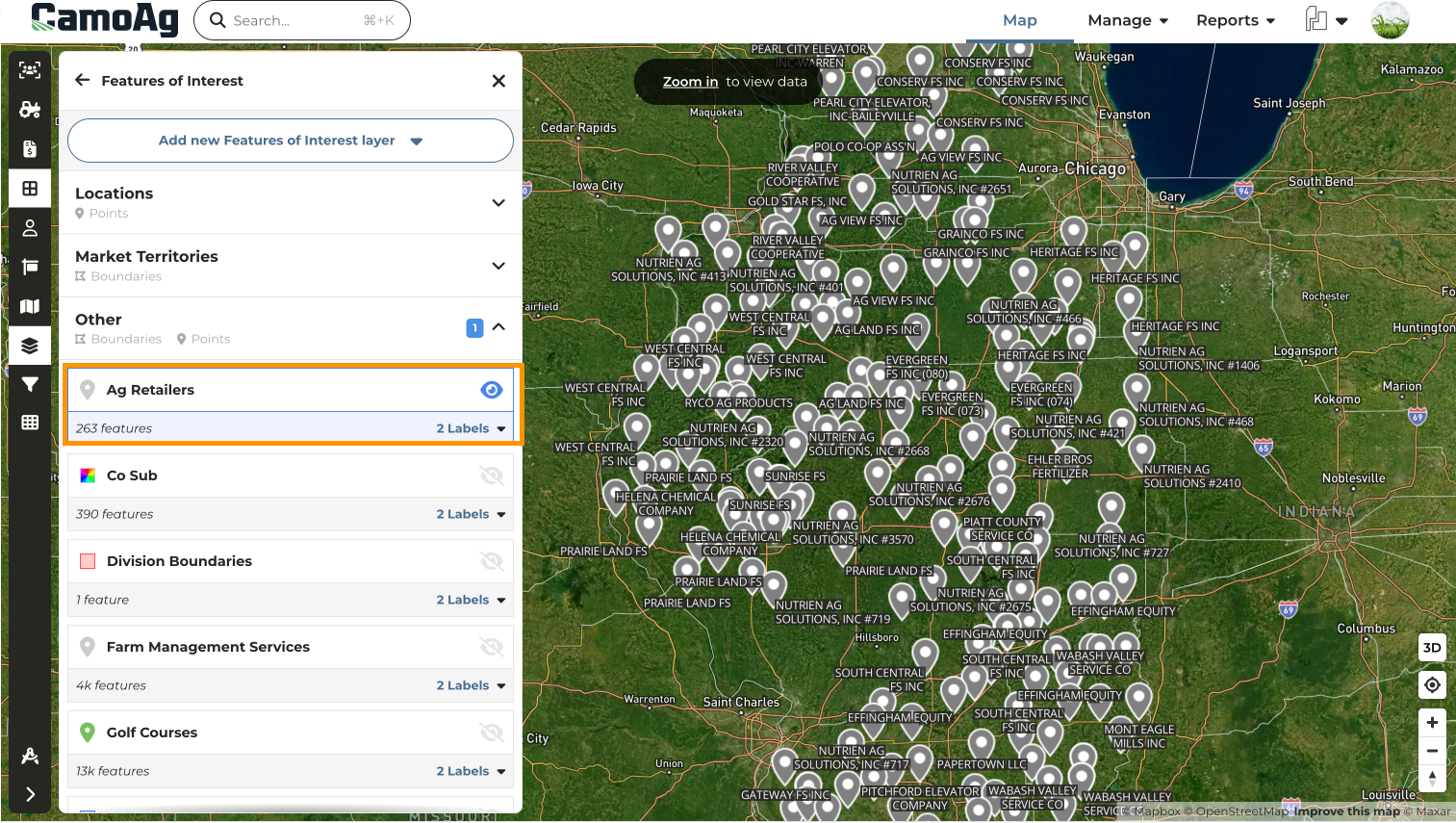
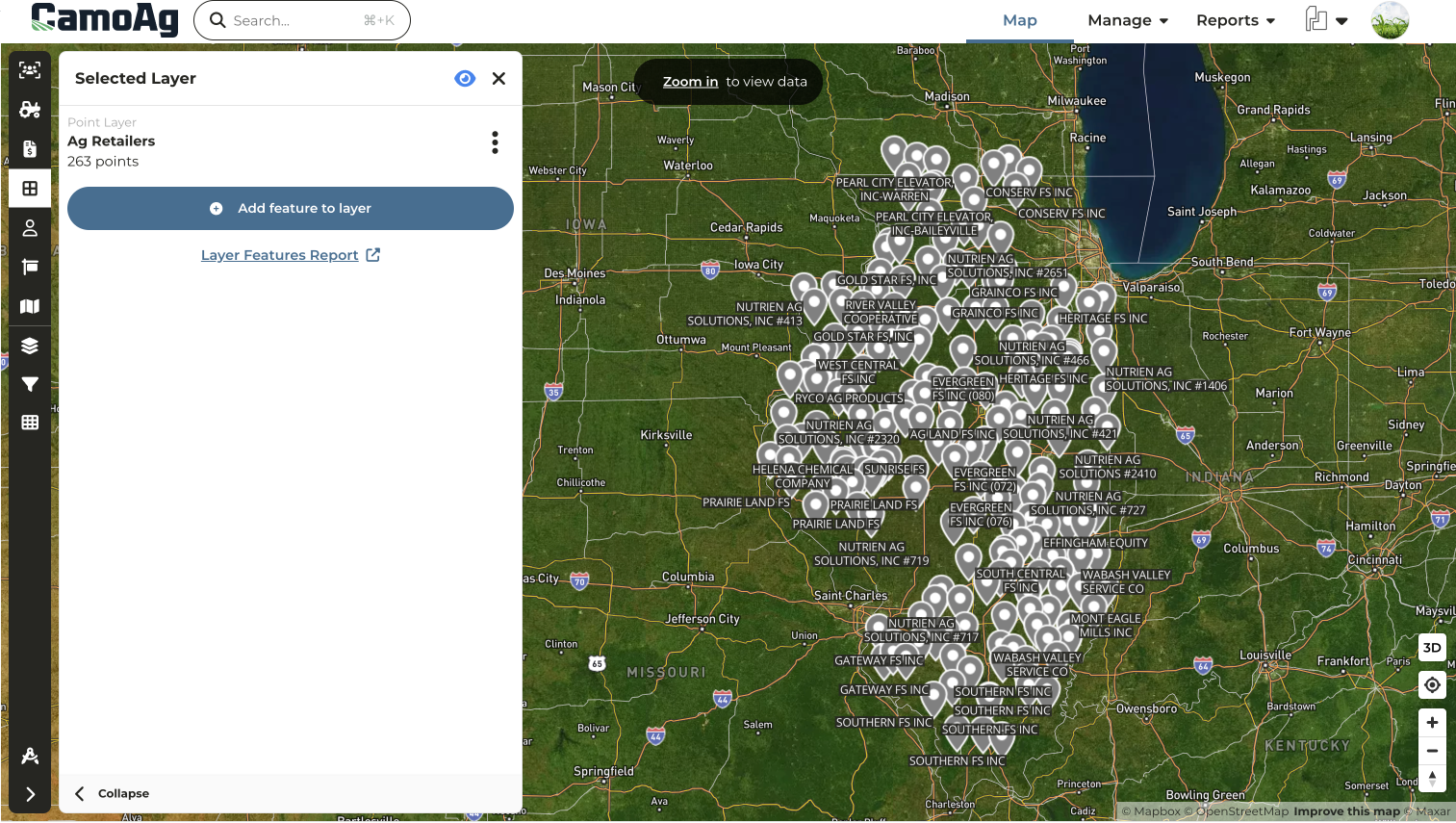
- Click into a Features of Interest layer to see the quick link to the report allowing users to quickly gather addresses for important map points or to quickly audit the details of a layer
- Running this report will provide you with the details of that layer, whether it is a point on the map or a boundary
- Details may include:
- Title
- Addresses
- Latitude/Longitude coordinates
- Optional formatted properties
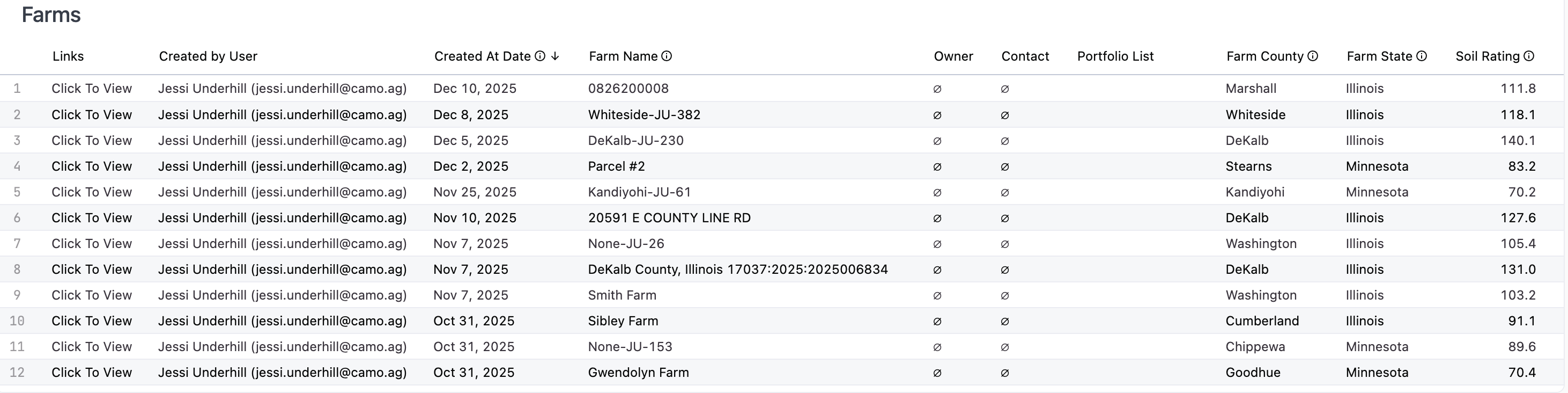
Farms, Fields, & Parcels Report Now Includes “Created by User” Column
- Quickly filter a report to see the farms that have been created by you, by a specific user, or by your direct reports
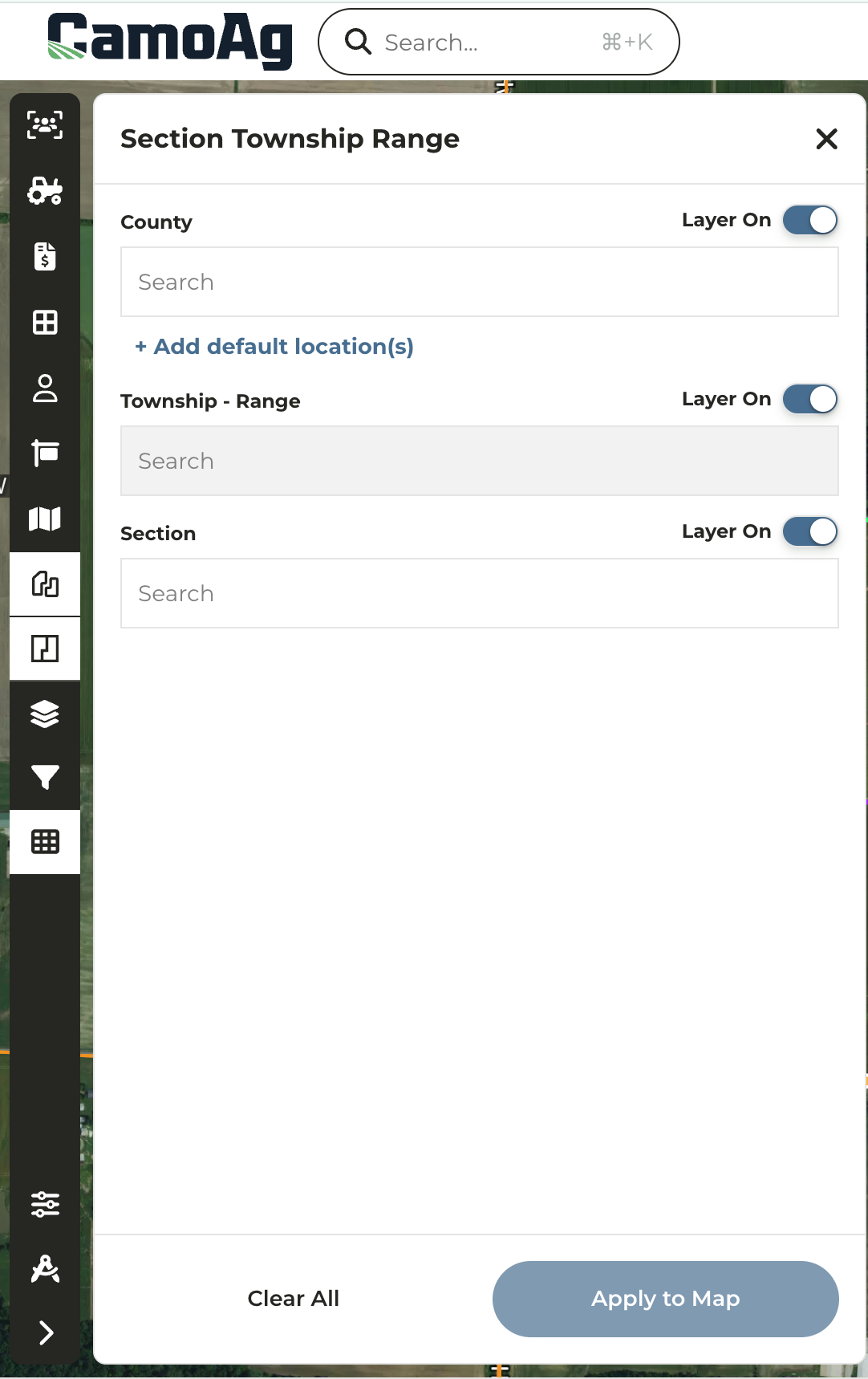
Option to Select the Section First When Using the STR Layer
- When using the STR layer on the map users have the option to enter the County or Section first
- Previously, users were required to enter the County, then select the Township-Range, and finally the Section.
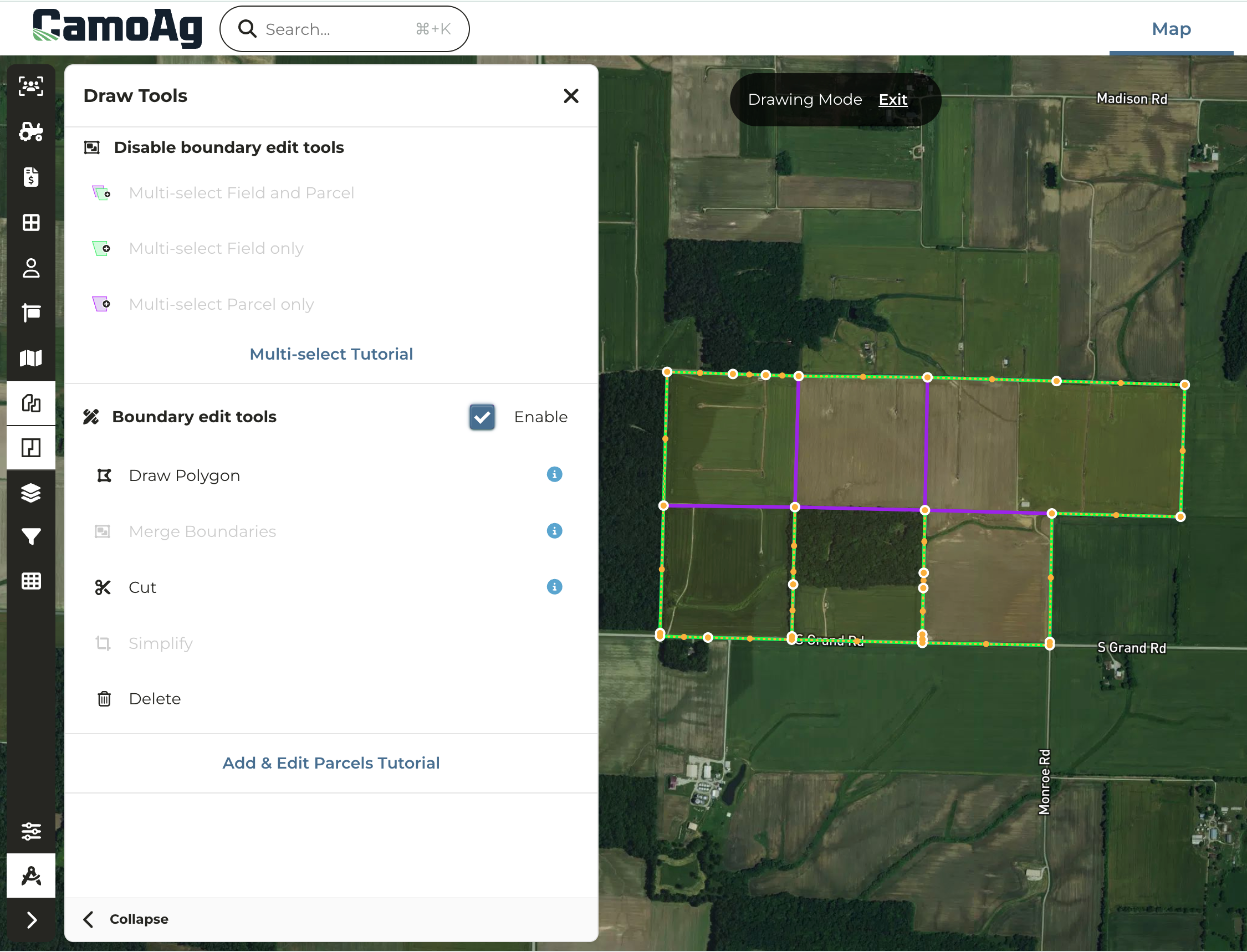
- When drawing or editing a boundary for a parcel, field, or custom map layer, the vertices/nodes will now increase in size on mouse hover
- A vertices can be deleted with a simple right-click of the mouse
Townships Added to Custom Map Layer Creation
*Enterprise Customers
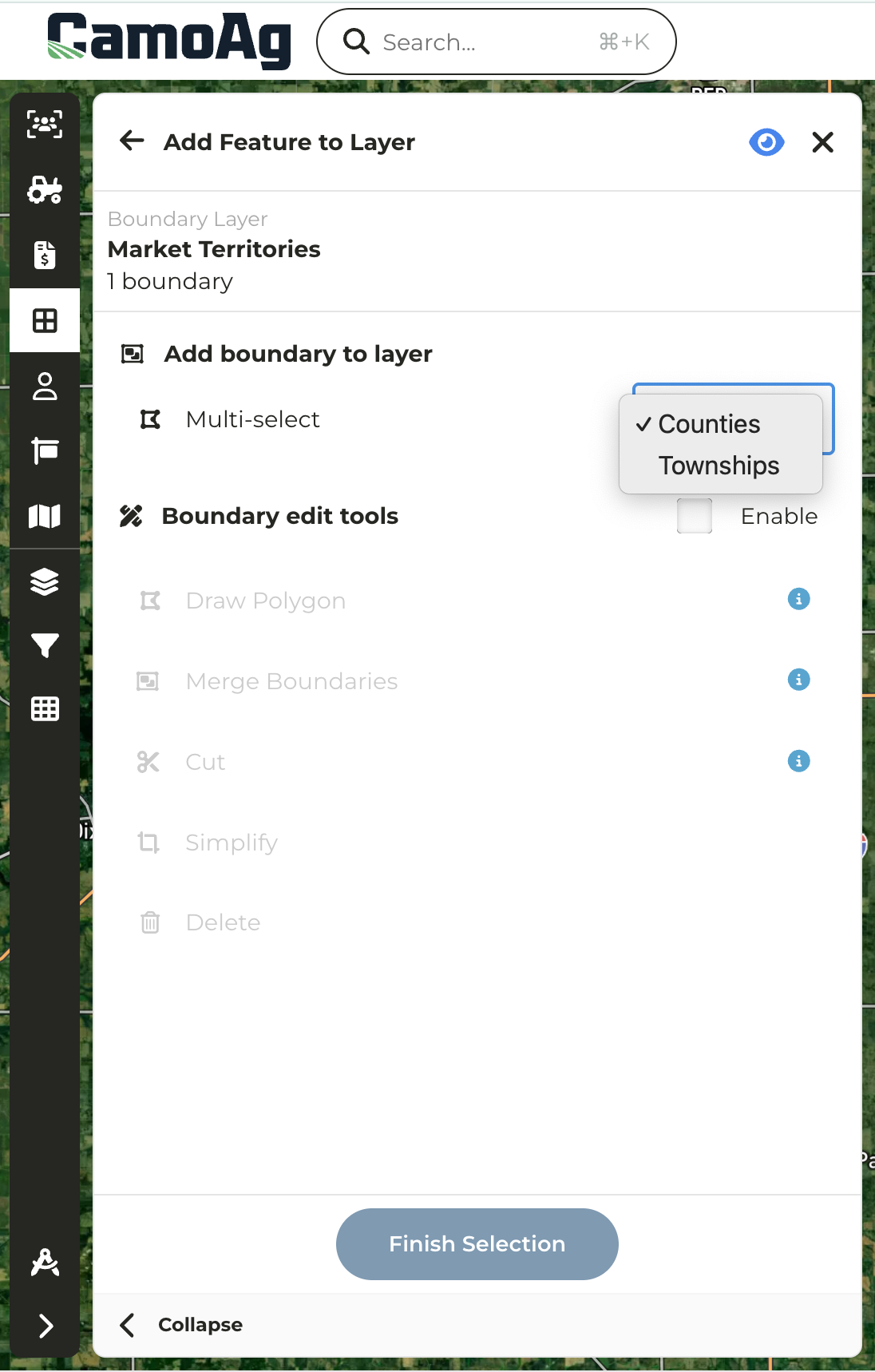
- Organizations with an enterprise subscription can now create custom map layer boundaries by selecting one or more Township administrative boundaries
- Check out the Custom Map Layerssection of the help center to learn more about planning and creating custom map layers
Collateral Description Filter Added to UCC Blanket Lien Report
*Organizations with UCC Blanket data
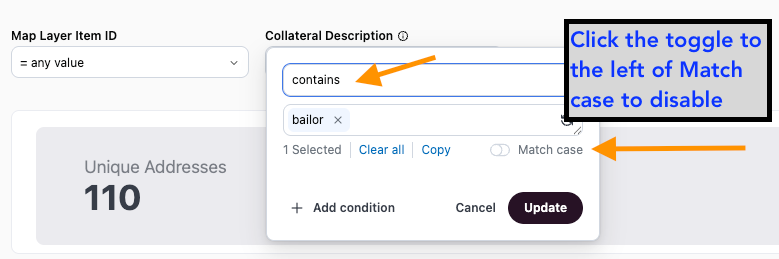
- Users can now filter by keywords found within UCC Blanket Collateral descriptions
- Keyword examples might include: “LIVESTOCK”, “BAILOR”, “BAILEE”, “SWINE”, etc
- Set filter to Contains, enter keyword such as “livestock”, “bailor”, or “bailee”, and toggle off Match case to search blanket liens by specific collateral descriptions. Note: You must use “Contains” and you must toggle “Match case” off in order to see the results needed.
Last modified on May 22, 2026