Basic Setup
Fetch Secret
The first step is to obtain your embed secret.
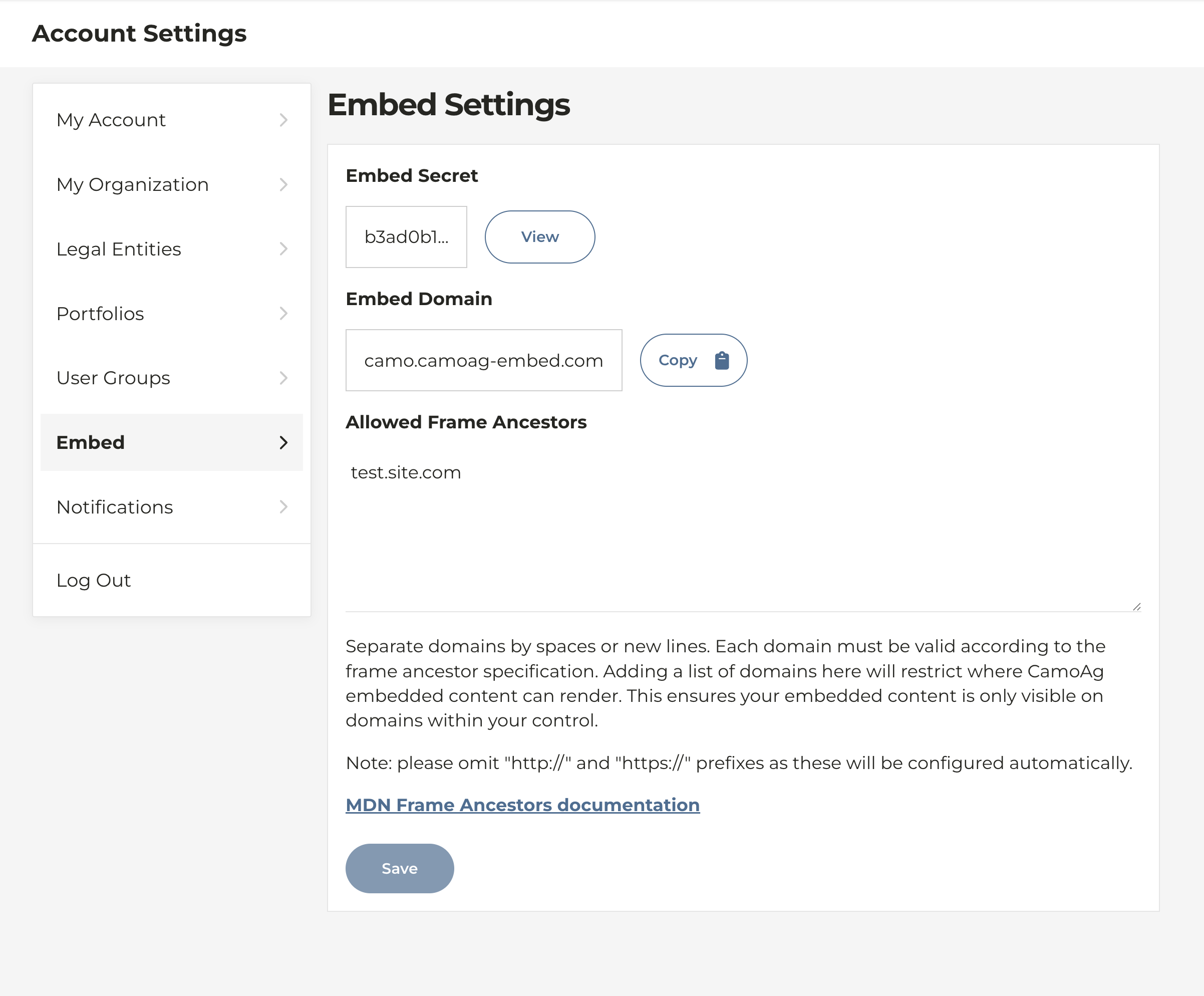
- Go to your CamoAg Account Settings > Embed
- Copy your embed secret by clicking the "View" button
Embed Vanity Domain
CamoAg uses cookies to manage authentication sessions. When the platform is embedded in iframes, browsers like Safari treat these cookies as third-party cookies. Because Safari applies strict privacy rules by default, it blocks these cookies—resulting in users being unable to access CamoAg content within the iframe.
Vanity domains allow Safari to treat authentication cookies as first-party thereby enabling reliable login and session handling inside iframes.
E.g. camoag-embed.example.com is embedded within example.com
- Embed domains must have 3 or more parts. E.g.
camoag-example.comis not a valid embed domain. - The top level domain of the embed domain must match the embedding page to support first-party cookies.
E.g.
example.camoag-embed.commay run into third-party cookie issues
Generate Signed URL
A unique signed embed URL must be generated for each new embed session. The signed URL must be used within 5 minutes of generation.
The easiest way to generate a signed embed URL is to use the following API endpoint:
POST https://<YOUR_EMBED_DOMAIN>/api/v5/auth/embed/build_signed_url
Request Body
{
  "embed_secret": "123451234512345",
  "content_path": "/embedded/map",
  "external_id": "Abc123"
}
The embed secret must never be exposed in client-side code (including frontend HTML and JavaScript code). For this reason, all signed URLs must be generated server-side using code running in a trusted backend environment.
Parameters
embed_secret
Your embed secret key used to sign the request.
content_path
The iframe will redirect to this URL after the session is verified.
The embedded map can be customized by adding URL query parameters. See Configurable Map Defaults for available options.
Example:
{
  "content_path": "/embedded/map"
}
external_id
A required, unique user identifier. This is a string containing up to 100 characters. A new user will be created if one does not already exist with this identifier.
Example:
{
  "external_id": "Abc123"
}
Response Body
Using the example Request Body above, this is an example response:
{
"signed_embed_url":"https://camoag-embed.example.com/api/v5/auth/embed/login?content_path=/embedded/map&external_id=Abc123&nonce=ad5b227d5ed3464bab5377ee20912694&signature=RT554uJ2_BXnmGNiqNB2u7ASVuvWeLk_yOkLzNq3ixA%3D×tamp=1764174111"
}
Implementation
Simply assign your signed embed URL to the iframe's src attribute. The session will be authenticated and the map will redirect to the value of content_path.
<iframe src="<signed-embed-url>" />
Iframes block access to some features used within the CamoAg Embedded Map. Add the allow attribute to enable these features. E.g. allow="clipboard-write; geolocation"
clipboard-write
The embedded map includes many copy-to-clipboard buttons for convenience (e.g. parcel ids, coordinates, etc). Enabling the clipboard-write permission allows the embedded map to write data to the user’s clipboard from user interaction.
<iframe src="<signed-embed-url>" allow="clipboard-write" />
geolocation
Enabling the geolocation permission allows the embedded map to request the user’s location through their browser.
<iframe src="<signed-embed-url>" allow="geolocation" />
Configurable Map Defaults
You can customize the embedded map by appending URL search parameters to the content_path.
This example will initialize the map the parcels layer enabled:
{
  "content_path": "/embedded/map?layer=parcels"
}
Default Location
The default map location can be set in multiple ways.
Coordinates
Center the map on a specific latitude/longitude:
lat: required
lng: required
Example:
?lat=41.881953&lng=-87.632362
Bounds
Fit the map to the specified bounding box using southwest and northeast coordinates
(each provided as "lat,lng").
southwest: required
northeast: required
Example:
?southwest=41.64,-87.87&northeast=42.03,-87.49
Layers
Enable one or more layers by including the layer parameter.
Examples:
?layer=parcels— Parcels Layer?layer=counties&layer=states— Counties + States Layers
Available Layer Values
parcels— Plat Mapfarm_sales— Farm Salessections— U.S. Public Land Survey System (Sections)countysubs— U.S. Public Land Survey System (Township & Range)counties— U.S. Countiesstates— U.S. Statescommon_land_unit— Common Land Unit (FSA)contours— Contours