
1
Navigate to the report containing the data table for which you want to configure an alert or scheduled delivery.
2
Do not apply any filters at this time.
3
Locate the target data table, then click the three-dot menu in its upper-right corner.
4
Select Alert or Schedule Delivery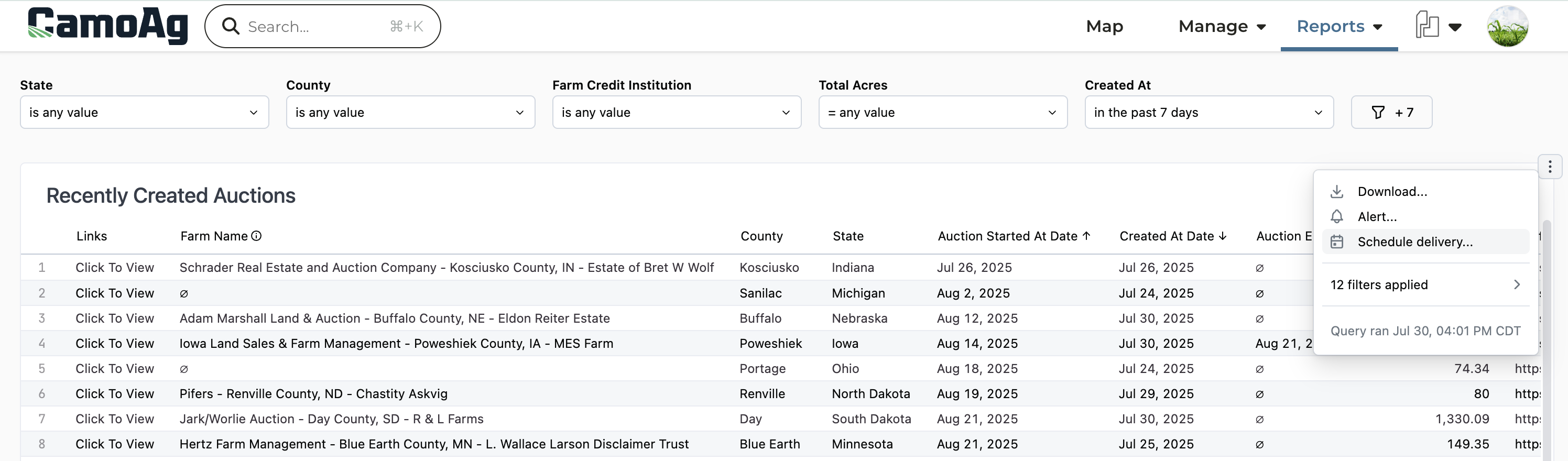
5
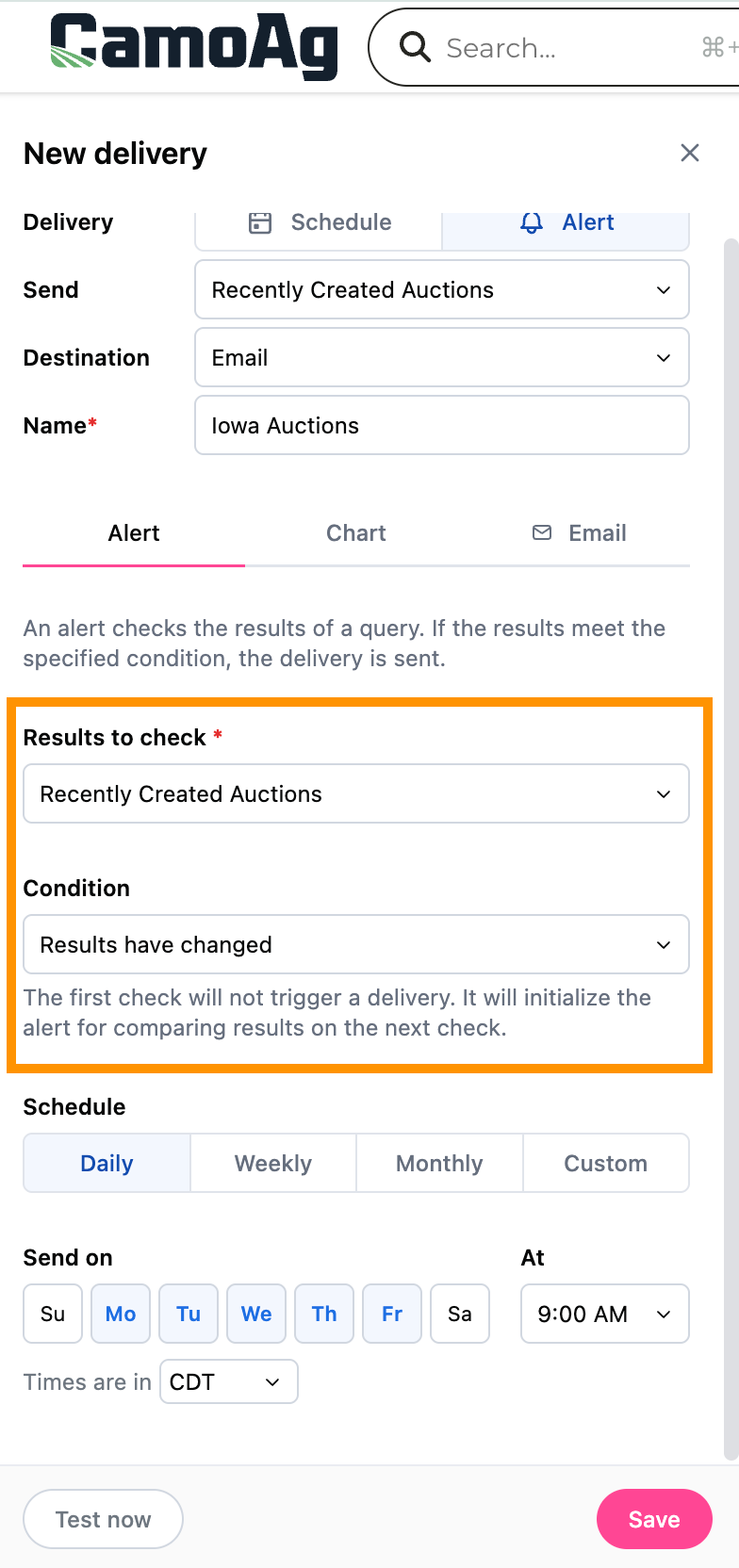
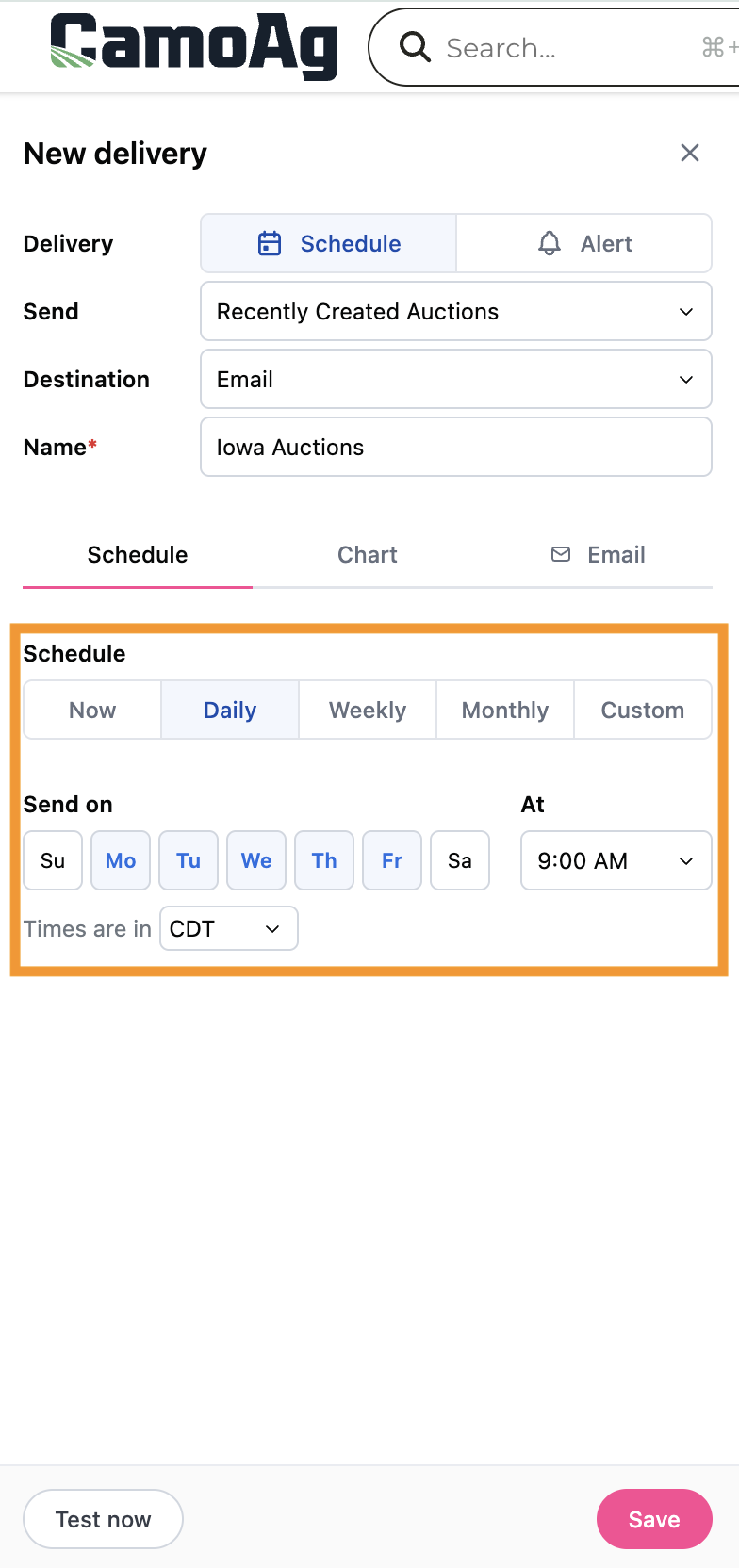
Within the Alert or Schedule tab make your selections and click Save
| Alert | Schedule |
|---|---|
 |  |
6
Click on the Chart tab to select the file format and apply filters then Save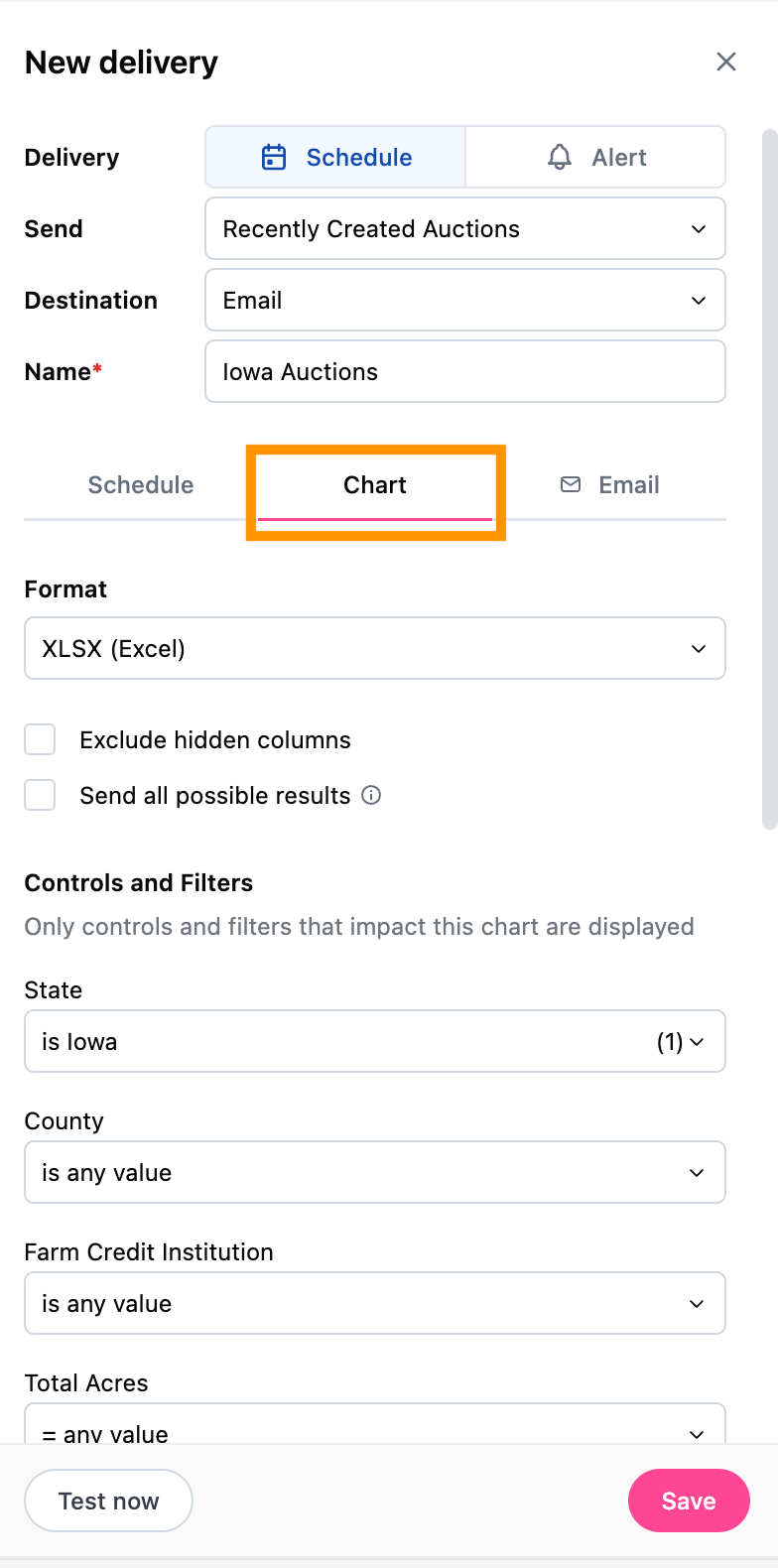
7
Click Email and enter the email address/addresses you would like the report delivered
8
Click Save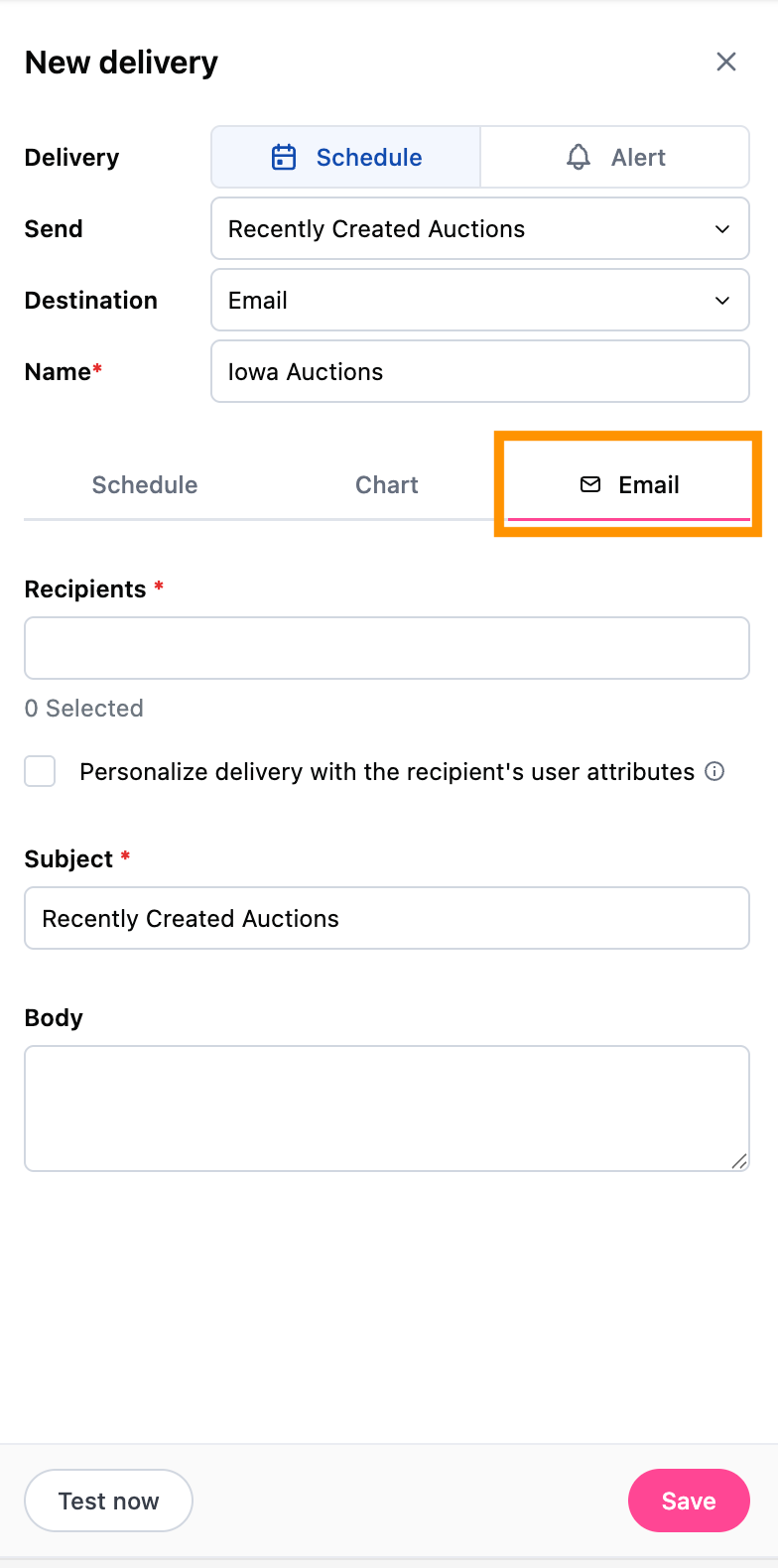
Editing a report delivery schedule
You can edit or delete any report delivery or alert you set up.1
Navigate to the report
2
Click the three-dot menu above the data table, then click Schedule Delivery or Alert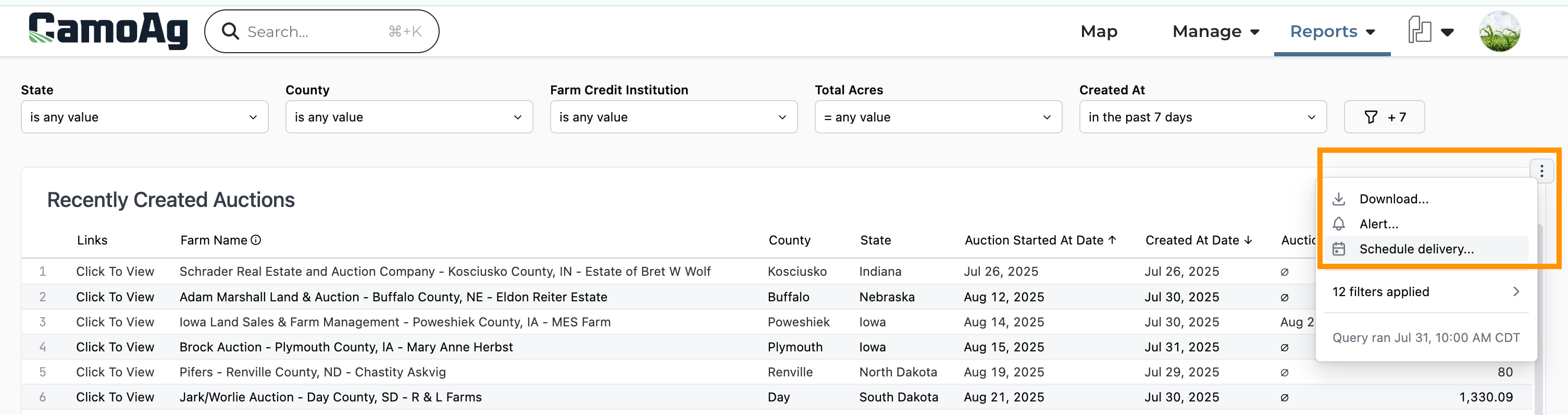
3
To the right of New Delivery, click the X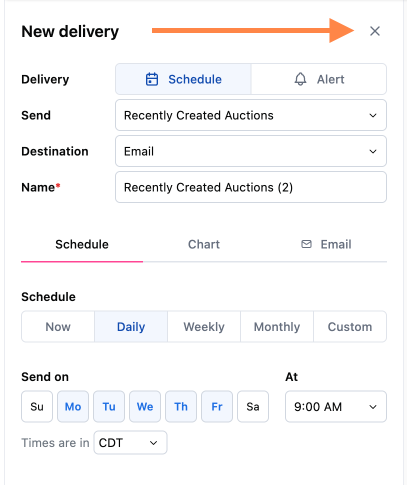
4
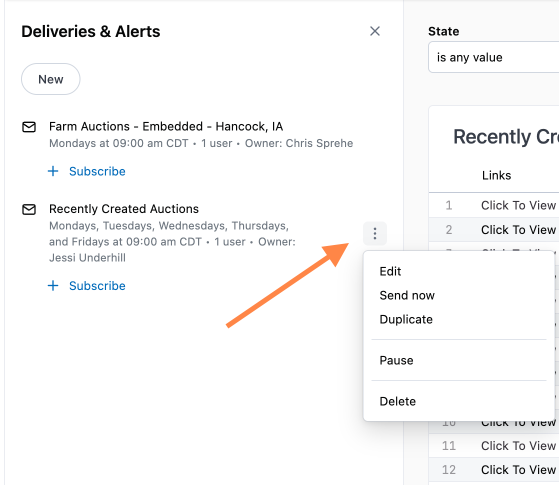
Click the three dots to the right of the report delivery you want to edit or delete