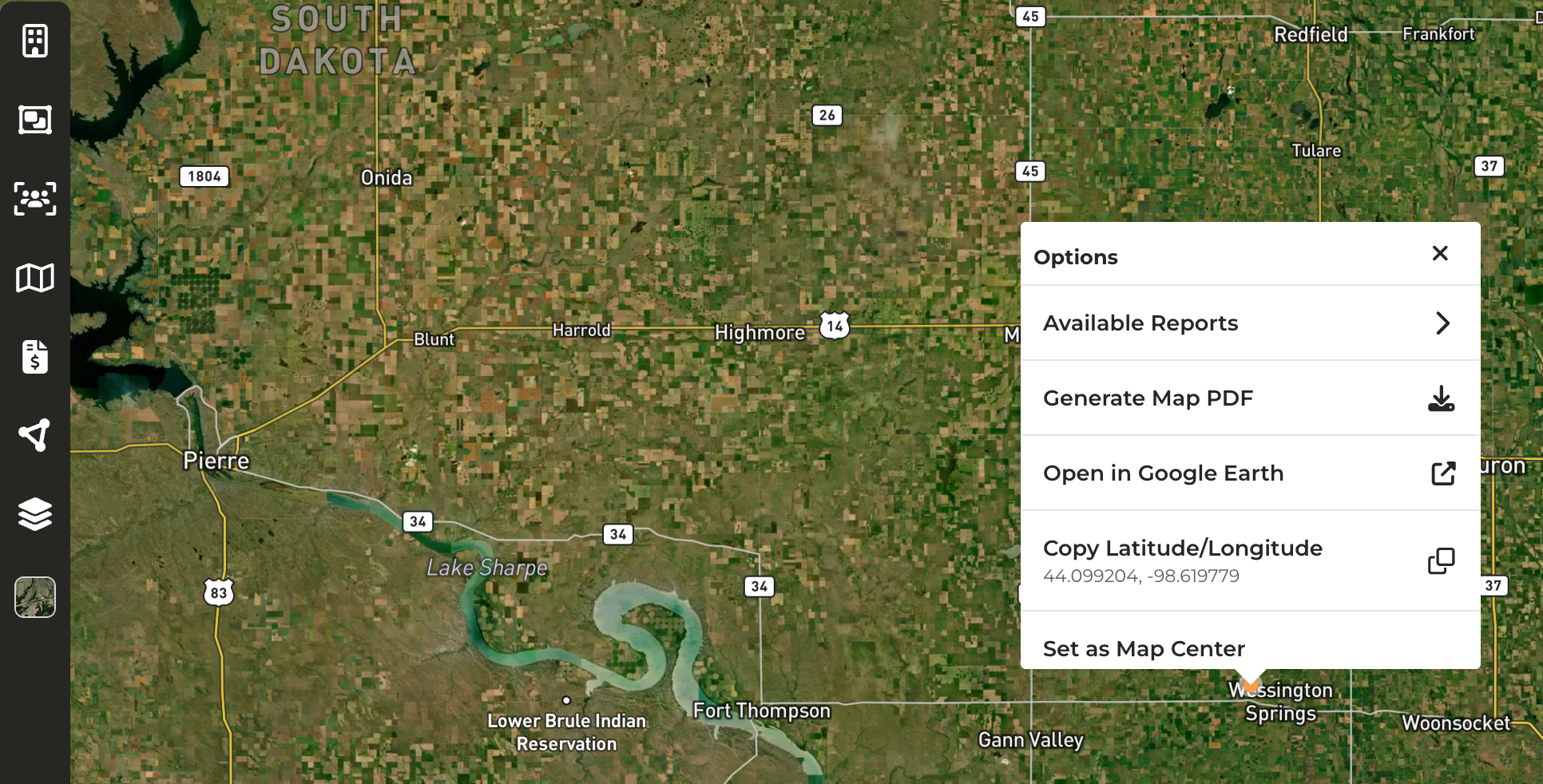
- Available Reports: Pull a report of data within a radius of the selected point (see below)
- Generate Map PDF
- Open in Google Earth: View historical imagery of a parcel
- Copy Latitude/Longitude: Copy the coordinates of the selected point, for example to search for the location quickly in another tool
- Set as Map Center
Pulling a Report Using a Radius Search
*Requires an Enterprise subscription When pulling a report, you have the option to go directly into Reports and filter by county. If you prefer to pull a report with a radius-based search, you can start from the map instead and choose the point you want to cast the radius from.1
Choose a point on the map. This doesn’t have to be a property; it can be a town, a farm sale or any spot you would like to cast the radius from
2
Right-click on the map and click Available Reports
3
Select the report you want to pull from the list of reports your organization has access to. For example, the Owners report
4
The report will open in a new tab with three filters applied: Parcel Latitude Filter and Parcel Longitude Filter (the point you right-clicked) and Search Radius Distance to Parcel, which defaults to a 10-mile radius
5
Adjust Search Radius Distance to Parcel to the desired number of miles. It can be set to equal to, greater than, less than and so on. For example, setting it to less than 20 will pull in anyone who owns a parcel within a 20-mile radius of the point on the map, regardless of where the owner is located
6
Continue to narrow down the results using the other filters, for example Total Owned Acres
When should I access a report from the map vs. going directly to the report?
When should I access a report from the map vs. going directly to the report?
- Pull the report from the map if you want a list of owners within a certain distance of a point on the map. Go directly to Reports if you want to filter by county.
What are some use cases for this feature?
What are some use cases for this feature?
- Available Reports: You would like to generate a report that pulls in data within a certain radius of a specific location. For example, there is an upcoming auction and you would like to pull a report of owners within a ten (10) mile radius to begin outreach.
- Open in Google Earth: View historical imagery of a parcel
- Copy Latitude/Longitude: If you need to search for a location quickly in another tool
How do I access this feature on my mobile device, if I don't have the CamoAg app, but have CamoAg downloaded to my home screen?
How do I access this feature on my mobile device, if I don't have the CamoAg app, but have CamoAg downloaded to my home screen?
- A long hold on any map from your mobile device will enable this feature