Networks
In CamoAg, a Network represents a group of linked parties or accounts that are managed together. These accounts may be connected through a shared address or business ties. By treating these accounts as a Network, users can better tailor services, upsell, and cross-sell products. It simplifies management and enables smarter, more efficient decision-making. Networking can be viewed in the following areas of the platform:- Search Results page
- Owner Information panel
- Reports
Farms Page Filtering
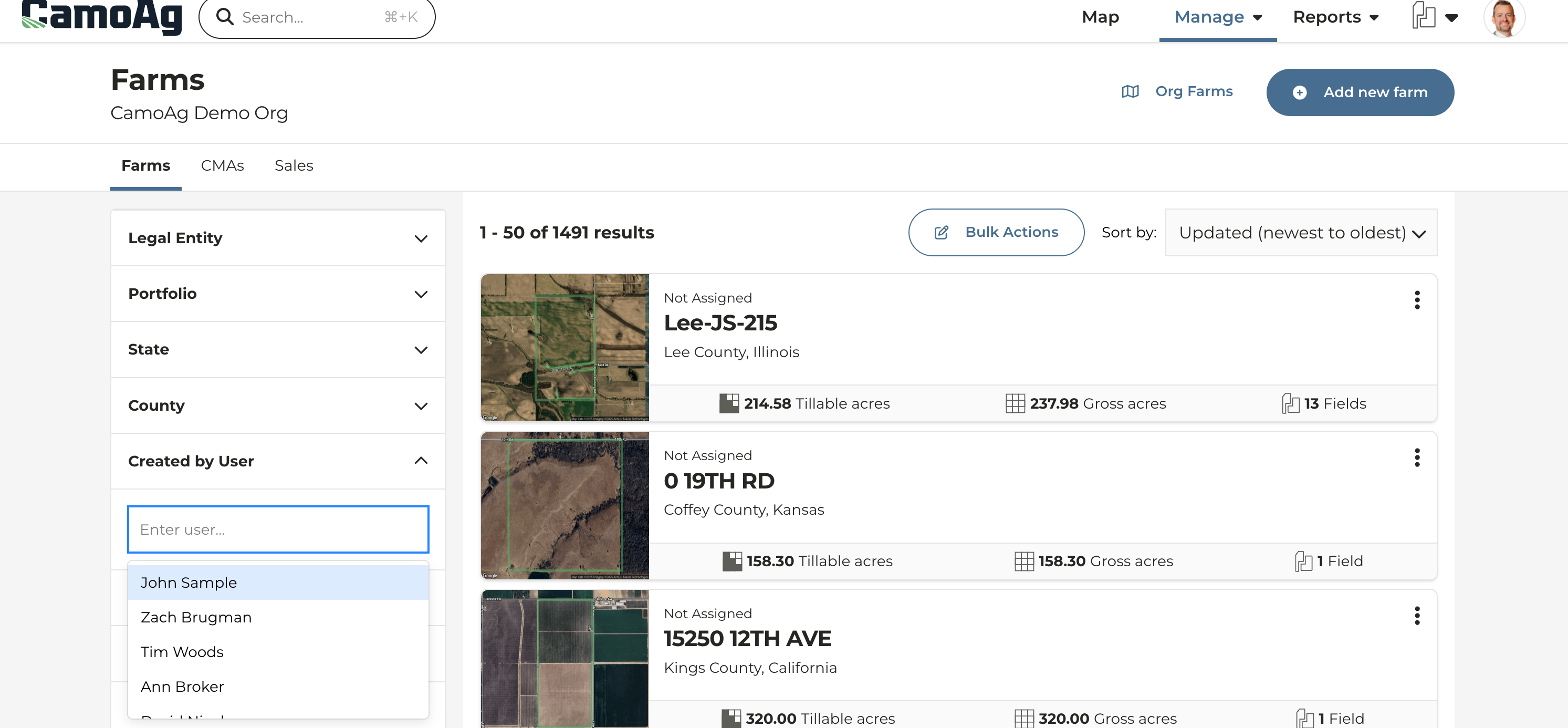
- We’ve added a Created by User filter on the Farms page allowing you to quickly filter to show only the farms you have created
- Name of the logged in user will appear first on the list by default
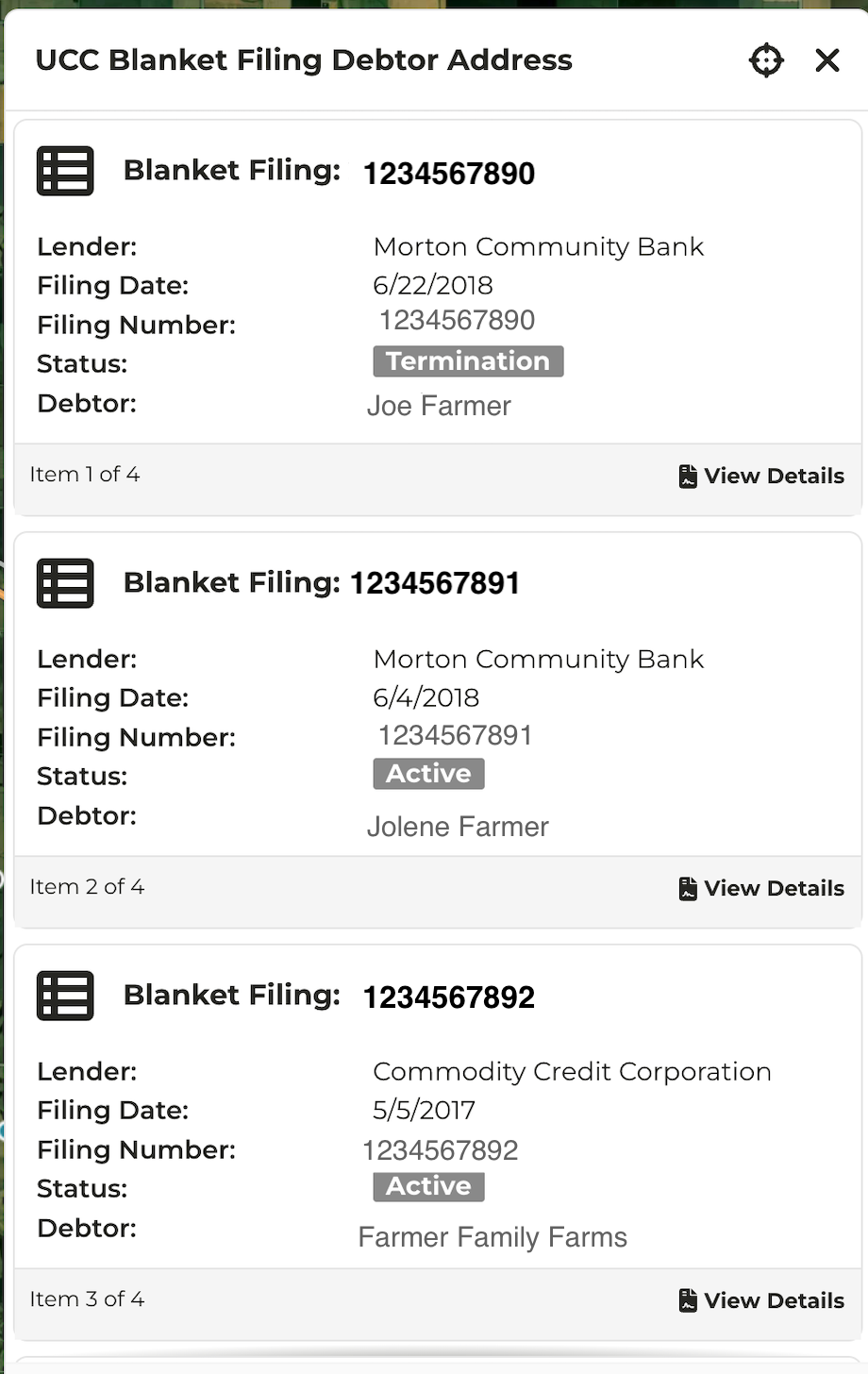
Blanket Lien Continuation & Termination Status
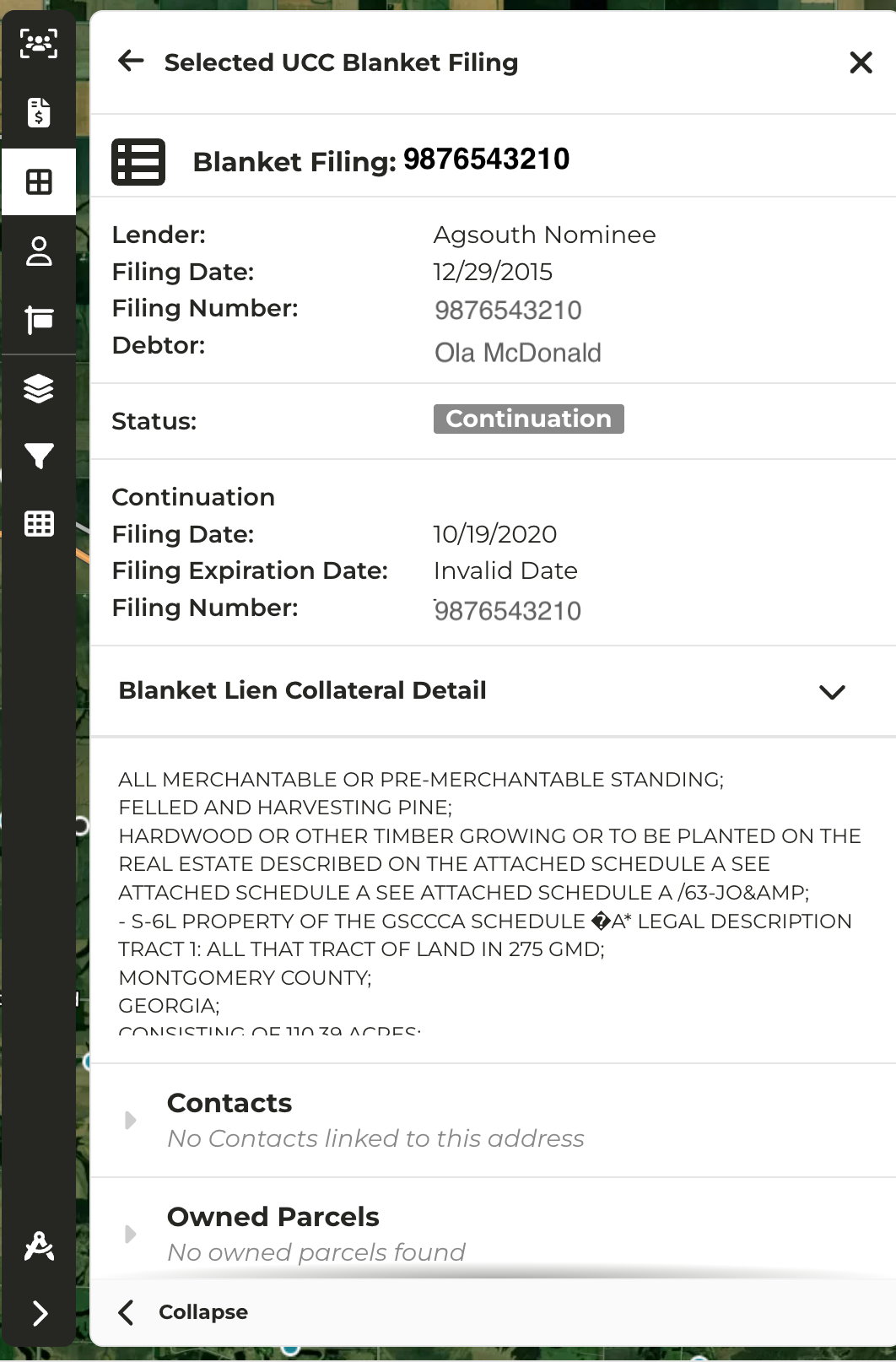
- If your organization’s subscription includes Blanket Lien data, terminations and continuations are now visibly noted on the data panel when clicking into a lien
- Click on View Details to see additional collateral detail about the filing in question