Move Polygon Enhancements
- Commands to rotate a polygon have been added allowing you to rotate a polygon clockwise or counterclockwise by one (1) degree or ten (10) degrees
- , - for counterclockwise by 1 degree . - for clockwise by 1 degree
- Shift and , or .- increases movement to 10 degrees
- Alt/Command and , or . decreases movement to 1/10th of a degree
Search Updates
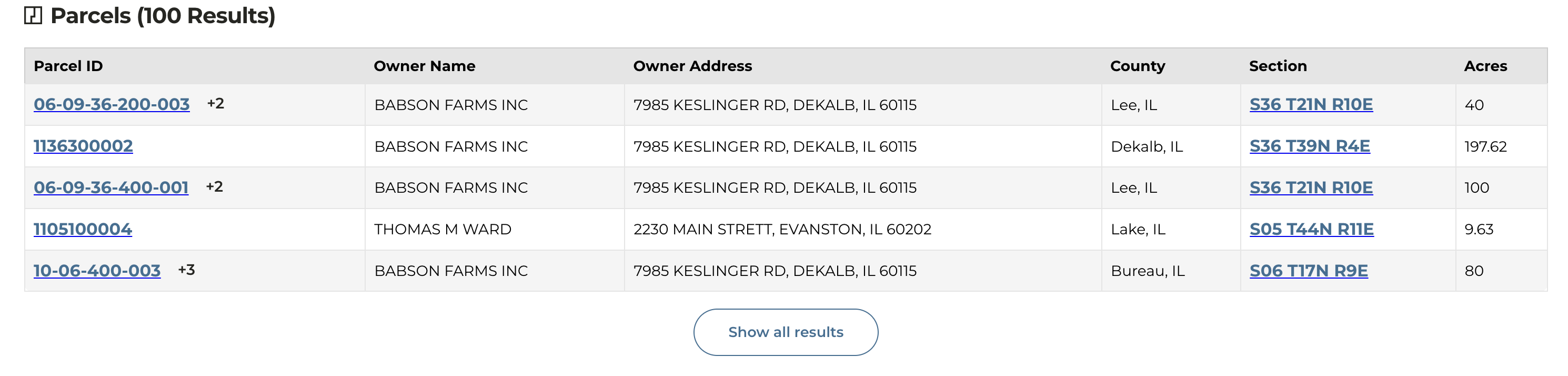
- When using our global search, there is a new clickable column included within the parcel results that allows you to click directly to the STR.
STR Layer Update
- When you apply the STR layer, the County, Section, Township-Range layers are now toggled on by default.
- If you want to search for a specific STR within a county, that can be completed by entering the County name along with picking the STR from the drop down
Name Normalization
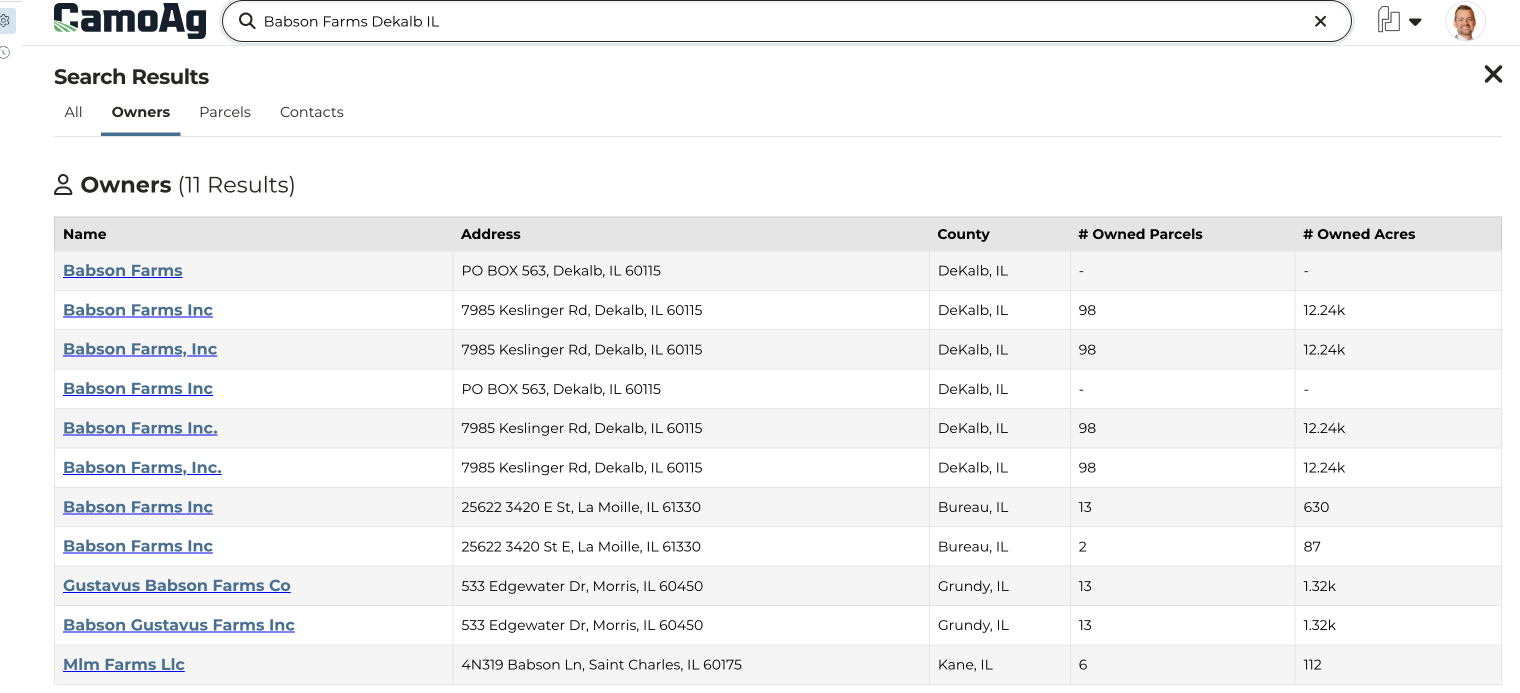
Problem: Names are frequently recorded in varying formats depending on the county or data source. For instance, a single individual such as Joe Farmer may own land in multiple counties, but due to inconsistencies or human error during data entry, his name may be recorded differently in each jurisdiction. County A might list him as “Joe Farmer,” while County B records “Joe A. Farmer,” and County C enters the name as “Farmer, Joe A.” As a result, the CamoAg platform displayed his ownership under at least three distinct name variations, potentially complicating data searches and analysis. Solve: CamoAg engineers have worked hard to “normalize names” using addresses to match what are seen as duplicate entries.- Parties with matching addresses and identical names were merged together
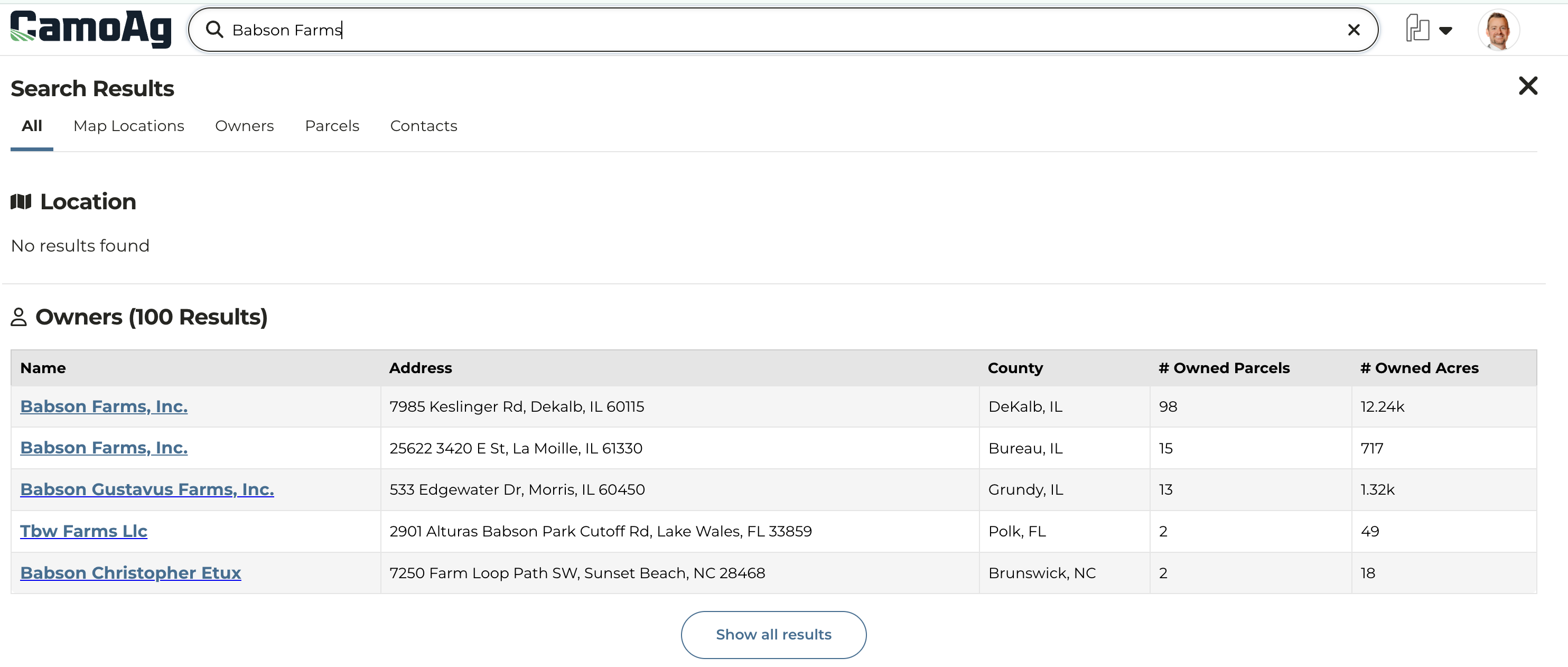
- Normalized names will display one result for each unique address
- As with any data set, this is not going to be perfect, but you can expect less duplication under a given address.
| BEFORE Multiple entries for Babson Farms but with slight variations in how it is recorded. |
|---|
 |
| AFTER De-duplication of entries through address matching. |
 |
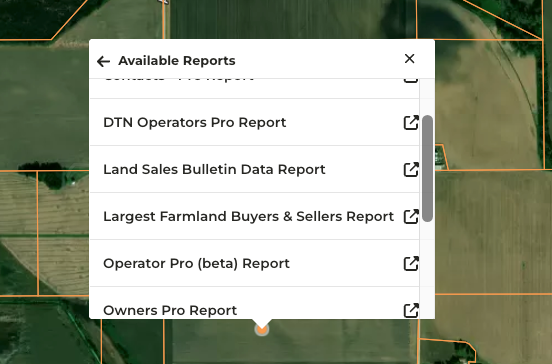
Additional Reports Available Via Right-Click on Maps
- Navigate to the map and right-click anywhere to access the Available Reports
- Any report accessed via right-click will filter by a ten (10) mile radius from the point clicked on the map. The radius distance can be increased or decreased by adjusting the distance to address filter
-
Reports available via right-click. Access to reports is based on your organization subscription so what you see may not be the same as what is listed below.
- Comps Created
- Contacts Pro
- DTN Operators Pro
- Land Sales Bulletin Data
- Largest Farmland Buyers & Sellers
- Operator Pro
- Owners Pro
- Recently Created Auctions
- UCC Blanket Report
- UCC Filing Items Pro
- USDA Subsidy Payments Pro