Persistent Parcel Cart
- When searching for and adding parcels using the smart search feature, the parcels added to your cart will remain there allowing you to navigate away from the page and continue your search without losing your work
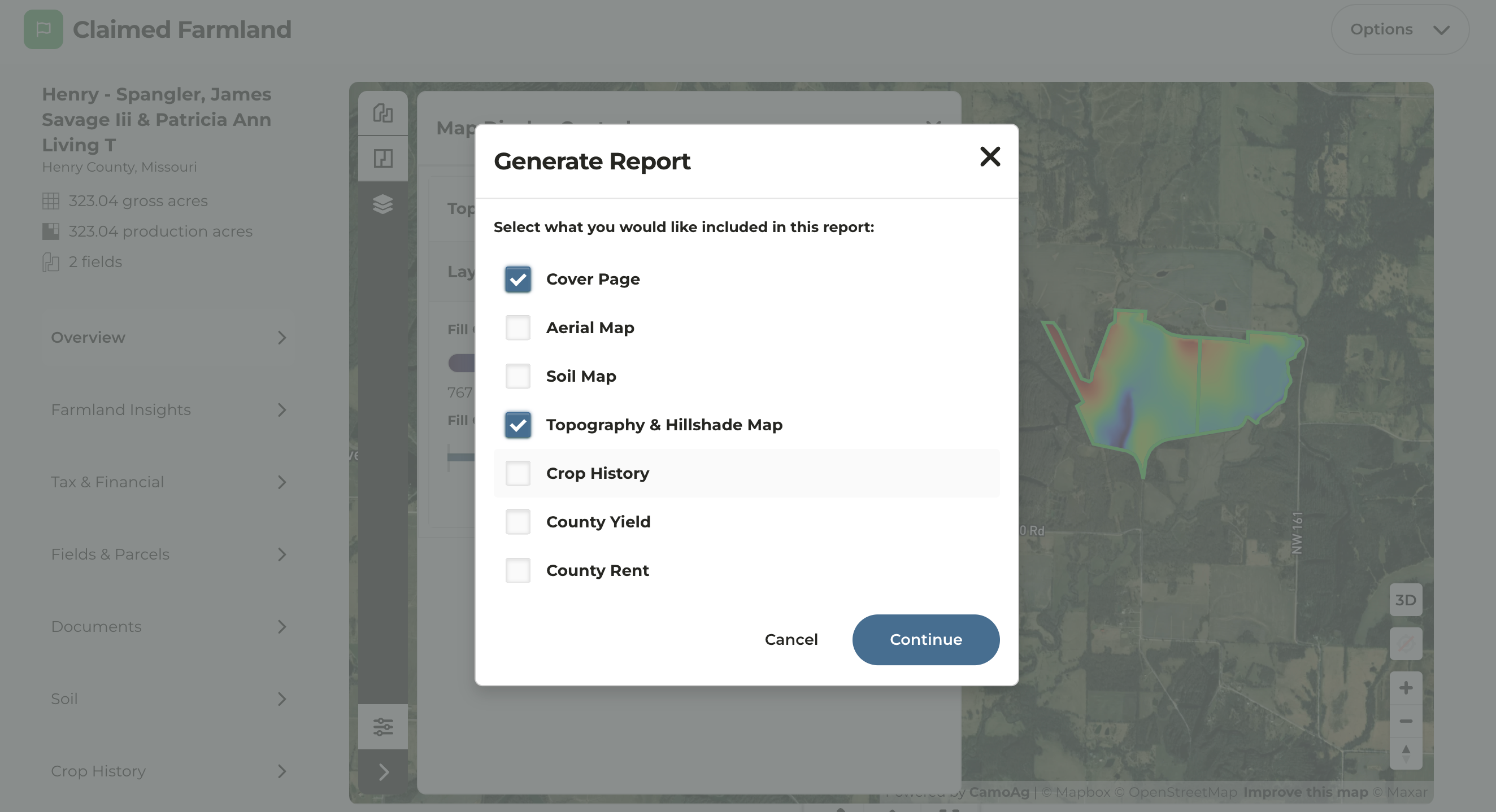
Generate Individual PDFs When Creating a Report
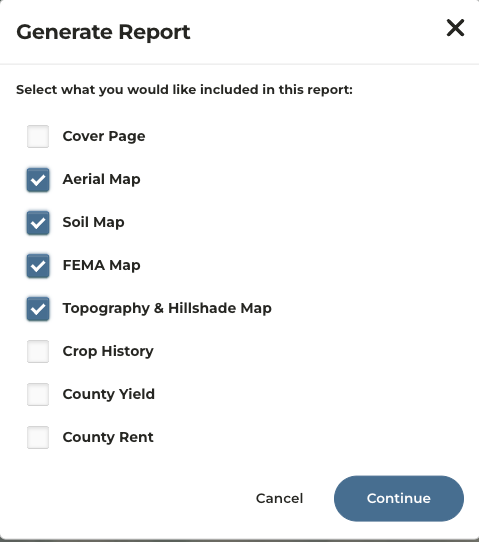
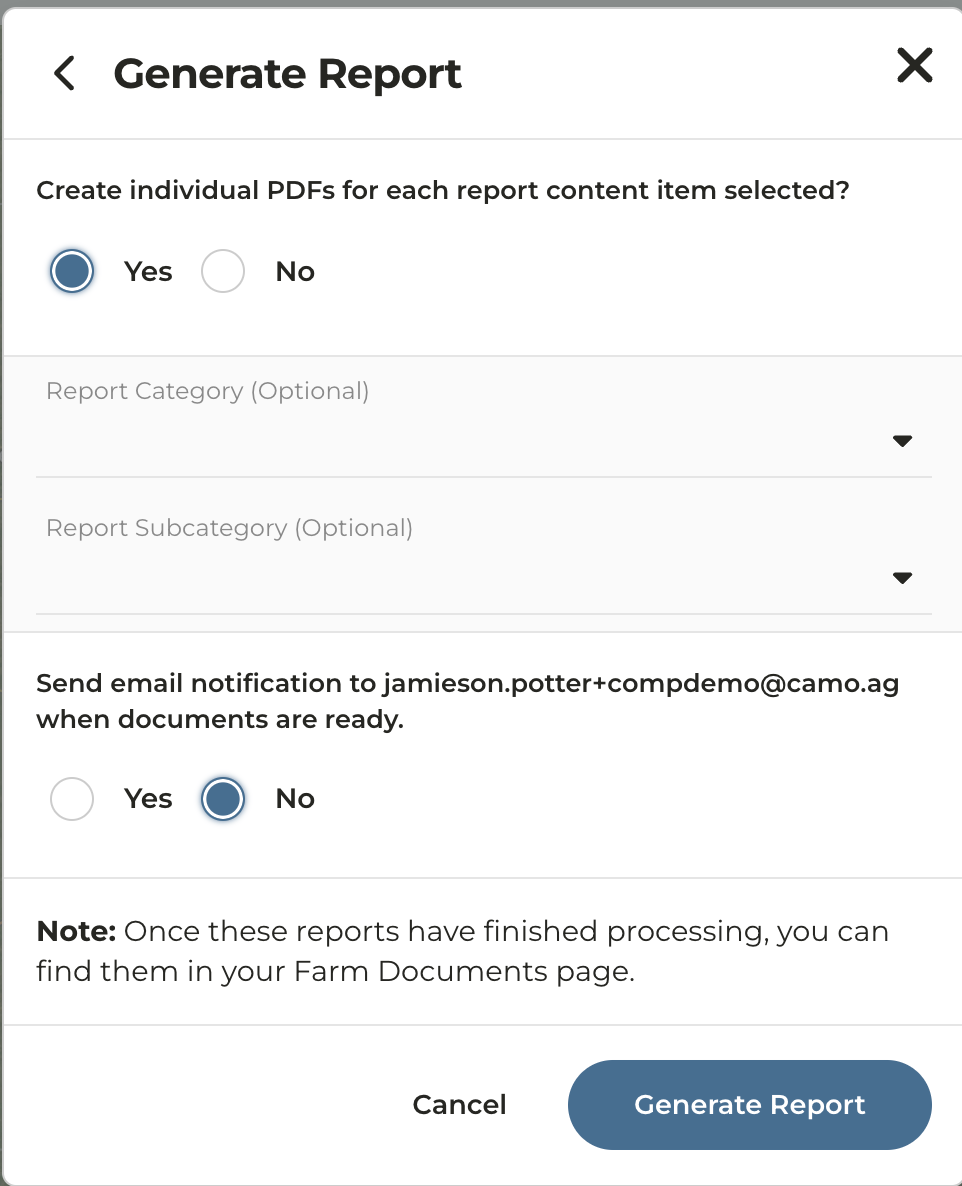
- When generating a report for a property, you now have the option to download individual PDFs for each report type selected
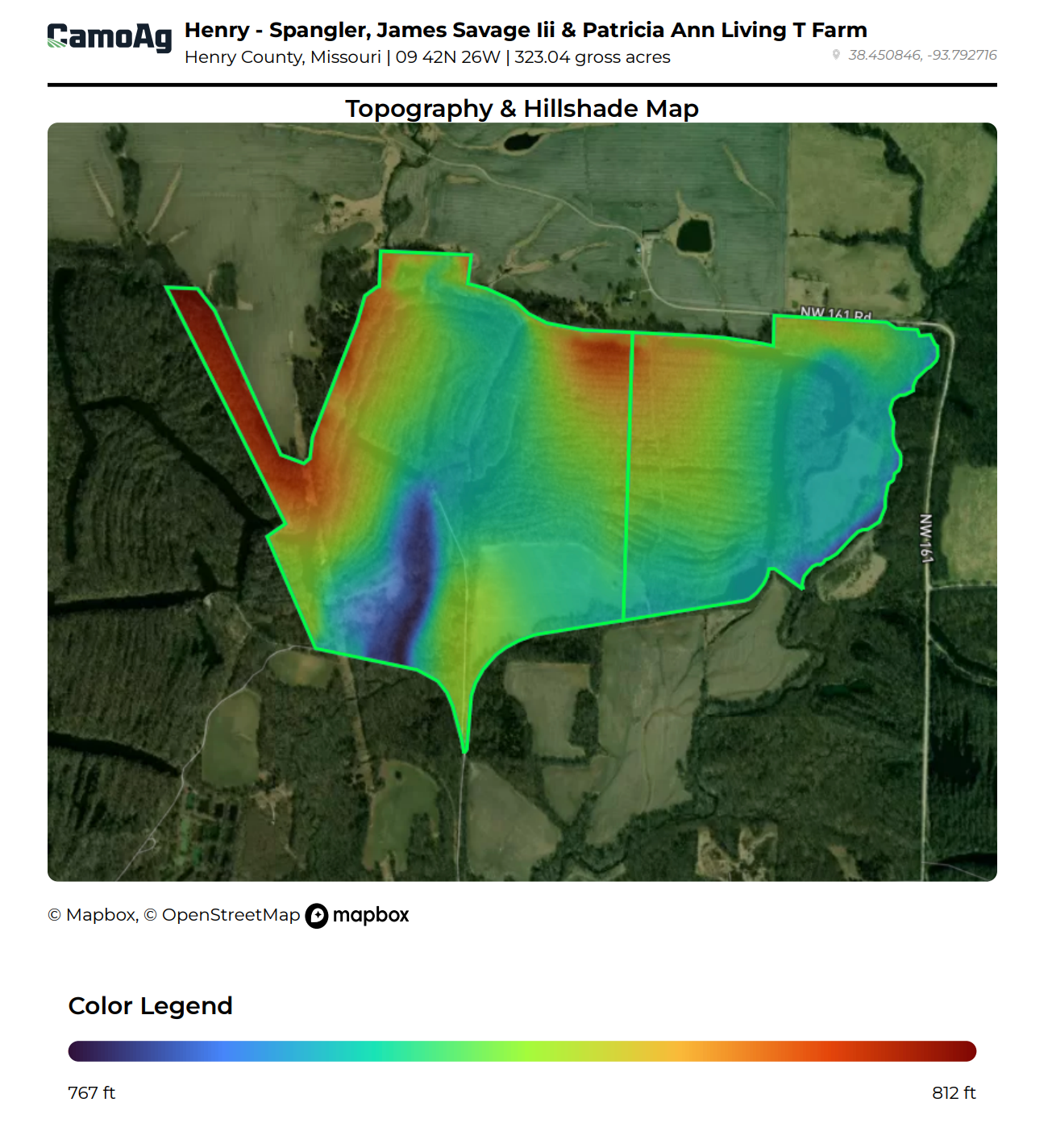
- FEMA Maps and Topography Maps are now available within Generate Report for a property
- Users can opt in or out of receiving an email when generating a report for a property
- Reports will automatically be added to the Documents tab of the property
Parcel Resizing and Relocation
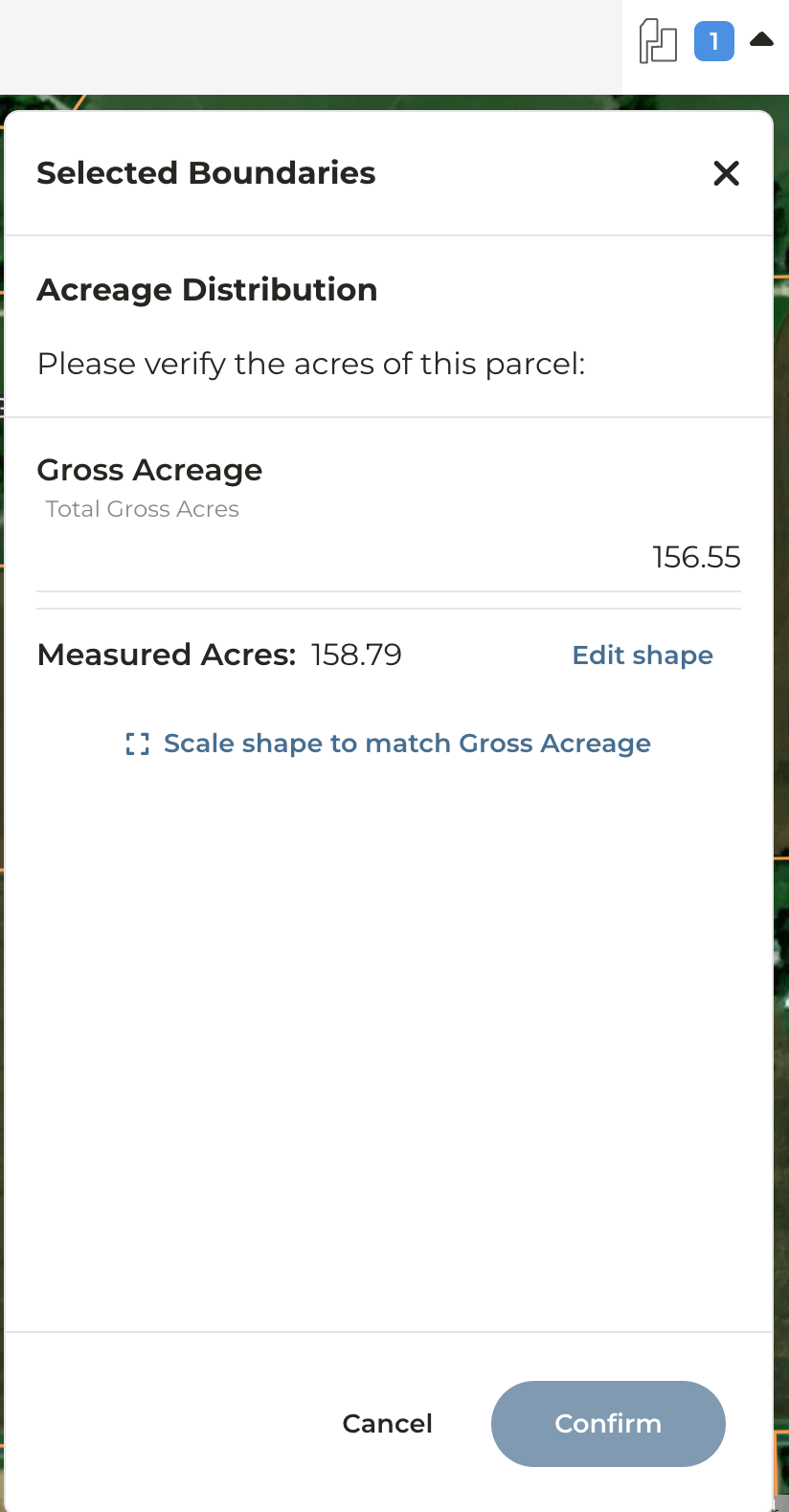
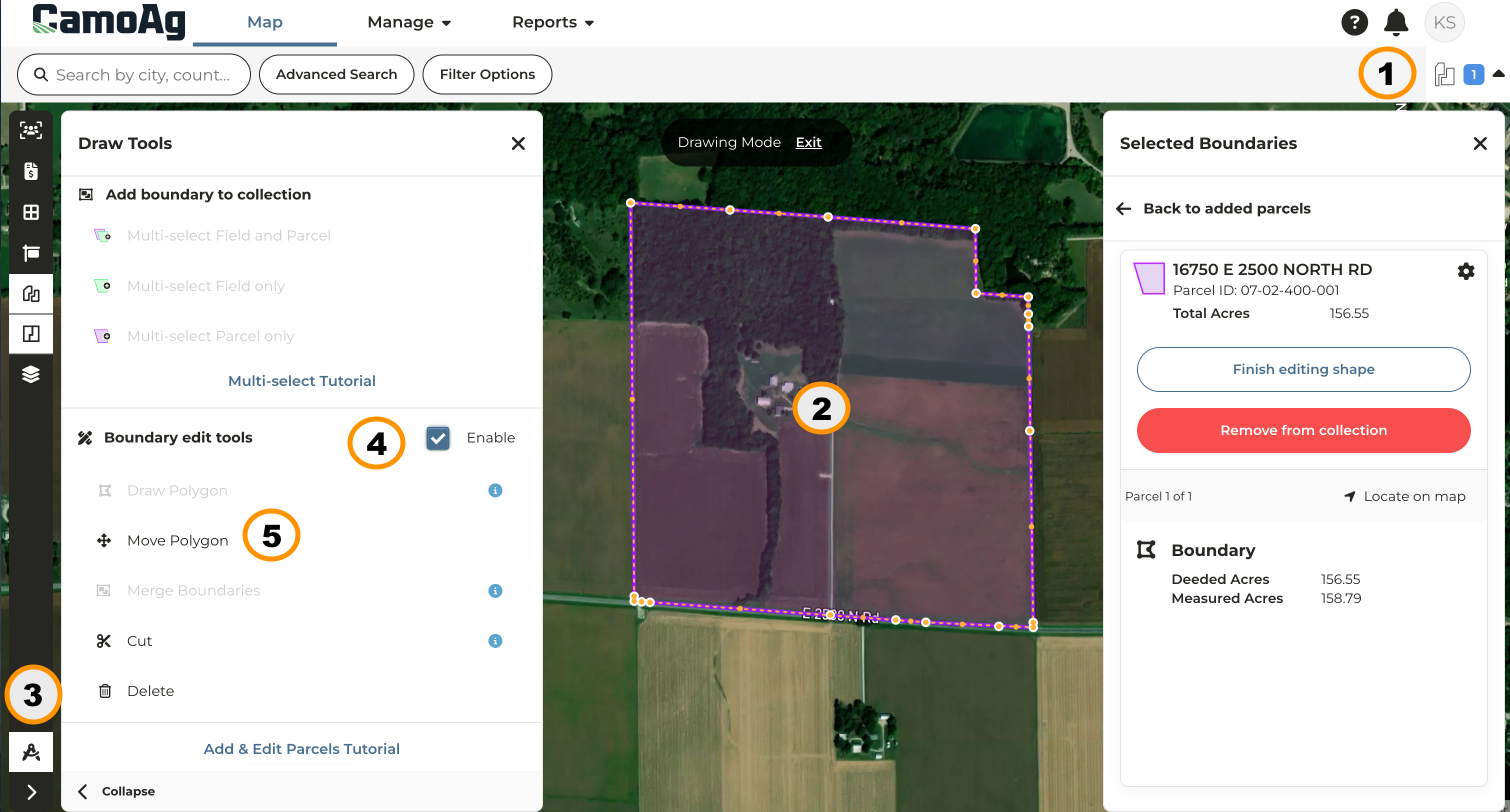
- This new feature allows users to quickly go about Resizing and Repositioning Parcels as needed
-
Scale a parcel so the County acres (deeded) match the Measured acres (size of shape) with the click of a button
-
Adjust the location of a parcel using the arrow commands on your keyboard
FEMA Flood Layer Enhancements
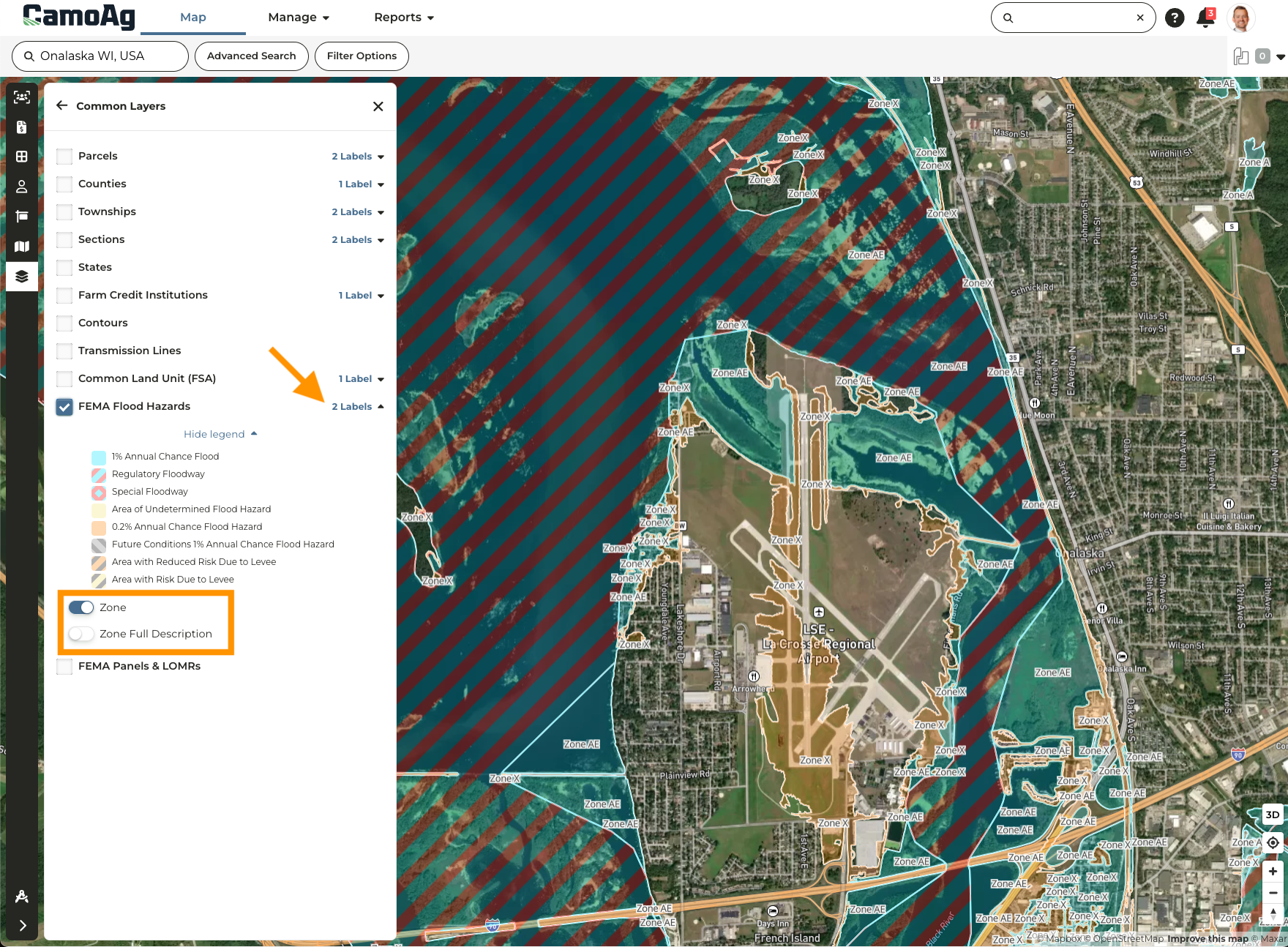
- The FEMA Flood Hazards layer has been updated to point to a new data source increasing the speed at which the layer loads.
- Additional labels available that can be toggled on or off. Enable the FEMA layer, click Labels, and toggle the label you wish to apply
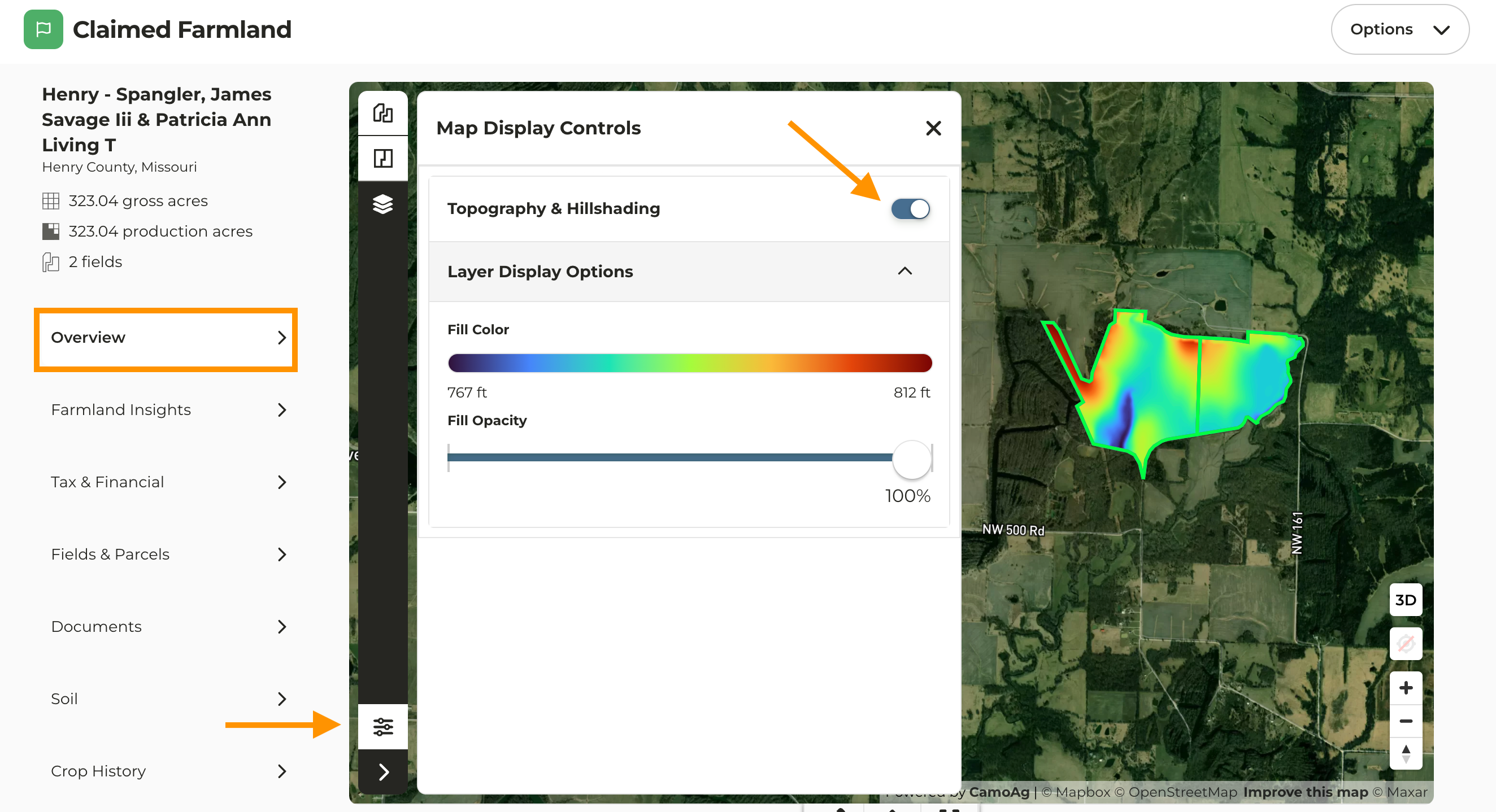
Topography & Hillshading Maps
Topography and Hillshading maps can now be generated once a property has been added to your account. To enable this on the map, navigate to the Overview page of a property, click the Display Controls icon located at the bottom left of the map, then toggle on Topography & Hillshading.