Released week of 3/29/2024
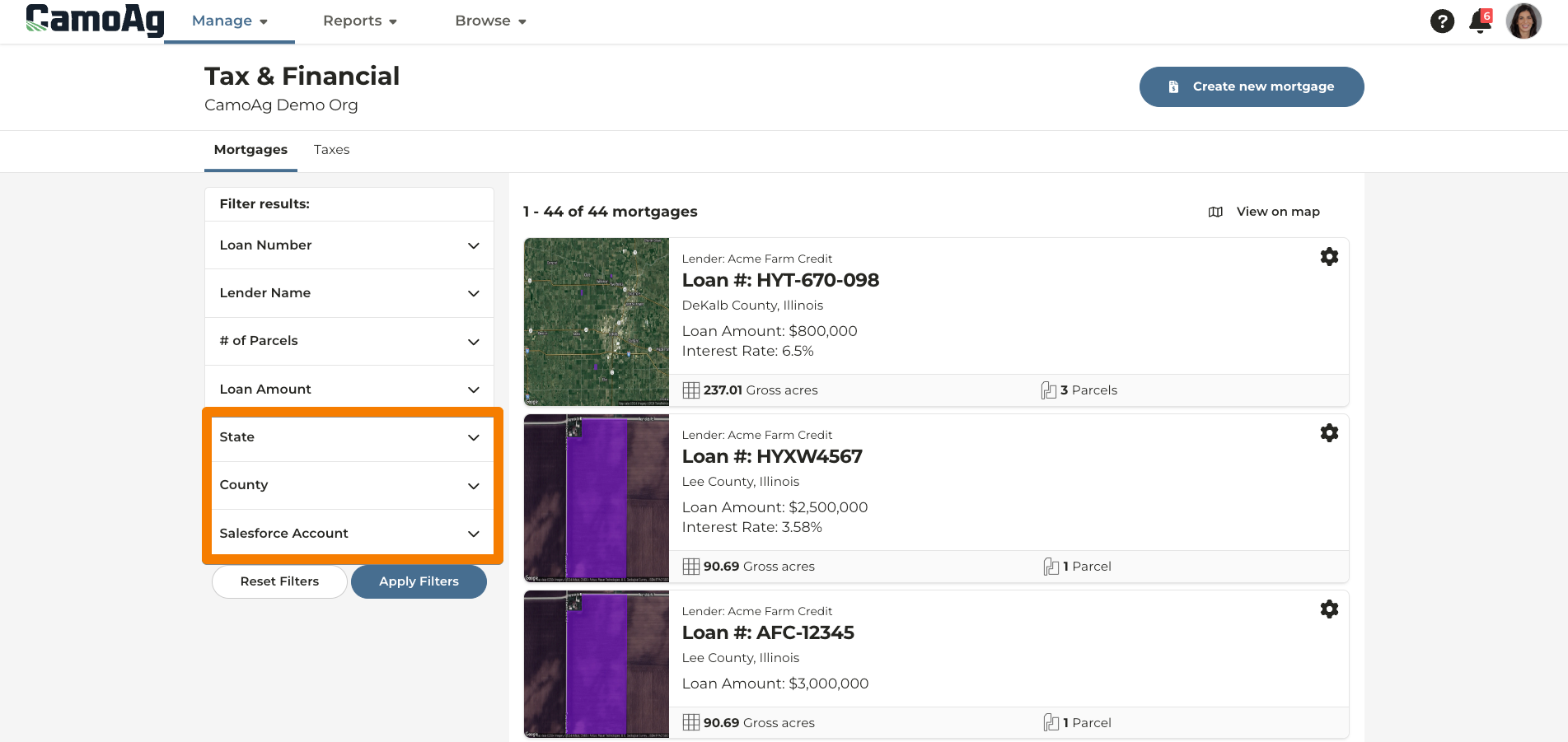
Additional filters on the Tax & Financial dashboard
*released to users with a CamoAg Pro subscription
The Tax & Financial dashboard has been updated to allow for filtering by State, County or Salesforce Account (if your organization has a Salesforce integration). This will provide easier navigation of mortgages or taxes stored in the platform.
Released week of 3/22/2024
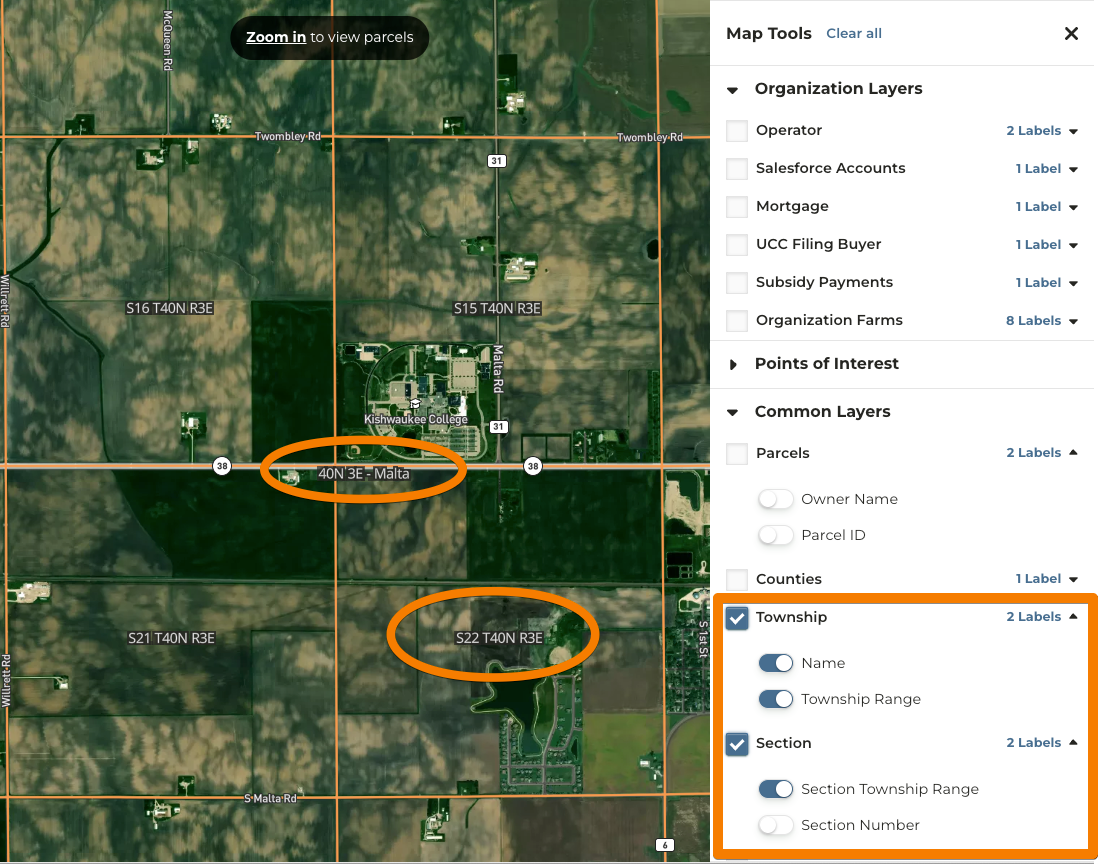
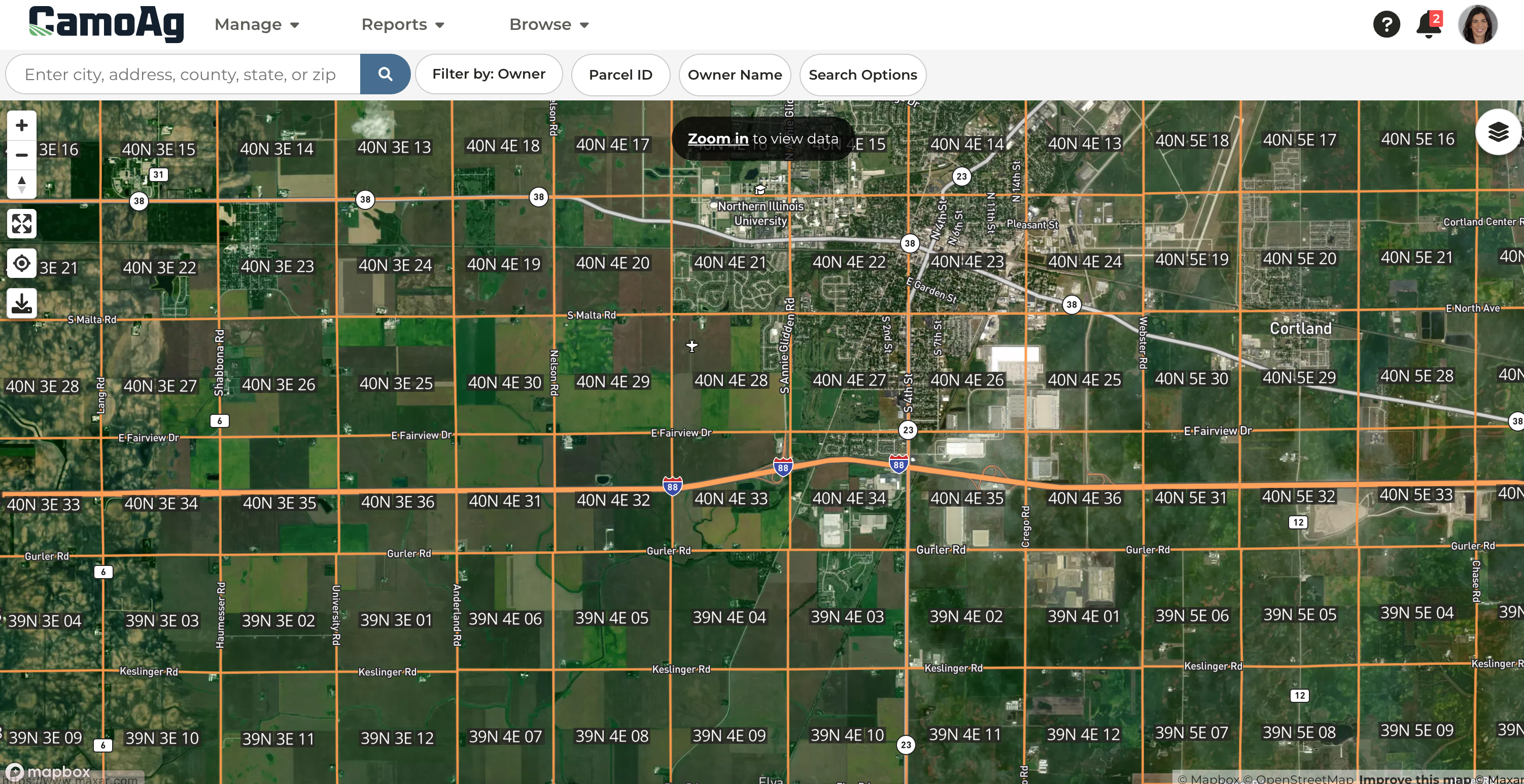
Added Township and Section map layer labels
*released to all users
The Township and Section layer labels on all maps were updated to allow you to choose to display the Township name or number as well as the Section with the full Section Township Range or just the Section number, making it easier to navigate the map and find what you are looking for.
Released week of 3/15/2024
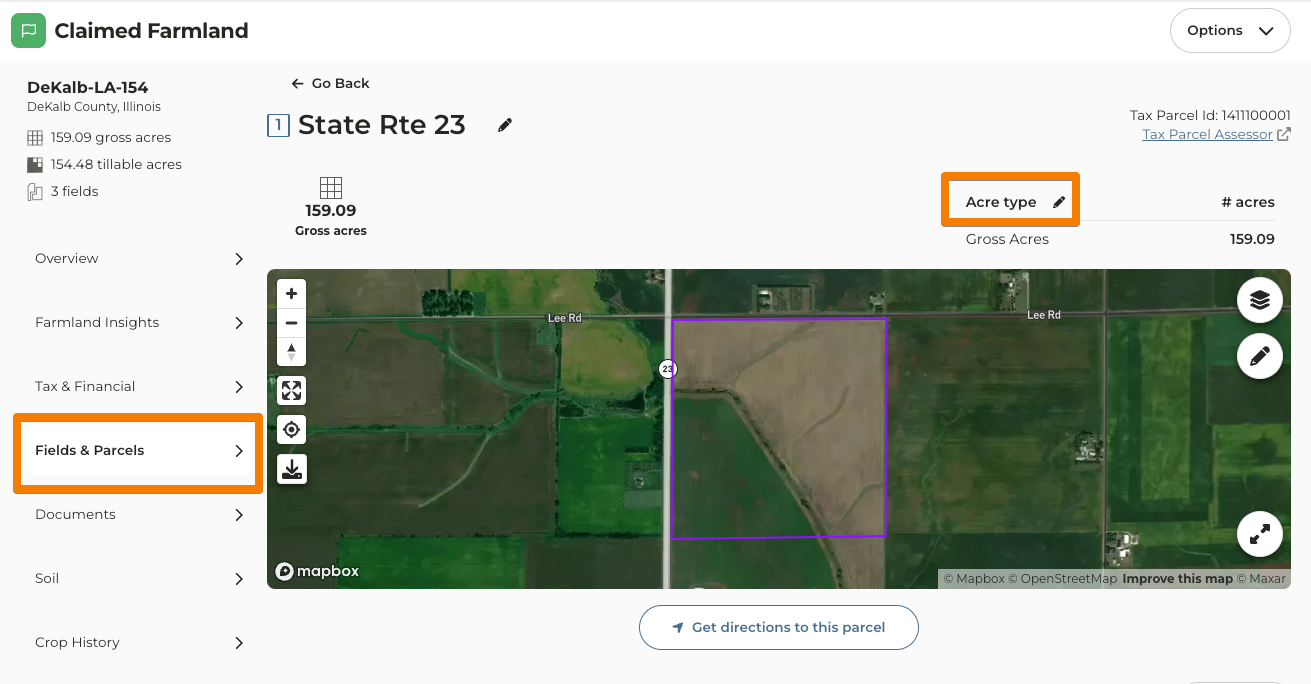
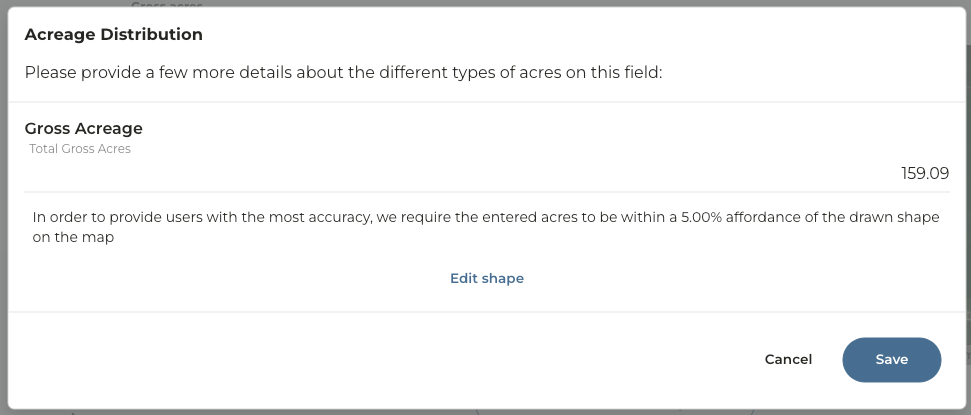
Edit parcel acreage from details page
*released to all users
Parcel acreage can now be edited from the parcel details page. This allows for a better and more intuitive user experience when needing to edit information about a parcel.
Released week of 3/8/2024
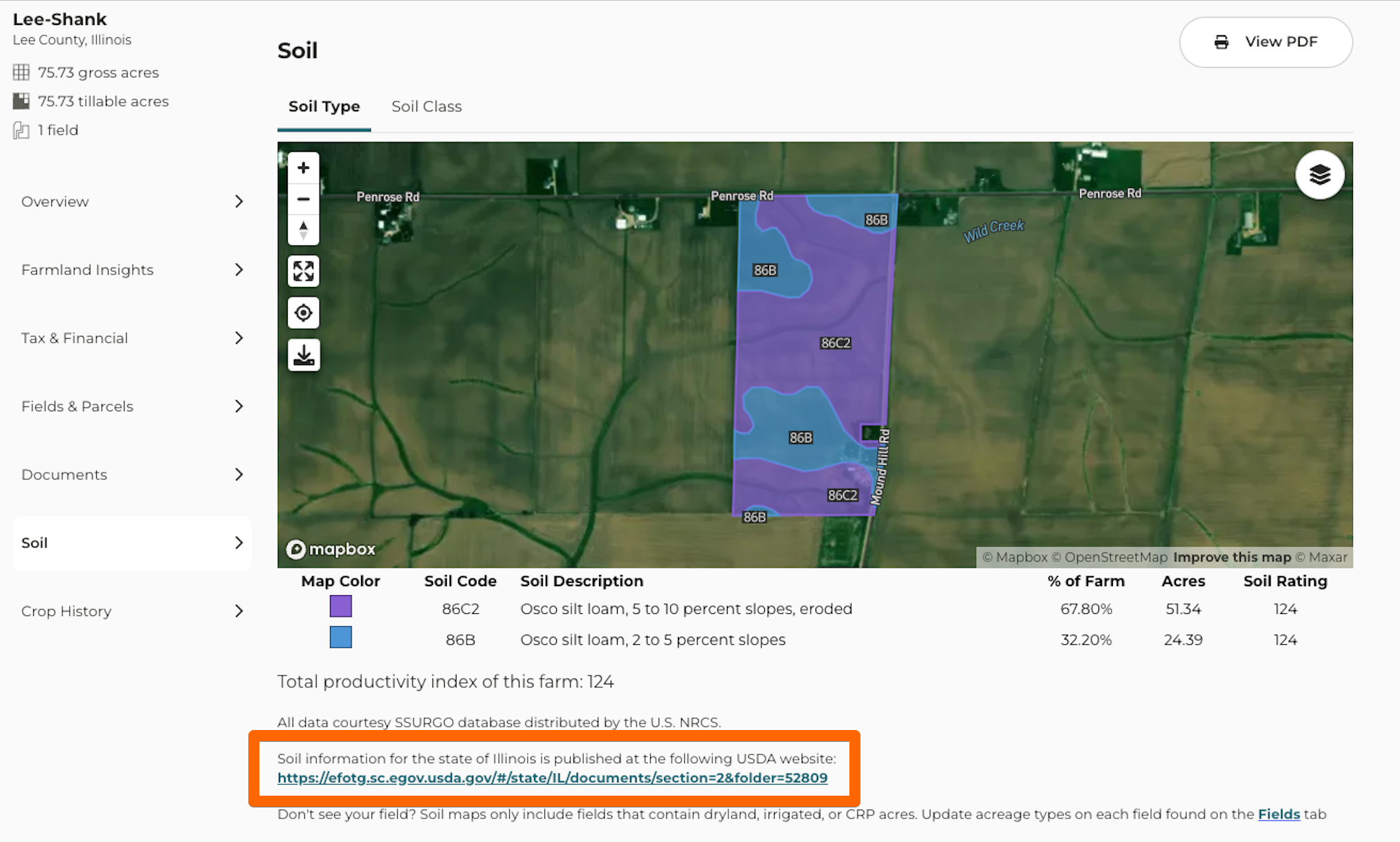
Illinois USDA Soil Data updated to newest revised version
*released to all users
Illinois soils data has been updated to use the most recent 2024 data from the USDA (The file was published Feb 13, 2024). We have also included a link to the source data on the platform.
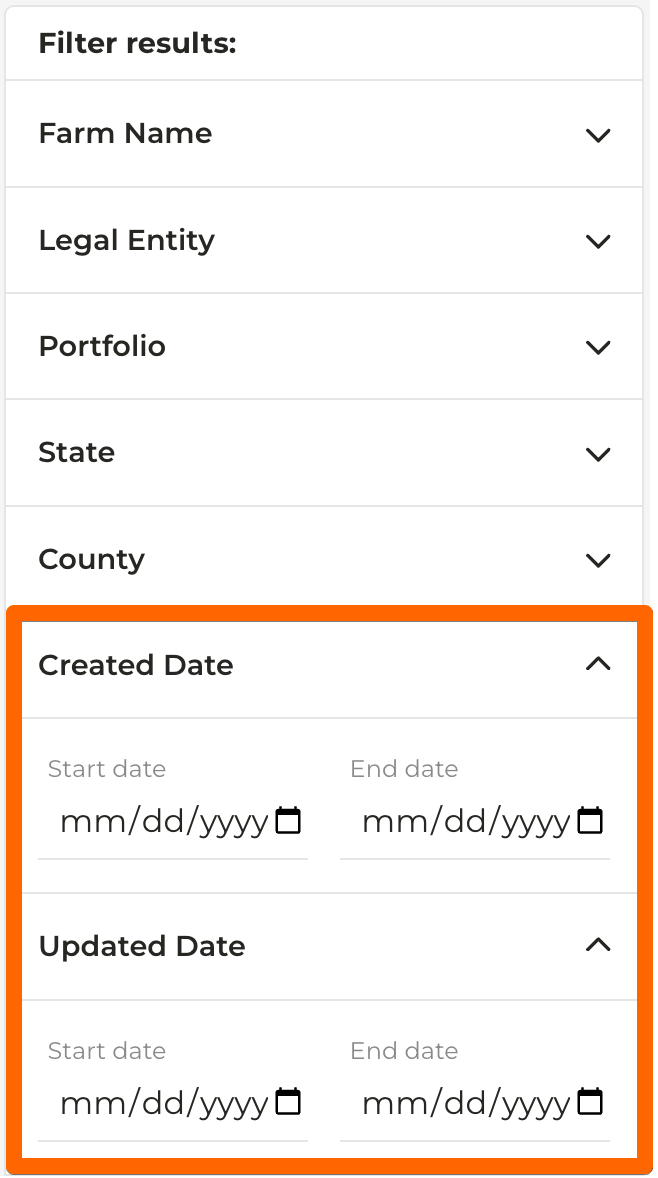
Search farms by Updated At or Created At
*released to all users
You are now able to filter farms on the Farms Dashboard by Updated At or Created at Date. This will help to more easily search for farms.
Section layer boundaries zoom adjusted
*released to all users
The section layer boundaries were updated to display when zoomed further in on a map. They were displaying too far out and were not easily readable.
Released week of 3/1/2024
Multiple CMAs for a Farm
*released to users with a CamoAg Basic or Pro subscription
You now have the ability to create multiple comparative market analyses for a farm. When on the farm overview page, by default the most recently created CMA will display. Watch the video!
To create additional, go to the “Farmland Insights > Market Analysis” page. Here you will see a new landing page that displays the most recent in a separate section at the top. In the table underneath, you will see all CMAs created for the farm as well as the button to “Create new CMA”. This feature provides the ability to retain historical context for CMAs created without having to download the file and save.
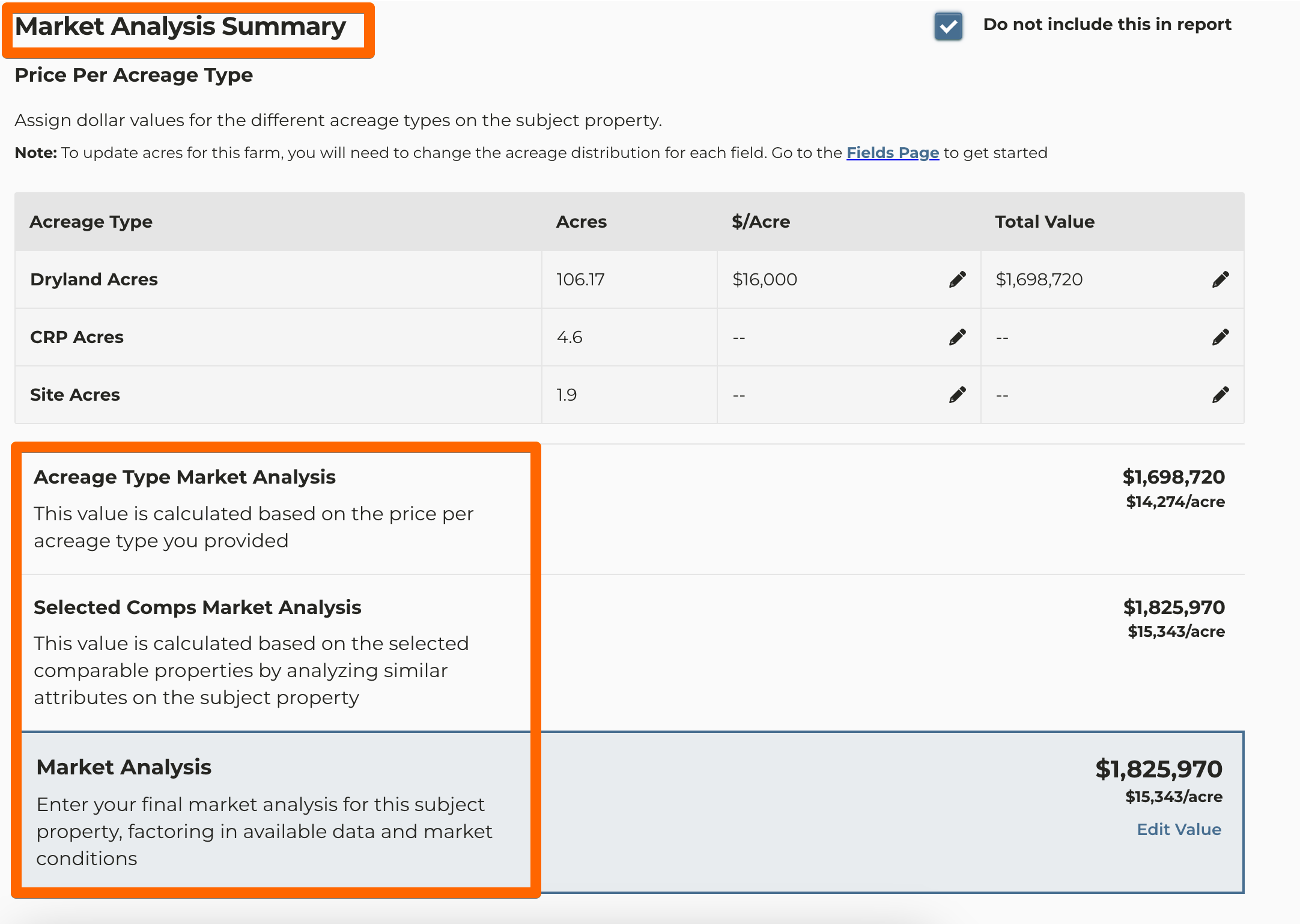
CMA language update
*released to all users
Some of the language on our CMA conflicted with how appraisers and other users view a CMA compared to an appraisal. Specifically regarding the word “opinion” in Estimated Market Value Opinion. Since an opinion of value is what a certified appraiser produces, updating the language will show the differentiation between these. We updated “Estimated Market Value” and “Final Market Value Opinion” wording to use “Market Analysis” and updated some additional text both on the CMA page and CMA PDF.
Multi-File Upload for Farm Documents
*released to all users
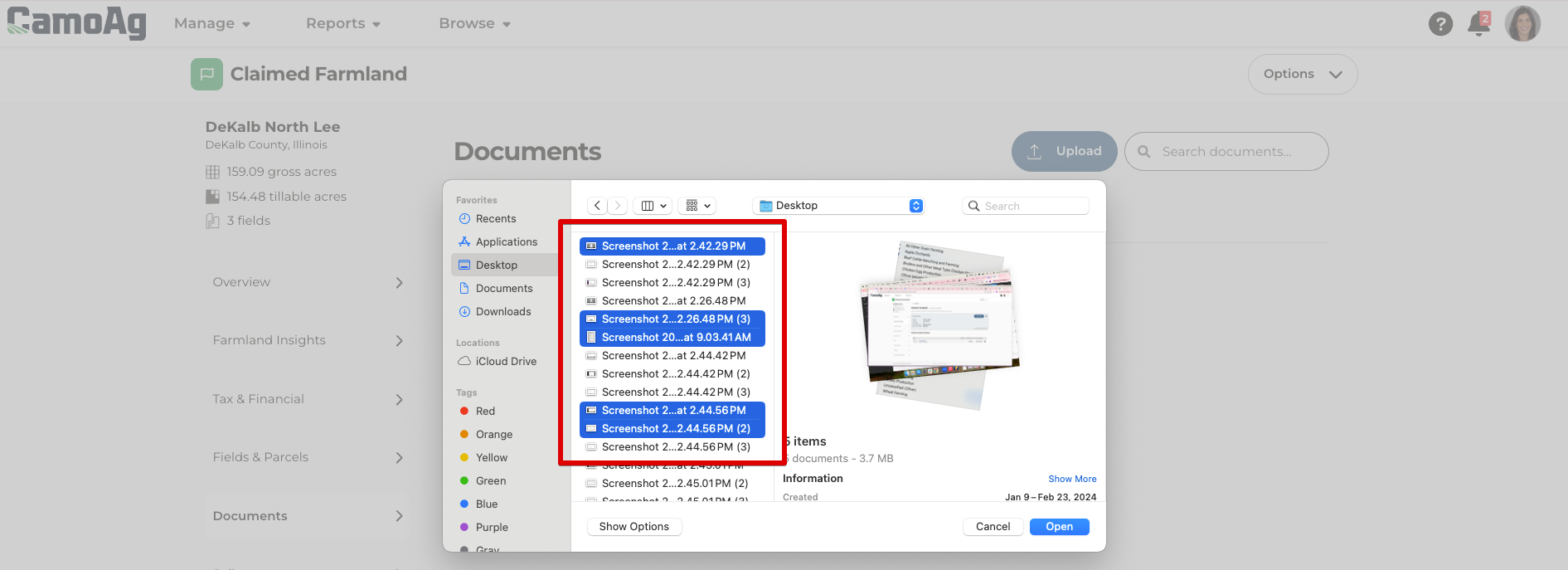
You can now select multiple files in the file picker when adding documents to a farm. After selecting to upload, the file picker window will allow you to select multiple.
On a Mac: hold down shift or click and hold to select multiple files in sequence or hold + command while selecting specific files from your file picker.
On a PC: hold down shift or click and hold to select multiple files in sequence or hold + Ctrl to select specific files from your file picker.
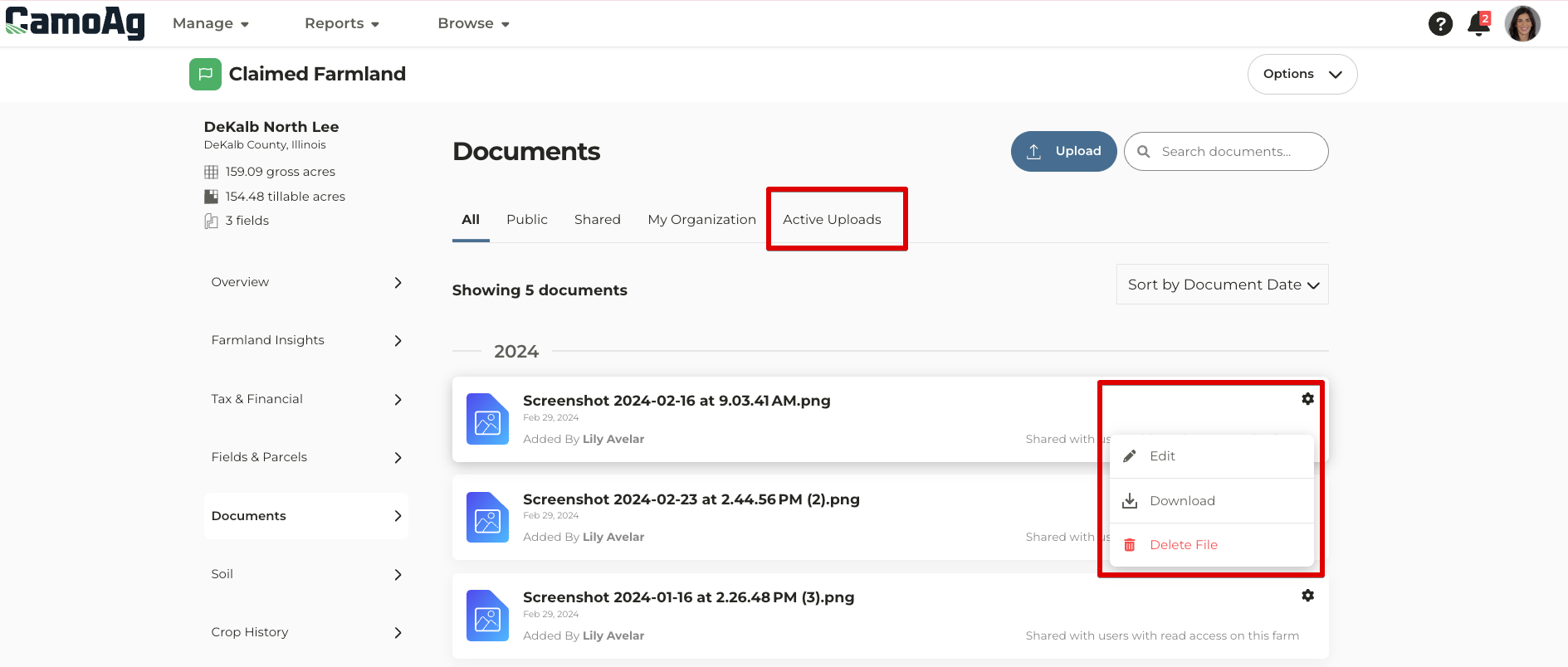
There is a new “Active Uploads” tab that will display any files that are in the process of uploading. The ability to categorize or adjust visibility will now be done after the documents are uploaded by selecting on the cog icon for the document and”Edit”.
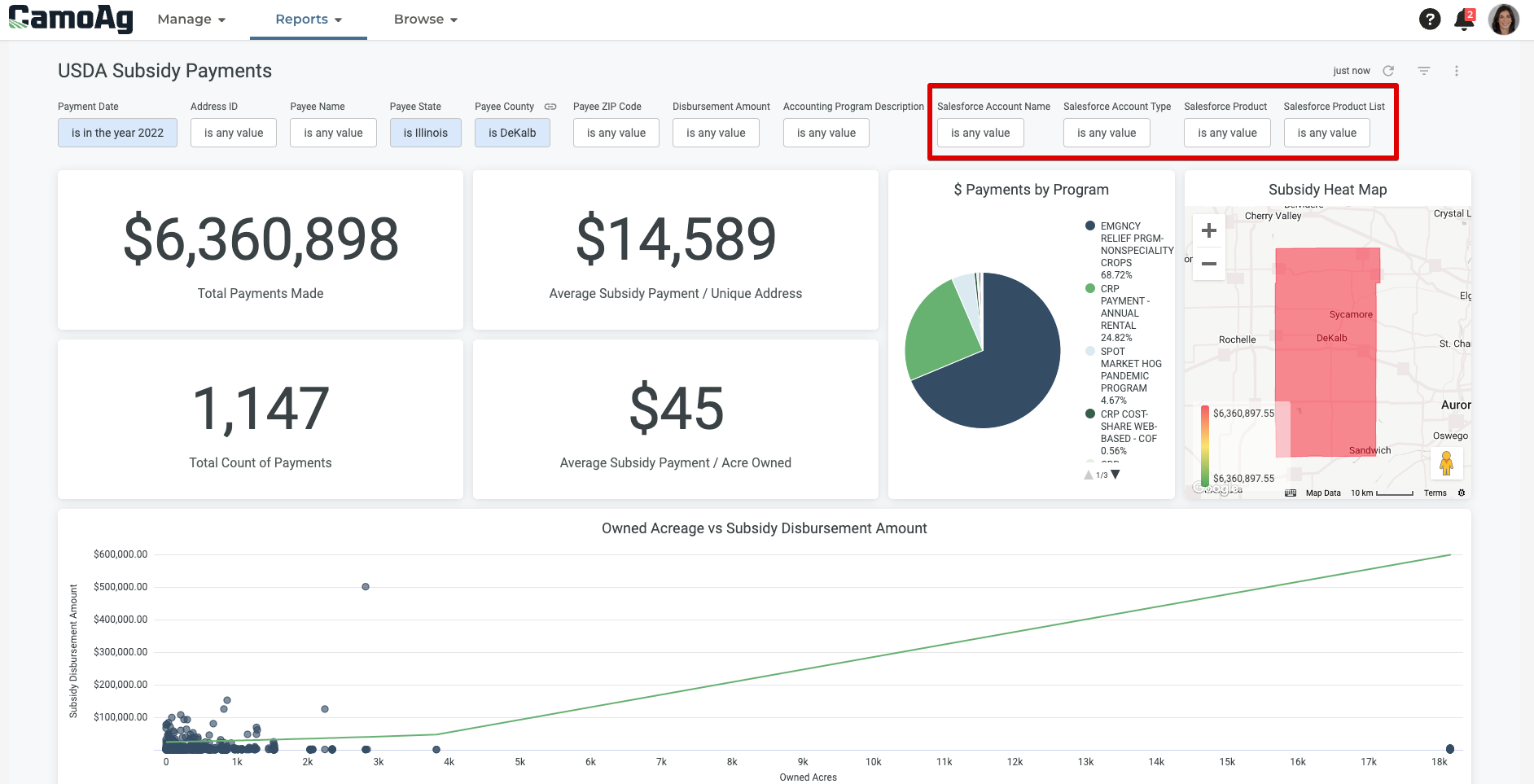
Subsidy Dashboard has Salesforce Account information and new visualizations
*released to users with a CamoAg Pro subscription
The USDA Subsidy Payments report now has Salesforce Account information and filters as well as new visualizations.
Last modified on May 22, 2026