Quick link to Acreage Overview by Owner Report
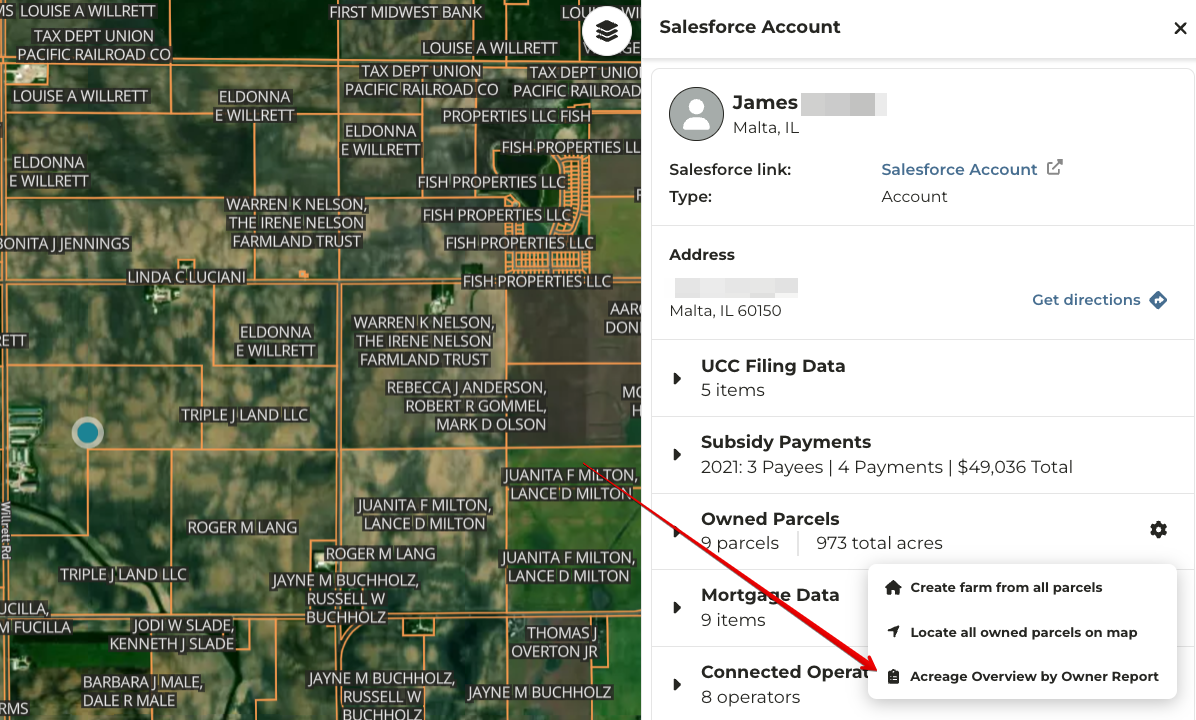
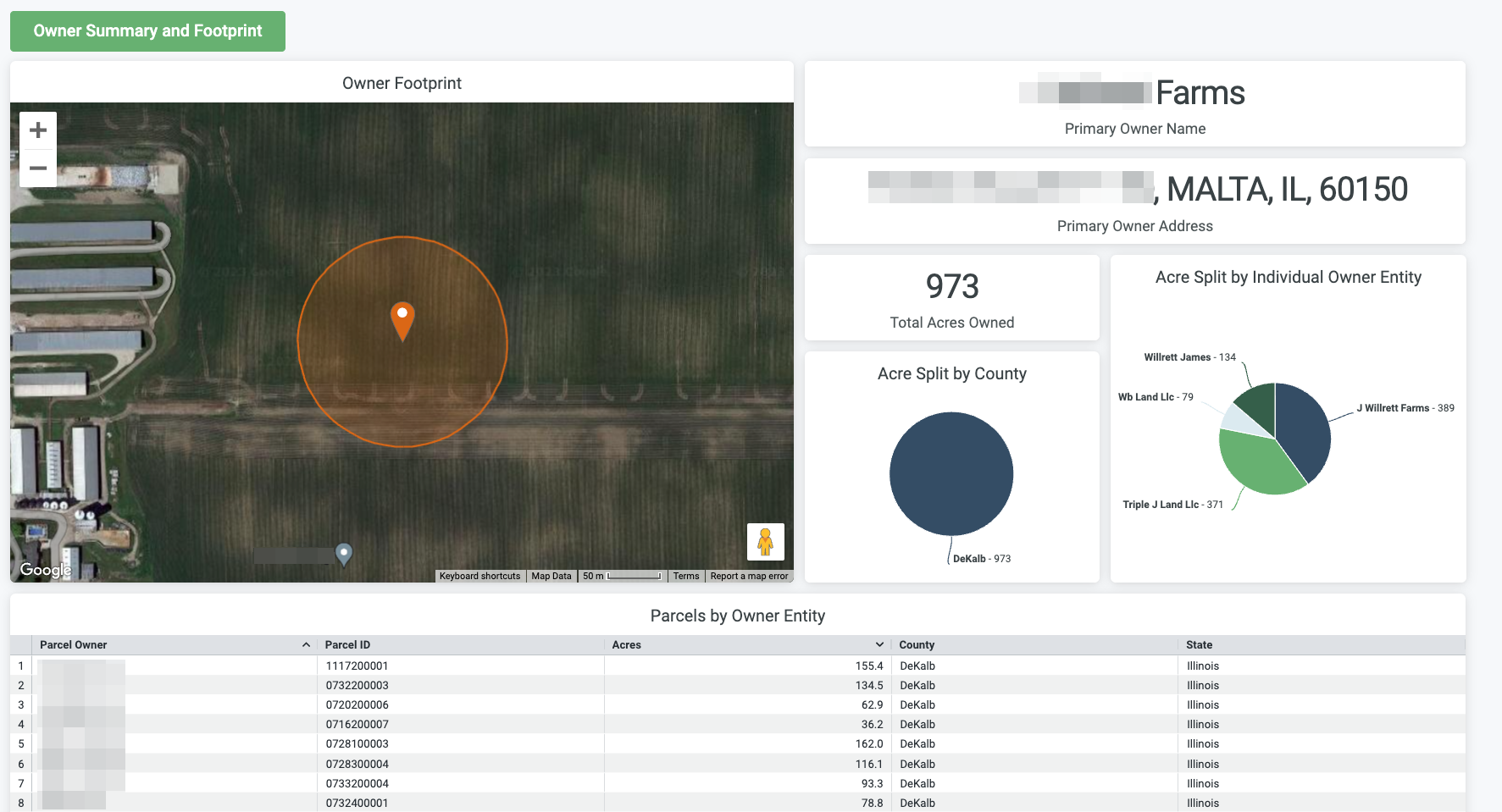
There is now a link in the Owned Parcels data to view the “Acreage Overview by Owner Report”. Selecting this link will take the user to a new report that is automatically filtered by the owner selected on the map. This will allow you to see a more in depth view of the owner details and footprint.
*released week of 12.22.2023
Quick link to Grower 360 Report
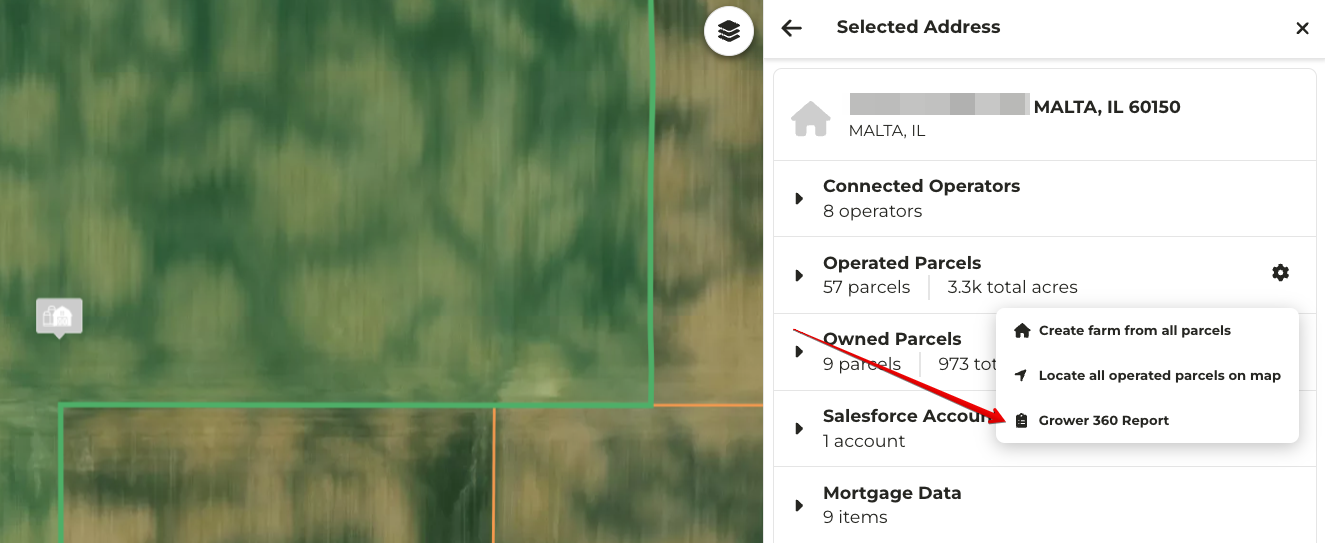
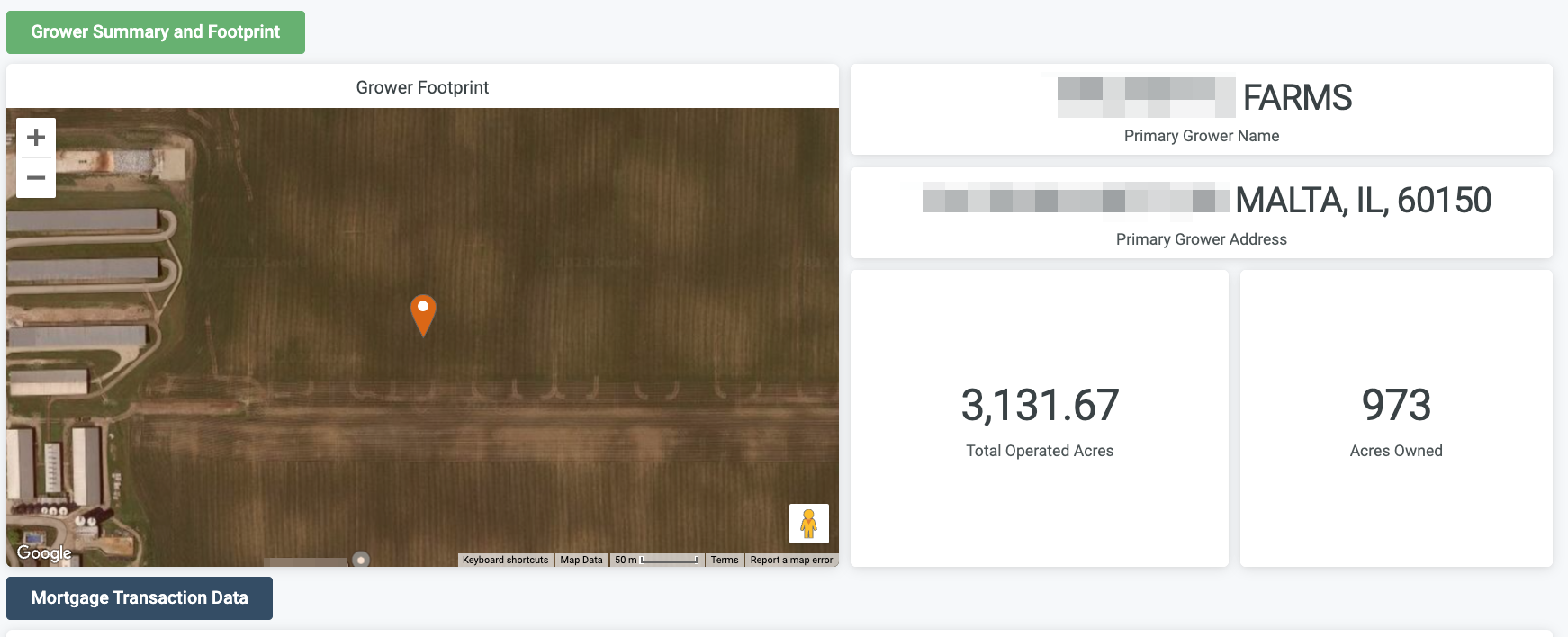
There is now a link in the Operated Parcels data to view the “Grower 360 Report”. Selecting this link will take the user to the report that is automatically filtered by the operator selected on the map. This will allow you to see a more in depth view of the operator details and footprint.
*released week of 12.22.2023
View Salesforce accounts on the Mortgage map layer
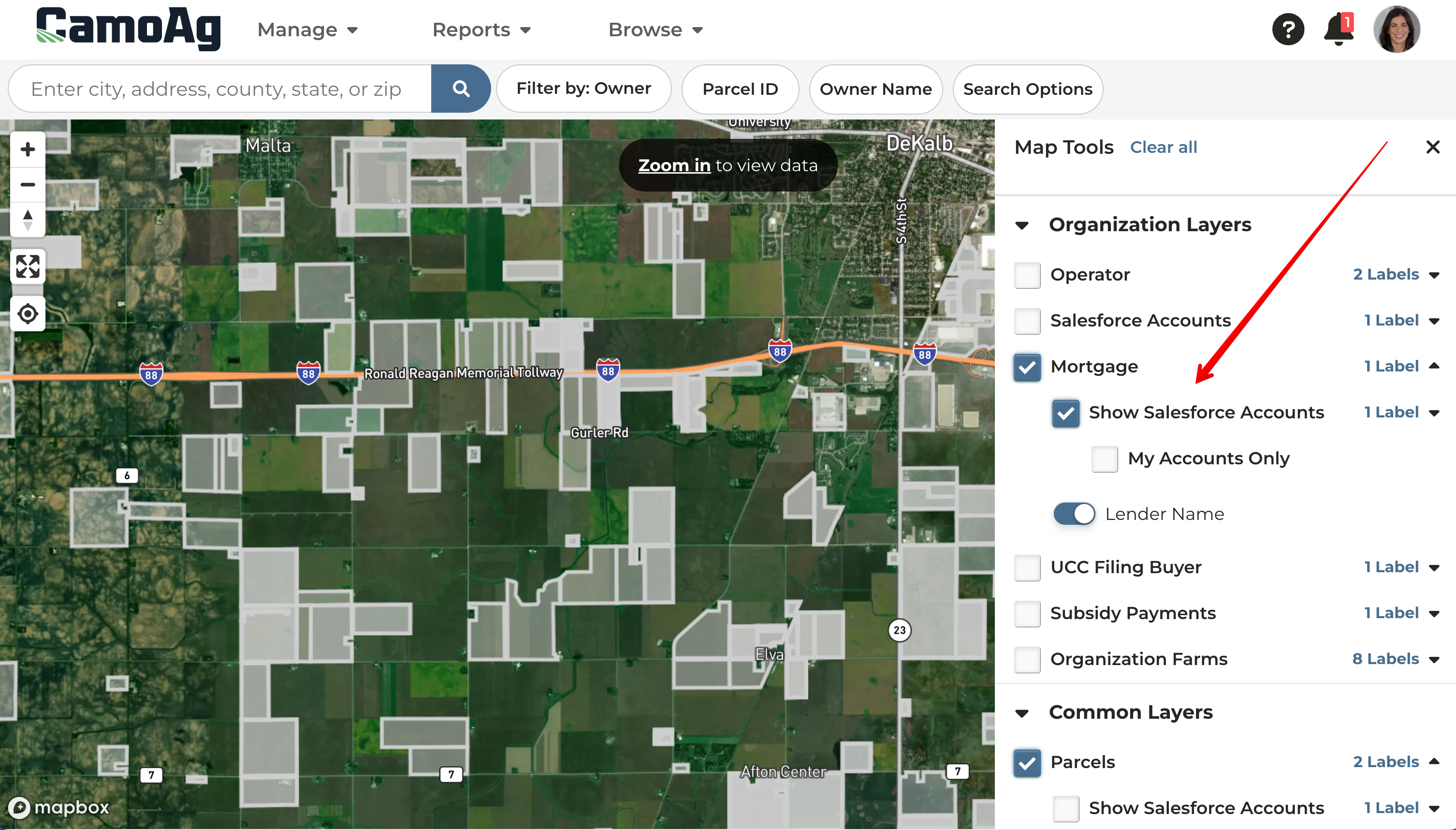
You now have the ability to show Salesforce accounts on the mortgage map layer. The “Show Salesforce Accounts” checkbox will highlight all parcels with mortgages tied to Salesforce accounts at your organization. Toggle on the “My Accounts only” to view only parcels with mortgages tied to your customer accounts. Parcels shaded in grey are accounts in your organization that you are not the relationship manager of, parcels shaded in blue are your accounts.
View Salesforce accounts on the UCC map layer
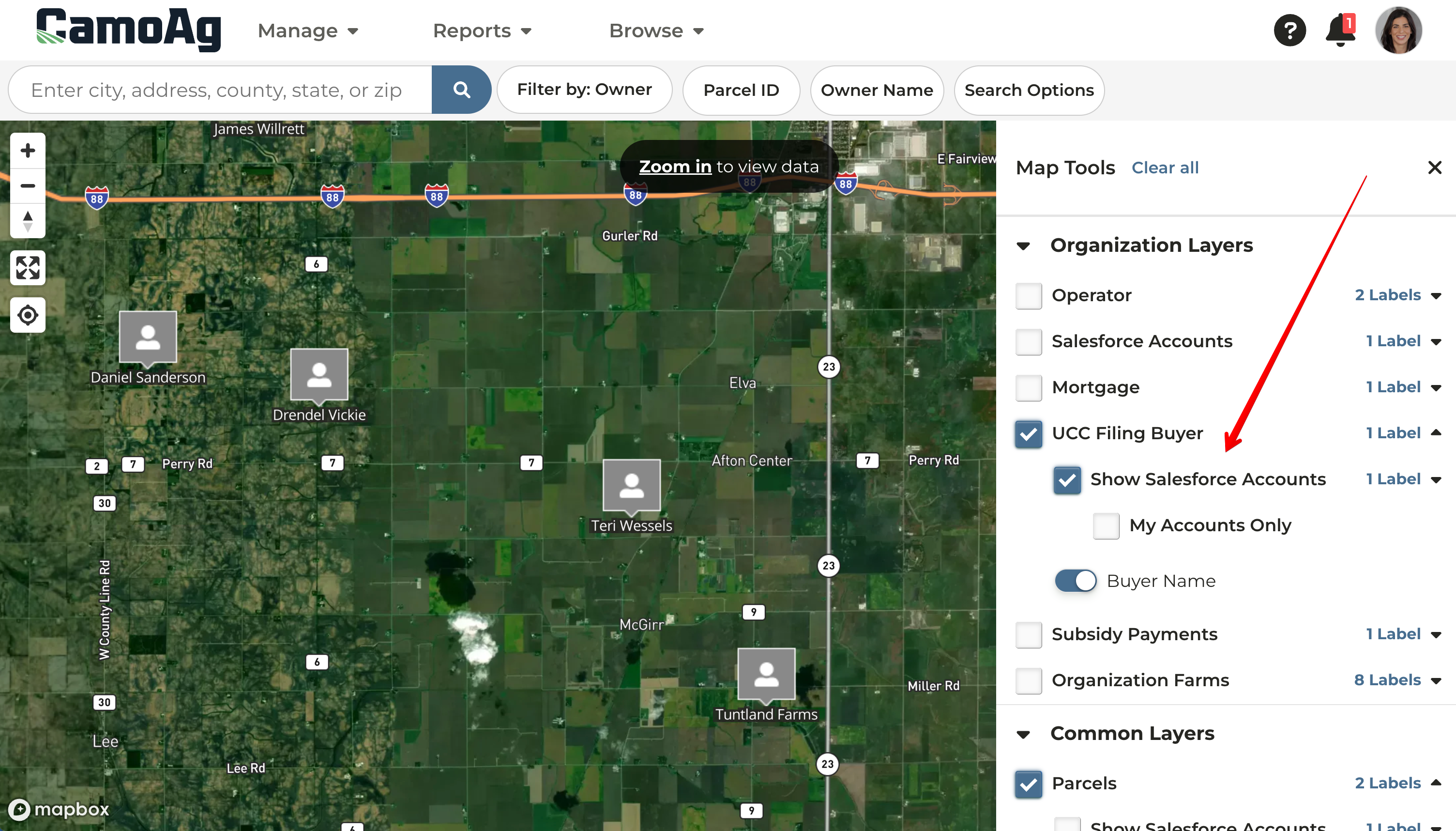
You now have the ability to show Salesforce accounts on the UCC map layer. The “Show Salesforce Accounts” checkbox will highlight all parcels with UCC filings tied to Salesforce accounts at your organization. Toggle on the “My Accounts only” to view only parcels with UCC filings tied to your customer accounts. Parcels shaded in grey are accounts in your organization that you are not the relationship manager of, parcels shaded in blue are your accounts.
Last modified on May 22, 2026