New USDA subsidy payment data map layer
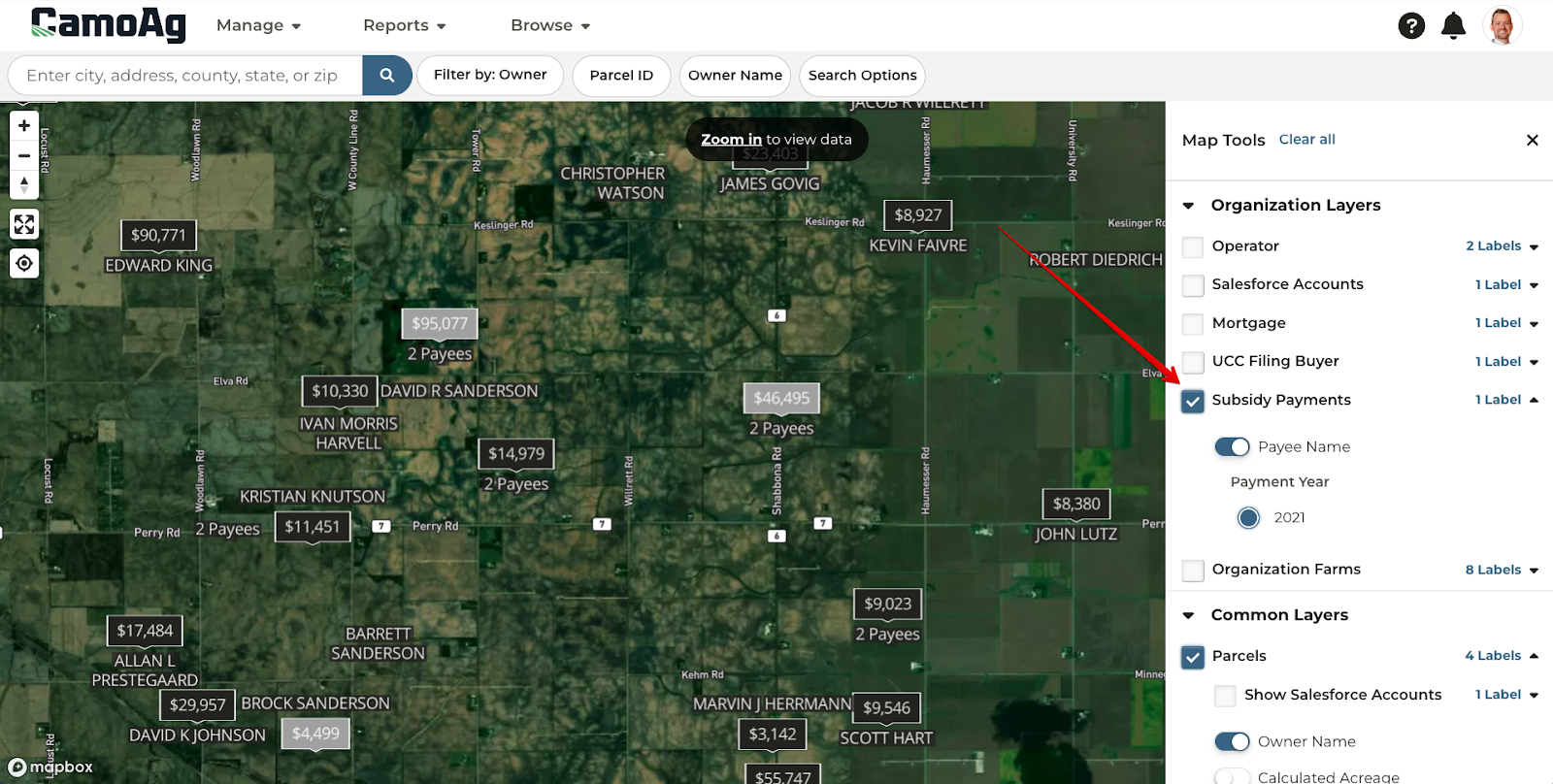
You can now view USDA subsidy payment data. We currently have 2021 data available and are working on 2020 data (2022 is not yet available from the USDA).
Subsidy payments will display as a layer on the Client Intelligence map.
- Black = No connected Salesforce account
- Grey = Prospects
- Blue = Customers
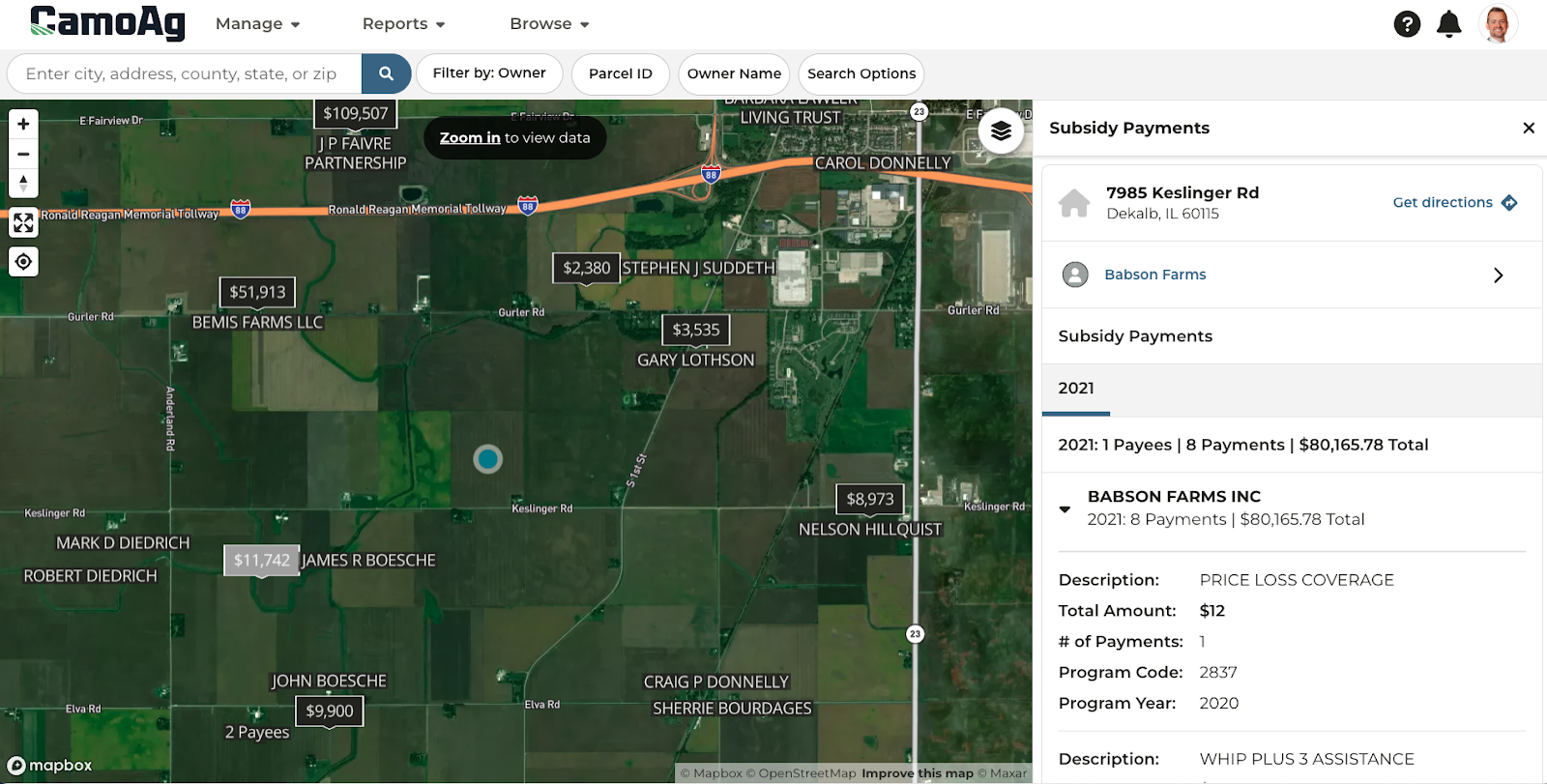
You can select on a payment on the map to view a breakdown of the payment information including description, total amount, number of payments, and the program code and year.
*available to users with a subsidy payment data subscription
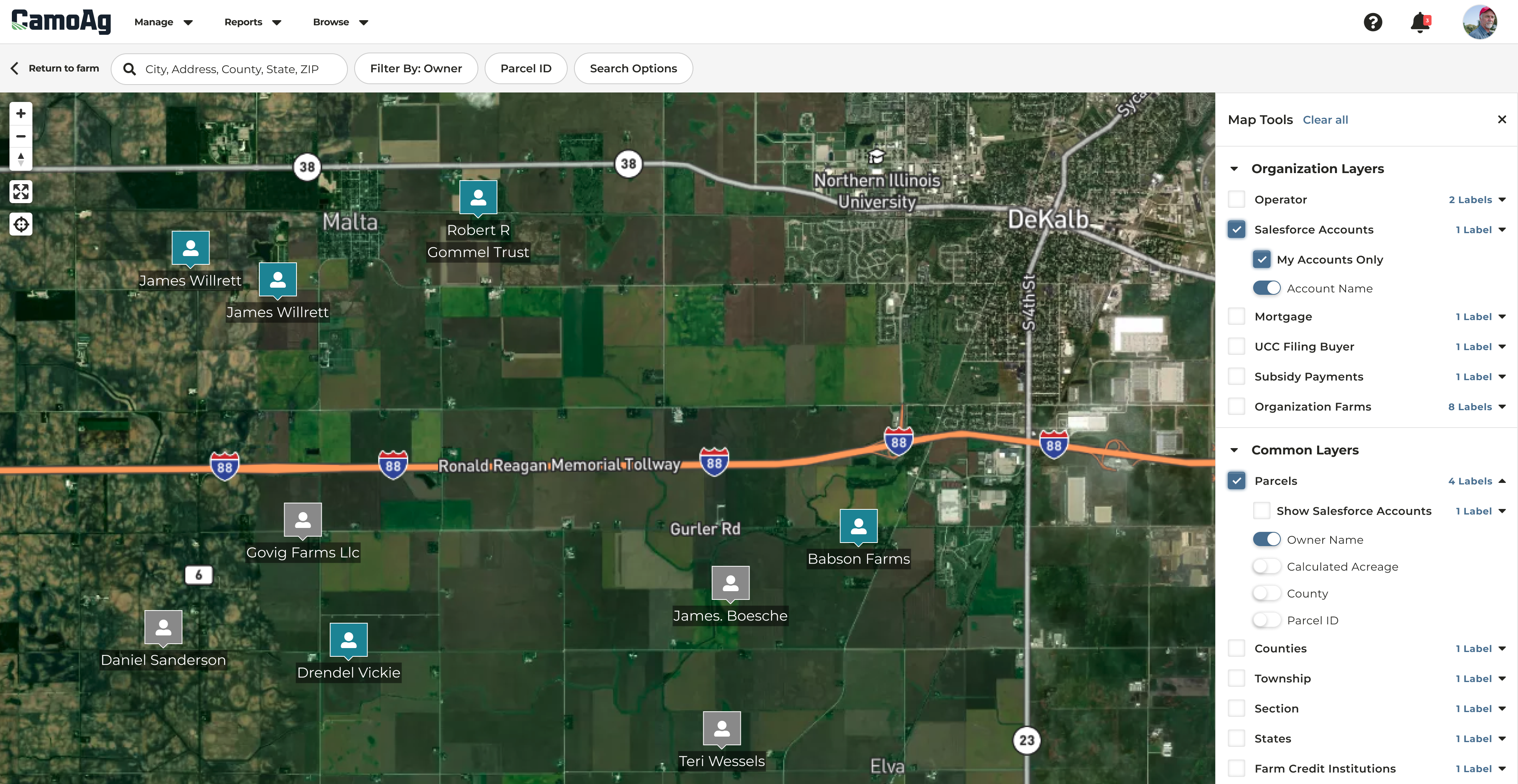
View only your Salesforce accounts with the map layer
A toggle has been added to the Salesforce Accounts organization layer to show only your accounts. If toggled on, all Salesforce accounts that you are not the owner of will hide on the map.
*available to users with a Salesforce integration subscription
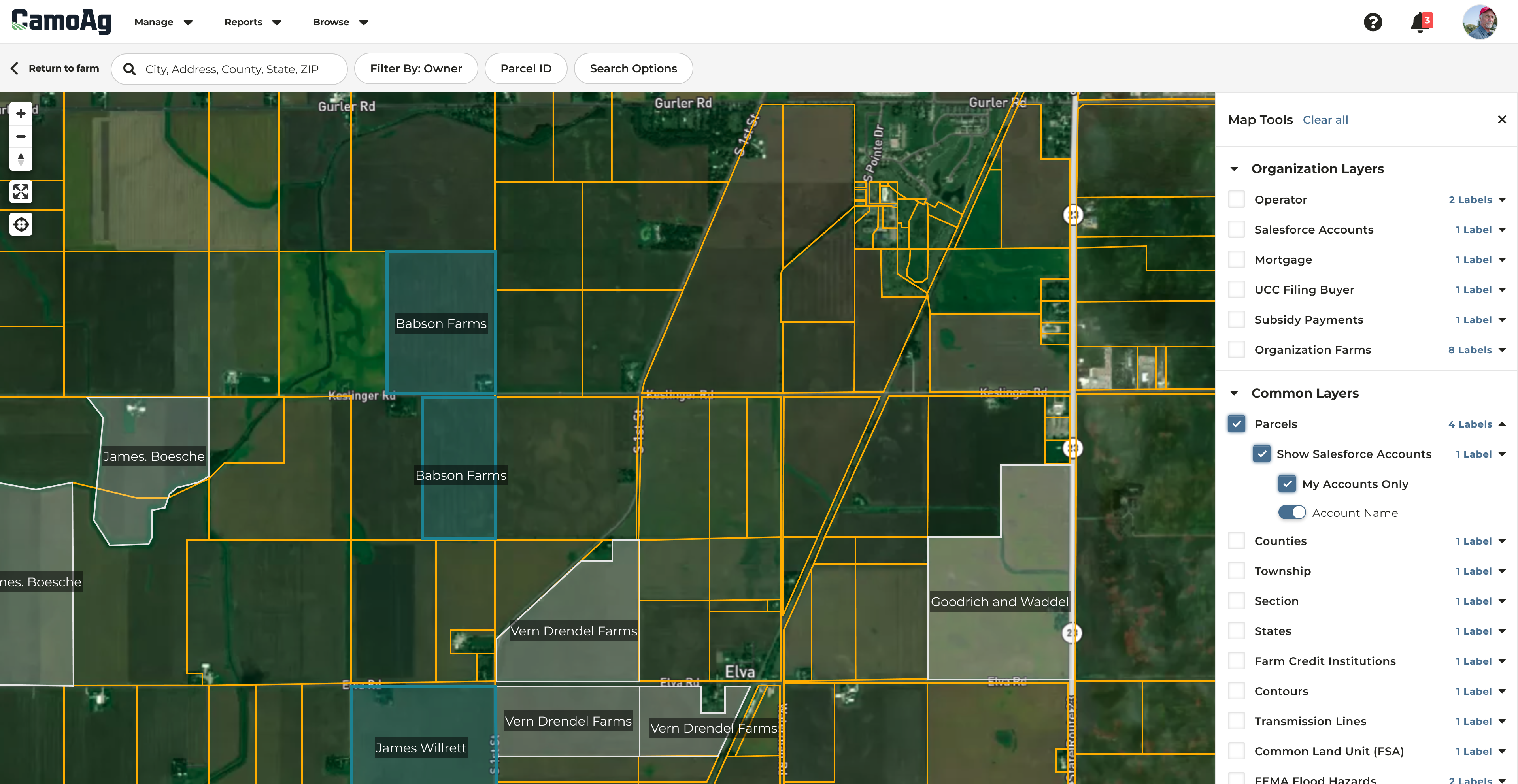
View Salesforce accounts on the Parcels map layer
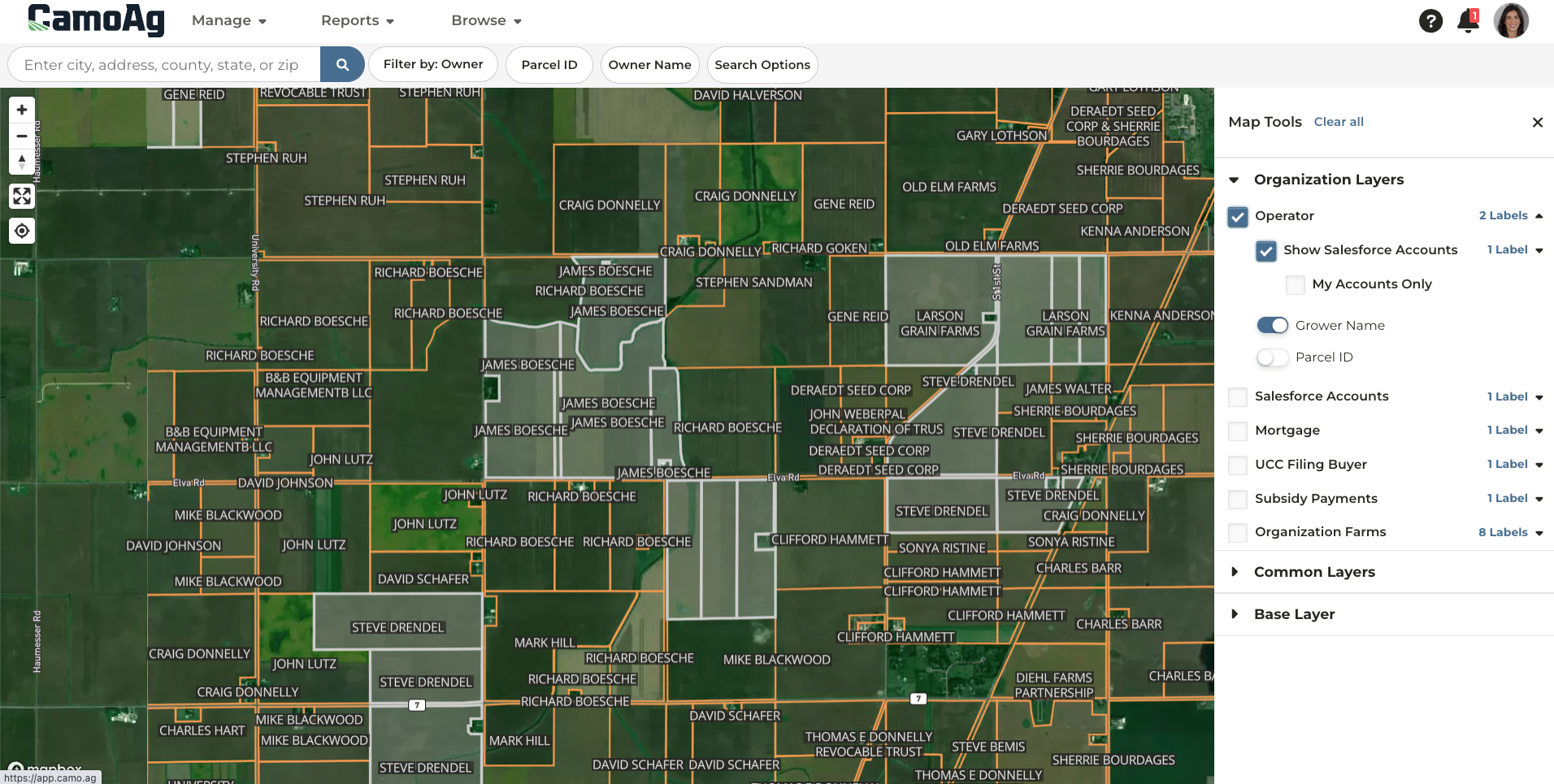
You now have the ability to show Salesforce accounts on the parcels map layer. The “Show Salesforce Accounts” checkbox will highlight all parcels tied to Salesforce accounts at your organization. Toggle on the “My Accounts only” to view only parcels with accounts you are responsible for. Parcels shaded in grey are accounts in your organization that you are not the relationship manager of, parcels shaded in blue are your accounts.
*available to users with a Salesforce integration subscription
View Salesforce accounts on the Operator map layer
The “Show Salesforce Accounts” checkbox will highlight all parcels tied to Salesforce accounts at your organization. Toggle on “My Accounts only” to view only parcels with accounts you are responsible for. Parcels shaded in grey are tied to operators that you are not the relationship manager of, parcels shaded in blue are tied to operators that you are the relationship manager of.
Last modified on May 22, 2026