> ## Documentation Index
> Fetch the complete documentation index at: https://docs.camo.ag/llms.txt
> Use this file to discover all available pages before exploring further.
# CamoAg iOS App for Apple
### **Downloading the CamoAg App**
**If you previously downloaded the CamoAg platform to the home screen of you device, delete before proceeding.**
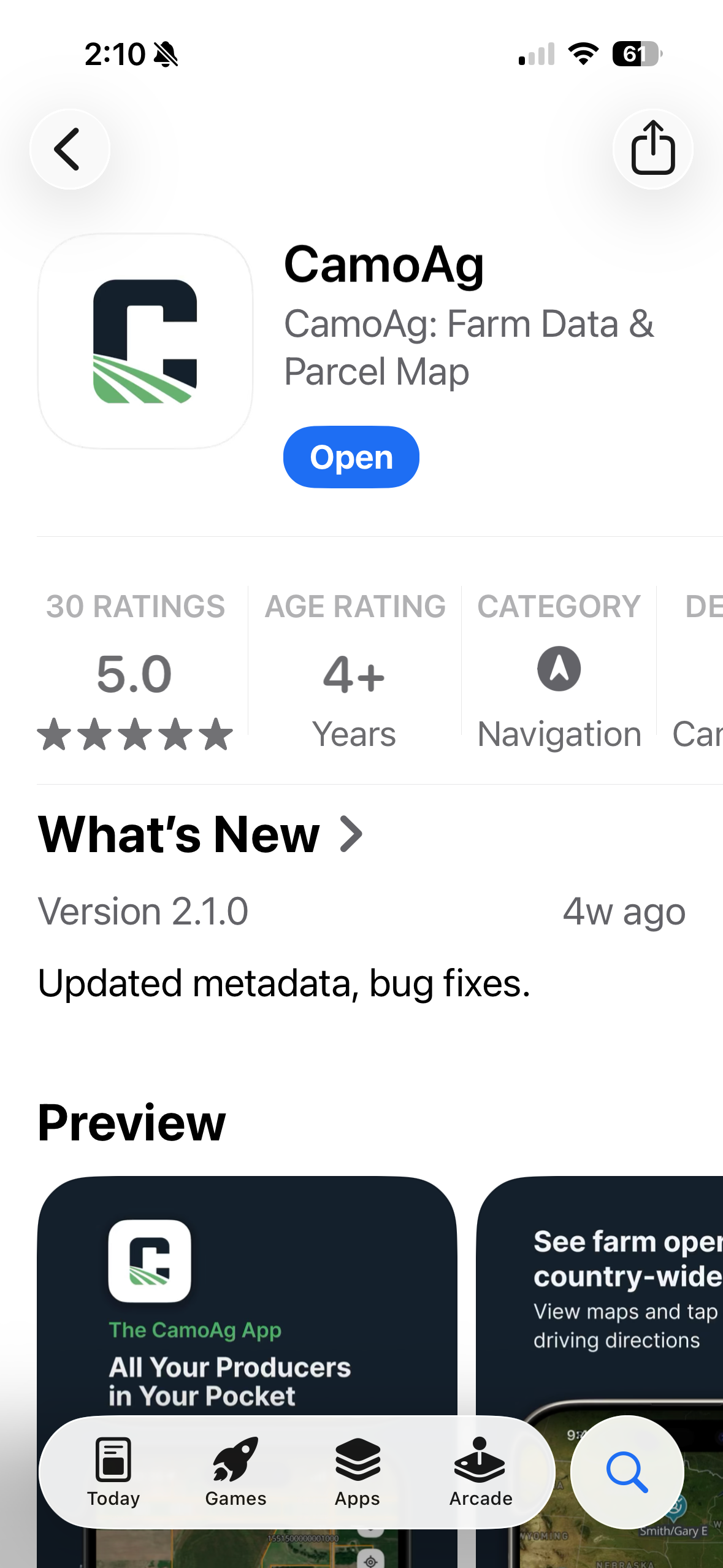
Click [here](https://apps.apple.com/us/app/camoag/id6745523708?utm_source=hs_email\&utm_medium=email&_hsenc=p2ANqtz--8NhKyNW6lqr4scoQndLs4OwZvp8OC7KNYaPvTIosy2As1I_pvj56GkUjm9yk8XHQLPV7l) to download to your Apple Device today or scan the QR code below.

Similarly, search the App Store for "camo ag." The expected search results are shown below.
### **Features Available on the App**
*Not all features of the CamoAg platform are supported within the iOS application*
**How-to Videos and Use Cases can be found on our YouTube channel in the** [**CamoAg App with CarPlay**](https://youtube.com/playlist?list=PLMzwUQrbGI2qQNzHnI6sfrFlRsWqGZzlK\&si=l1OeJeldqWdD-ymY) **playlist.**
Highlighted Videos:
* [Starting up the CamoAg App with CarPlay](https://www.youtube.com/watch?v=ZUIkgQTUthI\&list=PLMzwUQrbGI2qQNzHnI6sfrFlRsWqGZzlK\&index=2)
* [Adjust Settings in the CamoAg App with CarPlay](https://www.youtube.com/watch?v=DivOHLCSkhw\&list=PLMzwUQrbGI2qQNzHnI6sfrFlRsWqGZzlK\&index=3)
* [How to Save a Contact in the CamoAg App](https://www.youtube.com/watch?v=kY_FvfU3QFE\&list=PLMzwUQrbGI2qQNzHnI6sfrFlRsWqGZzlK\&index=4)
* **Teal** - Customer Contact
* **Gray** - Prospect Contact
* **Orange** - No relationship
* [Add Parcels to a Farm Operation](https://www.youtube.com/watch?v=4Ht5jmILy88\&list=PLMzwUQrbGI2qQNzHnI6sfrFlRsWqGZzlK\&index=5)
* [Change Map Layers on the CamoAg App with CarPlay](https://www.youtube.com/watch?v=o7BtLpLfrR4\&list=PLMzwUQrbGI2qQNzHnI6sfrFlRsWqGZzlK\&index=6)
* [See Nearby Field Ownership and Farm Operations](https://www.youtube.com/watch?v=4QEq3hezgFA\&list=PLMzwUQrbGI2qQNzHnI6sfrFlRsWqGZzlK\&index=6\&t=1s)
* [FEMA Flood Layers in the App](https://www.youtube.com/watch?v=Dz8brvhpoRY\&list=PLMzwUQrbGI2qQNzHnI6sfrFlRsWqGZzlK\&index=8)
* [Directions to a Farm with the CamoAg App](https://www.youtube.com/watch?v=N8LCqMEDXFQ\&list=PLMzwUQrbGI2qQNzHnI6sfrFlRsWqGZzlK\&index=9)
**App vs.Desktop – What’s the difference?**
* The CamoAg App for iOS includes key features What features are only available in the iOS app (for example: CarPlay, turn‑by‑turn navigation, mobile workflows)?
* The CamoAg App for iOS does not currently include additional data integrations such as Mortgages, UCC information, or DTN data
**Operation visibility on mobile**
* CamoAg Operator data is available in the app
* Users can view owned parcels, address information, and estimated operated acres