> ## Documentation Index
> Fetch the complete documentation index at: https://docs.camo.ag/llms.txt
> Use this file to discover all available pages before exploring further.
# December 2025 Release Notes
## Deep Research Report
\****Limited release to enterprise beta user groups***
* AI-Powered Deep Research delivers a comprehensive, professionally formatted PDF report for a contact or network
* Each report provides rich insights, including farmland holdings, estimated operation size, potential affiliates, agricultural practices, associated individuals, and verified address information.
* **Producer Operation Mapping:** Uncovering the relationships between individuals and legal entities within a farming operation.
* **Diversified Business Ventures:** Revealing related non-agricultural business interests, like laundromats or car washes, with clear citations.
* **Financial and Legal Context:** Identifying entity structures and mentions of relevant documents for further analysis
* Reports in Minutes Not Hours: Faster time-to-insight and can execute market briefs, customer profiles, and even compliance checks with confidence.
* For full transparency and credibility, best effort is made to clearly cite data sources which are linked at the end of every report
## Parcel Owner Update
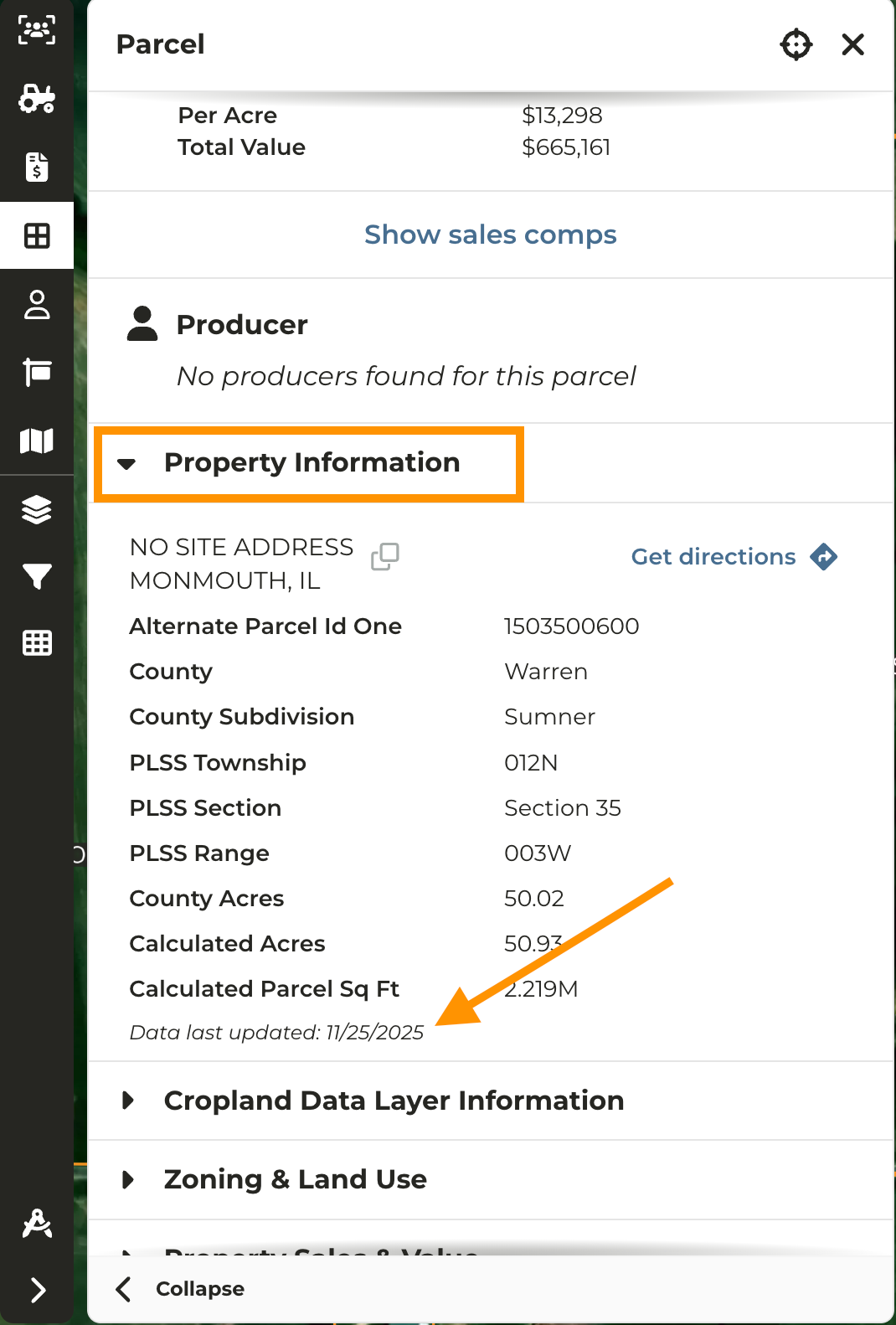
* CamoAg now displays the most recent\* parcel owner, address, and **Date Last Updated** in the parcel pane, based on data available from multiple source providers
* The **Date Last Updated** is available within the expanded \*\* Property Information\*\* accordion.
* Owner names are shown based on the most recent data provided by our parcel ownership data sources.
* “Most Recently Available” means the latest data received by the data providers and doesn’t imply the most recent ownership.
## Land Sales Bulletin Report Improvements
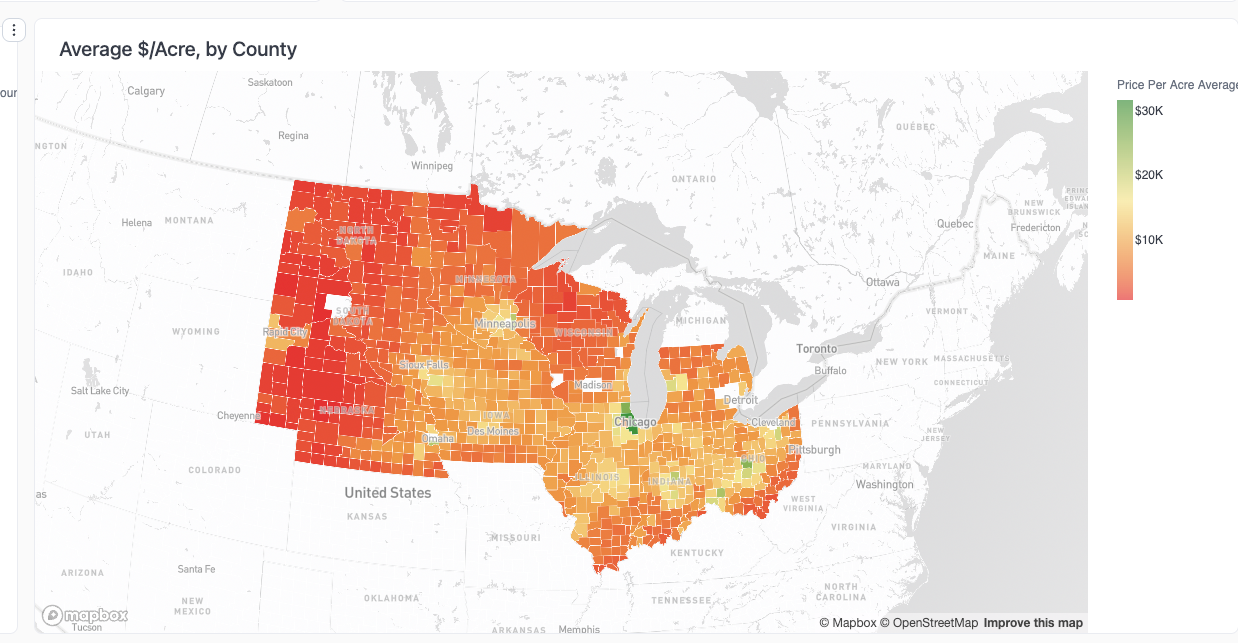
* We've added a heat map to the Land Sales Bulletin report displaying the average price per acre by county
* Simply hover the mouse over a county on the map to quickly see the average sale price per acre
* Average sales price per acre is provided based on total price and acres data from Land Sales Bulletin, separate from CamoAg
## My Organization Filter Added to Mortgages Layer
\****Organizations with Mortgage Data***
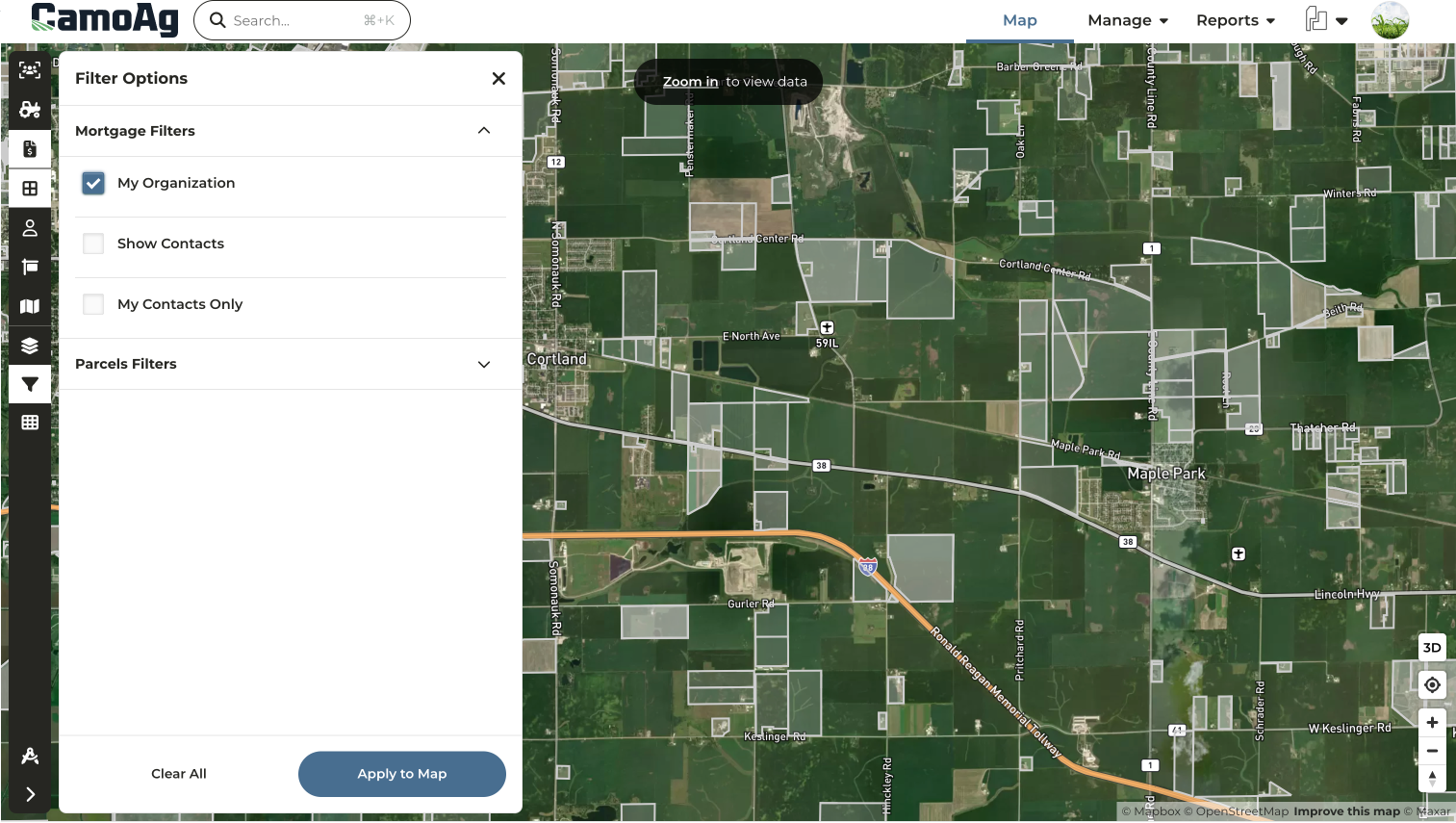
* Activate the Mortgages Layer and refine your view with Layer Filters to display only mortgages associated with your organization, matched by lender company codes.
## Layer Features Report Added to Custom Map Layers
\****Requires Enterprise Subscription***
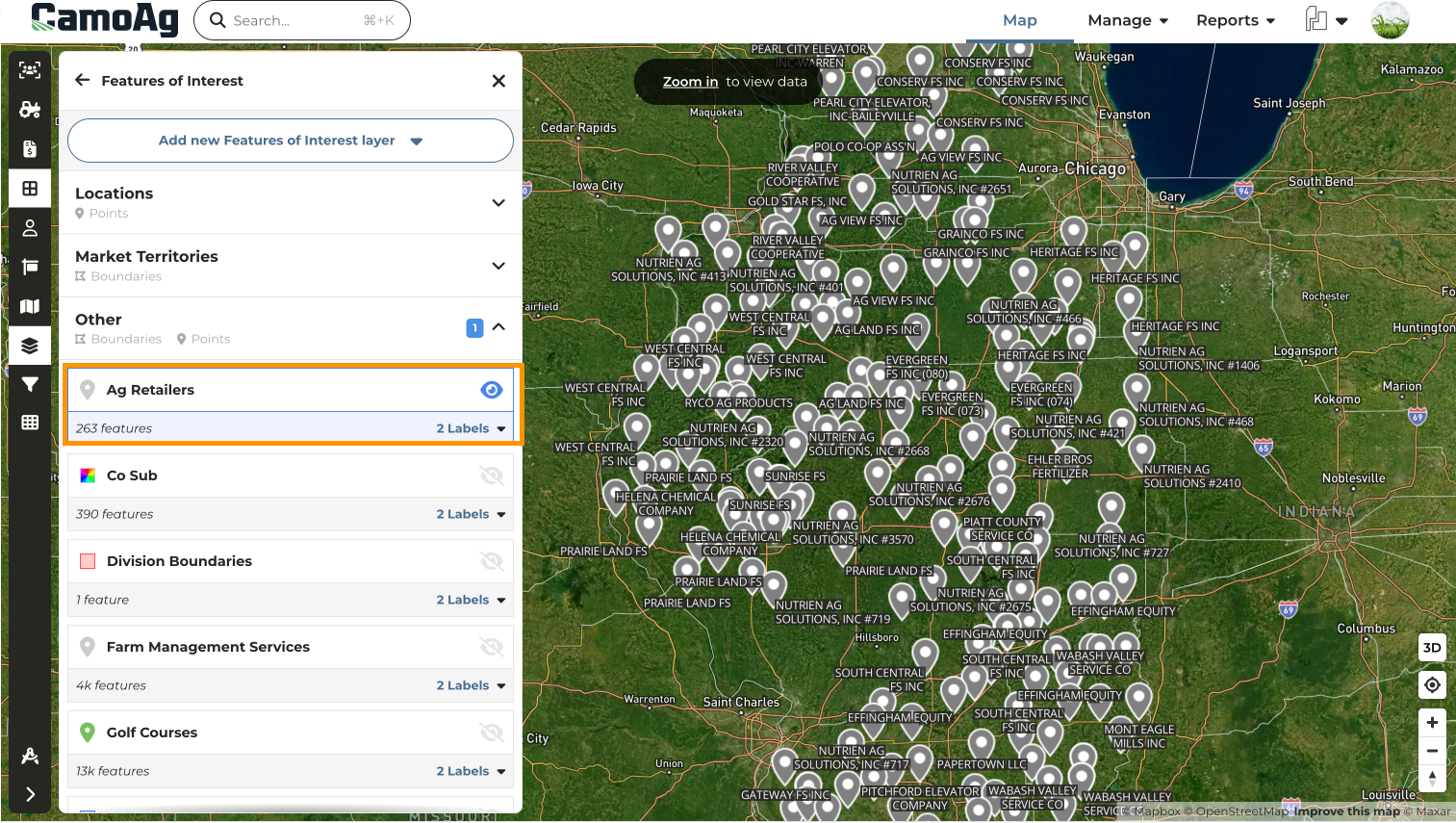
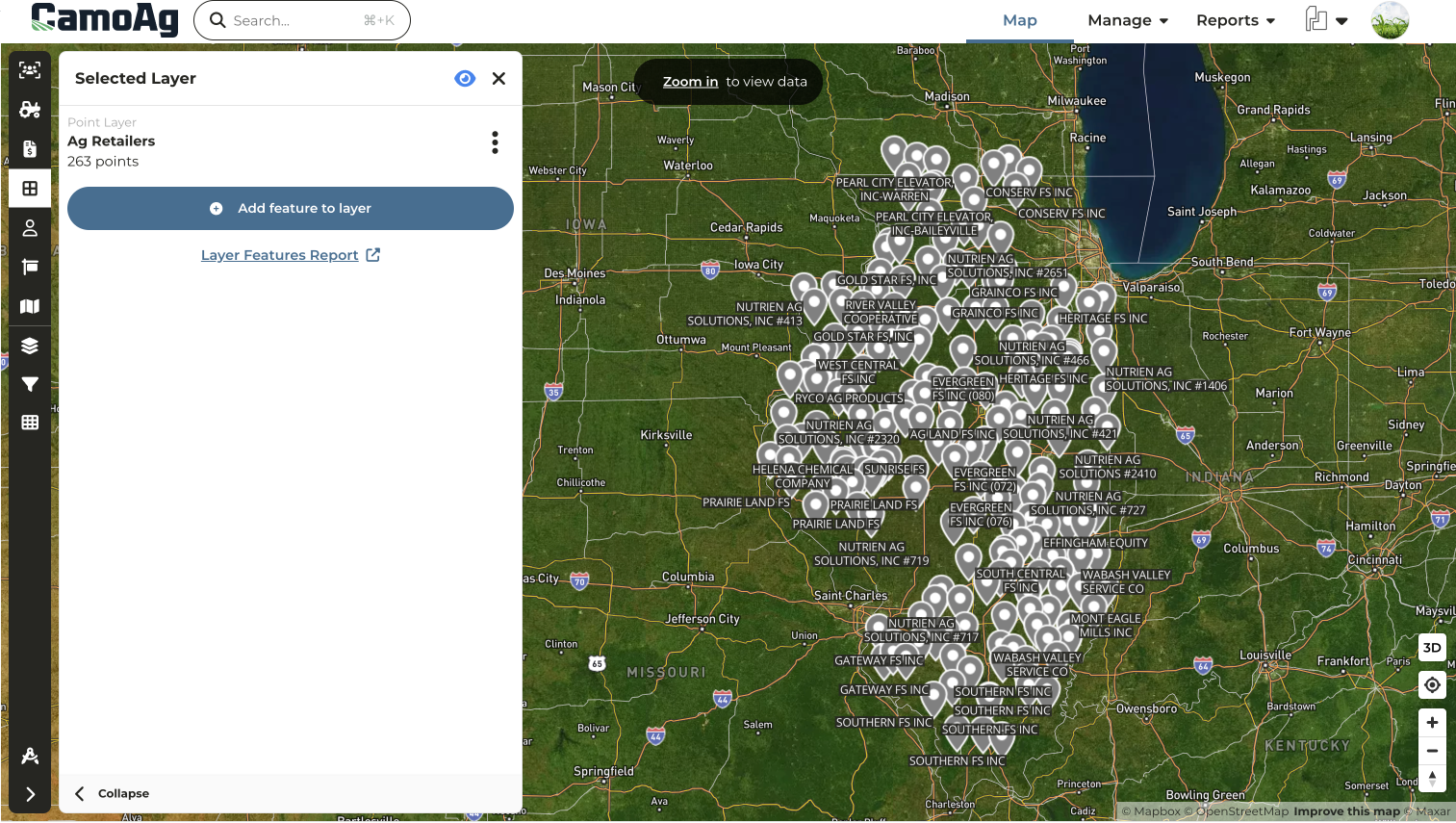
* Click into a Features of Interest layer to see the quick link to the report allowing users to quickly gather addresses for important map points or to quickly audit the details of a layer
* Running this report will provide you with the details of that layer, whether it is a point on the map or a boundary
* Details may include:
* Title
* Addresses
* Latitude/Longitude coordinates
* Optional formatted properties
## Farms, Fields, & Parcels Report Now Includes "Created by User" Column
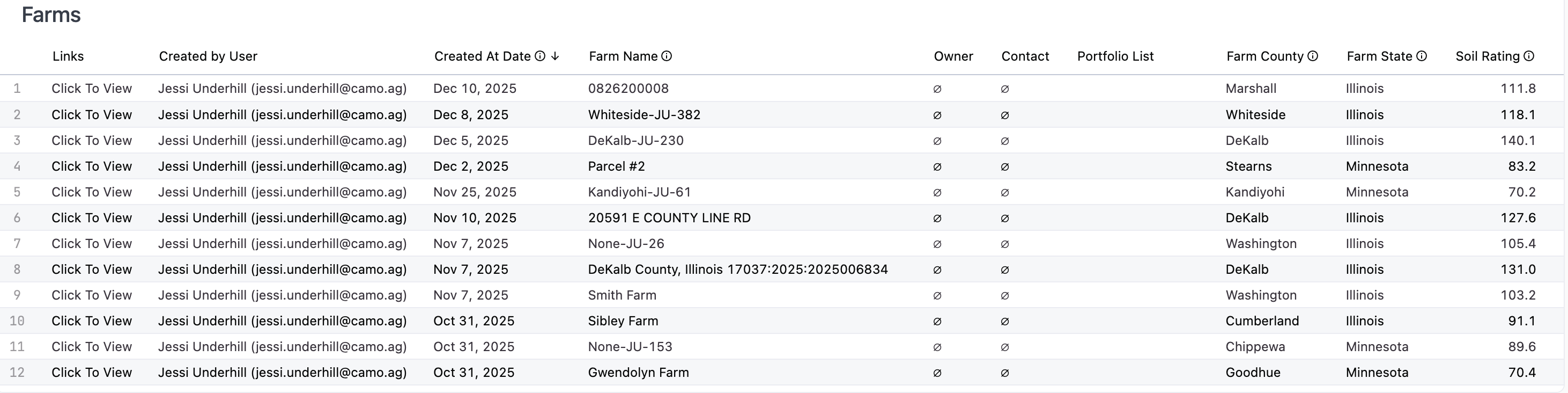
* Quickly filter a report to see the farms that have been created by you, by a specific user, or by your direct reports
## Option to Select the Section First When Using the STR Layer
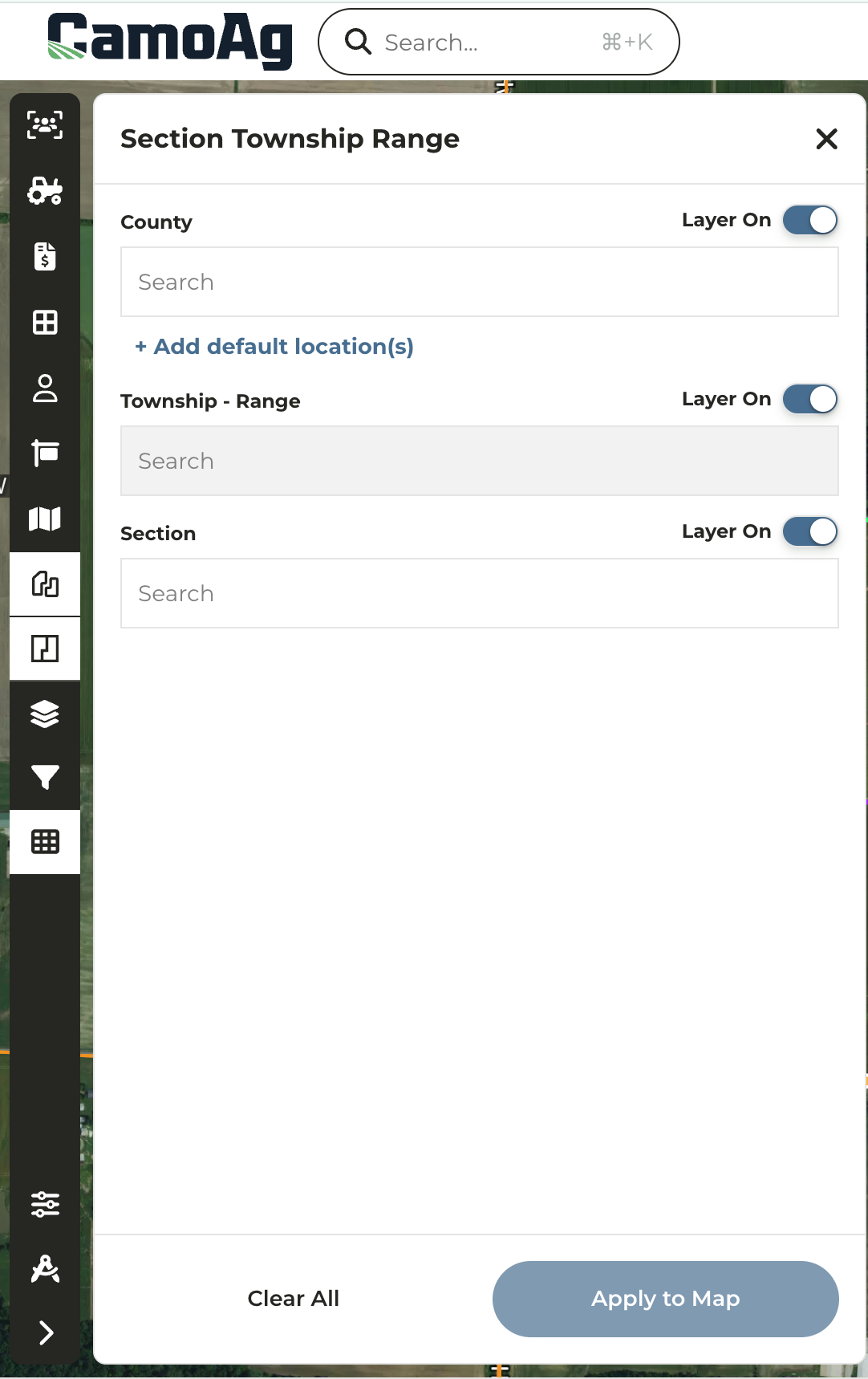
* When using the STR layer on the map users have the option to enter the County or Section first
* Previously, users were required to enter the County, then select the Township-Range, and finally the Section.
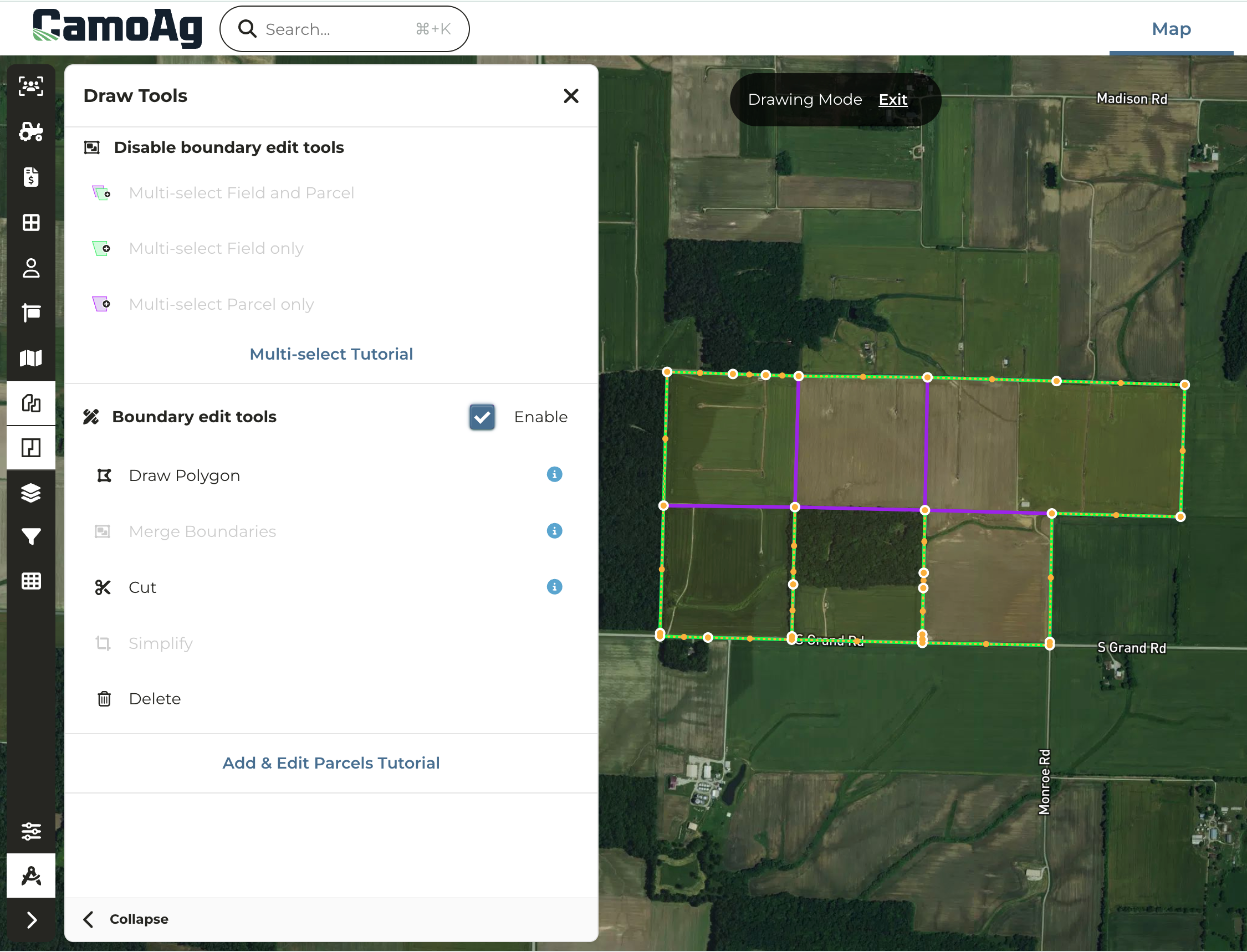
## Draw Tool Editing Enhancements
* When drawing or editing a boundary for a parcel, field, or custom map layer, the vertices/nodes will now increase in size on mouse hover
* A vertices can be deleted with a simple right-click of the mouse
## Townships Added to Custom Map Layer Creation
\****Enterprise Customers***
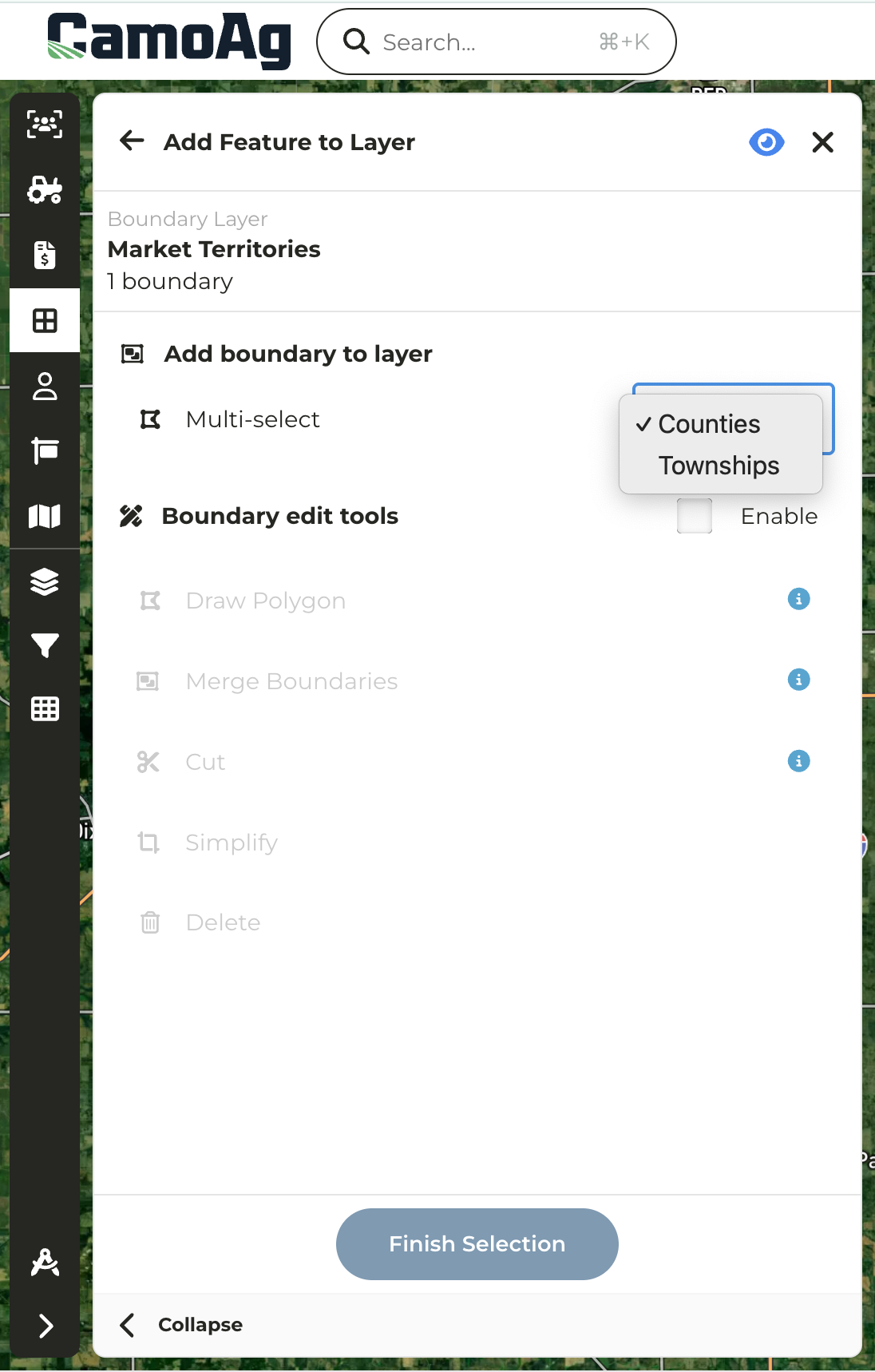
* Organizations with an enterprise subscription can now create custom map layer boundaries by selecting one or more Township administrative boundaries
* Check out the [**Custom Map Layers**](/hc/en-us/sections/34369924896279-Custom-Map-Layers)section of the help center to learn more about planning and creating custom map layers
## Collateral Description Filter Added to UCC Blanket Lien Report
\****Organizations with UCC Blanket data***
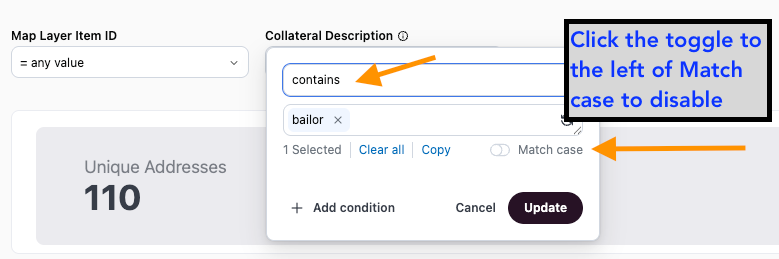
* Users can now filter by keywords found within UCC Blanket Collateral descriptions
* Keyword examples might include: "LIVESTOCK", "BAILOR", "BAILEE", "SWINE", etc
* Set filter to **Contains,** enter keyword such as "livestock", "bailor", or "bailee", and toggle off **Match case** to search blanket liens by specific collateral descriptions. *Note: You must use "Contains" and you must toggle "Match case" off in order to see the results needed.*