> ## Documentation Index
> Fetch the complete documentation index at: https://docs.camo.ag/llms.txt
> Use this file to discover all available pages before exploring further.
# Editing Custom Company Map Layers
***Requires Enterprise subscription and user to have Admin privileges***
#### **Editing Layer Names, Colors, or Attributes**
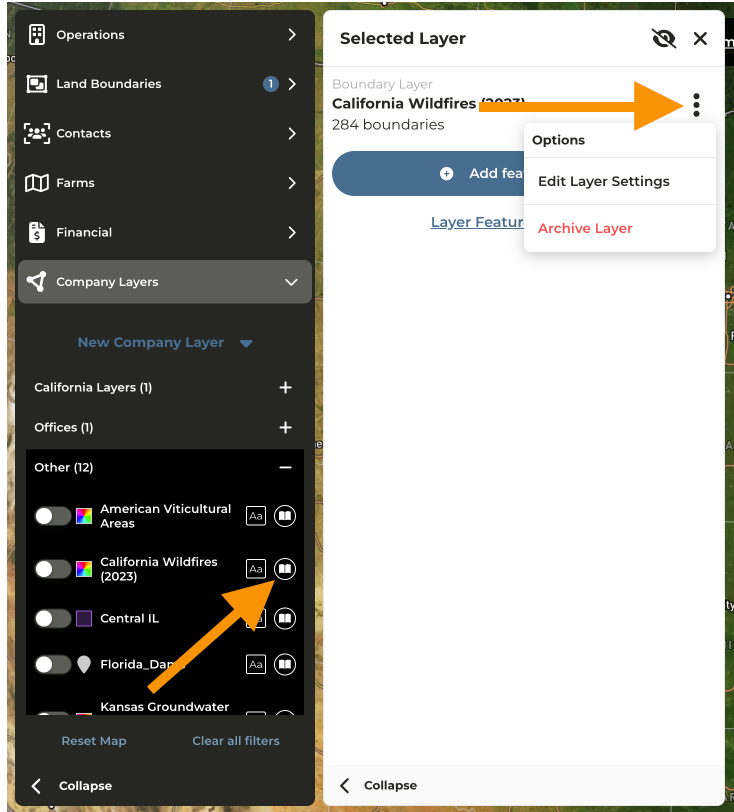
Navigate to the Map
Click **Company Layers** from the menu
Expand the Layer Category and locate the **Feature** for editing
Click the **View Layer Details** icon to the right of the **Feature**
Click the menu then **Edit Layer Settings**
#### **Editing Layer Boundaries**
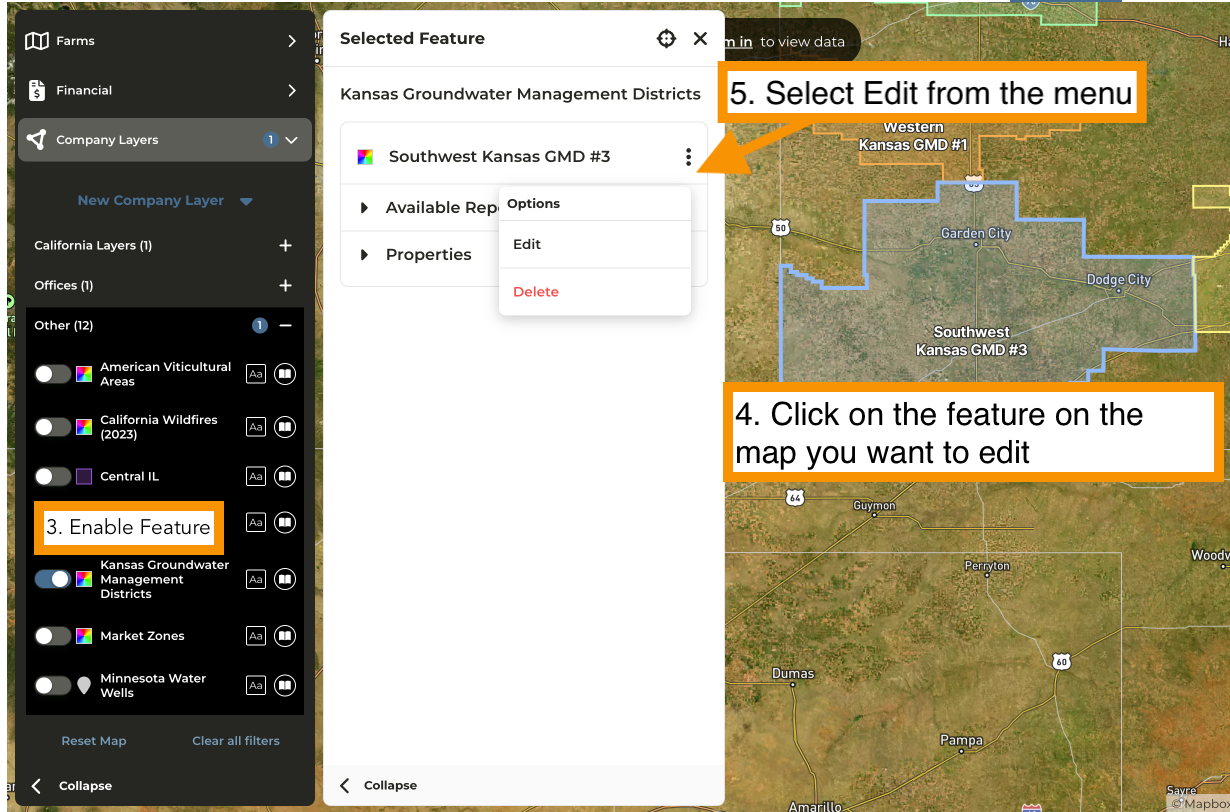
Navigate to the Map
Click **Company Layers** from the menu
Expand the Layer Category and enable the **Feature** for editing
On the map click on the feature you wish to edit
Select **Edit** from the menu