> ## Documentation Index
> Fetch the complete documentation index at: https://docs.camo.ag/llms.txt
> Use this file to discover all available pages before exploring further.
# Requesting Contact Information for a Landowner
* CamoAg partners with a leading data technology provider to enhance both business and consumer data. While we do not independently verify or guarantee the accuracy of this third-party data, we offer it as a supplemental resource to enrich the information you already have and support your business prospecting efforts.
* *Contact information is cross-checked against the National and State Do Not Call Registry and a warning will appear if that person is on the list*
* *CamoAg is not responsible for any calls your organization may make to individuals listed on the Do Not Contact registry*
* CRM contact information will appear as read only in CamoAg. Any edits made to contact information must be done in your CRM.
* If you create a contact in CamoAg and later add that information to your CRM, the data from your CRM will override the information in CamoAg and become read-only
* You will be able to add contact information if you have it, request contact information, and save contact information on the map.
* No. At this time bulk appending is not available.
* Yes - review the [Contacts Pro Report](/hc/en-us/articles/25955119653911-Contacts-Report) and [Using the Contacts Map Layer](/hc/en-us/articles/26486469022359-Viewing-Contacts-on-the-Map-or-Contacts-Dashboard) for more details
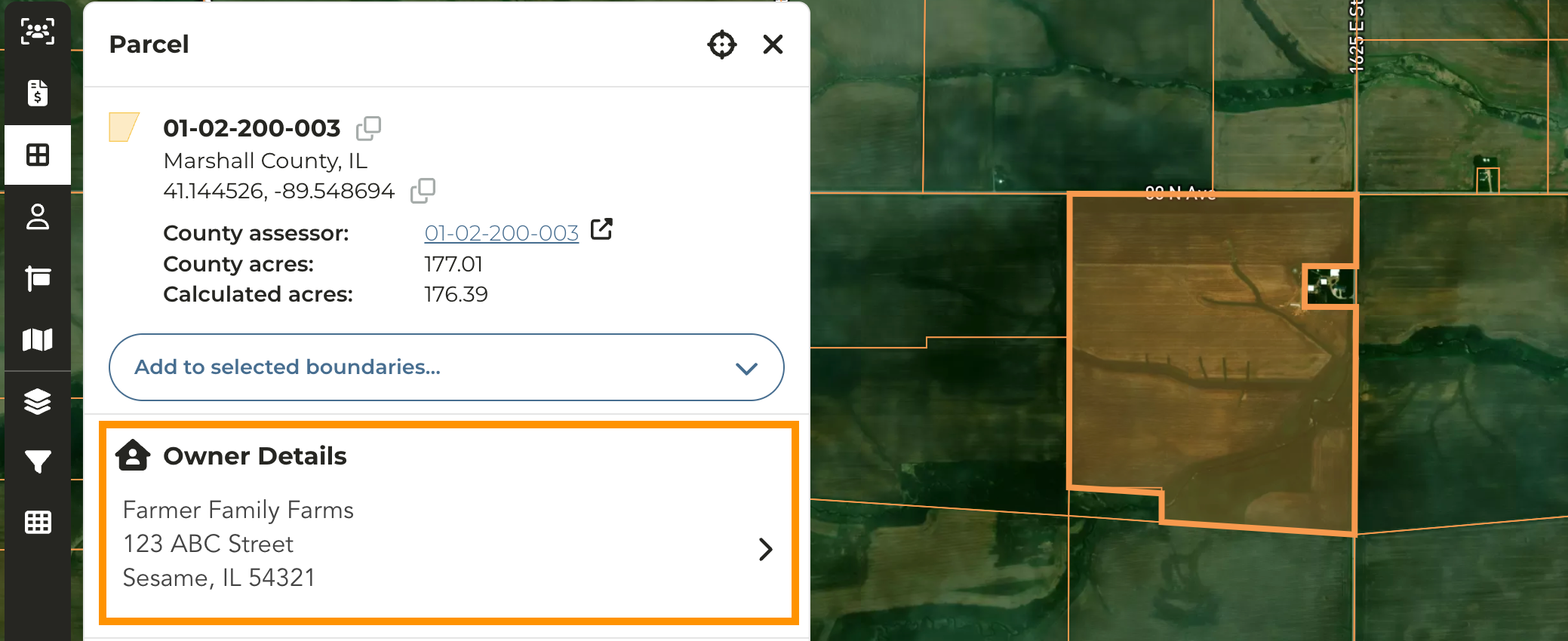
Click on the parcel of an owner you want to request or add contact information
On the Parcel pane on the left, click on the Owner Details
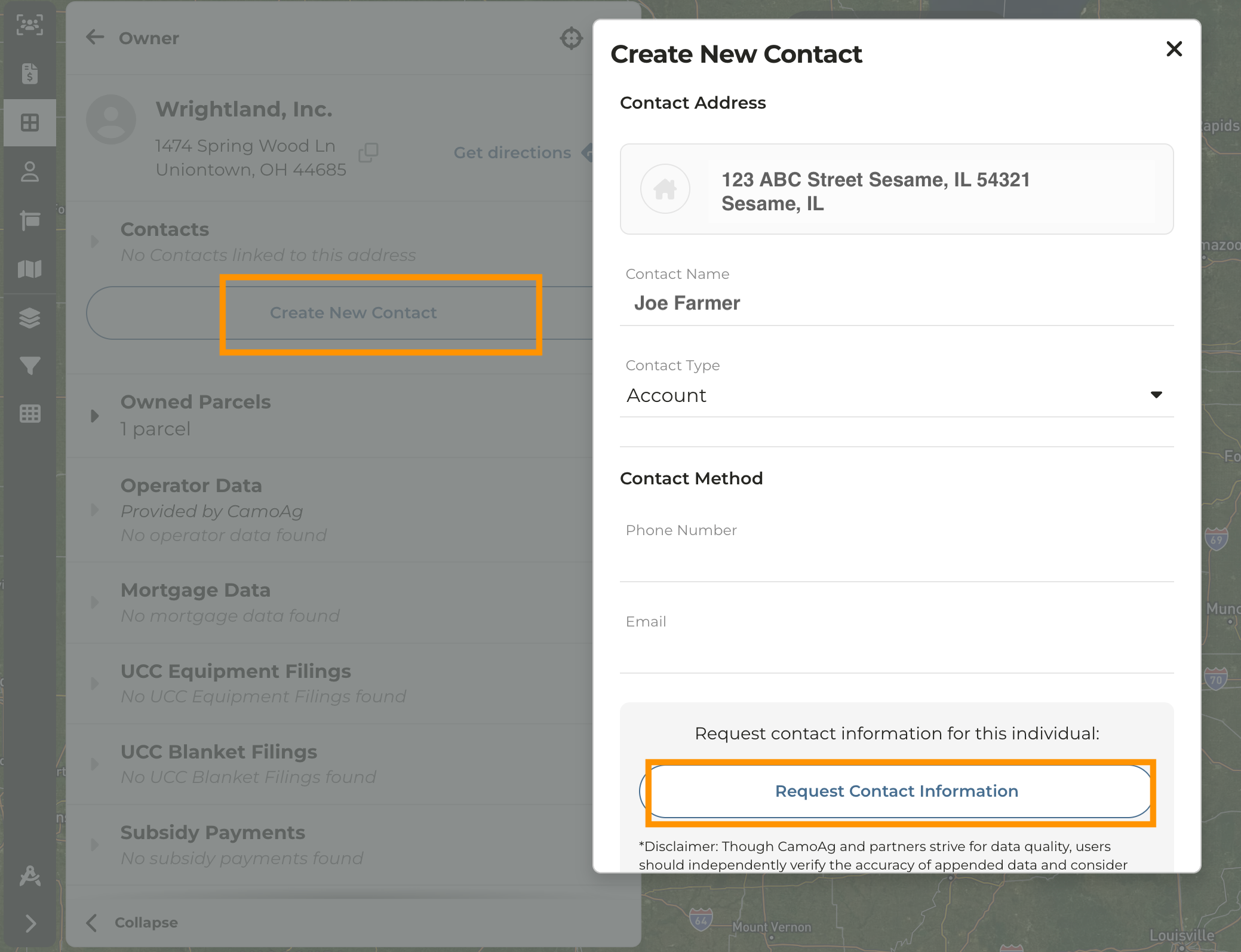
Click **Create New Contact**
You can manually enter contact information or click **Request Contact Information**
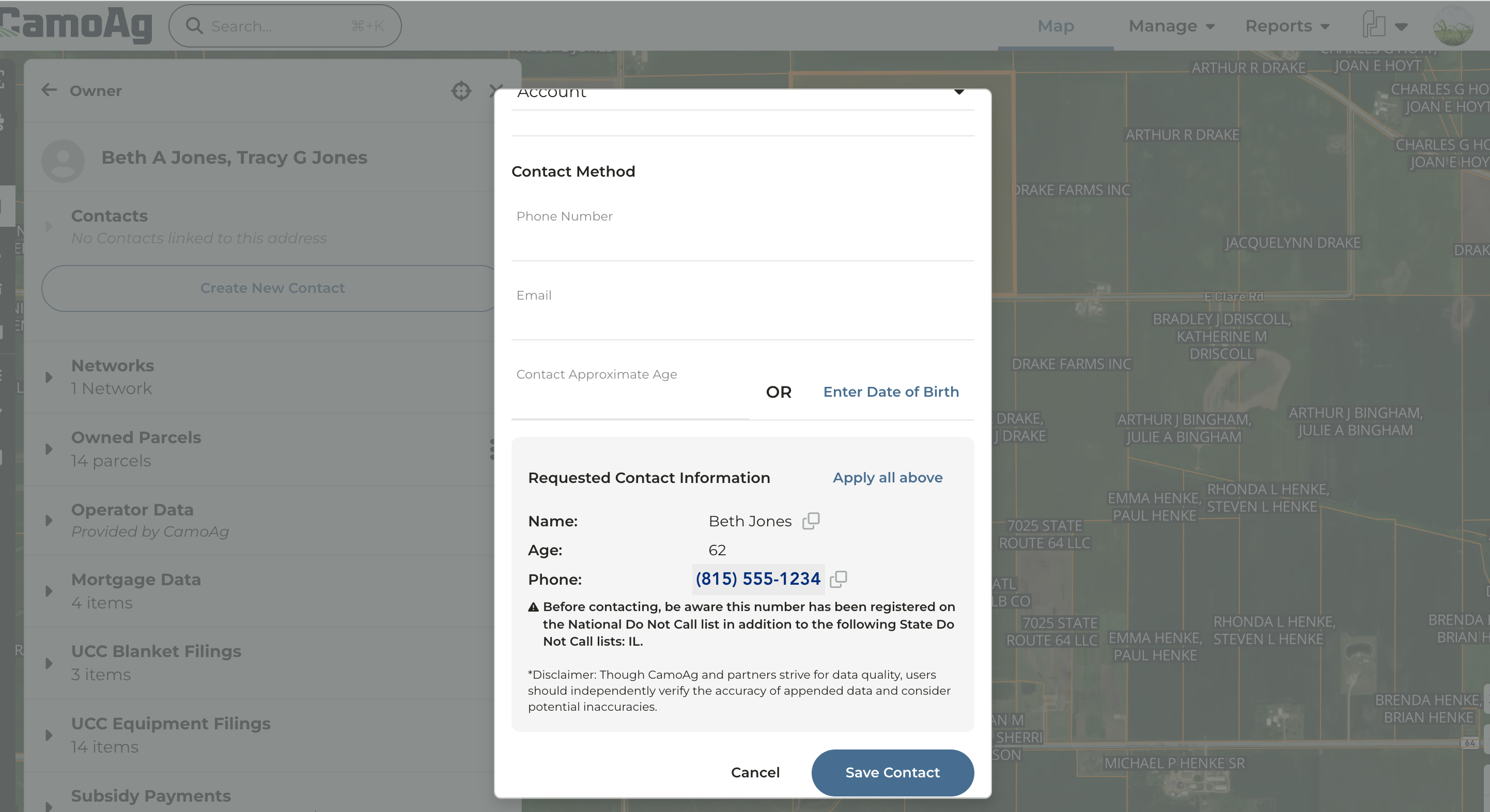
Any contact information that can be retrieved will be displayed.
* *As a reminder,* *CamoAg does not independently verify or guarantee the accuracy of this third-party data, we offer it as a supplemental resource to enrich the information you already have and support your business prospecting efforts.*
* *Contact information is cross-checked against the National and State Do Not Call Registry and a warning will appear if that person is on the list.*
* *CamoAg is not responsible for any calls your organization may make to individuals listed on the Do Not Contact registry*
You can manually enter the contact information, click **Apply all above,** or copy and paste the data.
Click **Save Contact**