> ## Documentation Index
> Fetch the complete documentation index at: https://docs.camo.ag/llms.txt
> Use this file to discover all available pages before exploring further.
# CamoAg to AgWare Workflow: Creating a Subject Property
This guide specifically focuses on the workflow around creating a subject property into CamoAg and importing that subject into AgWare. Refer to the [CamoAg to AgWare Workflow: Creating a Sale](/hc/en-us/articles/29916993801495-CamoAg-to-AgWare-Workflow-Creating-a-Sales-Comp) guide for details around creating a sale.
### **Section 1: FAQs**
A subject property refers to a specific parcel or tract of agricultural land that is being evaluated or appraised. It is the primary focus of the appraisal process, where various data points such as ownership, land use, soil quality and other relevant characteristics are collected, analyzed and documented.
Camoag simplifies the process of creating a subject farm/property with its comprehensive search capabilities, digital plat map and robust mapping tools. Once a subject farm/property is created it can be synced to AgWare Maven to complete the appraisal. You can read more about the Farm Import Process on AgWare’s website [here](https://www.uaar.net/2023/maven-release-2023-2-42-3237/).
Yes, you can upload documents, photos, maps from other sources to your subject farm.
When a subject is captured in CamoAg, by default, a number of attributes from public information associated with the property; State, County, S,T,R, Lat/Long, PIN, Crop History, Soils(type, class and capabilities), shapefile.
Yes, you can work with AgWare to define additional attributes to be auto-populated.
Yes
Yes
AgWare
They are extracted and moved daily.
### **Section 2: Workflow for Creating a Subject Farm**
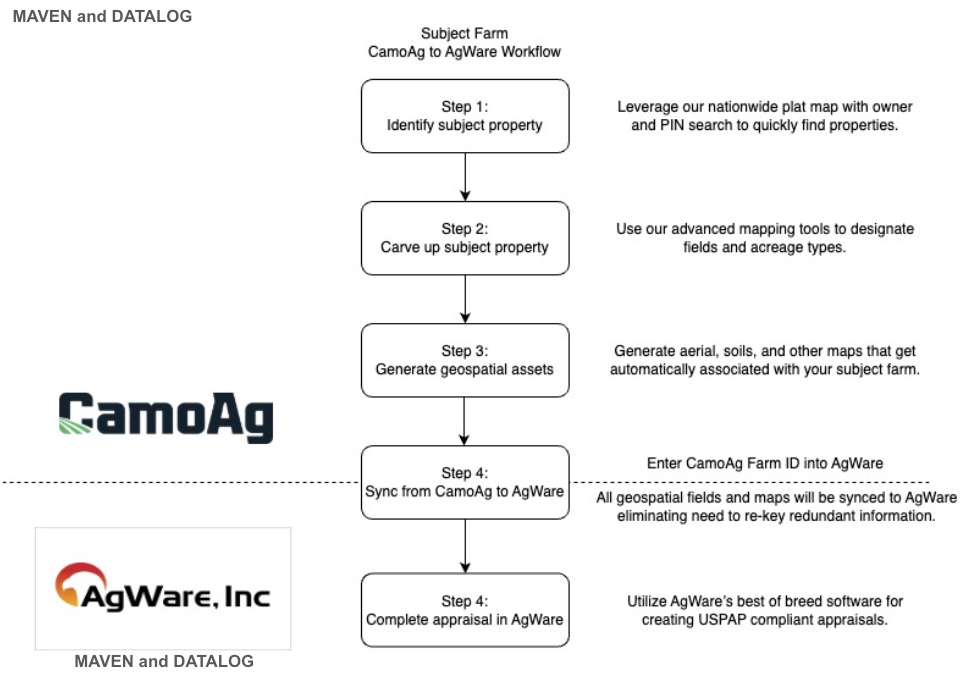
### **Section 3: How to Create a Subject Property**
Guides are linked within each step
| **Step 1** | **Step 2** |
| :-------------------------------------------------------------------------------------------------------------------------------------------------------------------------------------------------------------------------------------------------------------------------------------------------------------------------------------------------------------------------------------------------------------------------------------------------------------------------------------------------------------------------------------------------------------------------------------------------------- | :------------------------------------------------------------------------------------------------------------------------------------------------------------------------------------------------------------------------------------------------------------------------------------------------------------------------------------------------------------------------------------------------------------------------------------------------------------------------------------------------------------------------------------------------------------------------------------------------------------------------------------------------------------------------------------------------------------------------------------------------------------------------------------------------------------------------------------------------------------------------------------------------------------ |
| - [Ways to search for your subject property](/hc/en-us/articles/23972877590423-Adding-a-Property-To-Your-Account-Using-Farm-Builder)
- Browse the plat map and select parcel
- Search by PIN/APN
- Search by Owner
- Search by Section, Township, Range
- Enter Address
- Enter Lat/Long
- You can add multiple Parcels/Fields to your Subject
- Optional way to add a property: [Getting Started with the Deed Mapper](/hc/en-us/articles/21131977811479-Getting-Started-with-the-Deed-Mapper) | - A unique ***Farm ID*** is generated for your farm/subject (see below)
- Map out your subject using CamoAg’s Mapping tools for seamless transition to AgWare with all your edits captured
- [Utilize 2008 CLU’s for field boundaries](/hc/en-us/articles/23973015015831-Utilize-2008-CLUs-for-field-boundaries)
- Make edits to the fields or parcels using any of the following features:
- [Merge fields](/hc/en-us/articles/23973071322263-Merge-Fields)
- [Using the Cut Tool](/hc/en-us/articles/26589948400151-Using-the-Cut-Tool)
- [Using the Draw Polygon Tool](/hc/en-us/articles/23973220859287-Using-the-Draw-Polygon-Tool)
- [Designate Acre Types of your subject](/hc/en-us/articles/23973380955031-Designate-Acre-Types-of-your-subject)
- Dryland, Irrigated, CRP, WRP, Waste, Woodland |
| **Step 3** | **Step 4** |
| - Add/Attach all relevant documentation to support your subject
- [Generate various pdf maps:](/hc/en-us/articles/21130878756631-Generate-a-Report-Aerial-Soils-FEMA-Topography-Maps) soils, aerial, crop history, county yield
- All maps get stored in **Documents**
- Any additional pdf’s/supporting documents can be uploaded to **Documents** | - Import to AgWare/Maven from the **Options** menu of the subject property
- Any/all documents attached to your subject property get seamlessly transferred into AgWare/Maven and stored as an Attachment
**Complete Appraisal in AgWare!** |
**Where can I find the Farm ID and why is it important?**
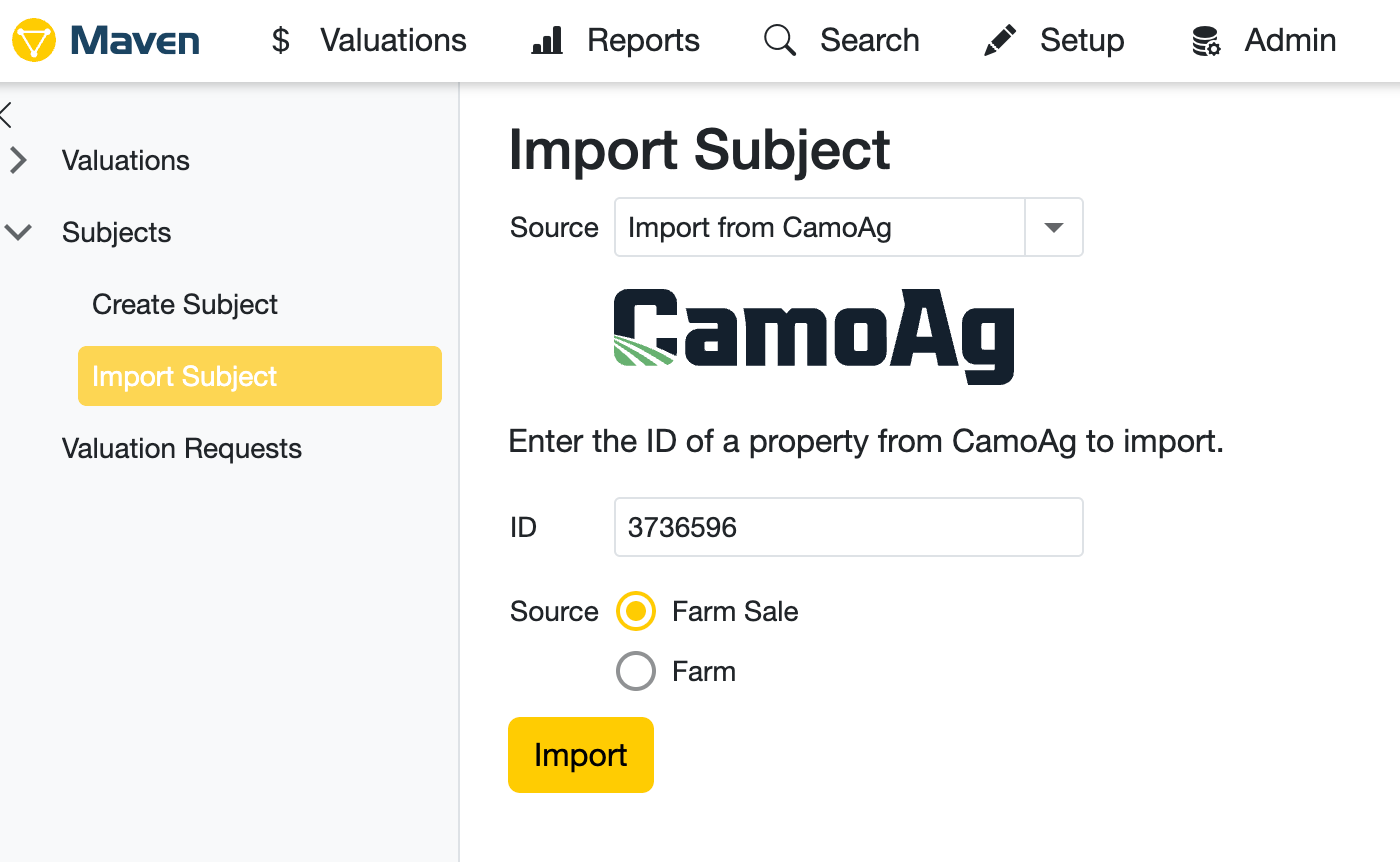
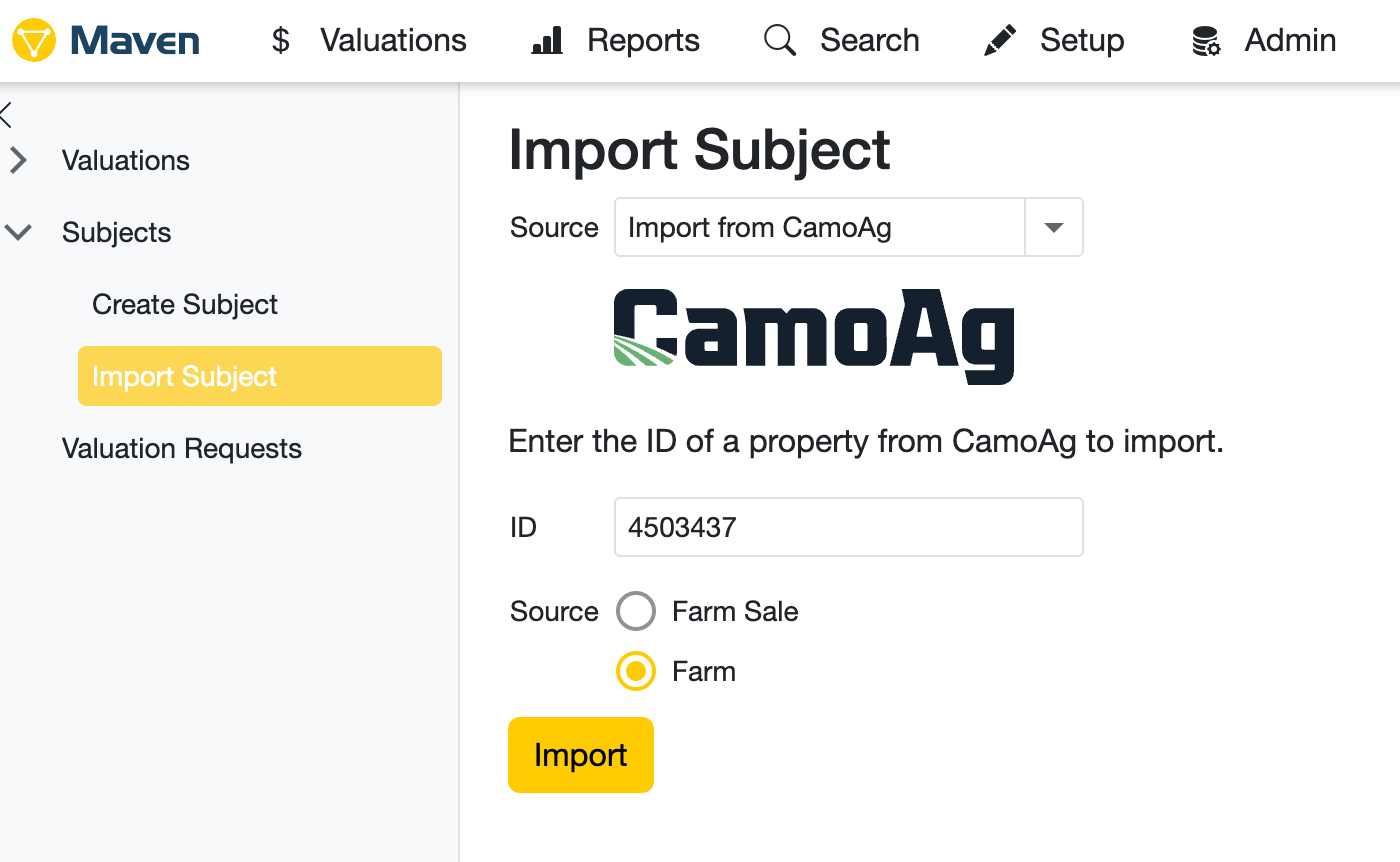
Each subject property you add to your CamoAg account has its own unique **Farm ID** located in the URL. The **Farm ID** is important because it differentiates between a Farm/Subject and a Farm Sale/Comp Sale. When importing into MAVEN or DATALOG from CamoAg, simply click the **Options** menu then select **Import to Agware Maven CamoAg.**
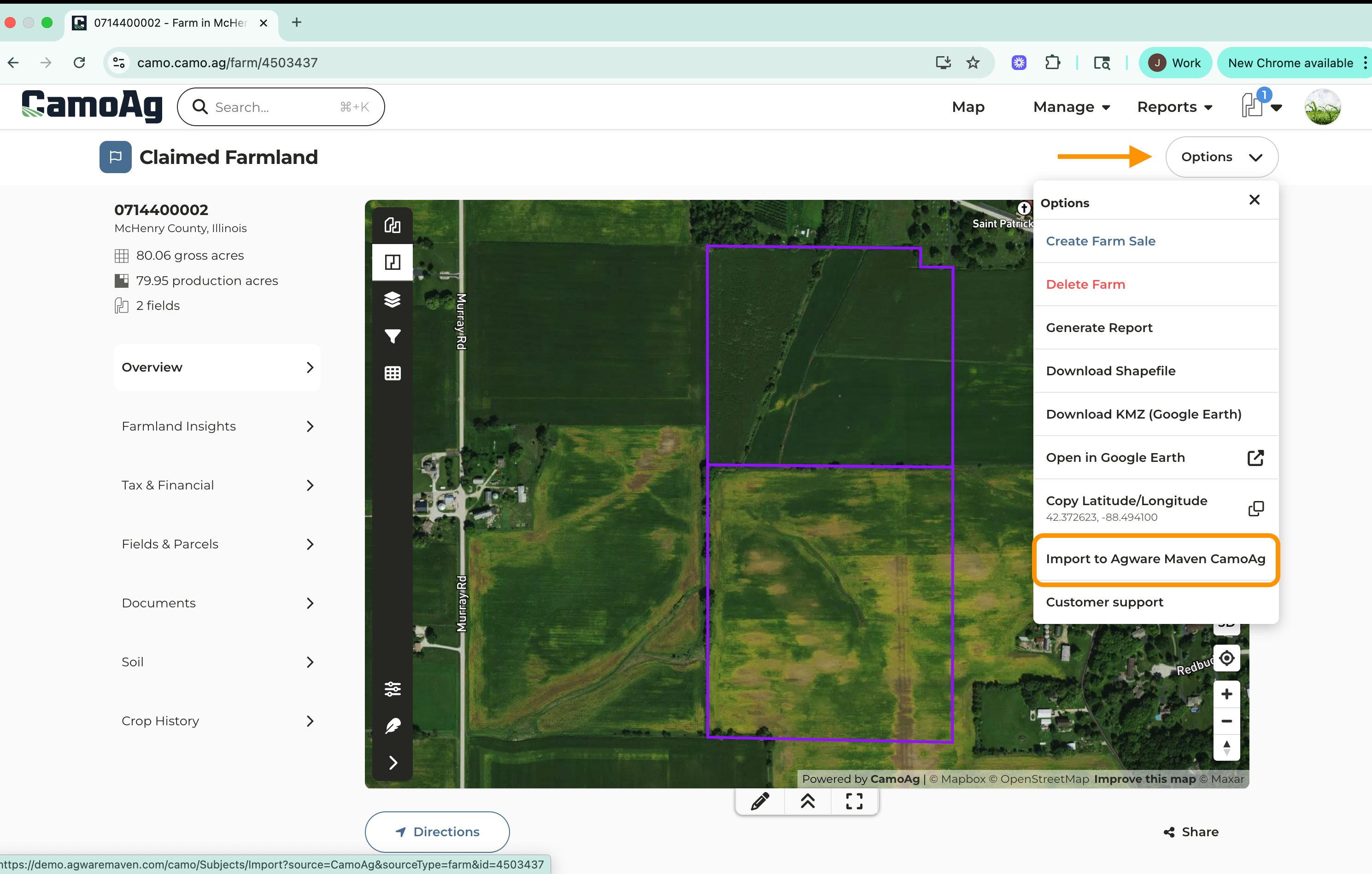
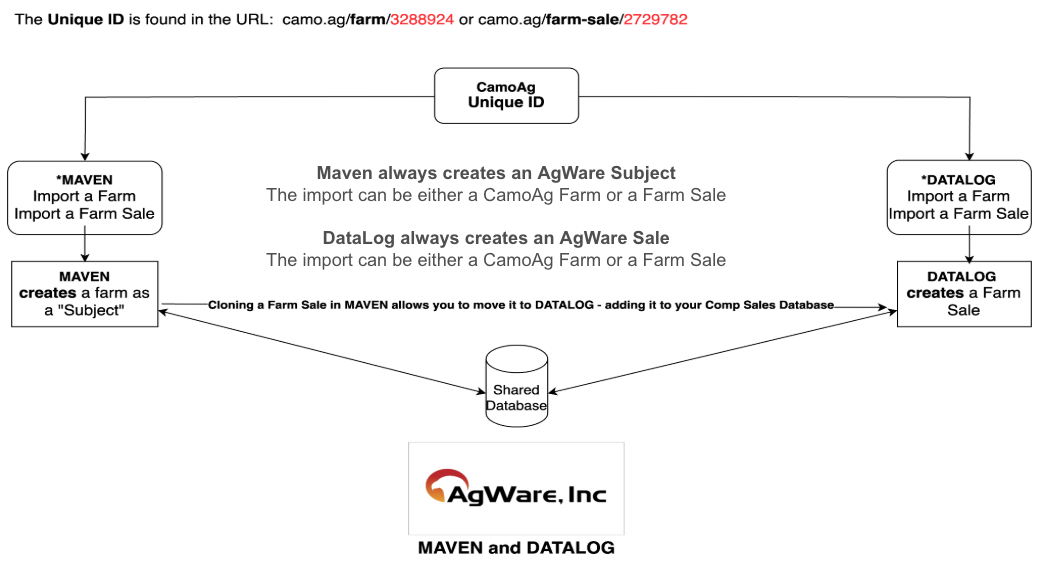
Agware Maven will automatically recognize if the subject property is a Farm Sale or a Farm and mark it as such.
*Please note that CamoAg is unable to provide support for Maven/Agware. If you run into questions with the Maven/Agware platform, please reach out to their team. Questions specific to CamoAg should be sent to [support@camo.ag](mailto:support@camo.ag)*