> ## Documentation Index
> Fetch the complete documentation index at: https://docs.camo.ag/llms.txt
> Use this file to discover all available pages before exploring further.

# Editing a Farm or Field Name

<Frame>
  <iframe src="https://www.youtube.com/embed/z_7E0GE8IOc" title="Editing the Name of a Farm" frameborder="0" allow="accelerometer; autoplay; clipboard-write; encrypted-media; gyroscope; picture-in-picture; web-share" referrerpolicy="strict-origin-when-cross-origin" allowfullscreen />
</Frame>

<Steps>
  <Step>
    From the Dashboard click on **Farms**
  </Step>

  <Step>
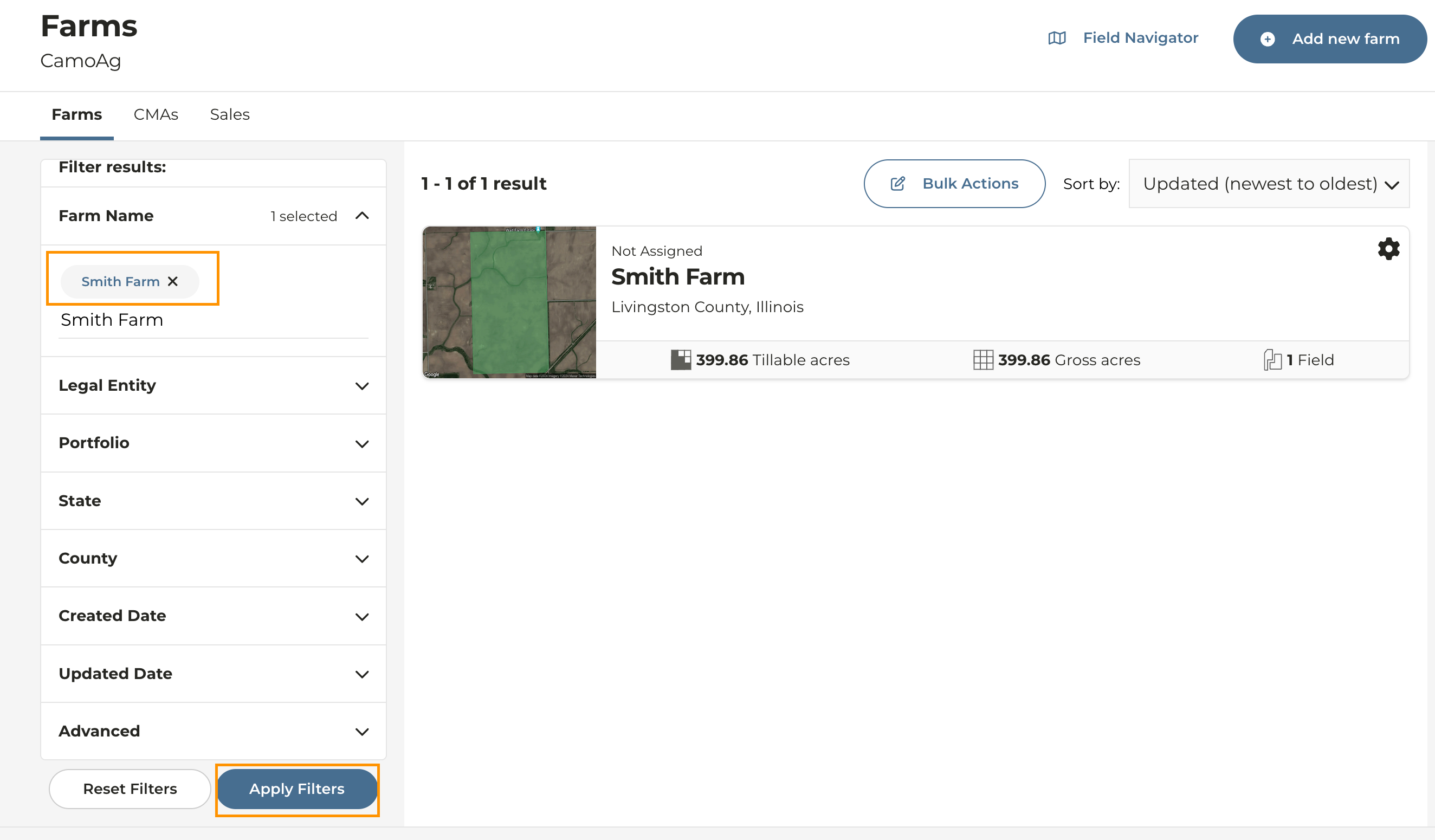
    Apply the filter(s) on the left to search for the farm you want to work with and click **Apply Filters**
  </Step>

  <Step>
    Click into the farm you want to work with
    <Frame>
      ![Screenshot 2024-06-05 at 1.48.52 PM.png](https://assets.camo.ag/tillable-assets/docs/user-guides/image-48.png)
    </Frame>
  </Step>

  <Step>
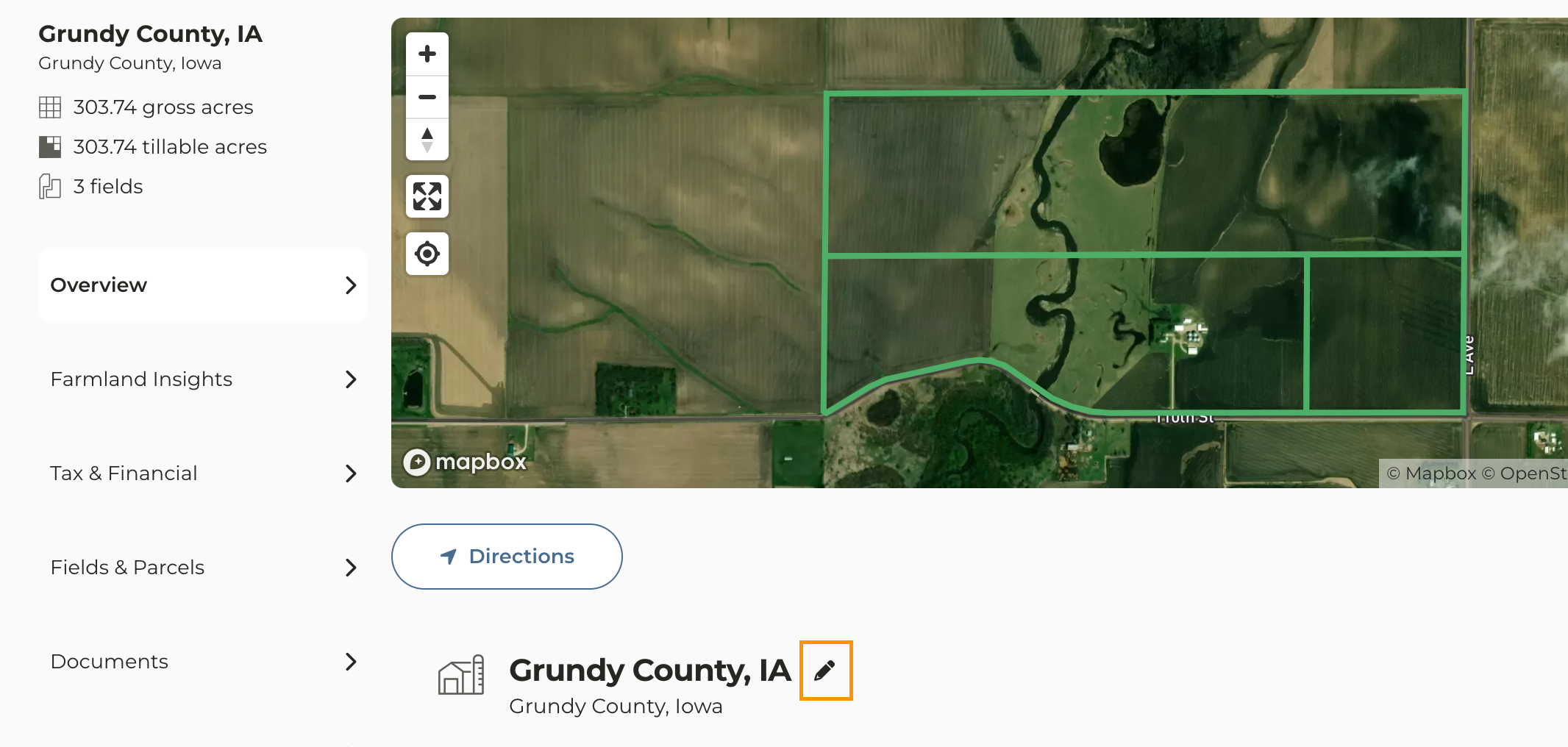
    To change the name of a farm click on the **edit icon <Icon icon="pencil" iconType="solid" />** next to the farm name under the map
  </Step>

  <Step>
    Rename the Farm and click the **check mark** to the right of the farm name to save your changes
    <Frame>
      ![Screenshot 2023-10-09 at 9.34.28 AM.png](https://assets.camo.ag/tillable-assets/docs/user-guides/image-50.png)
    </Frame>
  </Step>

  <Step>
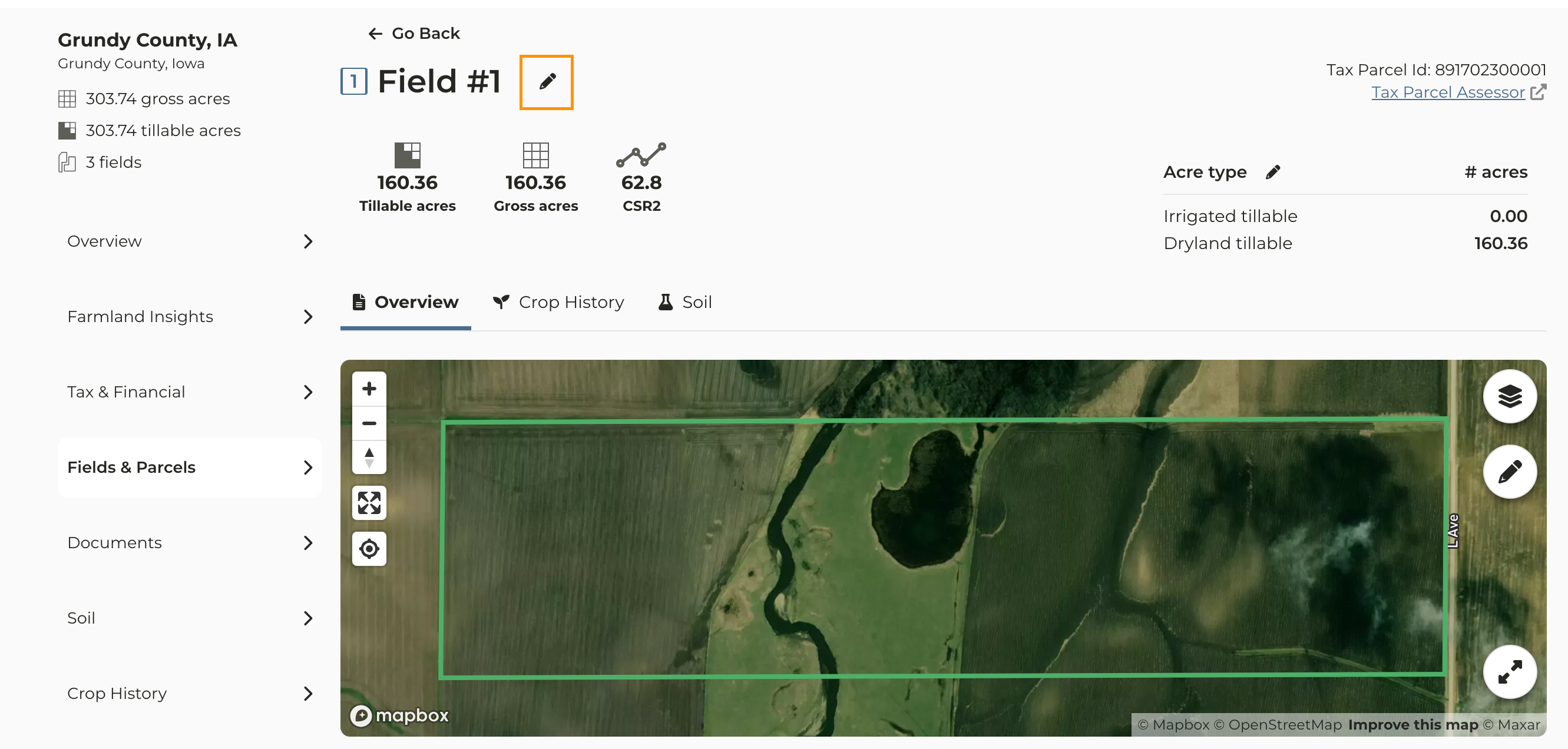
    To edit a Field or Parcel click on the **Fields & Parcels** tab to the left side of the page
  </Step>

  <Step>
    Click the field whose name you want to change then click the **edit icon <Icon icon="pencil" iconType="solid" />**
  </Step>

  <Step>
    Enter the updated field name and click the check mark to save
    <Frame>
      ![Screenshot 2023-10-09 at 9.37.53 AM.png](https://assets.camo.ag/tillable-assets/docs/user-guides/image-51.png)
    </Frame>
  </Step>
</Steps>
