> ## Documentation Index
> Fetch the complete documentation index at: https://docs.camo.ag/llms.txt
> Use this file to discover all available pages before exploring further.
# CMAs Created Report
### **CMAs Created Filters**
**To see all available filters click on the funnel to the right of the filters**

**Farm Name:** Filter the report to show a specific farm. If more than one CMA exists for a subject property, use this filter to view and compare the values of the CMAs.
**Farm State:** Select a state in which the subject property is located
**Farm County** Select the county or counties you would like to include or exclude
*Note: The county filter is not state specific and will display all counties regardless of the state selected.*
**Farm Soil Rating:** Use this to find farms with a certain soil rating
**Farm Acres:** Filter to show subject properties within a certain acreage size
**User Email:** Filter by users within your organization
**Prepared by:** Filter to see CMAs prepared by a specific user
### **CMAs Created Data Sets**
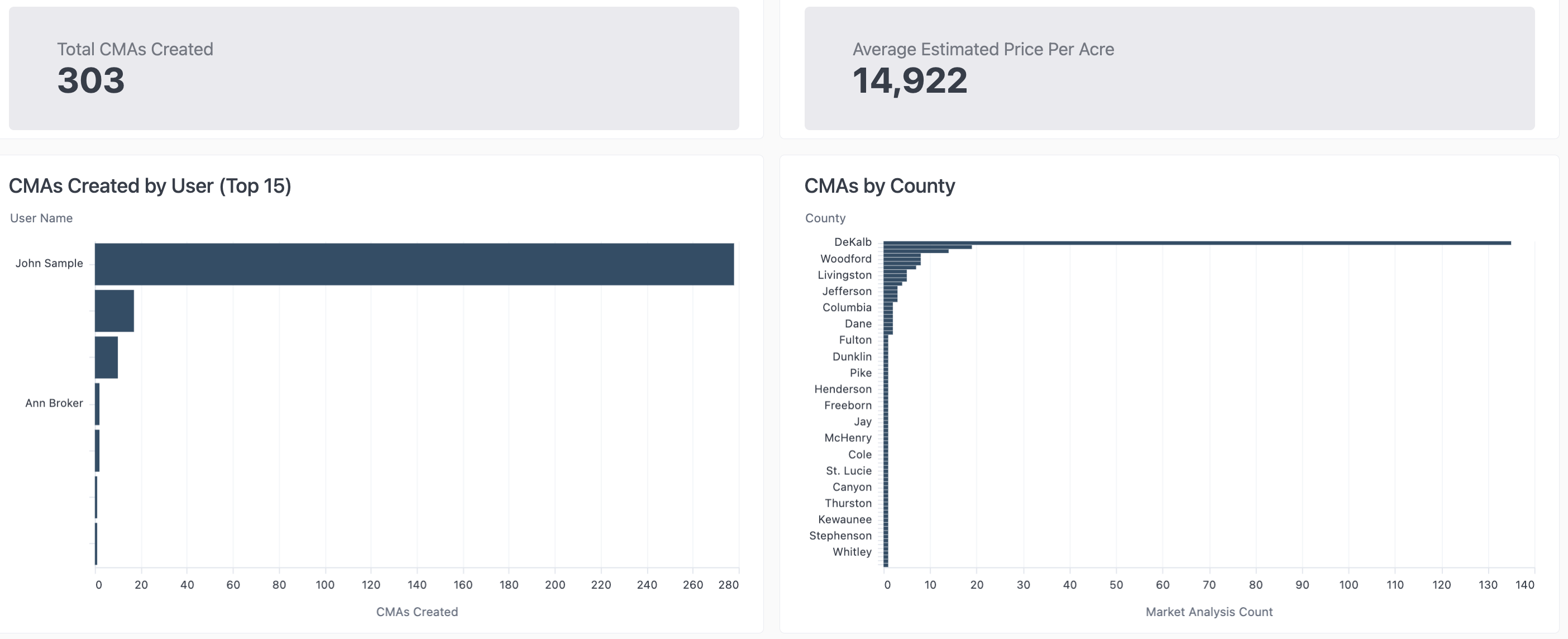
### **CMAs Created Data Table**
**CMA Subject Farm Details**

* **Estimated Price Per Acre:** Number is pulled from the **Market Analysis** section of the CMA
* You *must* click **Edit Value** then **Save** when creating the CMA in order for this data set to populate the report even if no edit is made to the value