> ## Documentation Index
> Fetch the complete documentation index at: https://docs.camo.ag/llms.txt
> Use this file to discover all available pages before exploring further.
# Updating the Address for Your Account
> In order to update the address for your organization you need to have Organization Admin privilages
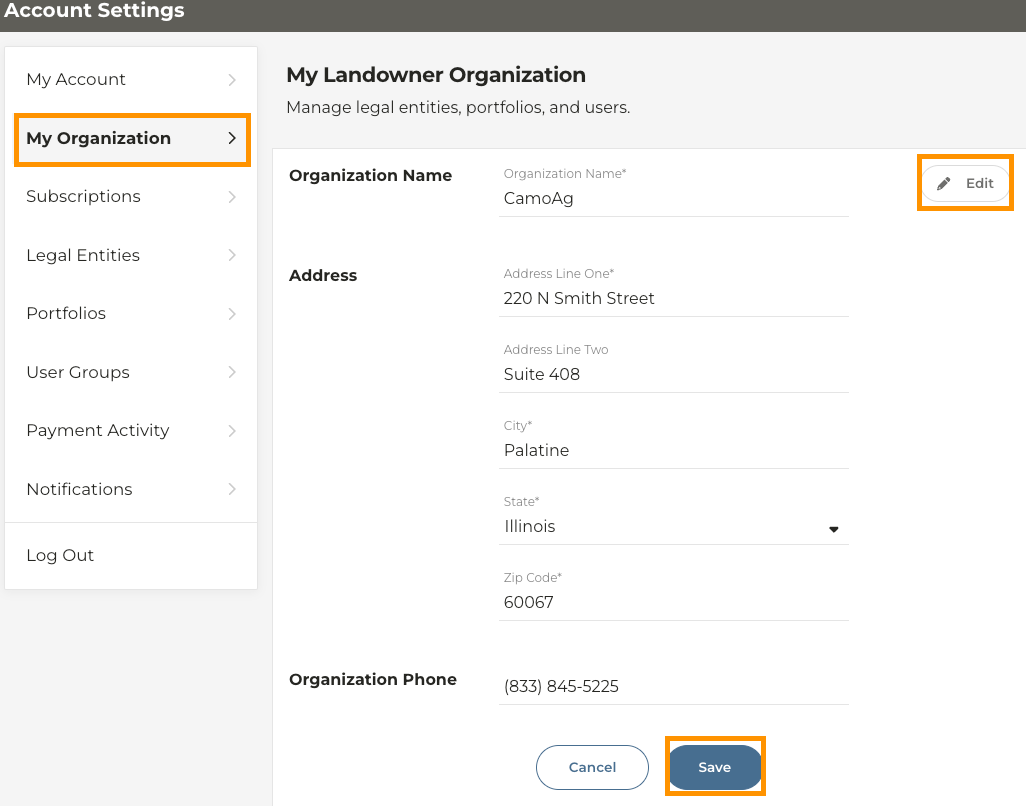
Navigate to **Account Settings**
Click on **My Organization**
Click **Edit** within the address card, make your updates and click **Save**
If you also need to update the addresses for any Legal Entities click on **Legal Entities** then click on the card of the entity you wish to update, edit and save.