> ## Documentation Index
> Fetch the complete documentation index at: https://docs.camo.ag/llms.txt
> Use this file to discover all available pages before exploring further.

# Adding Points to a Property (Wind Turbines, Irrigation Pivots, etc)

<AccordionGroup>
  <Accordion title="What types of points can be added to a property?">
    * Points can be added to a field or farm to indicate the location of irrigation equipment, wells, wind turbines, gate access, etc.
  </Accordion>

  <Accordion title="When can I add a point to a property?">
    * A point can only be added to a property that has been claimed/added in your account.
  </Accordion>

  <Accordion title="Who can see the points that I add?">
    * If a point is added it becomes visible to all users in the organization from the plat map.
  </Accordion>
</AccordionGroup>

<Steps>
  <Step>
    Navigate to the property for which you want to add a point
  </Step>

  <Step>
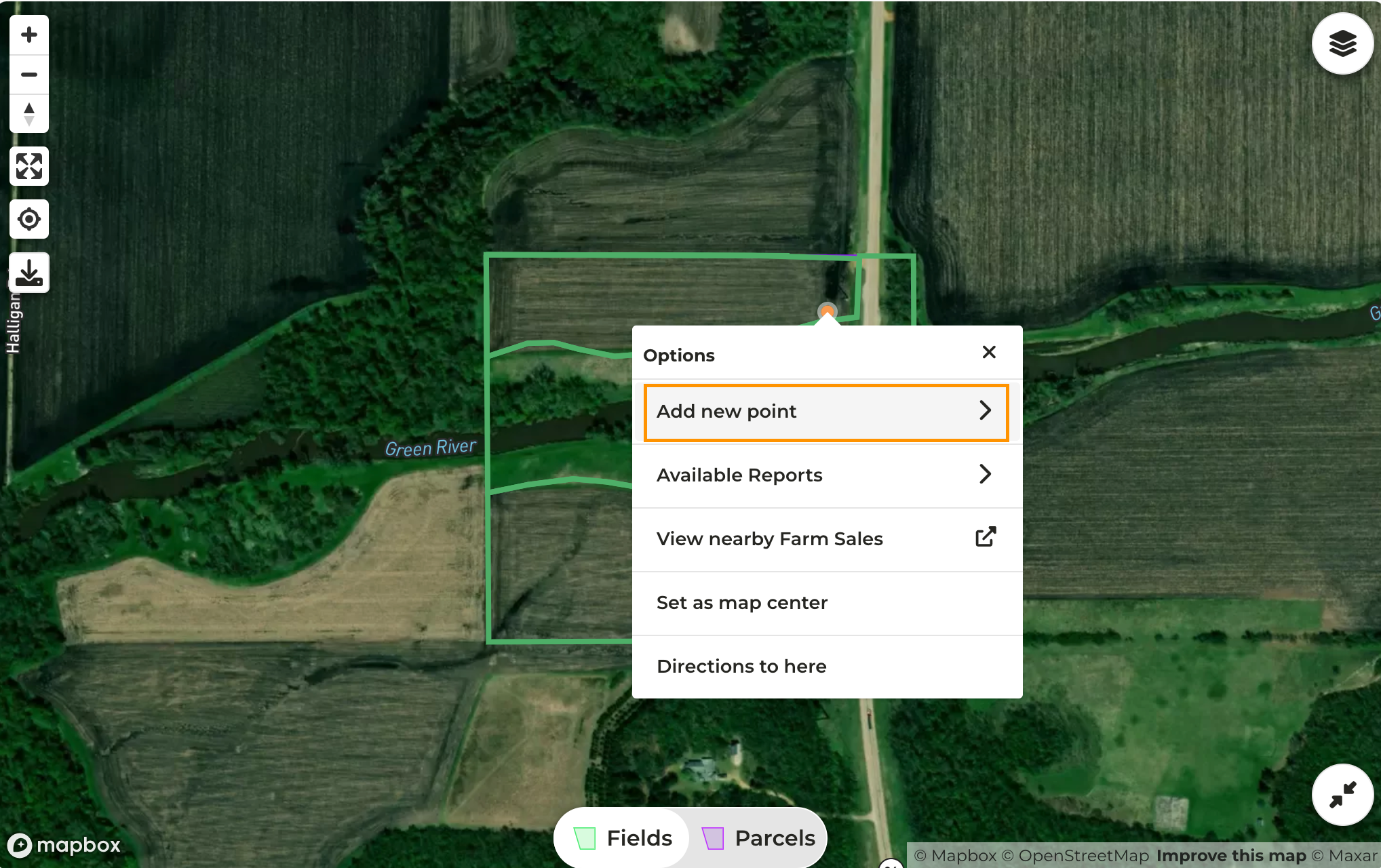
    Right-click anywhere on the map and click **Add new point**
    <Frame>
      ![Screenshot 2024-03-26 at 3.39.33 PM.png](https://assets.camo.ag/tillable-assets/docs/user-guides/image-74.png)
    </Frame>
  </Step>

  <Step>
    Click on the type of point you want to add
  </Step>

  <Step>
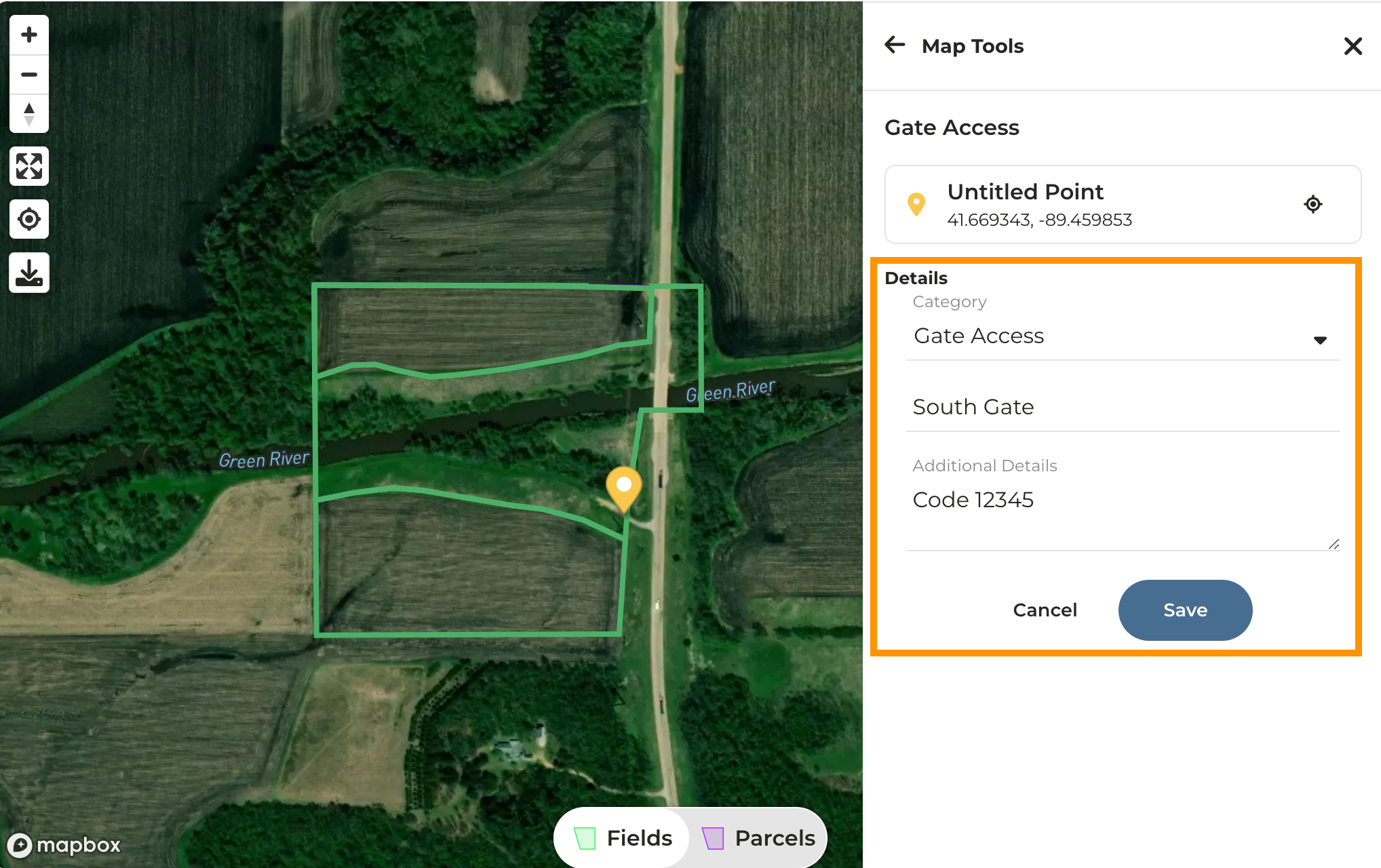
    A pin will drop on the map - to move the pin click and drag it to the desired location
  </Step>

  <Step>
    On the right side of the page enter details for the pin you added
  </Step>

  <Step>
    Click **Save** then the **X** in the upper right corner of the map to collapse the Map Tools
    <Frame>
      ![Screenshot 2024-03-26 at 3.43.12 PM.png](https://assets.camo.ag/tillable-assets/docs/user-guides/image-75.png)
    </Frame>
  </Step>

  <Step>
    You can continue adding points by right-clicking on the map once again
  </Step>

  <Step>
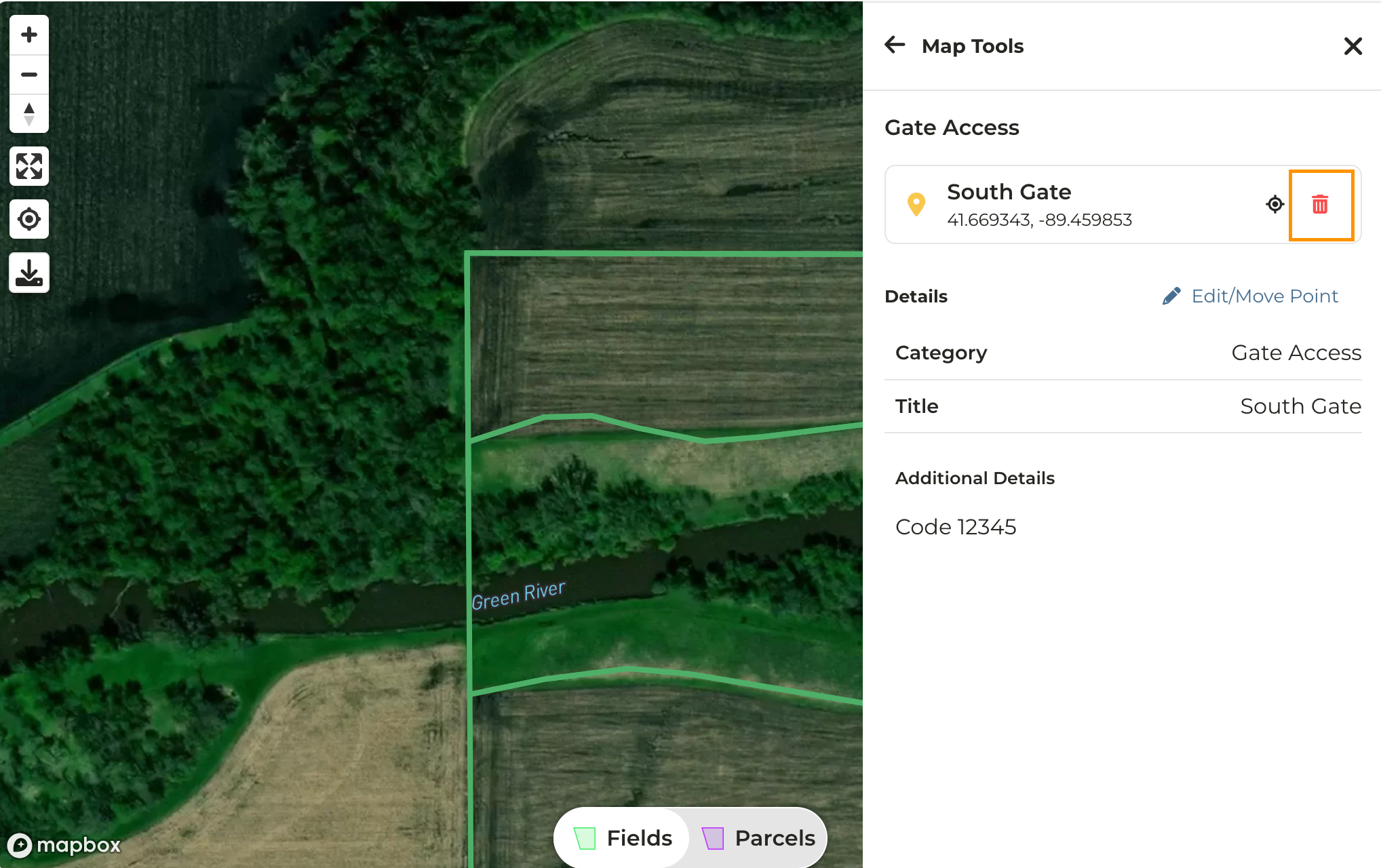
    To delete a pin, simply click on it then click on the trash can icon
    <Frame>
      ![Screenshot 2024-03-26 at 3.55.06 PM.png](https://assets.camo.ag/tillable-assets/docs/user-guides/image-76.png)
    </Frame>
  </Step>
</Steps>

#### Related to

<CardGroup>
  <Card title="right-click map function" icon="file-text" href="/hc/en-us/articles/18006253860631-Adding-Points-to-a-Property-Wind-Turbines-Irrigation-Pivots-etc" horizontal />
</CardGroup>
